CLAUDE.md Generator: Build Project Context Files AI Agents Actually Read
CLAUDE.md Generator helps you build a CLAUDE.md project context file for AI coding agents from your repo commands, architecture notes, and team conventions — free, right in your browser.
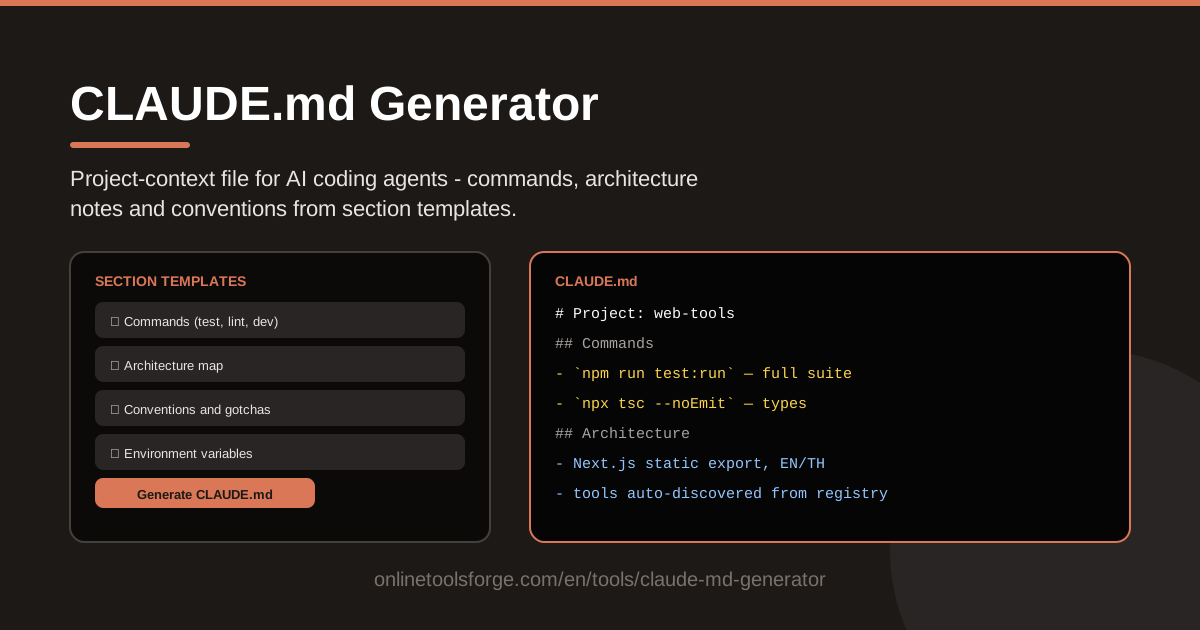
Table of Contents
AI coding agents are only as good as the context you give them. Point one at a fresh repository and it will invent a build command, guess at your folder structure, and quietly break conventions your team took years to establish. A CLAUDE.md file fixes this: it is the project context file that Claude Code and compatible AI coding agents read automatically at the start of every session, so the agent starts from your rules instead of its own assumptions. The CLAUDE.md Generator makes writing that file fast — pick section templates, fill in your repo's specifics, and copy-paste clean Markdown to your repository root.
Without that file, every session starts from zero: the agent re-discovers your stack through trial and error, runs the wrong test command, or formats code your linter instantly rejects. With it, the agent spends its effort on your actual task instead of re-learning your project every time.
This guide covers why a project context file matters, exactly what belongs in one, how to generate a CLAUDE.md in about five minutes, and the habits that keep it useful as your codebase evolves.
Why Use CLAUDE.md Generator?
- Agents read your conventions instead of guessing. Left unguided, an agent invents its own patterns — odd naming, unfamiliar error handling, made-up commands. A CLAUDE.md is read automatically at the start of each session, so the agent works from your rules.
- Section templates give you a proven structure. Commands, architecture, conventions, and environment variables are the sections agents rely on most, and the templates make sure you never forget a critical block.
- Build and test commands actually get used. When the exact command is written down, the agent runs it instead of improvising a script that half-works on your stack.
- Faster onboarding for humans and machines. The same file that briefs an agent also briefs a new teammate on day one. One document, two audiences.
- Runs entirely in the browser. No account, no install, and no upload of your source code. Fill in the templates and copy the result.
- Easy to regenerate as things change. When a command moves or the architecture shifts, re-run the generator and refresh the file in minutes.
Key Features
| Feature | What it does |
|---|---|
| Section templates | Prebuilt blocks for commands, architecture, conventions, and environment variables, so your file covers what agents actually need |
| Project context output | Produces a CLAUDE.md file that AI coding agents read automatically at the start of each session |
| Copy-paste Markdown | Emits clean, plain Markdown you can paste straight into your repository |
| Browser-based editing | Everything runs client-side — nothing is uploaded and no sign-up is required |
| Modular sections | Keep only the sections your project needs and drop the rest before exporting |
A few details worth knowing:
- Templates are starting points, not straitjackets: edit, delete, or reorder any section before copying the result.
- Because the output is plain Markdown, it works with any stack — Node, Python, Go, Rails, or a mix of all of them.
- The generated file stays deliberately concise, which matters because agents read the whole file every session.
How to Use CLAUDE.md Generator
- Pick your sections. Open the CLAUDE.md Generator and choose the blocks you need — commands, architecture, conventions, and environment variables are the usual four.
- Fill in the real commands. Enter the exact build, test, and lint commands for your project, including setup steps like installing dependencies or activating a virtual environment. Precision here pays off every session.
- Add architecture notes. Describe the main areas of the codebase in a short paragraph — where the API lives, how data flows, and which directories matter most.
- List your conventions. Add naming rules, style boundaries, and things the agent must never do, such as editing generated files or touching migration history.
- Paste it as CLAUDE.md at the repo root. Copy the generated Markdown, save it as CLAUDE.md in your repository root, and commit it so the whole team benefits. The next agent session picks it up automatically.
What Belongs in an Agent Context File
Commands come first. This is the highest-value section of the whole file: the exact build, test, and lint commands, plus setup an agent would never guess, like how to start a local database or which port the dev server uses. If single-file test runs are supported, include the syntax — it saves the agent from running your entire suite repeatedly.
Architecture in a paragraph, not a book. One tight paragraph is enough: the main modules, the direction data flows, and any non-obvious layout. Agents explore code on their own; your job is to hand them the map, not the gazetteer.
Conventions the agent must not break. Write down naming patterns, where tests live, your error-handling style, and hard limits like "never edit files under generated/." Explicit do-and-don't statements beat long explanations.
Environment variables and secrets boundaries. List required variables and what they do — never their actual values. State where secrets live, such as a git-ignored .env file, and tell the agent never to commit or print them.
Keep it short enough to be read every time. The file loads into the agent's context each session, so every line competes for attention. Around one hundred lines is a sensible ceiling for most repositories.
Practical Use Cases
Onboarding AI Agents to a Legacy Repo
Legacy codebases are where agents stumble most: undocumented build order, no README, and conventions that exist only in veterans' heads. Use the generator to capture that tribal knowledge in one sitting — the real install steps, the quirks, the rules like "we never touch this module" — and the agent stops breaking the build on its first try.
Standardizing Team Repos
When every service has a different layout, agents and people pay a context-switch tax on each one. Share one template per team with the same section order everywhere, and reviewing a CLAUDE.md diff becomes part of the normal pull-request checklist.
Monorepo Package-Level Context Files
In a monorepo, keep a root CLAUDE.md for repo-wide commands and architecture, then add smaller CLAUDE.md files inside packages that have their own test commands, ports, or conventions. The generator's modular sections make the package-level files quick to produce.
Personal Defaults Across Projects
Beyond team repos, template your own preferences — commit message style, favorite test runner, review checklist — and reuse them across side projects so every agent session starts aligned with how you like to work.
Best Practices
- Keep it under about 100 lines. The file is read into context every session, so long files dilute the rules that matter most.
- Update it the moment commands change. A stale test command teaches the agent to distrust the whole file — and to start guessing again.
- Prefer do/don't over prose. "Use kebab-case for filenames. Never edit generated files." beats a paragraph of explanation every time.
- Delete stale sections. An unused section still costs context; prune ruthlessly whenever you refresh the file.
- Never include secret values. List variable names and where they come from, not the credentials themselves.
- Match the file to the scope. Root file for repo-wide rules, package-level files for monorepo specifics.
Ready to stop repeating yourself to your AI coding agent? Open the CLAUDE.md Generator, fill in the section templates for your repo, and paste a clean project context file into your codebase in about five minutes. Your future agent sessions — and your teammates — will thank you.
Related Tools You Might Like:
- System Prompt Builder — craft reusable system prompts that shape how an AI model behaves across tasks.
- LLM Context Packer — assemble and compress reference material into a context payload that fits your model's window.
- Markdown Table Formatter — keep the tables in your CLAUDE.md and documentation perfectly aligned.
Happy building!
Frequently Asked Questions
Q: Does the CLAUDE.md Generator upload my code anywhere? A: No. The generator runs entirely in your browser: you type in commands and notes, and the tool assembles the Markdown locally. Nothing is sent to a server and no sign-up is required.
Q: Do all AI coding agents read CLAUDE.md automatically? A: Claude Code reads a root-level CLAUDE.md automatically at the start of each session, and many other agents and editors support the same convention. Even where it is not automatic, the file works as excellent agent-facing documentation you can point to manually.
Q: Where should the file go in a monorepo? A: Keep a root CLAUDE.md for repo-wide commands and architecture, plus smaller CLAUDE.md files inside packages with their own build, test, or convention requirements. Agents use the nearest relevant file for the code they are editing.
Q: How long should my CLAUDE.md be? A: Aim for roughly 100 lines or fewer. The file is read into the agent's context every session, so prioritize exact commands, hard rules, and the architecture paragraph — and delete anything that has stopped being true.