Sorting Algorithm Visualizer: Watch Five Classic Sorts Think Step by Step
Learn how the Sorting Algorithm Visualizer animates bubble, insertion, selection, merge, and quick sort with live comparison and swap counters and full speed control.
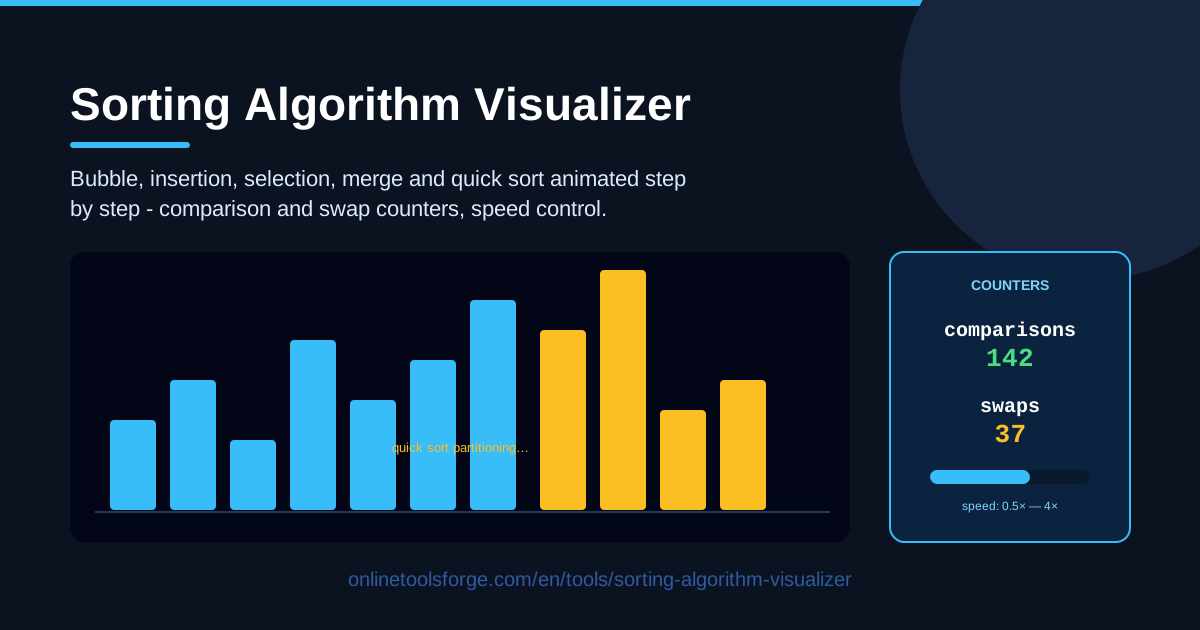
Table of Contents
Every computer science student meets the same five algorithms — bubble sort, insertion sort, selection sort, merge sort, and quick sort — usually as pseudocode on a whiteboard. The trouble with pseudocode is that it is silent. You can trace a few lines by hand, but you never really see why one algorithm needs thousands of comparisons while another finishes in a few hundred. The Sorting Algorithm Visualizer fixes that by turning each algorithm into a live animation: bars rise, fall, and shuffle into place while counters track every comparison and swap.
The tool runs entirely in your browser, with nothing to install. Choose an array size, pick one of the five algorithms, set the animation speed, and press run. Slow a merge sort down to watch it split the array in half, or blast a bubble sort at full speed to feel exactly how painful quadratic time becomes on a large array.
This guide walks through how to use the visualizer, what each of the five algorithms actually does on screen, and how to read the comparison and swap counters like a pro.
Why Use Sorting Algorithm Visualizer?
- Turns abstract pseudocode into motion. Reading a comparison between two neighbors is one thing; watching the taller bar hop across the screen forty times is another. Animation builds intuition that sticks long after the textbook closes.
- Makes complexity visible. The comparison and swap counters let you feel the difference between O(n²) and O(n log n) instead of memorizing it. Run bubble sort and quick sort on the same array and the final numbers speak for themselves.
- A safe space to experiment. Wrong guesses cost nothing. Slow the animation down, adjust your mental model, and run it again — no grades, no deadlines.
- Matches every learning pace. The speed control lets a beginner follow every single swap, while a reviewer skims a full quick sort partition in seconds.
- Zero setup. Everything runs in the browser — no compiler, no IDE, no downloading a code sample just to watch it work.
- Bridges theory and code. Once you have watched a partition happen, the real quick sort implementation in any language suddenly makes sense.
Key Features
| Feature | What it does |
|---|---|
| Five classic algorithms | Animates bubble, insertion, selection, merge, and quick sort on one visual stage |
| Adjustable array | Changes the array size so you can see how each algorithm scales |
| Step-by-step visualization | Shows every comparison and swap in sequence, not just the final result |
| Comparison counter | Tracks how many times two elements are compared against each other |
| Swap counter | Tracks every element exchange, revealing how write-heavy each algorithm is |
| Speed control | Slows the animation for study or speeds it up for a quick overview |
| Runs in the browser | Opens instantly in any modern browser with nothing to install |
- The counters update live during the animation, so you can see exactly which operation pushed the total up at any moment.
- Because the array is adjustable, you can test the classic claim that doubling the input roughly quadruples the work of an O(n²) sort.
- Running client-side makes the tool fast enough to use as a live demo in a classroom or study group.
How to Use Sorting Algorithm Visualizer
- Set the array size. Start small — around ten to twenty elements — so you can follow individual bars. Larger arrays are better once you want to compare overall efficiency.
- Pick an algorithm. Choose from bubble, insertion, selection, merge, or quick sort. Bubble sort is a friendly first run because its adjacent swaps are the easiest pattern to follow.
- Control the speed. Set a slow speed for your first pass, then raise it once the pattern clicks. Fast speeds are ideal for watching an entire quick sort partition unfold.
- Run the sort. Press play and watch the bars animate, keeping an eye on the highlighting that shows which two elements are being compared or swapped right now.
- Read the counters. When the sort finishes, check the comparison and swap totals. Note them down, run a different algorithm on a similar array, and compare the results.
Watching Five Sorts Think
The real payoff is watching five completely different strategies attack the same unsorted array.
Bubble sort sweeps left to right, compares each pair of neighbors, and swaps them when they are out of order. On screen, the tallest values bubble toward the right edge, one per pass. The counters tell the harsh truth: roughly n²/2 comparisons, and on reversed data nearly as many swaps.
Insertion sort builds a sorted prefix on the left. Each new element lifts out of the unsorted region and walks left until it slots into place. Watch the prefix grow one bar at a time, and notice how few comparisons it makes on nearly-sorted input — the reason real-world hybrid sorts still use insertion sort for small runs.
Selection sort is the minimum hunter. Each pass scans the whole unsorted region for the smallest value, then drops it into position with a single swap. The comparison counter climbs steadily toward n²/2 no matter the input, while the swap counter stays remarkably low — the classic trade of lots of looking and little moving.
Merge sort plays a different game: divide, then combine. The array splits again and again until the pieces are single bars, and then the merges begin, folding two sorted runs into one larger sorted run. The animation makes O(n log n) behavior visible — the number of split levels stays tiny even for large arrays, and each level touches every element only once.
Quick sort picks a pivot and partitions around it, sweeping smaller values left and larger values right until the pivot lands in its final home. Watching the partition boundaries march inward is the fastest way to understand why the recursion works — and why a run of bad pivot luck can drag it toward quadratic time.
The counters turn all of this into numbers. On a shuffled fifty-item array, bubble sort can log well over a thousand comparisons and hundreds of swaps, while merge sort finishes the same job with a fraction of both. Swap counts also expose write cost: selection sort barely swaps at all, which matters when writes are expensive.
Practical Use Cases
CS Homework Intuition
Assignments love the question "explain why merge sort beats bubble sort." Instead of quoting Big-O from a textbook, run both algorithms on the same fifty-element array, note the final counters, and cite real numbers in your answer. You will also finally see the divide-and-conquer structure the question hints at.
Interview Preparation
Whiteboard interviews frequently ask you to trace a quick sort partition by hand. After watching the partition sweep a dozen times in the visualizer, sketching it from memory becomes mechanical. The same goes for defending why bubble sort is O(n²) — you have literally watched the nested loops grind.
Teaching Demonstrations
Project the tool in class, slow the animation down, and ask students to predict the next swap before it happens. The live counters turn a lecture into data: pause after each algorithm finishes and compare its totals as a group.
Choosing a Sort for Real Data
Working with nearly-sorted input? Watch insertion sort glide through it with barely any comparisons, and you will understand why production libraries reach for it on small or almost-ordered chunks. Data with expensive writes? Selection sort's low swap count tells that story instantly.
Best Practices
- Run each algorithm on the same array. Identical input is the only fair comparison — same size, same values, then let the counters decide the winner.
- Slow down for merge steps. Merge sort's insight lives in the combine phase, and it flashes past at high speed. Drop the speed setting and watch one merge from start to finish.
- Count operations, not seconds. Animation duration depends entirely on the speed slider; the comparison and swap counters are the honest, speed-independent metric.
- Start small, then scale. Follow ten bars comfortably before pushing the array size up. Scaling is how you feel the gap between quadratic and linearithmic growth.
- Predict before you play. Pause mid-animation, guess the next comparison or swap, then resume. Prediction is the fastest route from watching to understanding.
- Try adversarial inputs. A reversed array is bubble sort's nightmare — and occasionally quick sort's. Worst cases teach more than tidy random ones.
Ready to stop memorizing and start seeing? Open the Sorting Algorithm Visualizer, set your array, and watch five strategies race toward the same sorted finish line — counters running the whole way.
Related Tools You Might Like:
- Regex Explainer — decode any regular expression piece by piece
- SQL Join Visualizer — watch tables combine with a click
- Graphviz DOT Renderer — turn DOT code into clean diagrams
Happy learning!
Frequently Asked Questions
Q: Do I need to know how to code to use the Sorting Algorithm Visualizer? A: Not at all. The animations are visual by design, so zero programming experience is required. Knowing a little syntax simply adds a second layer of appreciation when you connect what you saw to real code.
Q: Which algorithm should I watch first? A: Start with bubble sort. Its adjacent swaps are the easiest pattern to follow at slow speed. Once that clicks, jump to quick sort to see how a smarter strategy attacks the very same array.
Q: Why does selection sort show many comparisons but very few swaps? A: Because it scans the entire unsorted region to find the minimum before moving anything. All the effort goes into looking, and only one swap is spent placing each element.
Q: Does the tool work on phones and tablets? A: Yes. Everything runs in the browser, so any modern mobile or desktop browser can handle it, and nothing gets installed on your device.