Turn Flat CSS into Clean Nested SCSS in Seconds
The CSS to SCSS Converter restructures flat stylesheets into properly nested SCSS with selector merging, BEM ampersand support, and color variable extraction — entirely in your browser.
Free Interactive Tool
CSS to SCSS Converter
Convert flat CSS into nested SCSS with selector merging and optional color variables
Table of Contents
Every codebase that has been around for a few years accumulates flat stylesheets. Selectors repeat, colors drift, and the relationship between a component and its parts gets buried under dozens of top-level rules. When it is time to move that code into a Sass project, rewriting by hand is slow, tedious, and error-prone. The CSS to SCSS Converter does the heavy lifting for you: paste a flat stylesheet, and it returns clean, properly indented SCSS with repeated parent selectors merged into single nested blocks.
Beyond restructuring, the tool offers two optional upgrades that make migrated code feel like it was written for Sass from day one. Color variable extraction scans the stylesheet for repeated hex, rgb, and hsl values and replaces them with $color-* variables. BEM ampersand nesting rewrites element and modifier selectors such as .card__title so they hang off their parent block with & — exactly how a BEM codebase is supposed to look.
And because everything runs in your browser, there is nothing to install and nothing to upload — your CSS never leaves the tab, making the converter safe for proprietary client work and internal design systems.
Why Use the CSS to SCSS Converter?
- Selector merging saves real time. Stylesheets often repeat the same parent over and over — .card, .card .title, .card .meta. The converter recognizes these shared ancestors and merges them into one nested tree, so you do not have to reassemble the structure yourself.
- Color variable extraction enforces consistency. Instead of hunting for every repeated #3b82f6 by hand, toggle one option and recurring colors become $color-* variables.
- BEM ampersand nesting matches modern conventions. The & parent selector is the idiomatic way to write BEM in Sass, and the tool can generate it automatically instead of you retyping the block name dozens of times.
- Stats and warnings surface problems early. The tool reports how many rules and variables it processed and flags unbalanced braces, so a truncated paste does not silently turn into broken output.
- Zero setup and zero build step. No Sass compiler to install, no config file to maintain. Open the page, paste, copy.
- Private by design. All processing is 100% client-side, so proprietary stylesheets never touch a server.
Key Features
| Feature | What It Does | Why It Matters |
|---|---|---|
| Selector merging | Repeated parent selectors collapse into one nested block | Mirrors component structure and removes duplication |
| Color variable extraction | Repeated hex, rgb, and hsl values become $color-* variables | Single source of truth for your palette |
| BEM ampersand nesting | Element and modifier selectors become &__element and &--modifier | Idiomatic Sass for BEM projects |
| Live stats | Counts rules processed and variables found | Instant feedback on stylesheet complexity |
| Brace validation | Flags unbalanced opening and closing braces | Catches truncated pastes before they become bugs |
| Browser-only processing | Parsing and generation happen entirely client-side | Safe for confidential code |
A few details worth noting:
- The nested output compiles back to the same selector set you put in, so rendering behavior is unchanged.
- At-rules such as @media and @keyframes are preserved and re-indented rather than stripped.
- Variable extraction skips non-color values like 0, auto, or none, so you never end up with a variable assigned to a keyword.
How to Use
- Open the tool. Navigate to the CSS to SCSS Converter. A sample stylesheet is preloaded so you can see the transformation immediately.
- Paste your flat CSS. Replace the sample with your own code — a full file, one component's rules, or a DevTools fragment.
- Toggle color variable extraction. Leave it on to turn recurring colors into $color-* variables, or off for a pure structural conversion.
- Toggle BEM ampersand nesting. Enable it when your stylesheet follows BEM naming, so nested element and modifier rules use the & parent selector.
- Review, then copy. Check the stats line and any warnings, skim the indented output, and paste the SCSS into your project.
What Good SCSS Nesting Looks Like
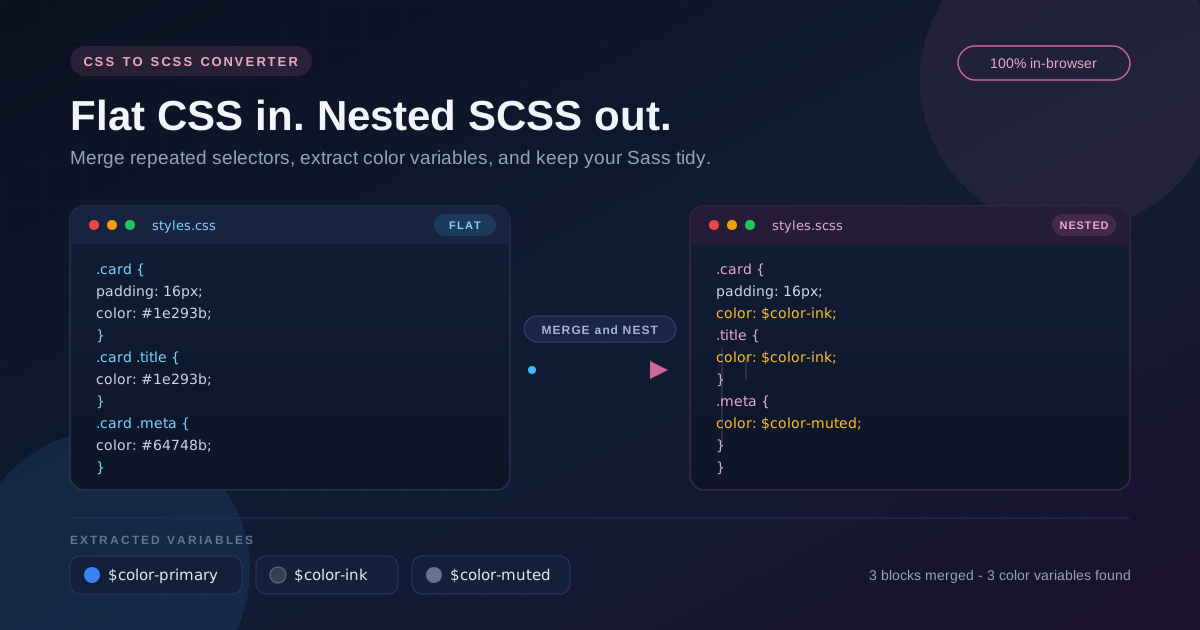
Selector merging is the heart of the transformation. Given three flat rules that share a parent:
.card {
  padding: 16px;
}
.card .title {
  font-weight: 700;
}
.card .title:hover {
  color: #3b82f6;
}
the converter produces output along these lines:
.card {
  padding: 16px;

  .title {
    font-weight: 700;

    &:hover {
      color: #3b82f6;
    }
  }
}
The cascade is unchanged — compiling this back yields the original selectors — but the source now reads like the component it describes.
Know when nesting hurts. Nesting is a tool, not a goal. Every level multiplies specificity and couples your styles to DOM structure. A selector compiled from four levels of nesting is far harder to override than a single flat class. Keep nesting to three or four levels at most, and prefer flat, single-class selectors for reusable pieces. The merged output from the converter is a starting point — prune it before committing.
The BEM ampersand pattern. With BEM nesting enabled, this flat input:
.card {
  padding: 16px;
}
.card__title {
  font-weight: 700;
}
.card--featured {
  border: 2px solid #3b82f6;
}
becomes:
.card {
  padding: 16px;

  &__title {
    font-weight: 700;
  }

  &--featured {
    border: 2px solid #3b82f6;
  }
}
The payoff is maintainability: rename the block once and every element and modifier follows, with all rules for a component in one place.
Color variable extraction pays off immediately. If #3b82f6 appears fourteen times across a stylesheet, extraction collapses it into one $color-primary: #3b82f6; declaration. Rebranding becomes a one-line change, dark-mode variants become trivial, and code reviews highlight real intent instead of scattered hex codes.
Practical Use Cases
Migrating Legacy Stylesheets into a Sass Project
Moving a plain-CSS project to Sass rarely fails because of syntax — it fails because of the sheer volume of manual restructuring. Convert one file at a time, drop the result into your Sass pipeline, verify the build, and commit. Selector merging handles the mechanical part while you focus on architecture decisions like partials and imports.
Cleaning Up Design-System Colors
Before adopting a design-token file, run your component CSS through the converter with extraction enabled. You get an instant inventory of how many distinct colors exist and how often each repeats. Rename the generated $color-* variables to your token scheme for a starting colors.scss grounded in actual usage rather than guesswork.
Onboarding Flat CSS into Component Styles
When you copy styles from an old page, a design handoff, or DevTools, they arrive flat. Convert them with BEM nesting enabled and the output drops straight into a co-located Component.scss, matching the structure of the React or Vue component it styles.
Preparing Stylesheets for Review and Handoff
Flat, duplicated selectors make pull requests hard to review. Merged, indented SCSS shows hierarchy at a glance, so reviewers verify coverage per component instead of diffing scattered rules.
Best Practices
- Keep nesting to three or four levels at most. Deeper blocks inflate specificity and make styles harder to override and debug.
- Review every extracted variable. Generated $color-* names are a starting point; rename them to semantic tokens like $color-brand-500 before they spread through your codebase.
- Keep specificity flat where it counts. Use nesting for states and component-local elements, but keep global, reusable styles on single classes.
- Convert one component at a time. Small batches keep diffs reviewable and make regressions easy to spot.
- Diff the output against the original. Merging should be behavior-preserving, but a quick compile-and-compare catches edge cases in unusual selectors.
- Treat warnings as action items. Unbalanced braces reported by the tool usually mean a truncated paste — fix the input rather than hand-patching the output.
Ready to Tame Your Stylesheets?
Whether you are migrating a legacy site to Sass or just tired of repeating the same selector twenty times, the CSS to SCSS Converter turns the chore into a copy-paste. Try it with your messiest stylesheet and see the difference.
Related Tools You Might Like:
- Tailwind to CSS Converter — turn Tailwind utility classes into plain CSS you can use anywhere.
- CSS Unit Converter — convert between px, rem, em, pt, and more with a configurable base size.
- CSS Custom Properties Generator — generate CSS variable sets for colors, spacing, and typography.
Happy converting!
Frequently Asked Questions
Q: Is my CSS uploaded to a server?
A: No. All parsing, selector merging, and variable extraction run entirely in your browser — nothing is transmitted, stored, or logged.
Q: Does this tool compile SCSS down to CSS?
A: No — it works in the opposite direction, taking flat CSS and producing nested SCSS source. To go from SCSS to CSS, use the Sass compiler in your build pipeline.
Q: Will the generated SCSS behave identically to my original CSS?
A: Yes, in terms of the cascade — nested rules compile back to equivalent selectors, so computed styles are unchanged. Formatting differs, so a quick visual check after migration is still good practice.
Q: What happens to media queries and keyframes?
A: They are preserved. At-rules are re-emitted with contents properly indented, and rules inside them take part in the same merging logic as top-level rules.
Q: Can I rename the generated variables?
A: Absolutely. Variables use $color-* names derived from the palette; rename them to match your design tokens after pasting.