Decimal Time Converter: Turn Clock Times Into Payroll Hours
Convert HH:MM:SS times to decimal hours for timesheets, payroll, and billing, and convert decimal hours back to clock time. Free, instant, and in your browser.
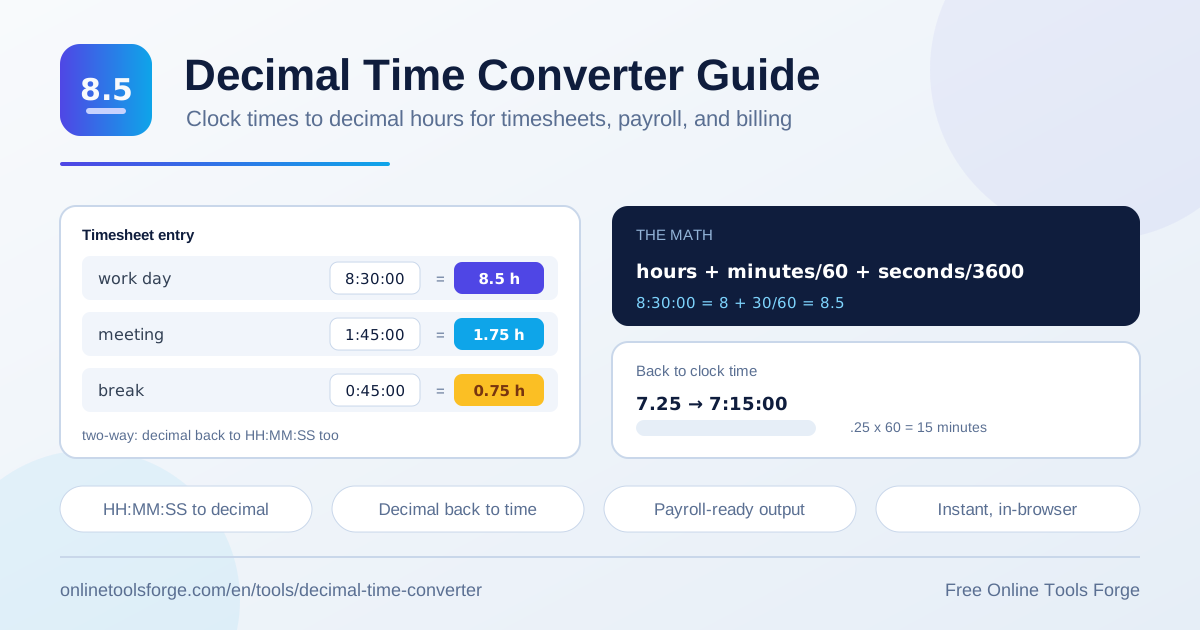
Table of Contents
If you have ever stared at a timesheet entry like 8:30 while your payroll software politely asked for 8.5, you already know the friction. Clock times and decimal hours are two different languages, and every week somebody translates between them by hand. That is exactly the job of the decimal time converter: type 8:30:00 and get 8.5 instantly, or feed in 7.25 and receive 7:15:00 when an invoice needs hours and minutes instead.
The tool is free and runs 100% in your browser. Nothing is uploaded, no account is required, and results appear the moment you type. Validation is built in, so a stray 8:75 or an accidental letter is caught on the spot rather than silently becoming a wrong number on your payroll run.
Plenty of people live between these two formats: payroll administrators closing a pay period, freelancers billing clients in decimal increments, shift managers checking time-tracking exports, and military time users who think in 24-hour clock but report in decimals.
Why Use the Decimal Time Converter?
- Payroll systems sum in decimals. Nearly every payroll platform stores and totals hours as numbers like 8.5 or 7.75, not as 8:30 or 7:45. Converting before entry removes the mismatch.
- Manual division invites errors. Dividing 37 by 60 in your head is how 6:37 becomes 6.37 on a timesheet, quietly underpaying an employee or misbilling a client.
- It works in both directions. The same tool converts clock time to decimal hours and decimal hours back to clock time, covering payroll entry and invoice line items alike.
- Seconds are kept, not rounded away. HH:MM:SS input keeps 1:45:30 precise at about 1.7583 hours instead of forcing a guess.
- It is instant and private. Conversions run locally, so timesheet data never leaves your device, and there is no signup wall slowing a Monday payroll run.
- Military time friendly. Enter 16:45:00 directly and get 16.75 without any AM/PM gymnastics.
Key Features
| Feature | What it does |
|---|---|
| Flexible input | Accepts HH:MM or HH:MM:SS with built-in validation, rejecting impossible values such as 9:80. |
| Time to decimal | Converts clock times to decimal hours; 8:30:00 becomes 8.5. |
| Decimal to time | Converts decimal hours back to clock time; 7.25 becomes 7:15:00. |
| Timesheet ready | Built for real payroll, timesheet, and client billing workflows. |
| Instant browser results | Every conversion runs locally with no uploads, accounts, or waiting. |
A few details worth knowing:
- Validation is part of the design. A typo such as 25 minutes or 61 seconds is flagged immediately rather than producing a plausible wrong number.
- Rounding stays in your hands. The tool shows the true decimal value; your payroll policy decides whether that means two decimals, quarter hours, or six-minute increments.
- Round trips are safe. Convert 8:30 to 8.5, convert 8.5 back, and you land on 8:30:00 again.
How to Convert Time to Decimal
- Open the decimal time converter in any browser; there is nothing to install and nothing to sign up for.
- Enter your clock time as HH:MM or HH:MM:SS. Both 8:30 and 8:30:00 are accepted, and seconds are optional.
- Watch the validation hints. Minutes and seconds must each fall between 0 and 59, so 8:75 is rejected instead of guessed at.
- Read the decimal result. 8:30:00 converts to 8.5 hours, 1:45:00 becomes 1.75, and 0:45:00 becomes 0.75.
- Copy the decimal into payroll, your timesheet, or an invoice. To go the other way, enter a decimal such as 7.25 and the tool returns 7:15:00.
How Decimal Time Math Works
The whole conversion rests on one idea: the hour is the unit, and minutes and seconds are fractions of it. With 60 minutes and 3,600 seconds in an hour, any clock time becomes decimal hours as:
decimal = h + m/60 + s/3600
8:30:00 -> 8 + 30/60 = 8.50
1:45:00 -> 1 + 45/60 = 1.75
Why does payroll prefer decimals? Sums, averages, and wage math are arithmetic on plain numbers. Multiplying 40.25 hours by a rate is trivial; multiplying 40:15 by a rate is not, because base-60 time does not mix with base-10 money. Decimal hours let a payroll engine total every employee's week with ordinary math and hand over one clean number.
Watch for the classic fraction traps:
- .5 means 30 minutes, not 50. Half an hour is 0.5; writing 0.50 because the clock said :50 turns 2:50 into a bogus 2.50 when the truth is 2.8333.
- 15 minutes is .25, not .15. A quarter hour is one quarter of 60, so 6:15 is 6.25; reading 15 as 0.15 shaves six minutes off every entry.
Converting back is the mirror image: keep the whole number as hours, multiply the decimal part by 60 for minutes, and any remaining fraction by 60 for seconds. So 7.25 hours is 7 hours plus 0.25 x 60 = 15 minutes, written 7:15:00 — the same reverse conversion the tool performs when you paste in 7.25.
Practical Use Cases
Payroll Processing
A weekly timesheet of clock times — 8:15, 7:50, 8:05 — cannot be added column-wise, but its decimal twin can. Convert each day, then sum 8.25 + 7.8333 + 8.0833 for 24.1667 hours in seconds. Payroll staff can also sanity-check imports: if the system says 39.92 but the paper timesheet suggests 40, hand-converting a few entries pinpoints the day with the discrepancy before checks go out.
Freelance Client Billing
Most clients expect invoices in decimal increments — 1.5 hours, not 1:30 — and some require rounding to the nearest tenth or quarter hour. A freelancer logging 2:20 on a project converts to 2.3333, which rounds to 2.3 or 2.25 depending on the agreed policy. Converting every session at sprint end and multiplying by your rate produces a transparent, defensible invoice line.
Comparing Time-Tracking Exports
One app exports 7:45:00 while another reports 7.75, and a manager wants to know whether they agree. Converting both sides into decimal hours puts every source on one scale, so a weekly reconciliation becomes a simple numeric diff instead of an eyeball comparison of mismatched formats.
Scheduling and Workforce Planning
Shift plans are written in clock time, but budgets are built in labor hours. Converting a proposed 16:45-to-01:15 shift into its decimal span — 8.5 hours before breaks — lets planners see coverage, overtime exposure, and cost per shift at a glance, then hand clean figures to finance without a second pass.
Best Practices
- Standardize on one input format. Decide as a team between HH:MM and HH:MM:SS so exports stay consistent.
- Round once, at the end. Convert at full precision, total everything, then apply your rounding policy to the sum rather than to each entry.
- Publish a rounding policy. If payroll rounds to the nearest quarter hour, say so; 6:20 becomes 6.25, not 6.3333.
- Verify a sample each period. Hand-convert two or three entries per run to catch systematic mistakes, such as entering 0.50 for fifty minutes.
- Audit for the .15 trap. Quarter-hour errors are tiny per line and large per year; check older timesheets if the pattern appears.
- Keep clock time as the source of truth. Store punches in HH:MM:SS and treat decimals as a presentation layer, so audits can trace every figure to a timestamp.
Start Converting in Seconds
Whether you are closing this week's payroll, sending a client invoice, or reconciling two exports that refuse to agree, the fix is one paste away. Open the free decimal time converter, drop in your times, and let the browser do the base-60 arithmetic — accurately, instantly, and without your data ever leaving your device.
Related Tools You Might Like:
- Time Duration Calculator — find the elapsed time between two clock times.
- Time Card Calculator — total a full weekly time card, breaks included.
- Overtime Calculator — split regular and overtime hours and estimate pay.
Happy converting!
Frequently Asked Questions
Q: How do I convert 8:30 to decimal hours?
A: Divide the minutes by 60 and add them to the hours: 30/60 = 0.5, so 8:30 equals 8.5 decimal hours. The converter does this instantly for HH:MM or HH:MM:SS input.
Q: Is 0.5 hours the same as 50 minutes?
A: No. Everything right of the decimal point is a fraction of an hour, so 0.5 means 30 minutes. Fifty minutes is 50/60, about 0.8333 hours. Mixing the two is the most common timesheet conversion mistake.
Q: How do I convert decimal hours back to clock time?
A: Keep the whole number as hours, then multiply the decimal part by 60 to get minutes. For example, 7.25 hours is 7 hours plus 0.25 x 60 = 15 minutes, or 7:15. The tool performs this reverse conversion automatically.
Q: Do I need to enter seconds?
A: No. HH:MM works as well as HH:MM:SS. Include seconds when your punches record them and you want maximum precision; otherwise minutes alone are accurate enough for most payroll and billing needs.
Q: Does the converter upload my timesheet data?
A: No. All conversions run locally in your browser, and nothing is transmitted or stored, so sensitive payroll and billing data stays on your device.