Discord Timestamp Generator: Local-Time Codes for Any Server
Convert any date into Discord dynamic timestamps with all eight styles. Generate t: codes that render in every member local time, with one-click copy — free and in-browser.
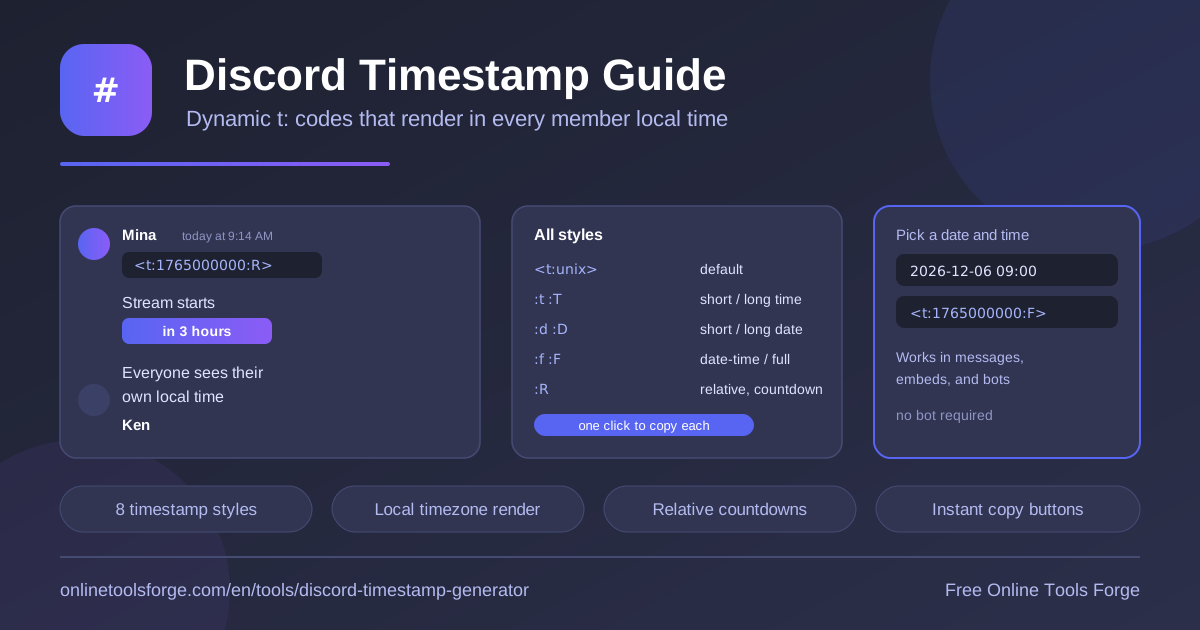
Table of Contents
If you have ever posted "the event starts at 8 PM" in a server with members on five continents, you know the problem: half the channel shows up at the wrong hour because nobody agreed on whose clock counts. Discord solved this with dynamic timestamps — small markdown snippets that render in every viewer's own local timezone. The free Discord Timestamp Generator builds those snippets for you in seconds.
Pick any date and time, and the tool instantly produces all eight Discord timestamp styles: default, short time, long time, short date, long date, date-time, full, and relative. Each code is ready to copy with one click, giving you a Discord date format that reads correctly for every member, whether they sit in Tokyo, Toronto, or Berlin.
Everything runs 100% in your browser: no signup, no bot to invite, and no data leaves your device.
Why Use the Discord Timestamp Generator?
- Zero timezone confusion. A timestamp code stores a bare Unix second count, so Discord displays it on each reader's local clock automatically. One announcement covers twenty time zones at once.
- Every style in one shot. Instead of memorizing eight format letters, you enter a date and time once and see all eight codes generated together.
- One-click copy. Grab any code and paste it straight into a message — no manual typing of angle brackets that Discord might mangle.
- No bot required. Timestamp markdown works in ordinary user messages, so you never need to invite or trust a third-party bot just to print a date.
- Works beyond chat. The same codes render inside embeds, bot outputs, forum posts, and thread descriptions, making the tool equally useful for bot developers and moderators.
- Free and private. The generator is fully client-side, so it is free to use with no account and nothing tracked.
Key Features
| Feature | What it does |
|---|---|
| Date and time picker | Choose any future or past moment; the tool converts it to Unix seconds instantly. |
| Default code <t:unix> | Produces the base snippet that Discord renders as a friendly date and time. |
| Short time :t | Shows only hours and minutes, ideal for quick chat references. |
| Long time :T | Adds seconds for extra precision. |
| Short date :d | Renders a compact day/month/year date. |
| Long date :D | Spells out the full date, such as September 19, 2026. |
| Date-time :f | Combines date and time in a single readable line. |
| Full :F | Adds the weekday for maximum clarity in announcements. |
| Relative :R | Creates live countdowns like "in 3 hours" or "2 days ago". |
| One-click copy | Copies each code directly to your clipboard. |
| Local rendering | Every code displays in each viewer's own timezone and locale. |
- All eight codes are generated simultaneously from one input, so you can copy the formal version for an announcement and the relative countdown for the same event without re-entering anything.
- Past dates are accepted too, which helps when building records such as "created on" notes in moderation logs.
- Because the tool is fully client-side, it responds instantly and works anywhere a modern browser runs.
How to Create a Discord Timestamp
- Open the Discord Timestamp Generator in your browser.
- Pick the target date and time. The tool immediately converts your selection to Unix seconds and builds the complete set of codes.
- Scan the list of eight styles and their previews to decide which presentation fits your message.
- Click the copy button next to the code you want — :F for formal announcements, :R for countdowns, or the default for everyday messages.
- Paste the code into any Discord message, embed, or bot response and send it. Every reader sees it in their own local time automatically.
Understanding Discord Timestamp Styles
Every Discord timestamp follows one syntax: <t:unixseconds:style>. The first part is required — a Unix timestamp, meaning the number of seconds elapsed since January 1, 1970 UTC. The second part is an optional style letter that controls how Discord formats that moment.
Each letter maps to a specific Discord date format:
- t — short time, for example 8:00 PM
- T — long time with seconds, for example 8:00:00 PM
- d — short date, for example 09/19/2026
- D — long date, for example September 19, 2026
- f — date and time combined; this is also what the bare default renders
- F — full format including the weekday
- R — relative time
The relative style deserves special attention. It displays no calendar date at all. Instead, Discord computes the gap between now and the stored moment and renders text such as "in 2 hours" or "3 days ago", refreshing live as time passes. That makes :R the natural choice for launches, raid starts, giveaways, and anything else people count down to.
Why does one code show different times to different people? Because Discord stores only the number. When a client draws the message, it converts that number using the viewer's device timezone and locale settings — nothing about the display is baked into the message itself. A moderator in New York pastes one code, and readers in New York see 8:00 PM while readers in Berlin see 2:00 AM the next day. Both are correct, and nobody does mental math.
Raid night starts <t:1789848000:F> (<t:1789848000:R>)
See you at <t:1789848000:t> — bring potions!
Bare code <t:1789848000> renders the same as :f
Practical Use Cases
Event Announcements Across Timezones
International communities benefit most. Post a single :F code for the exact moment plus a :R countdown for urgency, and the same announcement works for every branch of your community without editing. For example: "Season kickoff happens <t:1789848000:F> — that is <t:1789848000:R>! See the full schedule pinned below."
Countdowns for Game Launches
Gaming servers live and die by hype cycles. Pin a message containing a relative code before an expansion, season reset, or tournament, and members watching the channel see the countdown tick down together. Pair it with a :D code so newcomers also know the calendar date without hovering.
Bot and Embed Outputs
Bot developers can drop the same codes into embed descriptions, fields, and bot replies. Auction end times, reminder confirmations, ticket SLAs, and cooldown reports all become timezone-proof with one snippet, and the embed stays clean because the formatting happens on the client side.
Moderation Logs and Audit Trails
Moderation notes gain precision when times are recorded as codes. A mute log entry using :F pins the exact instant the action occurred, while a punishment expiry written with :R shows "in 6 hours" when posted and reads naturally as "5 hours ago" in later reviews — no unit conversion required.
Best Practices
- Prefer :F for one-off announcements where the exact weekday and time matter.
- Pair :F with :R in the same message when you want both a fixed reference and a live countdown.
- Double-check the source timezone and AM/PM in the picker before generating, since a twelve-hour slip is invisible in the raw code.
- For events months away, relative text stays vague ("in 5 months"); post a reminder closer to the day.
- Test a new code in a private channel or with a friend before pinning it server-wide.
- Keep the raw code intact when editing messages — removing a single bracket turns the whole snippet into plain text.
Start Generating Discord Timestamps Today
Timezone mix-ups are easy to prevent and expensive to fix after the fact. Open the free Discord Timestamp Generator, pick a date and time, and copy the code that fits your message. In less time than it takes to explain UTC to your server, every member will be reading the schedule on their own local clock.
Related Tools You Might Like:
- Unix Timestamp Converter — decode raw Unix timestamps by hand
- Timezone Converter — compare times across cities before you announce
- Date Calculator — count days between dates for deadlines and durations
Happy scheduling!
Frequently Asked Questions
Q: What is a Discord timestamp code?
A: It is a markdown snippet such as <t:1789848000:F>. The number is a Unix timestamp in seconds, and the letter picks a display style. Discord converts the number to each viewer's local time when rendering the message.
Q: Do Discord timestamps update automatically?
A: Fixed styles never change because they always show the same moment. The relative style :R is recomputed every time the message renders, so its countdown text stays current without you reposting anything.
Q: Can I use timestamp codes in embeds and bot messages?
A: Yes. Anywhere Discord renders message markdown — chat messages, embed descriptions and fields, forum posts, and bot replies — timestamp codes work exactly the same way.
Q: Does the generator require a bot or an account?
A: No. The tool is completely free, runs 100% in your browser, needs no signup, and requires no bot invite. You copy the code and paste it wherever you like.
Q: Why does my friend see a different time than I do for the same code?
A: That is the feature working as designed. Discord stores only the Unix second count, so each client renders it in the viewer's own timezone and locale.