How to Use the Editorconfig Generator to End Formatting Arguments for Good
Generate a .editorconfig file with shared indentation, line-ending, charset, and whitespace rules using the free online Editorconfig Generator, so every editor on your team writes code the same way.
Free Interactive Tool
EditorConfig Generator
Free online EditorConfig generator. Create .editorconfig files with indentation, line-ending, charset, and whitespace rules for consistent code style across editors and teams.
Table of Contents
Tabs versus spaces. LF versus CRLF. These debates have haunted code reviews for decades, and they share one trait: the compiled result is identical, yet they generate mountains of diff noise in pull requests.
The Editorconfig Generator turns those debates into a solved problem. Configure your team's rules — indent style and size, line endings, charset, whitespace trimming, and the final-newline rule — and it emits a ready-to-commit .editorconfig with per-file-type overrides, running 100% in your browser so nothing about your project ever leaves your machine.
This guide covers why the file works, how to use the generator, and what each setting actually controls.
Why Use Editorconfig Generator?
- Editors read it natively — VS Code, JetBrains IDEs, Vim, Sublime Text, and most modern editors support .editorconfig out of the box. Teammates clone the repo and their editor follows the rules.
- One file, every language — A single root file governs all file types with per-pattern overrides: Python gets four-space indents while YAML stays at two.
- It kills cross-platform line-ending bugs — Windows, macOS, and Linux developers stop fighting invisible CRLF versus LF mismatches.
- It ends "what indent size?" questions — New contributors stop guessing and reviewers stop leaving formatting comments.
- Fully client-side and free — The generator runs entirely in your browser with no account, no upload, and no tracking.
- It underpins your other tooling — Formatters and linters behave more predictably when the editor stops introducing inconsistent whitespace.
Key Features
| Setting | What It Does |
|---|---|
| Indent style and size | Choose spaces or tabs and the indent_size as the project-wide baseline. |
| End-of-line rule | Set end_of_line to LF or CRLF so every platform saves files identically. |
| Charset | Declare charset (utf-8, utf-8-bom, latin-1, ascii) to avoid encoding surprises. |
| Trim trailing whitespace | Remove stray spaces at line ends before they ever reach a diff. |
| Insert final newline | End every file cleanly, the way POSIX tools expect. |
| Per-file-type overrides | Sections like [*.md] or [*.py] relax or replace global rules where needed. |
| Copy and download | Preview the emitted file, then download it as .editorconfig or copy it to clipboard. |
- The live preview regenerates as you change options, so you see exactly what will land in the file.
- The default configuration (spaces, indent 2, LF, utf-8, trimming on, final newline on) matches most modern JavaScript and TypeScript conventions.
- The override sections make the file team-friendly — the markdown exception alone saves endless churn on documentation PRs.
How to Use
- Open the generator — Head to the Editorconfig Generator. Nothing to install, no account required.
- Choose your base settings — Pick indent style and size, line ending (LF for nearly every modern project), and charset (utf-8 unless legacy tooling forbids it).
- Toggle the whitespace rules — Keep trim_trailing_whitespace and insert_final_newline enabled, and mark the file root = true.
- Add per-file-type overrides — Cover the exceptions your project needs, such as keeping trailing double spaces in markdown or tabs in Makefiles.
- Download and commit — Save the file as .editorconfig in your repository root. Every editor on the team applies the rules automatically.
The Settings That End the Arguments
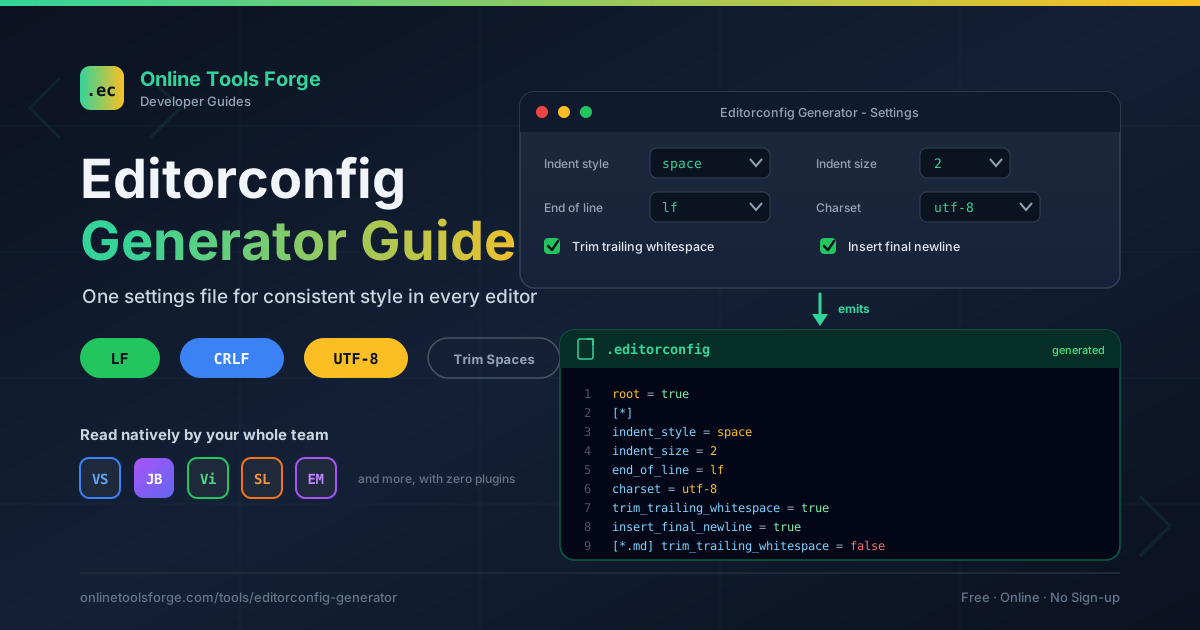
Here is an annotated excerpt of a typical generated file:
# Stop the editor from looking for .editorconfig files in parent directories
root = true

[*]
charset = utf-8
end_of_line = lf
insert_final_newline = true
trim_trailing_whitespace = true
indent_style = space
indent_size = 2

[*.py]
indent_size = 4

[Makefile]
indent_style = tab

[*.md]
trim_trailing_whitespace = false
root = true belongs at the very top, before any section header. It marks this file as the project boundary; without it, an editor may walk up the directory tree and merge in an unrelated parent configuration.
indent_style and indent_size settle the oldest debate in programming: whatever side your team picks, the decision is written where every editor can see it. The [*.py] override shows how easily a language whose standard is four spaces is accommodated.
end_of_line deserves special attention because of its interplay with Git. Editors write bytes, while Git's core.autocrlf can silently rewrite them on checkout and commit. For mixed-OS teams, the most reliable combination is LF in the editor plus a .gitattributes file declaring * text=auto eol=lf, so editors never reintroduce CRLF. Developers whose local tooling demands CRLF can set core.autocrlf=true on their machines while the committed history stays consistent.
charset prevents the classic bug where one developer saves in Latin-1 and every accented character in the diff turns to garbage. Declaring utf-8 explicitly keeps files byte-identical across machines.
trim_trailing_whitespace removes the spaces that accumulate at line ends from copy-pasting and careless saves — a top source of one-line diff noise that simply stops existing.
insert_final_newline ensures files end with a newline character, which POSIX tools expect, and silences the recurring "no newline at end of file" diff warning.
Finally, per-file-type overrides mark a mature configuration. The [*.md] section is the most famous in the ecosystem: Markdown treats two trailing spaces as a hard line break, so trimming them would destroy intentional formatting. Comment the exception in the file so nobody "fixes" it later.
Practical Use Cases
New team onboarding
A new developer clones the repository, opens it in their favorite editor, and every indentation and line-ending rule is already applied. There is no "editor setup" wiki page, no plugin checklist, and no first-week PR full of formatting corrections.
Monorepos with mixed languages
Monorepos are where .editorconfig shines brightest. A root file sets the baseline while overrides give each language its convention: two spaces for TypeScript and JSON, four for Python, tabs for Makefiles, whatever the CI YAML requires.
Open-source contribution hygiene
Open-source projects receive patches from strangers on every OS and editor imaginable. A committed .editorconfig means a Windows contributor using CRLF and a Linux contributor on Vim defaults both produce clean, uniform diffs.
Silencing whitespace diffs
Teams migrating legacy repositories often find half of every diff is trailing whitespace and missing final newlines. Enable the trim and final-newline rules, run one normalization commit, and from then on git diff and git blame -w show real changes only.
Best Practices
- Commit it to the repository root — The file only works when it travels with the code.
- Pair it with a formatter — EditorConfig sets the editor baseline; formatters like Prettier or Black enforce the rest.
- Keep overrides minimal — Every override is one more thing to explain. Add them only when a real convention demands it.
- Document the exceptions inline — A one-line comment above [*.md] prevents a well-meaning cleanup PR from removing it.
- Align line endings with Git — Decide on LF, mirror it in .gitattributes, and keep editor behavior and Git normalization in agreement.
- Review changes to it like code — This tiny file changes behavior for every developer, so treat edits with care.
Start Generating Your .editorconfig Today
Formatting arguments are the cheapest debates to end permanently: one small file, generated in a minute, committed once. Open the Editorconfig Generator, pick your team's settings, add the overrides your languages need, and drop the result into your repository root.
Related Tools You Might Like:
- TSConfig Generator — Build a matching tsconfig.json with the same point-and-click workflow.
- ESLint Config Generator — Generate ESLint rules that align with your .editorconfig.
- Git Branch Name Generator — Bring consistency to another source of repo inconsistency.
Consistent code is not about everyone thinking alike — it is about everyone's editor behaving alike. Ship the config and let the robots handle the rest.
Frequently Asked Questions
Q: Do I need a plugin for my editor to respect the file?
A: Most modern editors, including VS Code, the JetBrains IDEs, Sublime Text, and recent Vim and Emacs setups, support .editorconfig natively. Only older environments need a small plugin.
Q: Will adding an .editorconfig file reformat my existing code?
A: No. It changes how your editor formats code as you type and save; existing files are untouched. To normalize a legacy codebase, run your formatter once in a dedicated commit.
Q: How does this differ from a formatter or a linter?
A: They operate at different layers. EditorConfig controls basics like indentation and line endings while you work; formatters rewrite files against a complete style spec; linters flag violations. A sensible stack uses all three.
Q: Does the generator send my settings anywhere?
A: No. The tool runs entirely in your browser. Your configuration is rendered locally and handed to you as a downloadable file.