Encoding Pipeline: Chain Base64, URL, and Hex Operations Online
Build CyberChef-style operation chains with Base64, URL encode, hex, case, and reverse steps. Reorder freely with live chained output — free in your browser.
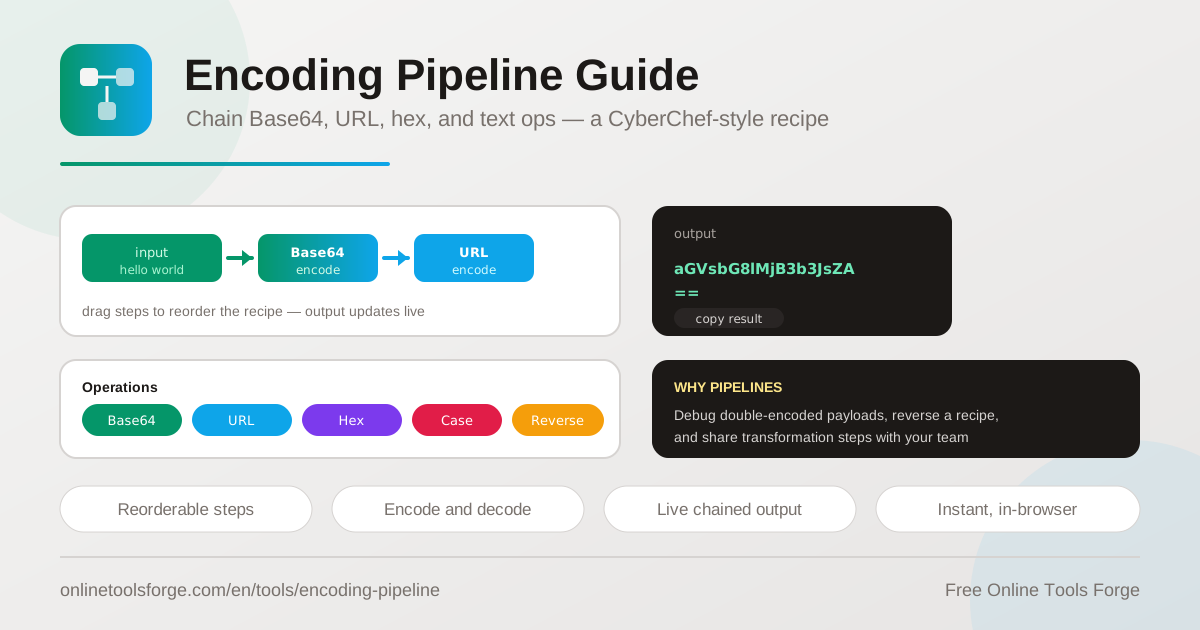
Table of Contents
Every developer eventually meets a value that has been encoded more than once: a query parameter that arrives as percent-encoded Base64, a JWT payload hiding inside a token string, or a webhook payload that passed through two transformations before it reached your logs. Peeling those layers apart with separate single-purpose tools is slow and error-prone. The Encoding Pipeline solves this with a CyberChef-style recipe builder: stack operations such as Base64 encode, URL encode, hex, case conversion, and reverse, and each step transforms the output of the previous one.
Because the tool runs entirely in your browser, nothing is uploaded to a server. There is no signup, no install, and no data leaving your machine, which matters when you are inspecting tokens or payloads that contain sensitive values. Chains update live as you type, so experimenting with different combinations is fast and forgiving.
Why Use the Encoding Pipeline?
- Single operations rarely tell the whole story. Real data often passes through several encodings before you see it, and a pipeline mirrors that reality instead of hiding it.
- Reorder steps by dragging. Encoding order changes the result. Drag a step up or down and watch the output recompute instantly, which makes it easy to confirm the order your system actually used.
- Work in both directions. Every operation supports encode and decode, so the same recipe that builds a payload can also unwind it.
- Debug double-encoded values quickly. Stack two decode steps and watch percent signs or padding fall away layer by layer until readable text appears.
- Keep sensitive data local. All transformations execute in your browser, so tokens, credentials, and internal payloads never touch a server.
- Free with no signup. Open the page, paste your input, and start chaining immediately.
Key Features
| Feature | What it does |
|---|---|
| Operation palette | Add operations such as Base64 encode, URL encode, hex, case conversion, and reverse |
| Reorderable steps | Drag steps to change the order of execution at any time |
| Chained execution | Each operation applies to the output of the previous one |
| Encode and decode modes | Run any operation in either direction to build or unwind a recipe |
| Live chained output | The final result updates as you type or rearrange steps |
| Browser-only processing | All transformations run locally with no server round trips |
A few details worth calling out:
- The recipe model is inspired by CyberChef, the popular data analysis workbench, but this tool focuses on the everyday encoding operations developers reach for most.
- Steps are independent units: add, remove, or reorder them without rebuilding the rest of the chain.
- Intermediate transformations stay visible through the chain, which makes it easy to spot the exact step where a value stops looking right.
How to Build an Encoding Recipe
- Open the tool and paste your input. Start with the raw value you want to transform, such as a URL, a JSON snippet, or a plain string.
- Add your first operation. Pick from the palette, for example Base64 encode, and the tool applies it immediately.
- Stack additional steps. Add URL encode after Base64 encode, or hex after either, and each new operation consumes the previous output automatically.
- Reorder by dragging. If the result looks wrong, drag steps around until the chain matches the order your data actually flows through.
- Switch direction to verify. Flip the operations to decode and run your output back through the chain to confirm you recover the original input.
Thinking in Transformation Chains
A single encoder answers one narrow question; a chained pipeline answers the questions developers actually have. Real payloads rarely travel through exactly one transformation. A value might be serialized as JSON, then Base64-encoded, then percent-encoded because it sits inside a query string. Testing one layer at a time means shuttling text between tools instead of reasoning about the data.
Chained encoding makes composition explicit. Each operation is a small, predictable function, and the pipeline is function composition you can see and rearrange. That visibility pays off the moment order matters. Base64-encode a value and then percent-encode it, and you get one string; swap the steps and you get a different one. Neither is wrong, but only one matches what your server expects, and a pipeline lets you test both orders in seconds instead of guessing.
The classic debugging case is the double-encoded query parameter. A client encodes a value, a framework encodes it again, and your log shows q%3Dhello%2Bworld instead of q=hello+world. Paste the value into the pipeline, add URL decode steps until the output looks meaningful, and you learn both the original data and how many extra layers your stack applied.
The decode direction turns the pipeline into a verification tool. Build a recipe that produces your payload, then invert it, decoding in reverse order and confirming you land back on the original input. Common recipes include URL decode followed by Base64 decode for embedded tokens, hex decode with case normalization for hash comparisons, and reverse-then-encode tricks that appear in capture-the-flag puzzles.
Input:   https://example.com/search?q=hello world
Step 1:  Base64 encode  ->  aHR0cHM6Ly9leGFtcGxlLmNvbS9zZWFyY2g...
Step 2:  URL encode     ->  aHR0cHM6Ly9leGFtcGxlLmNvbS9zZWFyY2glMkY...
Practical Use Cases
Debugging Double-Encoded Query Strings
When a parameter arrives looking like hello%2520world, an extra encoding layer is involved. Chain two URL decode operations and watch hello%20world resolve to hello world on the second pass. The number of steps you need tells you exactly where in your stack the duplicate encoding happens.
Preparing Data URIs
Data URIs wrap Base64 content inside a URL-safe envelope. Encode a payload with Base64, then percent-encode any character that could break the URI structure. Build the recipe once, confirm the output is safe to embed in HTML or CSS, and reuse the same chain for every asset.
Solving CTF-Style Puzzles
Chained transformations are a staple of capture-the-flag challenges: a flag wrapped in reversed text, hex, and Base64. A pipeline lets you peel layers in any order without losing your place, and the live output shows the exact moment a layer resolves into readable text.
Documenting Transformation Steps for Teams
When a webhook or integration depends on a specific sequence of encodings, the chain itself is documentation. Share the recipe, step names and order included, in your team runbook so the next engineer reproduces the transformation exactly instead of reverse-engineering it from production logs.
Best Practices
- Reverse the encode order when decoding. If data was Base64-encoded and then URL-encoded, decode the URL layer first.
- Verify round trips. Encode with a recipe, then decode with the inverted chain, and confirm you recover the original input before trusting it.
- Watch padding and special characters. Trailing equals signs and plus versus percent-twenty differences are the usual suspects when a chain output looks wrong.
- Keep recipes small. Fewer, well-understood steps are far easier to debug than one long chain that does everything at once.
- Treat the chain as documentation. Write step names and their order into runbooks so teammates can rebuild the transformation later.
- Mind your clipboard. The tool runs locally, but care with copied tokens still matters in shared or recorded sessions.
Start Chaining in Your Browser
The next time a value arrives encoded more than once, skip the copy-paste relay between single-purpose tools. Open the Encoding Pipeline, build your chain, and watch every layer resolve live. It is free, requires no signup, and runs entirely in your browser.
Related Tools You Might Like:
- Base64 Encoder for single-shot Base64 encoding and decoding.
- URL Encoder for percent-encoding URLs and query parameters.
- HTML Entity Encoder for escaping special characters in HTML.
Happy chaining!
Frequently Asked Questions
Q: Is my data sent to a server?
A: No. Every operation runs entirely in your browser, so your input and output never leave your machine.
Q: How is this different from a single Base64 or URL tool?
A: A single tool applies one transformation. The pipeline chains operations, so each step consumes the previous output, which lets you handle multi-layer values and test different orders.
Q: Can I decode a value that was encoded multiple times?
A: Yes. Stack decode steps in the reverse order of the original encodings. A value that was Base64-encoded and then URL-encoded needs URL decode followed by Base64 decode.
Q: Does changing the order of steps change the result?
A: Usually yes. Base64 encode followed by URL encode produces a different string than the reverse, which is why drag-to-reorder with live output is so useful for debugging.
Q: Is the tool free?
A: Yes, it is completely free with no signup required.