File Encoding Detector: Fix Mojibake and Convert Any Text File to UTF-8
See mojibake instead of text? File Encoding Detector identifies the true encoding of any text file — UTF-8, UTF-16, Shift-JIS, TIS-620 — and converts it cleanly to UTF-8, entirely in your browser.
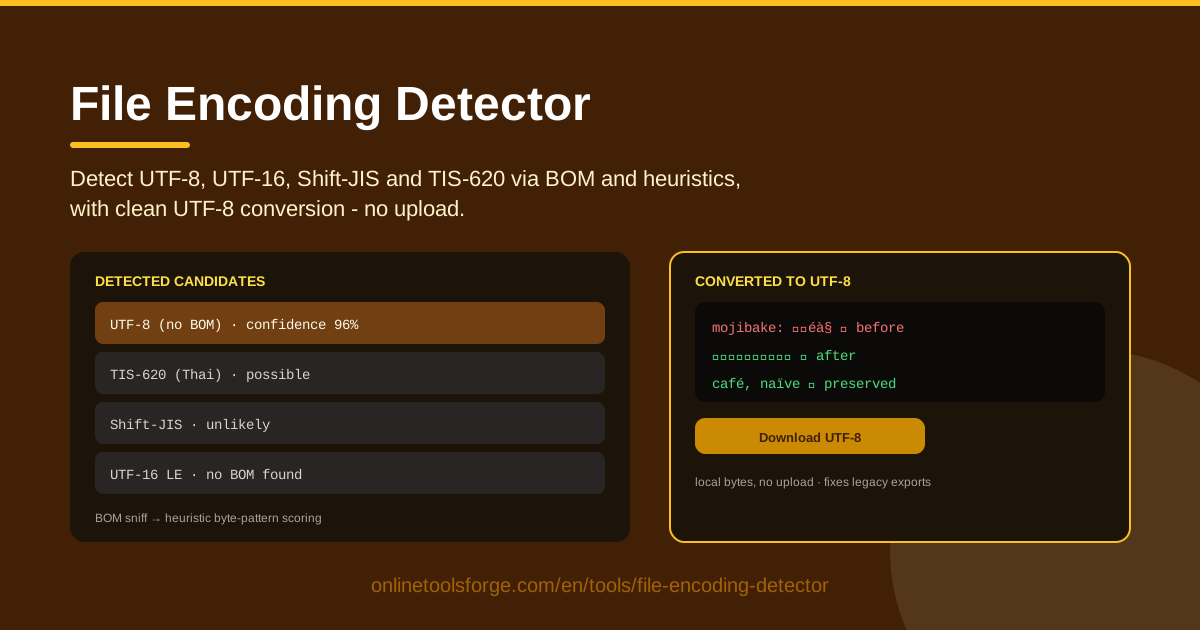
Table of Contents
Every text file is just a sequence of bytes on disk. An encoding is the agreed-upon map that turns those bytes back into characters, and when software picks the wrong map, Thai customer names collapse into strings like สินค้า, Japanese memos render as テã‚スト, and curly quotes become ’. This garbled output is called mojibake, and it remains one of software's most persistent annoyances — even in 2026.
The File Encoding Detector at File Encoding Detector ends that guessing game. Load any text file directly in your browser — nothing is uploaded — and the tool sniffs for a Byte Order Mark (BOM), then applies byte-pattern heuristics to rank likely encodings: UTF-8, UTF-16, Shift-JIS, TIS-620, and more. Each candidate carries a confidence value, so you see the reasoning, not a blind guess. When satisfied, one click converts the file cleanly to UTF-8 with a download.
Why Use File Encoding Detector?
- Legacy Thai Windows exports, decoded correctly. Accounting packages, POS systems, and spreadsheet exports written on Thai-locale Windows often save files in TIS-620 (code page 874). Opened in a UTF-8 editor, every Thai character becomes two garbled Latin characters. The detector recognizes TIS-620 byte ranges immediately and delivers a clean TIS-620 to UTF-8 conversion.
- Ranked candidates with confidence, not a blind guess. Without a BOM, detection is statistical. The tool lists plausible encodings with confidence scores so you can judge for yourself.
- A built-in UTF-8 converter. Once the right encoding is confirmed, conversion happens in the same tab, with a ready-to-download file.
- Nothing leaves your machine. All parsing, detection, and conversion run locally in your browser — confidential exports and customer data never touch a server.
- It fixes mojibake at the source. Instead of patching garbled text with find-and-replace damage, you re-decode the original bytes correctly, once.
- Coverage where files actually break. UTF-8, UTF-16 LE/BE, Shift-JIS, and TIS-620 cover most real-world text-file failures.
Key Features
| Feature | What it does |
|---|---|
| BOM sniffing | Reads the leading bytes to instantly identify self-declaring files: UTF-8 (EF BB BF), UTF-16 LE (FF FE), UTF-16 BE (FE FF). |
| Byte-pattern heuristics | Scans the whole file for byte signatures unique to UTF-8, UTF-16, Shift-JIS, TIS-620, and other encodings when no BOM exists. |
| Confidence-ranked candidates | Lists plausible encodings with a confidence value for each, keeping ambiguous short files transparent. |
| Clean UTF-8 conversion | Decodes with the detected source encoding and re-encodes as UTF-8 without corrupting special characters. |
| One-click download | Saves the converted file, ready for pipelines, imports, or version control. |
| 100% local processing | Files are read in-browser; there is no upload step at all. |
- The heuristics are tuned for real-world failures: a BOM-less Thai file, a Japanese document saved by an old editor, or a UTF-16 export from PowerShell all match known byte signatures.
- Confidence values matter most on short files, where a 200-byte sample can legitimately match more than one encoding.
- Conversion preserves line endings, so the downloaded file behaves predictably in Git diffs and CSV importers.
How to Use File Encoding Detector
- Load the file. Select the problematic text file from your computer. It is read locally; there is no upload.
- Review the candidates and confidence values. Probable encodings are listed in rank order — a BOM match shows near-certainty, heuristic matches show a confidence percentage.
- Pick the encoding. A top candidate scoring roughly 90 percent or higher is usually your answer. For ambiguous files, check the preview for each candidate: the correct encoding displays readable text, the wrong one produces mojibake.
- Convert to UTF-8. With the right encoding selected, run the conversion — the tool decodes with the source encoding and re-encodes as UTF-8 in a single clean pass.
- Download the result. Save the UTF-8 file and you are done — import it into your database, feed it to your pipeline, or commit it to your repository.
Why Encoding Still Breaks in 2026
UTF-8 won the encoding war. The web, modern databases, and operating systems have standardized on it. But data outlives software: files created twenty years ago — and the applications that still create them today — never got the memo. Every legacy byte stream is a small landmine waiting for the wrong decoder.
A BOM is the simplest defense. The Byte Order Mark is the character U+FEFF placed at the very start of a file — EF BB BF in UTF-8, FF FE in UTF-16 LE, FE FF in UTF-16 BE. It is an unambiguous label saying "I am this encoding." The trouble: many encodings have no BOM at all. TIS-620 and Shift-JIS cannot carry one by design, and plenty of tools write BOM-less UTF-8. When the label is missing, software must guess, and a wrong guess means mojibake.
That is where byte-pattern heuristics come in. UTF-8 is self-validating: its multibyte sequences follow a strict grammar (lead bytes C2–DF followed by one continuation byte, E0–EF followed by two), so a file full of valid sequences is almost certainly UTF-8. UTF-16 reveals itself through regular zero bytes interleaved with text. Shift-JIS pairs lead bytes in the 0x81–0x9F and 0xE0–0xEF ranges with specific trail bytes, with kana characters appearing frequently. TIS-620 places most Thai characters in the 0xA1–0xFB range, alternating with plain ASCII — a rhythm that is easy to spot in a long file.
Thai TIS-620 deserves special attention. For decades, Thai-locale Windows ran its ANSI applications on code page 874 — TIS-620. Accounting packages, inventory systems, and reporting tools built for that era still export in it, because "ANSI" was the default in their save dialogs. Open such a file as UTF-8 and each Thai character — a single byte in TIS-620 — becomes a pair of mojibake characters, because the UTF-8 decoder hits invalid bytes and substitutes something visible. Worse, a BOM-less UTF-8 Thai file can superficially resemble TIS-620, since both are full of high bytes; this is exactly why the detector reports ranked candidates with confidence instead of a single verdict.
Mojibake, explained simply: the bytes were written correctly, but the reader applied the wrong decoder. Because the damage happens at read time, it is usually reversible — decode the file with the encoding it was actually written in and the original text reappears. The one irreversible case is when someone saves the already-garbled text as UTF-8 and discards the original bytes. The durable strategy: convert once, early, and standardize on UTF-8 downstream, so a file converted correctly at the edge of your pipeline never breaks again.
Practical Use Cases
Fixing Legacy CSV Exports
An accounting department exports a customer list from a Thai-locale system and emails the CSV. Anyone opening it in a UTF-8 tool sees รหัสลูà¸�ค้า where codes and Thai names should be. Load the CSV in the detector, confirm the TIS-620 candidate, convert, and re-import — column structure untouched, Thai text restored.
Rescuing Database Dumps
A dump taken from an old server with a non-UTF-8 default charset arrives full of broken characters. Before you replay it into a modern database and permanently bake the corruption in, run it through the detector to identify the true encoding and convert it to UTF-8 first.
Decoding Japanese Shift-JIS Documents
Shift-JIS documents from older Japanese offices and legacy mail systems remain common. A UTF-8 assumption renders them as ソース-style noise. The detector's Shift-JIS heuristics separate them reliably from UTF-8, because Shift-JIS byte pairs violate UTF-8's grammar.
Cleaning AI-Generated Text Files
Text saved by mixed tooling — API responses, scripting output, files passed through Windows — sometimes lands in UTF-16 or picks up stray encodings. Check the file before feeding it into a training set, a vector database, or a documentation build, and normalize it to UTF-8 so downstream tokenizers never see an invalid byte.
Best Practices
- Standardize on UTF-8 across your stack. Make it the default in editors, database connections, file writers, and CI, so new files never carry legacy encodings.
- Keep the original file untouched. Save the converted copy under a new name; the original bytes are your only way back if a conversion needs redoing.
- Verify special characters after conversion. Spot-check Thai vowels and tone marks, Japanese kana, currency symbols, and curly quotes — the first casualties of a wrong conversion.
- Document source encodings in pipelines. When an upstream system exports TIS-620 or Shift-JIS, record it next to the ingestion step so each conversion is deliberate, not accidental.
- Treat detection confidence as evidence, not gospel. A 70 percent TIS-620 score on a 300-byte file deserves a visual preview check before you convert half a million records.
- Convert at the boundary. Fix encoding the moment a file enters your environment; every unconverted hop multiplies the risk of irreversible re-saving.
Stop squinting at garbled text and start fixing it at the byte level. Open the File Encoding Detector at File Encoding Detector, load the file, review the ranked candidates, and download a clean UTF-8 copy in under a minute — privately, with no upload.
Related Tools You Might Like:
- Mojibake Fixer — repair text that was already double-encoded and saved in its broken form.
- Encoding Pipeline — batch-convert entire folders of files to UTF-8 in one pass.
- File Hash Checker — verify that the converted file you deployed matches the copy you tested.
Happy decoding!
Frequently Asked Questions
Q: Is my file uploaded to a server? A: No. The File Encoding Detector reads and processes files entirely in your browser, so confidential exports and internal data never leave your machine.
Q: Why does the tool show several encodings with different confidence values instead of one answer? A: Without a BOM, encoding detection is statistical. Short or ASCII-heavy files can be valid under more than one encoding, so the tool ranks candidates with confidence scores and lets you confirm using the live preview.
Q: Can it repair text that is already garbled (mojibake)? A: Usually yes, as long as the original bytes are intact — the tool re-decodes the file with the encoding it was actually written in. If the garbled text was already saved as UTF-8, use a dedicated repair tool such as the Mojibake Fixer.
Q: Why does my old Thai software keep producing broken files even after conversion? A: The application still exports TIS-620 on every save. Convert each export at ingestion time — or switch the exporting system to UTF-8 if it offers the option — so corruption never enters your pipeline.