Excel Serial Date Converter: Decode Spreadsheet Dates in Seconds
Use the free Excel Serial Date Converter to turn Excel serial numbers into real dates and real dates back into serial numbers, with the 1900 and 1904 date systems and the famous leap-year bug handled correctly.
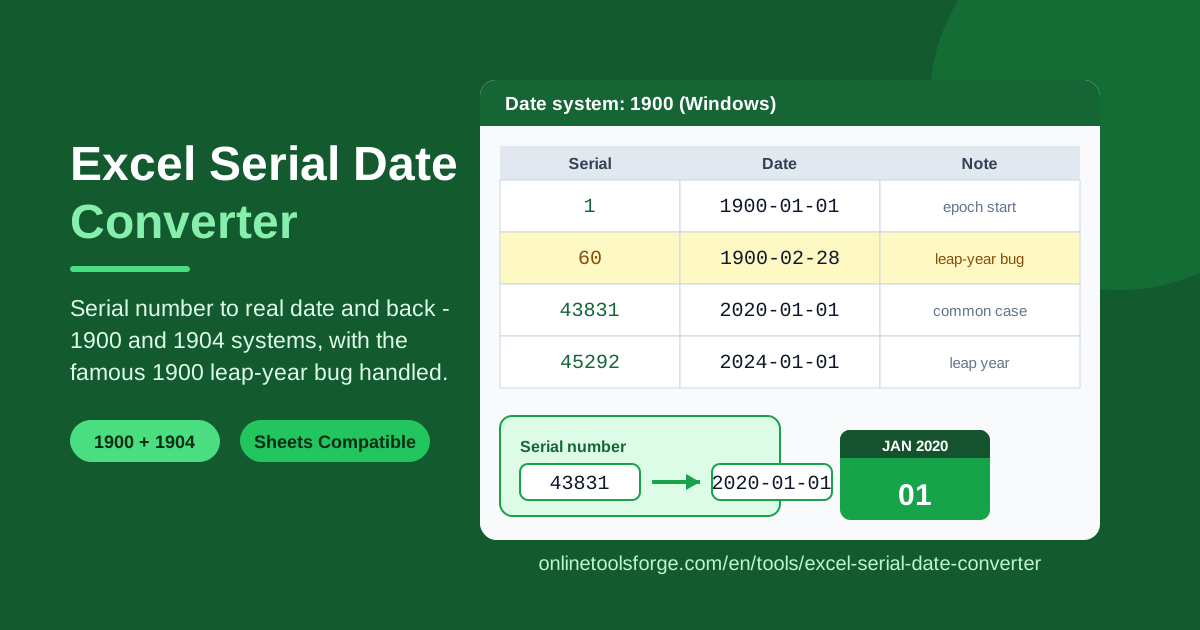
Table of Contents
Every analyst has had this moment. You export a report to CSV, open it in a tool that is not Excel, and the tidy date column is suddenly a wall of numbers: 43831, 43832, 43840. Your database import fails, your script throws errors, and a colleague asks why the spreadsheet is full of five-digit integers. Those numbers are Excel serial dates, the internal format Excel uses to store every date as a count of days, and the free Excel Serial Date Converter turns them back into readable dates in one click — and converts real dates into serial numbers just as quickly.
The converter understands both of Excel's date systems: the 1900 date system, the default on Windows, and the 1904 date system, the default on older Mac versions. It also handles the most famous quirk in spreadsheet history, the 1900 leap-year bug, in which serial 60 pretends the nonexistent date 1900-02-29 actually happened. Quick scripts often ignore that detail and quietly produce off-by-one results for dates in early 1900; this tool gets it right.
Below you will learn what serial dates are, why two date systems exist, how to use the converter step by step, and how to apply it to real jobs such as cleaning CSV exports and debugging date math in formulas.
Why Use Excel Serial Date Converter?
- Instant answers without formulas. No DATEVALUE, no TEXT tricks — paste a serial number and read the date.
- Correct leap-year bug handling. Serial 60 decodes as the fictitious 1900-02-29 instead of silently shifting dates after mid-February 1900.
- Both date systems supported. The same serial means different dates under 1900 and 1904; a selector matches whichever file you have.
- Two-way conversion. Decode serials from an export, or turn dates into serials to build test data and validate formulas.
- Google Sheets compatible. Sheets stores dates on the same serial scheme, so the same numbers and rules apply.
- Private and instant. Everything runs in your browser with no uploads, no account, and no spreadsheet app to launch.
Key Features
| Feature | What it does |
|---|---|
| Two-way conversion | Convert a serial into a real date, or a date into its serial, from the same input area |
| 1900 date system | Decodes serials the Windows way, counting from the epoch of 1899-12-30 |
| 1904 date system | Decodes serials the old Mac way, counting from 1904-01-01 |
| Leap-year bug handling | Treats serial 60 as the fictitious 1900-02-29, exactly like Excel |
| Date system selector | One dropdown switches the whole calculation so serials from any file decode correctly |
| Runs in the browser | All math happens locally; your data never leaves the page |
A few details worth knowing:
- Serial 43831 equals 2020-01-01 under the 1900 system — a handy value to memorize as a sanity check.
- Fractional serials carry time: 43831.5 is noon, because Excel stores time as a fraction of a 24-hour day.
- The two systems differ by 1,462 days, so picking the wrong one shifts every decoded date by about four years.
How to Use Excel Serial Date Converter
- Open the Excel Serial Date Converter in your browser.
- Choose the date system that matches your source file: 1900 for Windows Excel, Google Sheets, and most modern files; 1904 for legacy Mac files.
- Paste the serial number you want to decode — for example 43831 — and the matching real date appears immediately.
- To convert the other way, enter a date such as 2020-01-01 and read off the serial number that Excel stores internally.
- Copy the result into your script, import file, or spreadsheet, and repeat for the remaining values.
Understanding Excel Date Systems
Excel does not store what you see. Type a date into a cell and Excel saves a plain number called a serial date; formatting only controls how that number is drawn back as text. Under the 1900 date system, serial 1 is 1900-01-01, serial 2 is 1900-01-02, and so on, one tick per calendar day.
Here is the twist: the true epoch — the day matching serial 0 — is 1899-12-30, not 1899-12-31. The culprit is a bug older than most of the engineers debugging it. Lotus 1-2-3, the spreadsheet Excel had to displace in the 1980s, treated 1900 as a leap year even though 1900 is not one: years divisible by 100 are not leap years unless divisible by 400. Microsoft chose bug-for-bug compatibility so old Lotus worksheets would recalculate identically. The result: serials 1 through 59 map to 1900-01-01 through 1900-02-28, serial 60 is assigned to the fictitious 1900-02-29, and serials from 61 onward continue as if that extra day existed. Because Excel and its clones repeat the same error, date arithmetic stays internally consistent, and for every date after February 1900 the serial is simply the number of days since 1899-12-30.
The 1904 system exists for a separate historical reason. Early Mac Excel counted from 1904-01-01, partly sidestepping the leap-year mess since 1904 genuinely was a leap year. The two systems sit exactly 1,462 days — four years and one day — apart. Serial 43831 is 2020-01-01 under 1900 but 2024-01-02 under 1904, which is why files that cross platforms sometimes show every date shifted by about four years.
Google Sheets keeps things simple: it uses the same serial scheme as Excel's 1900 system, including the 1899-12-30 epoch, so serials move between Sheets and Excel unchanged, and one converter serves both. Time rides along as a decimal fraction: 0.5 is noon and 0.25 is 6 a.m.
Practical Use Cases
Cleaning CSV exports where dates became numbers
Dates arrive as raw serials most often when a column was formatted as General or when a query tool dumped underlying values. Rather than reformatting inside Excel and hoping the export sticks, paste a few serials into the converter, confirm the real dates, then fix the column at the source. A spot check with a known pair — 43831 must decode to 2020-01-01 — tells you instantly whether the whole column is shifted.
Migrating between Windows and old Mac files
Archived workbooks created on pre-2016 Mac Excel often use the 1904 system. Decode those serials with the wrong assumption and every date lands about four years away from the truth. Convert one recognizable value under each system in the tool, see which interpretation matches the document, then process the rest with the correct selector. The 1,462-day offset becomes a checkbox instead of a data disaster.
Debugging date math in formulas
Date differences, aging reports, and offset calculations all run on serials even when cells display pretty dates. When a subtraction returns 1,462 instead of 0, or a deadline lands in 1904, the cause is almost always a mixed date system or a raw serial leaking into a comparison. Convert the suspicious values, confirm what each side of the formula really holds, and the bug usually reveals itself in seconds.
Data engineering pipelines
ETL jobs that ingest Excel or Sheets exports must normalize serials into proper date types before loading a warehouse. The converter doubles as a verification aid while you build that logic: decode representative serials, confirm your transformation matches for both date systems, and log the leap-year edge cases — serials 60 and 61 — as explicit test fixtures for the pipeline.
Best Practices
- Always confirm the file's date system before decoding at scale; one dropdown difference equals a four-year shift across every row.
- Watch serial 60. It is not a real date — treat it as a sentinel for the bug and never map it to 1900-03-01 in cleanup scripts.
- Export dates as ISO 8601 (YYYY-MM-DD) so downstream systems never have to guess an epoch again.
- Check for a 1,462-day offset when data crosses between the two systems; that number is the fingerprint of a mismatch.
- Remember the time fraction. A decimal serial includes a time of day; round or split it deliberately before comparing dates.
- Sanity-check every batch with a known pair such as 43831 and 2020-01-01 before trusting the output.
Ready to decode your first serial number? Open the free Excel Serial Date Converter, paste a value, and watch the real date appear — no formulas, no sign-up, no spreadsheet required.
Related Tools You Might Like:
- Unix Timestamp Converter — decode the other famous numeric date format: seconds since 1970.
- Timezone Converter — turn any converted date into the correct local time worldwide.
- Age Calculator — turn two real dates into exact ages and durations.
Happy converting!
Frequently Asked Questions
Q: What exactly is an Excel serial date number? A: It is the number Excel stores behind every formatted date. Under the 1900 system it counts days from the epoch 1899-12-30, so 43831 means 2020-01-01, and any decimal fraction represents the time of day.
Q: Why does serial number 60 show 1900-02-29, a date that never existed? A: Excel inherited the bug from Lotus 1-2-3, which wrongly treated 1900 as a leap year. Microsoft kept identical numbering for compatibility, so serial 60 is permanently reserved for a fictitious day and every later serial runs one ahead of the true day count.
Q: How do I know whether a file uses the 1900 or the 1904 date system? A: Decode one date you can recognize from context — an invoice date, a birthday — under each system in the converter. The interpretation that matches reality is the file's system. Legacy Mac files default to 1904; Windows Excel and Google Sheets use 1900.
Q: Do Google Sheets and Excel use the same serial numbers for dates? A: Yes. Google Sheets adopted Excel's 1900-system scheme, including the 1899-12-30 epoch and the leap-year bug's numbering, so serials are interchangeable between the two and the same converter works for both.