Flashcard Study Tool: Memorize Anything with SM-2 Spaced Repetition
Study CSV or pasted flashcards with SM-2 spaced repetition in Flashcard Study Tool — a free, fully offline study app with no signup required.
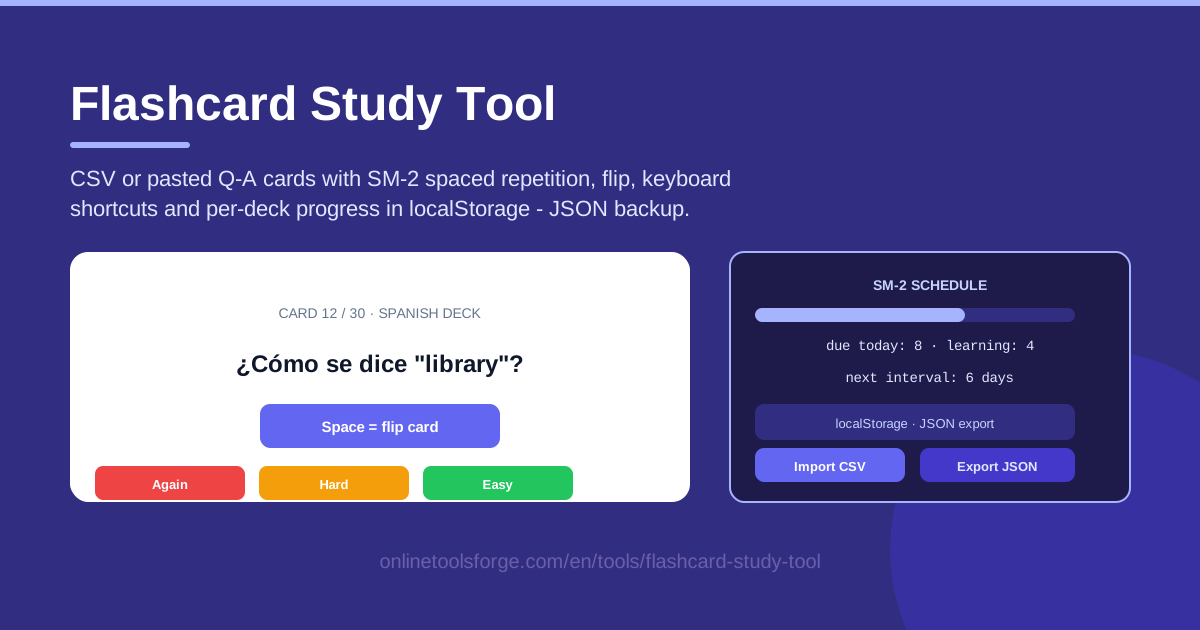
Table of Contents
Every learner knows the pattern: reread your notes the night before, feel confident, then watch most of it quietly evaporate within a week. The problem is not effort — it is timing. Memory research shows that when you review matters far more than how long you review, and revisiting material right as you are about to forget it is the most reliable way to make it stick.
That is exactly what Flashcard Study Tool automates. Load questions and answers from a CSV file or paste them straight into the page, and each card is scheduled with SM-2 spaced repetition — the algorithm behind the world's most respected study apps. Cards you find easy return in weeks or months; cards you struggle with come back tomorrow. Everything runs offline in your browser with per-deck progress saved to localStorage, so there is no account to create, no data leaving your device, and nothing to install.
Whether you are learning a language, preparing for board exams, or drilling programming syntax, this guide covers how the tool works and how to get the most from SM-2 scheduling.
Why Use Flashcard Study Tool?
-
Science-backed scheduling, zero setup. SM-2 spaced repetition runs from your very first card — you just grade yourself honestly and the algorithm handles every interval.
-
Offline persistence is the headline feature. Per-deck progress lives in your browser's localStorage. Close the tab, shut the laptop, come back days later, and your intervals and due cards are exactly where you left them.
-
Works with the files you already have. Import a CSV exported from any spreadsheet or course notes, or paste question-answer pairs directly into the page.
-
Private by design. Your cards never leave your device — no server, no login, no signup, and no subscription.
-
Keyboard shortcuts for speed. Flip, grade, and advance without touching the mouse, so a 50-card session takes minutes rather than an evening.
-
Portable data. Export any deck as JSON for a backup or to move your collection between computers, then re-import it anywhere.
Key Features
| Feature | What it does |
|---|---|
| CSV and paste import | Load cards from a CSV file with question and answer columns, or paste pairs directly. |
| SM-2 spaced repetition | Schedules each card individually, stretching review intervals from days to months. |
| Card flip | See the question, recall the answer in your head, then flip to check. |
| Again / Hard / Easy grading | Feed your recall quality into the algorithm to shape the next interval. |
| Keyboard shortcuts | Flip and grade using the keyboard alone for distraction-free sessions. |
| Per-deck localStorage | Every deck keeps its own scheduling state, saved automatically in your browser. |
| JSON import and export | Back up decks or move them between devices with a single file. |
| Fully offline | No network calls after the page loads. |
Two details deserve a closer look:
-
Grading is the engine of the whole system. Every Again, Hard, or Easy press adjusts that card's easiness factor, which decides how quickly its interval grows.
-
JSON export doubles as insurance. localStorage is tied to your browser profile, so a weekly export protects months of scheduling history from a cleared cache or a new laptop.
How to Use Flashcard Study Tool
-
Import your cards. Open the tool and either load a CSV file (one question and one answer per row) or paste your question-answer pairs into the input area. They become a deck instantly.
-
Study the due cards with flips. Read the question side first, recall the answer in your head — the effort of recall is what builds memory — then flip the card to check yourself.
-
Grade yourself with Again, Hard, or Easy. Be honest: a total blank means Again, effortful recall means Hard, and instant recall means Easy. The keyboard shortcuts keep you in rhythm.
-
Watch the intervals grow. After a few clean sessions, cards return after 3 days, then 6, then weeks, so your attention goes only to what is genuinely difficult.
-
Export a JSON backup. Save your decks and progress as JSON once a week; if your browser storage ever clears, re-import the file and continue exactly where you stopped.
A full session takes five to fifteen minutes — which is precisely why people keep it up.
How SM-2 Spaced Repetition Works
The forgetting curve problem. In the 1880s, Hermann Ebbinghaus measured how quickly people forget new information and found a steep, predictable decay: without review, most of what you learn today is gone within days. Rereading notes barely touches long-term memory. What works is active recall at spaced intervals — and the further into the decay curve you push a review, the stronger the resulting memory becomes.
What SM-2 does with your grades. SM-2, published by Piotr Woźniak in 1987, turns your self-assessment into mathematics. Each card carries an easiness factor (EF) that starts at 2.5: pressing Easy nudges the EF upward, Hard pulls it down, and Again resets the card with a reduced EF. Every successful review multiplies the previous interval, so a card might go 1 day, then 3, then 9, then 25, then more than two months.
Why Again resets a card. Press Again and the interval collapses back to one day, however far the card had climbed. That sounds harsh, but it mirrors how memory actually works: a failed recall means the memory trace has decayed, and an honest schedule restarts from short intervals. The lowered EF also makes the card climb more cautiously on its second pass, appearing more often until it stabilizes again.
Per-deck progress and localStorage. Intervals, easiness factors, and due dates are stored per deck in your browser, and nothing is transmitted anywhere — so the tool works on a plane, on flaky dorm Wi-Fi, or on a locked-down library computer with your decks exactly as you left them.
CSV format basics. A deck is just pairs: one question column, one answer column. Each row becomes a card, every card starts fresh, and SM-2 takes over from there. Keeping one fact per card is what makes the algorithm's timing accurate.
Practical Use Cases
Language vocabulary that sticks
Vocabulary is the classic spaced-repetition workload: thousands of small, independent facts that fade fast without review. Export your textbook word lists as a CSV, import them as a deck, and study ten minutes a day. Within a month most cards will sit on multi-week intervals, and words you once looked up daily will resurface just often enough to stay sharp.
Medical and law school facts
Drug doses, anatomical terms, statutes, elements of a tort — professional exams are floods of arbitrary detail where one missed fact costs points. There is no "understanding" shortcut for a drug's half-life, so medical and law students use flashcards to keep those facts current across a semester instead of forcing a panicked reread before every exam.
Programming syntax drills
Syntax, library functions, regex patterns, and complexity classes all reward fast recall. Make cards like "What does Python's enumerate() return?" or "Which CSS property controls stacking order?" and grind through them over lunch. Pair a short session with the Pomodoro timer linked below and the habit practically runs itself.
Exam cram weeks
Ideally you start a deck months early, but even a week out, SM-2 beats rereading. Import every concept your instructor flagged, grade ruthlessly, and let Again cards repeat daily while Easy cards pull ahead — by exam morning you are spending time only on what you still get wrong.
Best Practices
-
Study daily, even for ten minutes. Spaced repetition compounds; missed days let intervals lapse and force the algorithm to re-teach.
-
Write atomic cards. One fact per card: "What does the T in FAST stand for?" beats "Symptoms of stroke."
-
Grade honestly. The algorithm is only as good as your self-assessment. Pressing Easy to make cards disappear quietly sabotages your own schedule.
-
Export a weekly JSON backup. localStorage is durable but tied to your browser, so thirty seconds a week is cheap insurance for months of history.
-
Add cards as you learn. Ten new cards a day beats a 300-card import the night before — SM-2 needs lead time to space reviews out.
-
Prune dead cards. If a card keeps failing and you no longer care about the fact, delete or rewrite it.
Ready to Remember More?
Open the Flashcard Study Tool, paste in twenty questions from whatever you are learning right now, and run one five-minute session today. Tomorrow the algorithm will know which cards to show you again — and in a month you will be surprised by what you still remember.
Related Tools You Might Like:
- CDL Practice Test Generator — build practice exams from question banks.
- Pomodoro Timer — time-box study sessions into focused sprints.
- Word Counter — check essay and answer lengths as you write.
Happy studying!
Frequently Asked Questions
Q: Is Flashcard Study Tool really free with no signup? A: Yes. It runs entirely in your browser, stores progress in localStorage, and requires no account, email address, or payment.
Q: What CSV format should I use? A: A simple file with one question and one answer per row — the first column is treated as the question side and the second as the answer.
Q: What happens to my progress if I clear my browser data? A: localStorage is cleared along with it, which is why a weekly JSON export is recommended. Re-importing the file restores your decks and their scheduling state.
Q: Does it work on phones and tablets? A: Yes. As a web tool it runs in any modern mobile browser, with touch-friendly flip and grade buttons taking the place of the desktop keyboard shortcuts.