Font File Converter: Inspect TTF, OTF, WOFF and WOFF2 Files in Your Browser
Font File Converter is a free browser-based font inspector that detects file formats, reads family and glyph metadata, and previews TTF, OTF, WOFF and WOFF2 files using opentype.js.
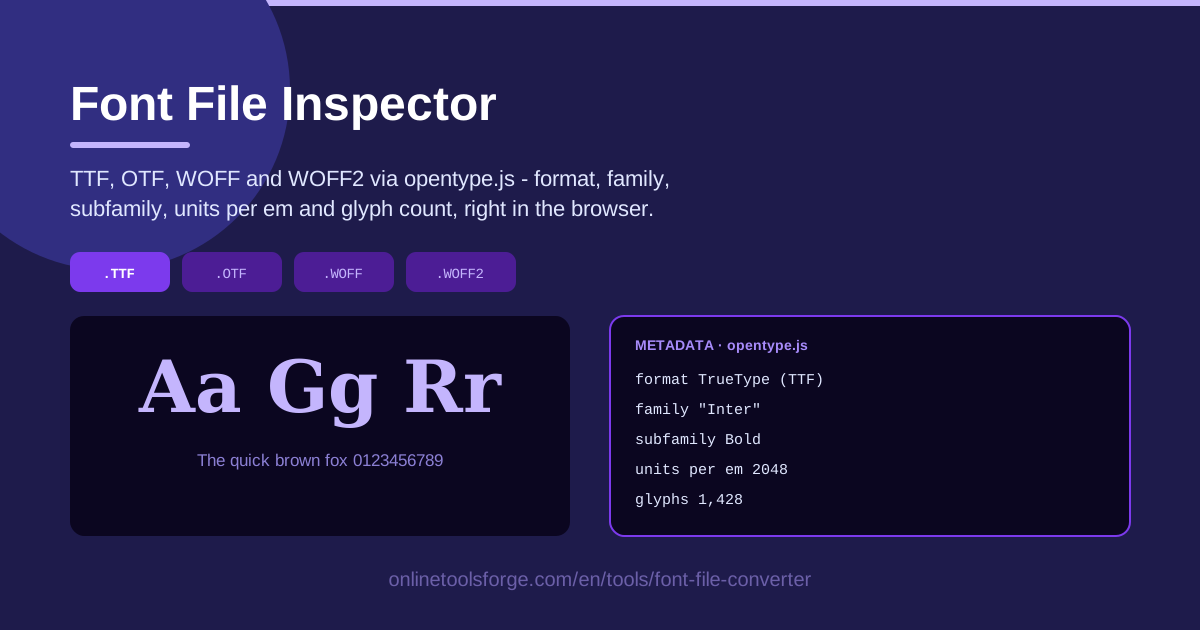
Table of Contents
Font files look simple until something goes wrong. A typeface that renders perfectly on your machine misbehaves on a colleague's, a supposedly bold file turns out to be a different family entirely, or a WOFF2 pulled from a download site refuses to load. Diagnosing these problems usually means hunting for desktop software or parsing binary font tables by hand.
The Font File Converter removes that friction. Built on opentype.js, this free browser tool loads TTF, OTF, WOFF, and WOFF2 files locally, detects the format, reads the family, subfamily, units per em, and glyph count, and renders a preview of the typeface. Nothing is uploaded to a server — every byte stays in your browser. This guide covers how the four major formats differ and how to act on that data when shipping web fonts.
Why Use Font File Converter?
- Instant format detection. Drop in a file and the tool tells you immediately whether it is TTF, OTF, WOFF, or WOFF2 — without trusting the extension, which is wrong more often than you would expect.
- Reliable metadata reading. Family and subfamily names come straight from the font's name table, so you see the name @font-face will actually match, not the filename's suggestion.
- Glyph counts at a glance. Whether a font carries 300 glyphs or 3,000 tells you if it is a lightweight subset or a full multilingual build, which affects file size and coverage.
- Units per em made visible. This obscure number (typically 1,000 or 2,048) defines the font's internal coordinate grid; the tool surfaces it without any digging.
- Live preview rendering. Seeing actual letterforms drawn from the file's own outlines confirms the font is valid and is the design you expect.
- Complete privacy. Inspection runs entirely in your browser via opentype.js — commercially licensed font files never leave your machine.
Key Features
| Feature | What it does |
|---|---|
| Local file loading | Load font files directly from your machine; nothing is uploaded. |
| Multi-format support | Parses TTF, OTF, WOFF, and WOFF2 through the opentype.js engine. |
| Format detection | Identifies the exact container format of the file you drop in. |
| Metadata reading | Extracts the font family, subfamily, units per em, and glyph count. |
| Preview rendering | Draws the typeface so you see real letterforms before using it. |
| Browser-based workflow | Runs fully client-side with no installation or account. |
Worth knowing:
- opentype.js parses the font's binary tables exactly as professional design tools do, so the metadata matches what your software reads.
- The preview renders from the parsed glyph outlines — corrupt or truncated files usually fail here, not mid-project.
How to Use Font File Converter
- Drop in your font file. Drag a TTF, OTF, WOFF, or WOFF2 file onto the drop zone, or click to browse your local files. Processing happens entirely in your browser.
- Read the detected format. The tool reports the file's format instantly. Compare it with the extension — a .ttf file that is actually WOFF is a common surprise.
- Review the family and subfamily. Check the metadata panel to see how the font identifies itself and whether you hold the Regular cut or a Bold, Italic, or Condensed variant.
- Check the glyph count. Low counts suggest a subset font; very high counts indicate extended language support or large symbol sets.
- Preview the font. Confirm the typeface draws correctly from its own outlines and matches the design you expected.
TTF, OTF, WOFF and WOFF2 Compared
What each format is and where it belongs. TTF (TrueType Font) is the classic desktop format, still the standard for installing fonts on Windows and macOS. OTF (OpenType Font) uses PostScript-style outlines and adds advanced features such as ligatures, contextual alternates, and small caps, which design professionals favor. WOFF (Web Open Font Format) is not a new outline format — it is a compression wrapper around TTF or OTF data, built for delivering fonts over the web. WOFF2 is its modern successor, and every contemporary browser expects it first.
WOFF2 compression for web delivery. WOFF2 uses the Brotli compression algorithm, typically producing files around 30% smaller than WOFF and up to 50% smaller than the equivalent raw TTF. For a page loading several weights, that compounds into noticeably faster first renders. All major browsers have supported WOFF2 since around 2016, making it the de facto standard; WOFF remains a legacy fallback.
Units per em and why it matters. Every font is drawn on an internal grid, and units per em defines how many units make up the em square — the font's reference size. PostScript-derived designs traditionally use 1,000 units; TrueType fonts commonly use 2,048. Higher values give finer resolution for curves and spacing, which matters for hinting and precise scaling. If two versions of the same family report different values, they almost certainly come from different sources.
Glyph counts and subset fonts. A Latin-only font may carry a few hundred glyphs, while a build with Cyrillic and Greek can reach thousands, and CJK fonts tens of thousands. Web subsetting intentionally strips a font to only the characters a site needs. Reading the glyph count tells you which situation you are in — a tiny count on a "full" font is the clearest sign you were handed a subset.
Licensing metadata cautions. Font files contain name and license description fields, and the inspector shows exactly what the file claims about itself. Treat that as informational only: metadata can be stripped during conversion, copied from another font, or simply outdated. Whether a font may be embedded commercially is governed by the foundry's license terms, which no file inspection can replace.
Practical Use Cases
Preparing Web Fonts for Production
Before a release, run every font file through the inspector. Confirm each is genuinely the WOFF2 you intended to ship, note the exact family and subfamily strings, and check that the glyph count matches your site's character coverage.
Auditing a Font Library
Teams accumulate fonts for years, and folders fill with duplicates and mixed formats. Loading candidates into the tool surfaces duplicates instantly — two files claiming the same family and subfamily are usually the same cut in different containers — and flags files whose format no longer matches their extension.
Checking a Downloaded Font Is Complete
Fonts from free-download sites sometimes arrive truncated or half-converted. A healthy file parses cleanly, reports a plausible glyph count, and renders a full preview. A suspiciously low count or a preview of empty boxes means the download is incomplete.
Getting Ready for CSS @font-face
@font-face rules fail silently when the declared family name does not match the font's internal name. Inspect the file first and copy the family and subfamily exactly as reported, so your stylesheet targets the font correctly the first time.
Best Practices
- Use WOFF2 in production. It is the smallest, best-supported format for modern browsers; keep WOFF only for very old clients.
- Keep TTF or OTF as source files. Preserve at least one editable master so you can subset or regenerate web formats later without quality loss.
- Check licenses separately. Real license terms live with the foundry — verify web embedding rights before a commercial launch.
- Subset large fonts. If the glyph count is high but your site is Latin-only, subsetting cuts file size dramatically — re-inspect the result afterward.
- Verify names before wiring CSS. Match your @font-face family string to the inspected metadata, not the filename.
- Re-inspect after every conversion. Conversion pipelines occasionally produce broken files, and a quick pass through the tool catches this immediately.
Ready to look inside your fonts? Open the Font File Converter, drop in a file, and see its format, metadata, and preview in seconds — free, private, and entirely in your browser.
Related Tools You Might Like:
- CSS Font Stack Generator — build robust font-family stacks that pair with the fonts you just inspected.
- Image Format Converter — convert images between formats with the same in-browser, no-upload approach.
- Base64 Encoder — encode font data or other assets for inline embedding in CSS or HTML.
Happy inspecting!
Frequently Asked Questions
Q: Is my font file uploaded to a server? A: No. The tool runs entirely in your browser using opentype.js. Your font files are parsed locally and never leave your device.
Q: Which font formats can Font File Converter inspect? A: It supports TTF, OTF, WOFF, and WOFF2. The tool detects the actual format of the file you load, which may differ from its extension.
Q: What does "units per em" mean? A: It is the number of internal units that make up a font's em square, its fundamental design grid. Common values are 1,000 for PostScript-derived fonts and 2,048 for TrueType; higher values allow finer glyph outlines.
Q: Can the tool tell me whether I am allowed to use a font commercially? A: No. The tool reads the metadata embedded in the file, which may include license description text, but usage rights are defined by the font's license agreement with its foundry or designer. Always verify licensing terms separately.