Interval Timer Guide: Build Custom HIIT and Tabata Workouts in Your Browser
Build custom HIIT and Tabata interval timers with prepare, work, rest, and rounds, plus Web Audio beeps — a complete guide to structured interval training.
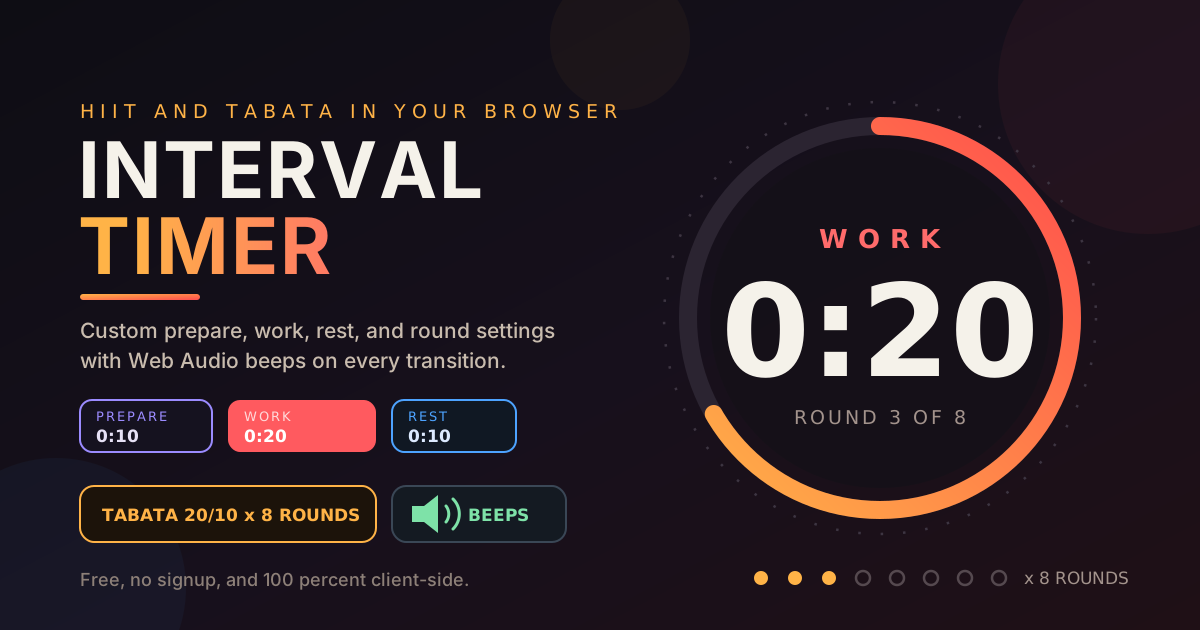
Free Interactive Tool
HIIT Interval Timer
Build custom HIIT and Tabata interval timers with prepare, work, rest, and rounds, plus Web Audio beeps.
Table of Contents
Interval training works because you stop thinking about the clock — the timer thinks for you. Short bursts of hard effort separated by brief recoveries rival much longer steady sessions, but only when the timing is honest. Time it yourself and you will inevitably cheat — late starts, short rests — until the workout falls apart. Our free Interval Timer takes the clock out of your hands entirely.
The tool times a prepare countdown, every work and rest phase, and your rounds, beeping at each transition so you never look at a screen mid-burpee. Press start and your only job is to move on the beep and breathe on the next one. Everything runs entirely in your browser — no app, no account, nothing leaving your device.
Why Use Interval Timer?
- It removes clock-watching from your workout. The large countdown and beeps keep your eyes on the movement, not the seconds.
- It enforces the structure you planned. Distinct beeps at every phase change make shortcuts impossible — and that consistency is where results come from.
- Every variable is configurable. Prepare, work, rest, and round count can all be dialed in, from gentle mobility circuits to brutal Tabata sets.
- Web Audio beeps are built in. Clear tones announce each transition, so the phone works on a shelf across the room.
- It is instant and private. No downloads, no sign-up, no data collection.
Key Features
The tool is deliberately simple on the surface, with the right flexibility underneath:
| Feature | What It Does |
|---|---|
| Tabata preset | One tap loads the classic 10s prepare, 20s work, 10s rest, 8 rounds |
| HIIT 40/20 preset | Longer 40-second work, 20-second rest for sustained efforts |
| HIIT 30/30 preset | An even 30 seconds on, 30 off — the friendly middle ground |
| Custom mode | Set your own prepare, work, and rest durations plus rounds |
| Web Audio beeps | Distinct tones announce every phase transition |
| Large countdown display | Glanceable numbers with a progress ring and round counter |
- Presets are starting points, not straitjackets. Load Tabata, then tweak any value to scale the difficulty.
- The prepare phase protects round one, giving you time to get into position before the first work beep.
How to Use
From page open to sweating takes under a minute.
- Open the tool. Head to the Interval Timer page — it loads instantly with no installation or account.
- Start with the Tabata preset if unsure. One click configures 10 seconds of prepare, 20 of work, 10 of rest, and 8 rounds — the classic four-minute protocol.
- Or build a custom session. Set each phase yourself: how long you need to get ready, how long each work burst runs, how long you recover, and how many rounds to complete.
- Check your volume, then press start. The beeps do the coaching, so place the device where you can hear it.
- Follow the beeps to the end. Move on the work beep, recover on the rest beep, and repeat until the round counter hits your target.
Work, Rest, Rounds
These three numbers are the entire programming language of interval training, so it pays to understand how they interact.
The Phase Anatomy
Every session flows through the same loop: prepare, then work, then rest, repeated for your chosen rounds, then done. Prepare is a short runway before your first effort. Work is where the stimulus lives — sprints, bodyweight exercises, any movement you choose. Rest is active recovery, not idle time. The timer repeats the cycle and signals done after the final round — no counting rounds while exhausted.
The Tabata Classic
The most famous protocol comes from Dr. Izumi Tabata, whose 1996 research used 20 seconds of all-out work and 10 of rest for 8 rounds — 4 minutes, bookended by a warm-up and cool-down. That 2:1 ratio at maximum effort is what makes Tabata both legendary and humbling; our preset reproduces it exactly.
Why the Beeps Matter
Intervals only deliver if you genuinely push during work and recover during rest — and you cannot do either while staring at a clock. The Web Audio beeps act as an audio coach: distinct tones mark work, rest, and the end of the session. Put the phone on a shelf and let your ears run the workout.
Scaling Rest to Your Goal
- Conditioning: roughly 1:1. Equal work and rest, like 30 seconds on and 30 off, keeps your heart rate elevated.
- Strength and power: 1:2 or longer. Explosive efforts followed by double the rest let your energy systems recover, keeping every round sharp.
- Tabata intensity: 2:1. Twenty seconds of all-out work against 10 of rest is a ratio you earn; build up to it from the gentler presets.
One honest note: this tool handles timing but cannot see you. Before starting any new exercise program, check with a doctor or qualified fitness professional.
Practical Use Cases
HIIT Home Workouts
Assign a bodyweight movement — squats, push-ups, mountain climbers — to each round of a custom timer. Set 40 seconds of work and 20 of rest for 8 rounds, and the timer handles every transition.
Tabata Circuits
Load the Tabata preset as a finisher after strength training, or run two or three blocks back to back with different moves. Four minutes sounds trivial until round five; the beeps carry you through.
Stretching and Focus Intervals
Nothing restricts the tool to exercise. Set generous 30-to-60-second phases and cycle through stretches or breathing drills. The same structure works pomodoro-style: 25 minutes of work, 5 of rest, repeated.
Kids' Activity Games
Children love clearly bounded bursts: 20 seconds of jumping jacks, 10 of rest, repeat 8 times. The big countdown and playful beeps turn exercise into a game the whole family can follow along with.
Best Practices
- Warm up before the first beep. Five easy minutes of marching and light squats should precede every session.
- Keep the phone loud and charged. The beeps are the workout's backbone — test the sound before round one.
- Log your rounds completed. Progress you can see is progress you will keep chasing.
- Respect the rest phase. Cutting rests short only degrades the next work burst.
- Scale one variable at a time. Add a round, lengthen work, or shorten rest — one change per week.
- Cool down afterward. A few minutes of easy walking and stretching pays off in how you feel tomorrow.
Start Your First Interval Session Today
You do not need a gym membership or a subscription to train with structure — just a browser tab and a few square meters of floor. Open the free Interval Timer, load the Tabata preset or build your own session, and let the beeps run the clock while you run the workout.
Related Tools You Might Like:
- Tone Generator — test your speakers and find the clearest beep frequency.
- BPM Tapper — tap out a warm-up tempo that matches your cadence.
- Date Range Splitter — split a training block into weekly phases when planning.
Happy training — see you at the final beep!
Frequently Asked Questions
Q: What is the difference between HIIT and Tabata?
A: Tabata is a specific researched protocol — 20 seconds of all-out work, 10 of rest, 8 rounds, exactly 4 minutes. HIIT (high-intensity interval training) is the broader family of methods with flexible ratios like 40/20 or 30/30.
Q: What work-to-rest ratio should I choose?
A: It depends on your goal. Around 1:1 suits conditioning; 1:2 or longer suits strength work; 2:1 Tabata is an advanced target. When in doubt, start with more rest and shorten it as fitness improves.
Q: Do the beeps keep working if I switch to another tab?
A: Browsers throttle background tabs, so timing and audio are most reliable while the page stays visible. Keep the tab in the foreground — the display is designed to be read from a distance anyway.
Q: Does the tool send my workout settings anywhere?
A: No. The timer logic and beeps run entirely in your browser — nothing is uploaded or stored, and the page works offline once loaded.