lease-vs-buy-calculator: Complete Online Guide, Features & Practical Examples
Learn how to use the free lease-vs-buy-calculator in your browser with step-by-step instructions, practical use cases, and expert tips.
Free Interactive Tool
Lease vs Buy Calculator
Compare leasing vs buying a car from price, down payment, trade-in, APR, money factor, residual value and fees, with payment breakdowns and a total-cost verdict. Pure client-side math.
Table of Contents
The Lease vs Buy Calculator prices both ways to drive the same car over the same term: a loan amortized at your APR with down payment and trade-in credit, and a lease built from capitalized cost, residual value and money factor with monthly sales tax. It lays the monthly payments, drive-off amounts and totals side by side, then settles it with a net-cost verdict that credits the resale value you keep when you buy — the number that actually decides whether leasing is worth it.
Whether you are double-checking numbers on a deadline, validating edge cases, or standardizing a repeatable workflow, the lease-vs-buy-calculator gives you an interactive, zero-install workspace directly in your browser. Every calculation and transformation runs locally on your device — no account registration, no paywalls, and no sensitive inputs uploaded to external servers.
In this guide, we walk through why dedicated tooling beats manual back-of-the-envelope work, explore every feature inside the interface, and cover step-by-step instructions alongside real-world scenarios.
Why Use lease-vs-buy-calculator?
- Immediate Clarity: Both paths priced from the same price, term and residual inputs.
- Focused Workflow: Money factor converted to APR so the two rates can be compared.
- Transparent Logic: Due-at-signing and total-paid breakdowns like a real lease worksheet.
- Practical Accuracy: Net-cost verdict instead of a cheapest-payment illusion.
- Time-Saving Defaults: Instant repricing while you negotiate at the dealership.
- 100% Client-Side Privacy: Every operation executes inside your browser session, keeping your data private and responsive even on slow connections.
Key Features
| Feature Area | What It Delivers | Execution Mode |
|---|---|---|
| Capability 1 | Loan amortization with APR, down payment and trade-in credit | Instant browser execution |
| Capability 2 | Lease payment built from depreciation plus rent charge plus tax | Instant browser execution |
| Capability 3 | Due-at-signing and total-paid breakdowns for both paths | Instant browser execution |
| Capability 4 | Net cost verdict that credits the resale value you keep when buying | Instant browser execution |
| Capability 5 | Money factor to APR conversion at a glance | Instant browser execution |
- Interactive Feedback: Results recalculate on the fly as you adjust inputs, letting you compare multiple scenarios in seconds.
- Bilingual Interface: Switch seamlessly between English and Thai labels whenever you collaborate across multilingual teams.
- Copy & Export Ready: Grab formatted outputs or summaries with one click so you can paste them straight into docs, tickets, or spreadsheets.
How to Use lease-vs-buy-calculator
From a dealer quote to a net-cost verdict in four steps.
- Open the Tool: Head to the lease-vs-buy-calculator in any modern desktop or mobile browser.
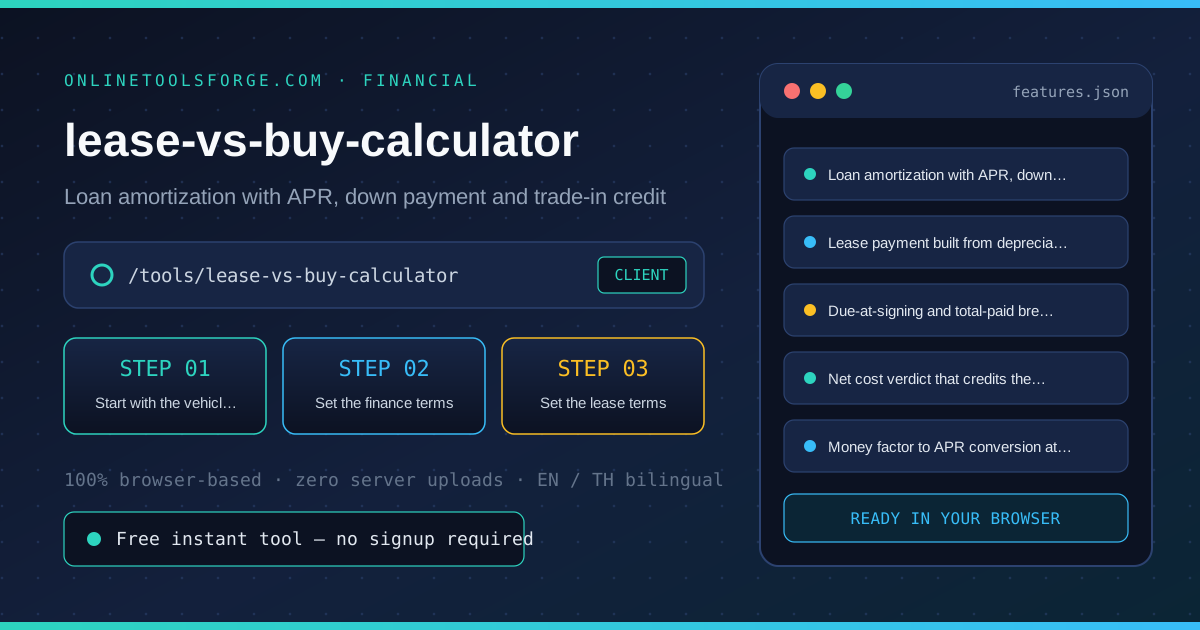
- Start with the vehicle price: Enter the selling price you negotiated, your planned down payment and any trade-in credit. Both paths start from the same numbers so the comparison stays honest.
- Set the finance terms: Enter the loan APR the dealer or bank quoted and the term in months, commonly 36 to 60. The buy column amortizes the loan and subtracts the resale value you keep at the end.
- Set the lease terms: Enter the money factor from the lease worksheet, the residual percent and the acquisition and disposition fees. The lease column builds the payment from depreciation plus rent charge plus tax.
- Read the net-cost verdict: Compare net cost of driving: everything paid minus what you keep. A cheap lease payment with a high drive-off can still lose to buying — the verdict already accounts for that.
Core Concepts & How It Works
Understanding the underlying mechanics helps you interpret the output with confidence. The Lease vs Buy Calculator prices both ways to drive the same car over the same term: a loan amortized at your APR with down payment and trade-in credit, and a lease built from capitalized cost, residual value and money factor with monthly sales tax. It lays the monthly payments, drive-off amounts and totals side by side, then settles it with a net-cost verdict that credits the resale value you keep when you buy — the number that actually decides whether leasing is worth it.
Instead of hiding assumptions behind a single opaque result, the lease-vs-buy-calculator surfaces intermediate values and clear labels so you can audit how the final answer is assembled:
- Explicit Input Validation: Boundaries and unit expectations are checked immediately, preventing silent NaN or unit-mismatch bugs.
- Deterministic Output: Given the same inputs, the tool produces identical, reproducible results every time — ideal for team reviews and documentation.
- Edge-Case Visibility: Built-in warnings highlight when inputs approach practical limits or require special interpretation.
Practical Use Cases
1. Deciding between a dealer lease offer and a bank auto loan
When tackling deciding between a dealer lease offer and a bank auto loan, manual spreadsheets and ad-hoc scripts often introduce rounding errors or inconsistent assumptions. With the lease-vs-buy-calculator, you can load your exact parameters, inspect the breakdown immediately, and verify how each variable affects the outcome before committing to a decision.
2. Checking whether a low money factor offsets a low residual
When tackling checking whether a low money factor offsets a low residual, manual spreadsheets and ad-hoc scripts often introduce rounding errors or inconsistent assumptions. With the lease-vs-buy-calculator, you can load your exact parameters, inspect the breakdown immediately, and verify how each variable affects the outcome before committing to a decision.
3. Comparing a 36-month lease against a 60-month loan
When tackling comparing a 36-month lease against a 60-month loan, manual spreadsheets and ad-hoc scripts often introduce rounding errors or inconsistent assumptions. With the lease-vs-buy-calculator, you can load your exact parameters, inspect the breakdown immediately, and verify how each variable affects the outcome before committing to a decision.
4. Negotiating drive-off fees with numbers in hand
When tackling negotiating drive-off fees with numbers in hand, manual spreadsheets and ad-hoc scripts often introduce rounding errors or inconsistent assumptions. With the lease-vs-buy-calculator, you can load your exact parameters, inspect the breakdown immediately, and verify how each variable affects the outcome before committing to a decision.
5. Explaining to a family member why the smallest payment is not the best deal
When tackling explaining to a family member why the smallest payment is not the best deal, manual spreadsheets and ad-hoc scripts often introduce rounding errors or inconsistent assumptions. With the lease-vs-buy-calculator, you can load your exact parameters, inspect the breakdown immediately, and verify how each variable affects the outcome before committing to a decision.
Best Practices
- Start with realistic baseline values before testing extreme edge cases so you have a clear reference point to compare against.
- Verify units and formatting on every input field — many discrepancies come from mixing percentages, decimals, or measurement units.
- Test sensitivity by changing one variable at a time in the lease-vs-buy-calculator to see which input has the largest impact on your result.
- Document your assumptions alongside the exported output so teammates can reproduce the exact state later.
- Pair with companion utilities in the same category when your workflow spans multiple conversion or validation steps.
Frequently Asked Questions
Q: Is leasing always cheaper per month? A: Usually yes, because you only pay for the depreciation the car suffers during the term plus a rent charge, not the whole price. But cheap monthly payments hide what you give up: no ownership at the end, mileage limits, and fees at both ends. The net-cost verdict compares what you paid minus what you keep, which is the only fair basis.
Q: How do I convert money factor to APR? A: Multiply the money factor by 2400. A money factor of 0.00125 equals a 3 percent APR, and 0.002 equals 4.8 percent. The calculator shows this conversion next to the lease payment so an attractive money factor cannot hide an unfavorable rate.
Q: What residual value should I use? A: Use the percent on the lease worksheet the dealer prints, typically 50 to 65 percent of MSRP for a 36-month term. The same percent doubles as the resale estimate for the buy path; if you expect the model to hold value better than that, buying gains an edge the calculator will reflect.
Q: Does the comparison include taxes? A: Yes, applied the way each path usually applies them: sales tax on the purchase price after trade credit when buying, and tax on each lease payment for states that tax leases monthly. Some states tax the full lease upfront; if yours does, treat the result as slightly optimistic for leasing.
Try lease-vs-buy-calculator Today
Ready to streamline your workflow? Open the lease-vs-buy-calculator now to run instant, accurate calculations right in your browser — completely free and with zero setup required.
Related Tools You Might Like
Happy building and calculating!