nginx location Match Tester: Find Out Exactly Which Block Wins Your Request
The nginx location Match Tester shows which nginx location block wins for any request URI, tracing the documented match order step by step right in your browser.
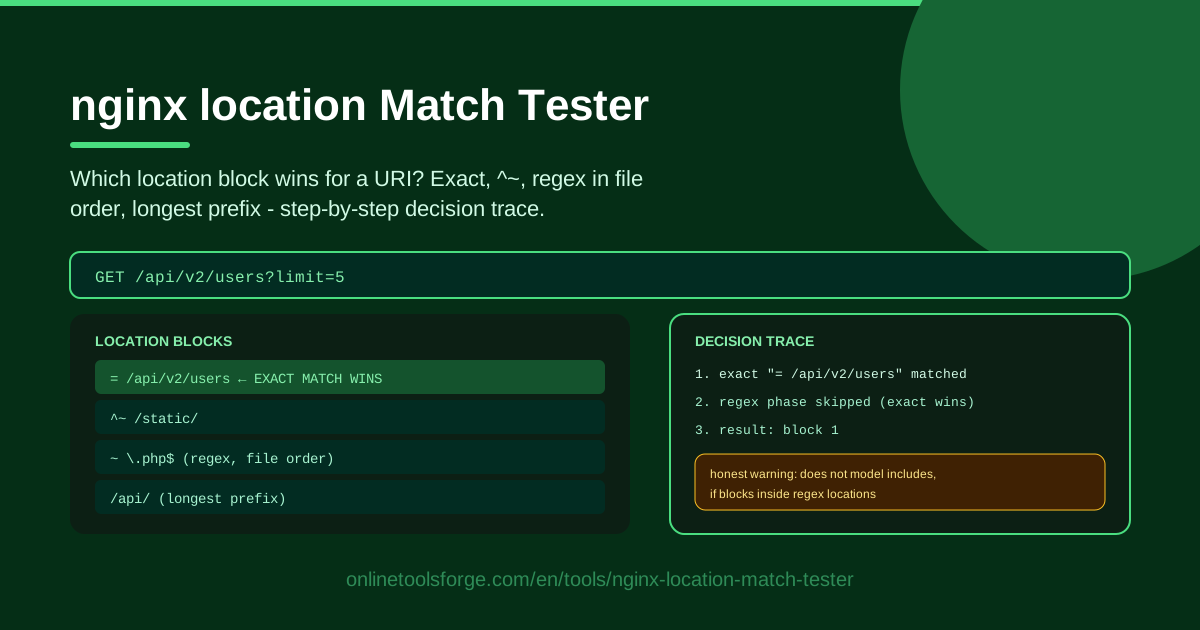
Table of Contents
Every nginx admin eventually hits the same puzzle: a request URI lands in a location block you never intended, and the config looks fine at a glance. The documented match order is logical, but it is remarkably easy to misread once regex and prefix rules are mixed together. The nginx location Match Tester settles the question in seconds: paste your blocks, type a URI, and see exactly which one wins.
The tool is a static analyzer of nginx's documented match order — exact =, ^~ prefix, regex in file order, then longest prefix — and instead of a bare verdict it produces a step-by-step decision trace. It also warns you honestly about what it does not model, such as include directives. Everything runs in your browser.
Why Use nginx location Match Tester?
- Stop guessing at routing bugs. Skip the debug-header-and-reload loop; run the match analysis instantly for any URI you care about.
- See the reasoning, not just the winner. The trace shows the exact match check, the longest prefix remembered, whether ^~ suppressed the regex pass, and every regex tried in file order.
- Catch silent regex mistakes early. A specific regex placed after a catch-all never fires for most requests. The trace exposes those ordering problems before you deploy.
- Private by design. The analysis runs entirely in your browser, so internal routing snippets never leave your machine.
- Honest about limits. The tool says plainly what it does not model — includes, nested locations, if blocks — so you never mistake its output for a full nginx simulation.
- Free and instant. No account, no install, no server round trips. Open the page and start testing.
Key Features
| Feature | What it does |
|---|---|
| Paste location blocks | Add the blocks from your server block, keeping their file order. |
| Request URI input | Test any URI such as /api/users or /assets/app.css. |
| Documented match order engine | Applies exact =, ^~ prefix, regex in file order, longest prefix fallback. |
| Step-by-step decision trace | Explains the winner one decision at a time. |
| Limitation warnings | Flags behavior the analyzer does not model, such as includes and nested if. |
| Fully browser-side | Nothing is uploaded; all analysis happens locally. |
Three details worth calling out:
- The trace names every candidate at each stage: which prefixes lost to a longer one, and which regexes were never reached because an earlier pattern matched.
- The warnings are specific, telling you when a config that uses includes or variables could behave differently on a real server.
- Because the analyzer follows the documented order rather than heuristics, every verdict is explainable line by line.
How to Use nginx location Match Tester
- Paste your location blocks. Copy the location blocks from your nginx server block into the editor. Keep the same order as the config file, because order decides regex outcomes.
- Enter the request URI. Type the path you want to check, such as /api/v2/orders or /static/logo.png, without scheme or host.
- Run the analysis. The tool applies the documented match order to your blocks immediately and highlights the winning location.
- Read the decision trace. Follow each stage: the exact match attempt, the longest prefix remembered, the ^~ check, and the regex pass in file order. Every step explains why a block was chosen or skipped.
- Adjust your config and repeat. If the wrong block wins, add an = exact match, move a regex earlier, or mark a prefix with ^~, then rerun until the trace shows the routing you intend.
The location Match Order Demystified
nginx's selection algorithm, as documented, works in four stages.
First, exact matches. If a request URI equals a location declared with the = modifier, nginx selects it immediately and stops. Nothing else is examined. That is why = /health is the most reliable way to pin down a fixed path.
Second, the longest prefix is remembered. nginx scans all prefix locations and remembers the longest one that matches the URI, but it does not commit yet.
Third, the ^~ override. If that remembered longest prefix carries the ^~ modifier, nginx skips regex checking entirely and uses that prefix block. This is the standard fix when a generic regex such as ~ \.(jpg|png)$ keeps stealing traffic from a proxied path.
Fourth, regex in file order. Otherwise nginx tests the regular expression locations in the order they appear in the file, and the first match wins. This is the single most important asymmetry in the whole algorithm: for regex locations, file order decides the outcome, while for prefix locations order is irrelevant — only the longest prefix counts. Moving a regex block up or down changes behavior; swapping two prefix blocks does not.
If no regex matches, the remembered longest prefix block is used.
Be aware of the known limits: the tool does not expand include directives, does not evaluate nested locations or if blocks, and does not resolve variables in URIs. Flatten your includes into a single paste first, and treat the trace as documentation-accurate static analysis rather than a live server simulation.
Practical Use Cases
Debugging an Unexpected 404
A user reports that /blog/article-42 returns 404 while every other page works. Paste the blocks, enter the URI, and the trace may reveal that a regex like ~ ^/blog/\d+ was placed after a blocking image pattern, or that your longest matching prefix points at a static root missing the file. Five minutes with the trace beats an hour of trial and error.
Verifying an API Route Lands in the Proxy Block
Before a release, paste your production blocks and test the URIs your frontend will call. Confirm that /api/auth/login matches the proxy block and not a caching rule added last sprint. The trace also shows whether the win came from an exact match, a prefix, or a regex — useful when you later need a header change that applies only to API responses.
Migrating from Apache
Rewrite rules do not map one to one between Apache and nginx, and match precedence differs between the two servers. Generate candidate location blocks from your Apache rules, then verify each important URI lands where you expect before switching traffic over.
Teaching nginx Routing to Your Team
The decision trace is a compact lesson in itself. New team members can paste a sample config, try hostile URIs such as /api, /api/, and /apiX, and watch the algorithm pick a winner each time. It turns an abstract documentation page into an interactive exercise that sticks.
Best Practices
- Prefer exact matches for fixed routes. Use = /login, = /health, and similar for paths that never vary; they short-circuit everything and are easiest to reason about.
- Keep regex blocks few and deliberately ordered. Put the most specific regex first, because file order alone decides the winner.
- Use ^~ when a prefix must not be hijacked. If a proxied path must never fall through to a static-file regex, mark it ^~ and verify with the trace.
- Always test edge URIs. Check /path, /path/, /path/extra, and mixed-case variants to see where each one lands.
- Comment intent in the config. The tool explains nginx's choice; a one-line comment explains yours to the next engineer.
- Run the trace before every routing change. Make it part of the same habit as nginx -t: syntax first, then routing intent.
Ready to stop arguing about which block wins? Open the nginx location Match Tester, paste your config, and get the full decision trace in seconds.
Related Tools You Might Like:
- nginx Config Generator — build clean server blocks from scratch.
- Apache to nginx Converter — translate Apache rules into nginx syntax.
- nginx Log Analyzer — read access logs and spot routing problems in real traffic.
Happy configuring!
Frequently Asked Questions
Q: Is the nginx location Match Tester an official nginx tool? A: No. It is an independent static analyzer that implements nginx's documented match order — exact, ^~, regex in file order, longest prefix — and explains each decision. It is not affiliated with the nginx project.
Q: Why did my request match a regex block instead of the longer prefix? A: That is the documented behavior. After remembering the longest prefix, nginx still tries regex locations in file order, and the first matching regex wins unless the longest prefix carries the ^~ modifier.
Q: Does the tool follow include directives? A: No. Includes, nested locations, and if blocks are not modeled, and the tool warns you about this. Flatten your included files into a single paste first.
Q: Is my configuration uploaded to a server? A: No. The analyzer runs entirely in your browser, so pasted blocks and URIs never leave your machine.