Ansible Playbook Generator: Build Clean YAML Playbooks with FQCN Modules
Generate copy-paste-ready Ansible playbook YAML with the free Ansible Playbook Generator — compose hosts, vars, become, and FQCN task modules right in your browser.
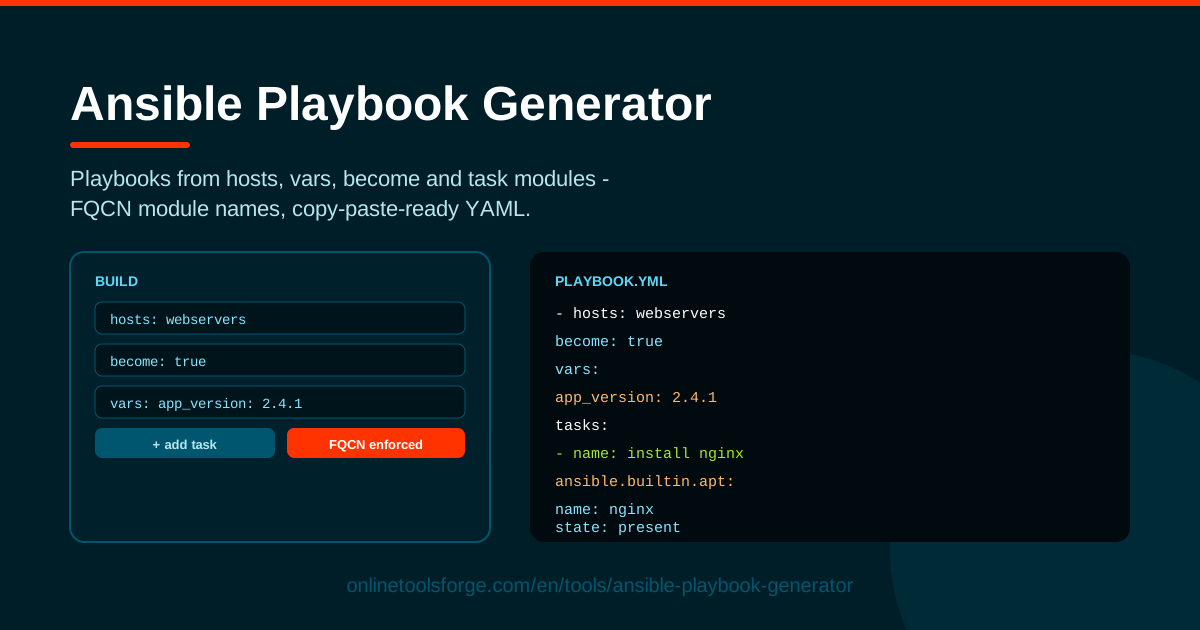
Table of Contents
Writing an Ansible playbook by hand usually means wrestling with YAML indentation, second-guessing privilege escalation flags, and trying to remember the modern name for each module. One misplaced space and ansible-playbook refuses to parse the file. The free Ansible Playbook Generator on Online Tools Forge removes that friction: you fill in a short form covering hosts, vars, become, and task modules, and the tool composes copy-paste-ready playbook YAML using fully qualified collection names (FQCN) exactly as modern Ansible recommends.
Because everything runs in the browser, there is nothing to install and no account to create. Open the page, describe the automation you want, and copy the generated YAML straight into your project. The workflow suits engineers who write playbooks daily as well as newcomers who want to see what a correctly structured playbook looks like before committing anything to a repository.
In this guide you will learn why a form-driven approach saves time, how to use the generator step by step, what FQCN means and why it matters since Ansible 2.10, and several scenarios where a generated scaffold gets you productive immediately.
Why Use Ansible Playbook Generator?
Hand-editing playbooks works, but it is slow and error-prone. Here is what the generator changes:
- No hand-formatted YAML to break. Indentation mistakes are the top reason playbooks fail to parse. The generator emits consistently indented YAML so you focus on automation logic instead of counting spaces.
- FQCN module names by default. Every task is written with its fully qualified collection name, such as ansible.builtin.apt, which is what current Ansible versions and ansible-lint expect.
- Guided play structure. Dedicated fields for hosts, vars, and become remind you of the building blocks every play needs, so nothing important gets forgotten.
- Copy-paste-ready output. The finished playbook drops straight into a file like site.yml with no cleanup or reformatting.
- Runs entirely in the browser. No installation, no CLI dependency, and nothing leaves your machine.
- A faster learning curve. Watching the form translate into YAML helps newcomers see how plays, tasks, and modules fit together.
Key Features
| Feature | What it does |
|---|---|
| Hosts field | Sets the host pattern the play targets, from a single host to a group such as webservers. |
| Vars editor | Defines playbook variables inline, keeping values like package names or ports in one place. |
| Become toggle | Adds become: true for privilege escalation when tasks need root or sudo. |
| Task modules | Composes tasks from common modules referenced by FQCN, e.g. ansible.builtin.copy. |
| YAML output | Renders valid, copy-paste-ready playbook YAML. |
| Browser-based | Runs fully client-side, so it works anywhere and nothing is uploaded. |
- The output follows the structure Ansible expects: a play header with hosts, vars, and become, followed by a tasks list where each entry names a module and its parameters.
- Because modules use FQCN, generated playbooks stay compatible with ansible-lint rules and newer Ansible releases.
- Iteration is cheap: change a variable or swap a module and the YAML regenerates instantly.
How to Use Ansible Playbook Generator
- Set the hosts target. Enter the host pattern the play should run against — all for every host in your inventory, or a group name like webservers. This becomes the play's hosts key.
- Add your vars. Define the variables your tasks will reference, such as http_port or a package list; they land under the play's vars section.
- Enable become where needed. Switch on become when tasks must run with elevated privileges — system-level work like installing packages or restarting services — which adds become: true to the play.
- Add tasks with modules. Pick a module for each step, for example ansible.builtin.apt to install packages, ansible.builtin.copy to place files, and ansible.builtin.service to manage daemons; the tool appends each as a properly structured task.
- Copy the generated YAML. Review the output, paste it into a .yml file, and run it with ansible-playbook. Adjusting the form regenerates the file in seconds.
Playbook Anatomy and FQCN
A playbook is a list of plays, and each play maps a set of hosts to a set of tasks. The generated YAML makes the split visible: the play header declares who the play runs against (hosts), which values are available (vars), and whether privilege escalation is required (become), while the tasks list describes the desired end state step by step.
Each header key matters. hosts decides which inventory machines are touched, so all and webservers produce very different runs. vars centralize values that tasks reference, keeping the playbook easy to adjust without editing task bodies. become controls privilege escalation: package installs and service restarts typically need root, and become: true at play level applies to every task inside it.
What FQCN is and why it exists. FQCN means fully qualified collection name — the collection namespace plus the module, such as ansible.builtin.apt instead of plain apt. Starting with Ansible 2.10, content was reorganized into collections, and short names became ambiguous: depending on which collections were installed, the same short name could resolve to different modules. Fully qualified names remove that ambiguity, and both ansible-lint and the official documentation recommend them — which is why the generator writes an FQCN for every task.
Common built-in modules. Three you will use constantly are ansible.builtin.apt for package management on Debian-family systems, ansible.builtin.copy for placing files with exact content and permissions, and ansible.builtin.service for starting, stopping, and enabling services.
Idempotency intuition. Good modules are idempotent: running a task twice leaves the system in the same state as running it once. The apt module installs a package only if it is missing; copy rewrites a file only when content differs. That is why playbooks are safe to re-run, and why describing end state — rather than listing commands — is the mental model to aim for.
Practical Use Cases
Bootstrapping a Fresh Web Server
When a new VM or cloud instance spins up, the first steps are usually identical: update packages, install a web server, drop in configuration, start the service. Generate tasks with ansible.builtin.apt, ansible.builtin.copy, and ansible.builtin.service, point hosts at the new machine, and you have a repeatable bootstrap for every future server.
Standardizing Team Task Syntax
Teams drift: one engineer uses short module names, another indents differently, a third forgets become. A generated playbook gives everyone the same skeleton — FQCN names, consistent indentation, explicit privilege escalation — so reviews focus on the automation itself, not its formatting.
Teaching Ansible Basics
Introducing colleagues to Ansible? The form is a shortcut to understanding. Learners fill in hosts, add a var, toggle become, choose a module, and immediately see the equivalent YAML, which makes plays, tasks, and idempotency concrete without a lecture.
Quick One-Off Automation Scaffolds
Sometimes you just need a correct starting point: a small playbook to restart a service fleet, sync a config file, or apply a patch. Build it in the generator, copy the YAML, and extend the tasks by hand if needed — done in minutes.
Best Practices
- Always use FQCN module names. Write ansible.builtin.service rather than service so playbooks stay unambiguous across Ansible versions and installed collections.
- Name every task. A short human-readable name turns cryptic output into a readable log of what changed — invaluable when a run fails at step nine.
- Prefer idempotent modules. Choose modules that describe desired state instead of raw shell commands, so re-running a playbook is harmless and predictable.
- Keep vars in the playbook or inventory. Centralize values rather than hard-coding them inside tasks, so a port number never hides in the middle of a task body.
- Test with --check first. Run ansible-playbook with --check for a dry run and preview what would change before touching real servers.
- Version-control the generated YAML. Commit the output, review it in pull requests, and let ansible-lint guard it in CI.
Ready to skip the YAML wrangling? Open the Ansible Playbook Generator, compose your hosts, vars, become settings, and task modules in the form, and copy out a clean, FQCN-correct playbook in under a minute. It is free, browser-based, and always one tab away.
Related Tools You Might Like:
- YAML Formatter — validate and beautify any YAML file before you commit it.
- Nginx Config Generator — build nginx server configurations with the same form-driven approach.
- Dependabot Config Generator — create dependabot.yml files that keep dependencies updated automatically.
Happy automating!
Frequently Asked Questions
Q: What is an FQCN in Ansible? A: FQCN stands for fully qualified collection name — the module's complete address including its collection namespace, for example ansible.builtin.apt instead of just apt. It became the recommended style after Ansible 2.10 moved modules into collections, because it removes ambiguity about which module a short name resolves to.
Q: Do I need Ansible installed to use the generator? A: No. The generator runs entirely in your browser and only produces YAML. You need Ansible installed somewhere — your laptop, a control node, or CI — only when you want to execute the generated playbook.
Q: Can I run the generated playbook as-is? A: Yes. The output is valid playbook YAML with correct indentation and FQCN module names. Save it as a .yml file, make sure your inventory includes the targeted hosts, and run it with ansible-playbook; most people add a few task parameters to fit their environment.
Q: Why did short module names break after upgrading Ansible? A: Since Ansible 2.10, modules live in collections and short names depend on which collections are installed, sometimes resolving to unexpected modules or failing outright. Using the full FQCN — which the generator writes automatically — keeps playbooks consistent across versions.