Nutrition Label Generator: Create FDA-Style Nutrition Facts Labels in Minutes
The Nutrition Label Generator turns your serving size, calories, macros, and micronutrients into an FDA-style nutrition facts label with automatic percent daily values, ready to print or export as a PNG.
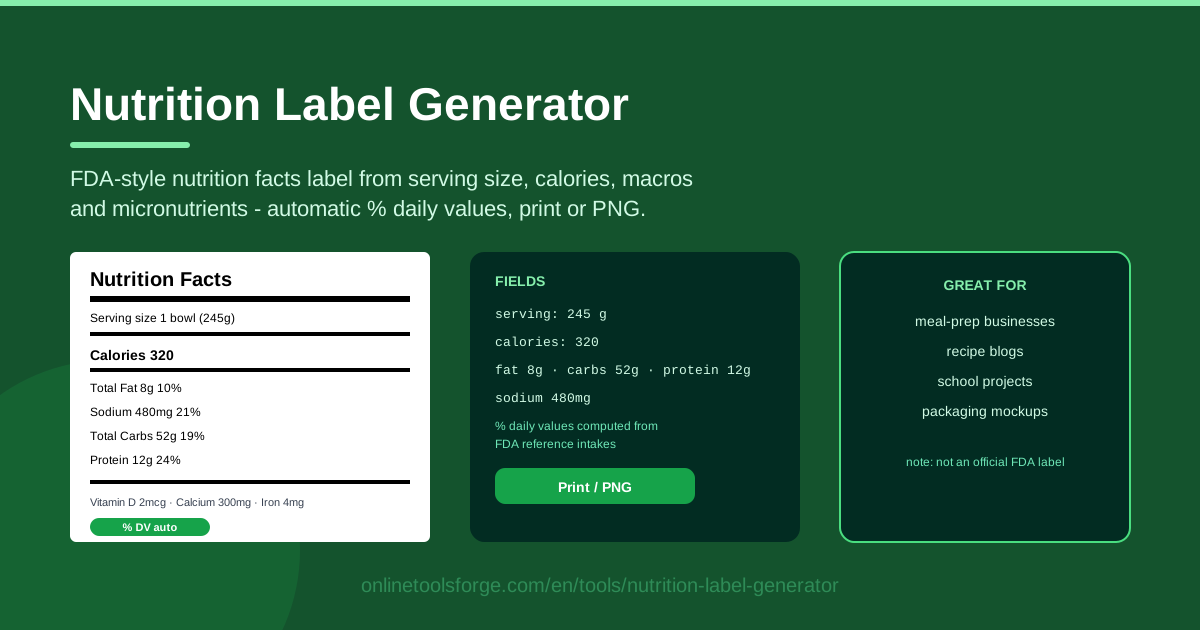
Table of Contents
Sooner or later, every food creator faces the same moment: someone asks for the nutrition information behind a recipe, and the answer needs to look credible. Maybe it is a client reviewing a menu, a customer tracking macros, or a teacher grading a project. The Nutrition Label Generator on Online Tools Forge answers that request in seconds, turning your serving size, calories, macros, and micronutrients into a clean, FDA-style nutrition facts label.
The tool handles the fussy parts for you. Percent daily values are computed automatically from FDA reference intakes, the layout follows the familiar black-and-white panel you see on packaged food, and the finished label can be printed or exported as a PNG for menus, blog posts, and presentations.
This guide covers why this nutrition facts label maker deserves a bookmark, how to use it step by step, what the percentages on the right side of the panel actually mean, and where the output shines in real projects.
Why Use Nutrition Label Generator?
- No design software required. Professional nutrition panels usually mean layout tools and fiddly formatting. Here the FDA-style structure is built in — you only supply the numbers.
- Automatic percent daily values. Every macro and micronutrient you enter is instantly converted to a % Daily Value using FDA reference intakes, so the math is never yours to fumble.
- Print-ready and shareable. Print the label directly for kitchens and binders, or export a PNG that drops cleanly into menus, recipe cards, and slide decks.
- Runs entirely in your browser. There is nothing to install and no account to create, and your recipe data never leaves your device.
- Flexible serving sizes. Enter the portion people actually eat — one cup, one cookie, one bowl — and the whole label stays honest to it.
- Consistent, professional output. Because the layout is fixed, every label you generate shares the same clean look, which matters once you build a library of recipe cards.
Key Features
The generator covers everything a standard nutrition panel needs in one compact form.
| Feature | What it does |
|---|---|
| Serving size input | Defines the portion every number on the label is calculated against, in your own unit text. |
| Calories and macro fields | Capture calories, total fat, saturated fat, trans fat, cholesterol, sodium, carbohydrates, fiber, sugars, and protein. |
| Micronutrient rows | Add vitamin D, calcium, iron, potassium, and other micronutrients to complete the panel. |
| Automatic % Daily Value | Converts each entry into a percent daily value from FDA reference intakes. |
| FDA-style layout | Renders the familiar black-and-white nutrition facts panel, bold rules included. |
| Print and PNG export | Produces a physical printout or a shareable PNG file in one click. |
- Live recalculation. Edit any value and the panel updates immediately, so testing ingredient swaps is painless.
- Browser-based privacy. All calculations happen locally; nothing about your recipe is uploaded anywhere.
- Print-accurate output. Proportions hold up on paper as well as on screen.
How to Use Nutrition Label Generator
A finished label takes about five minutes. Here is the workflow:
- Enter the serving size. Type the amount people actually eat, such as "1 cup (240 g)" or "1 cookie (45 g)". Every number on the label is calculated against this portion, so getting it right comes first.
- Add calories and macros. Fill in calories, then total fat, saturated fat, trans fat, cholesterol, sodium, total carbohydrate, dietary fiber, sugars, and protein. Package labels and USDA food databases are reliable sources for these figures.
- Add micronutrients. Enter vitamin D, calcium, iron, potassium, or any other micronutrient rows you have data for. These complete the lower section of the panel.
- Review the percent daily values. Scan the % Daily Value column for red flags. A quick rule of thumb: 5% DV or less per serving is considered low, and 20% or more is considered high.
- Print or export a PNG. When the panel reads well, print it for immediate use or save the PNG for menus, blog cards, and design files.
How Percent Daily Values Work
The percentages on the right side of the label are not opinions — each one compares the amount in a serving to a fixed FDA reference intake called the Daily Value, based on a 2,000-calorie diet. Total fat is referenced against 78 grams, sodium against 2,300 milligrams, total carbohydrate against 275 grams, and dietary fiber against 28 grams. If your granola bar contains 6 grams of saturated fat, the generator divides it by the 20-gram reference and displays 30% DV without any spreadsheet work.
Serving size is where honest labeling starts. The percent daily values describe a single serving, so a soup listed as two servings per container will halve every number on the panel. Choose the portion your audience actually consumes rather than the one that flatters the data.
Macro ordering on the label is fixed by the FDA-style format: calories first, then total fat, saturated fat, and trans fat, followed by cholesterol, sodium, total carbohydrate with fiber and sugars, and finally protein. The generator keeps this sequence automatically, which is why the output always looks right.
Micronutrient rows occupy the bottom of the panel. The modern label format highlights vitamin D, calcium, iron, and potassium because public-health guidance identifies them as commonly under-consumed nutrients.
One distinction matters: this is a mockup-style label, not a regulated one. A generator produces an accurate visual panel from the numbers you supply, but official retail packaging generally requires laboratory-verified nutrition data and a compliance review before products reach store shelves.
Rounding also plays a quiet role. FDA guidance lets labels round to standard increments — calories to the nearest 10 above 50 calories, for example — so small differences between your raw data and a printed panel are normal and expected.
Practical Use Cases
Meal-prep business menus
Meal-prep companies live and die by transparent nutrition. Generate a label for every dish on the weekly menu and print them for kitchen displays, or attach the PNG files to delivery pages. Customers who track macros get exact numbers per container, and the consistent FDA-style presentation makes a small operation look established.
Recipe blog cards
Food bloggers can add a nutrition facts panel beside each recipe. Export the PNG, place it next to the ingredient list, and readers scanning for low-sodium or high-protein options can decide at a glance. Because the tool is fast, updating the card after tweaking a recipe takes minutes rather than an afternoon.
School nutrition projects
Teachers and students can analyze real products without touching regulated artwork. Have students copy the numbers from a cereal box, generate the panel, and discuss why one serving delivers 40% DV of a nutrient. It turns an abstract health lesson into something visual and hands-on.
Packaging design mockups
Designers building food packaging concepts need realistic labels long before lab results exist. Generate a panel from plausible placeholder data, export the PNG, and drop it into the mockup. Clients see a believable final product, and the verified values can be swapped in later once analysis is complete.
Best Practices
- Match serving sizes to reality. If people eat two cookies, list two cookies. A label built on an unrealistically tiny serving undermines trust.
- Use verified nutrition data. Pull numbers from package labels, USDA databases, or lab analysis instead of guessing.
- Note mockup versus official use. Generator output is perfect for menus, blogs, classrooms, and design work, but regulated retail packaging needs verified data and a compliance review.
- Keep label style consistent. Use the same format across all your recipes and products so customers can compare them fairly.
- Sanity-check the percentages. If a 300-calorie snack claims 90% DV of fat, recheck the input — the generator computes exactly what it is given.
- Save your source data. Keep the numbers behind each label in a spreadsheet so future updates stay quick when recipes change.
Ready to give your recipe a professional nutrition panel? Open the Nutrition Label Generator, enter your serving size and nutrient data, and export a print-ready or PNG label in minutes. Pair it with the calculators below to shape the numbers before they ever reach the page.
Related Tools You Might Like:
- Macro Calculator — split your daily calories into the right protein, carb, and fat targets before you label a recipe.
- Calorie Deficit Calculator — plan meals around a realistic daily target when weight loss is the goal.
- BMI Calculator — check where your weight sits on the healthy range as a starting point.
Happy cooking!
Frequently Asked Questions
Q: Is the label from Nutrition Label Generator valid for regulated product packaging? A: It produces an FDA-style label designed for menus, recipe cards, blogs, classrooms, and design mockups. Official retail packaging requires laboratory-verified nutrition data and a formal compliance review, so treat the output as a starting point rather than a regulatory document.
Q: Where do the percent daily values come from? A: The tool calculates them automatically from FDA Daily Values for a 2,000-calorie diet. Each nutrient you enter is divided by its reference intake and shown as a percentage, so you never do the math yourself.
Q: Can I export the label as an image file? A: Yes. You can print the label directly or export it as a PNG, which drops cleanly into blog posts, menus, slide decks, and packaging mockups.
Q: Is my recipe data uploaded to a server? A: No. The generator runs entirely in your browser, so everything you type stays on your own device.