OpenAPI Diff: Spot Breaking Changes Between API Spec Versions
Compare two OpenAPI or Swagger JSON specs and report added, removed, and modified endpoints with breaking-change flags. Free API diff checker in your browser.
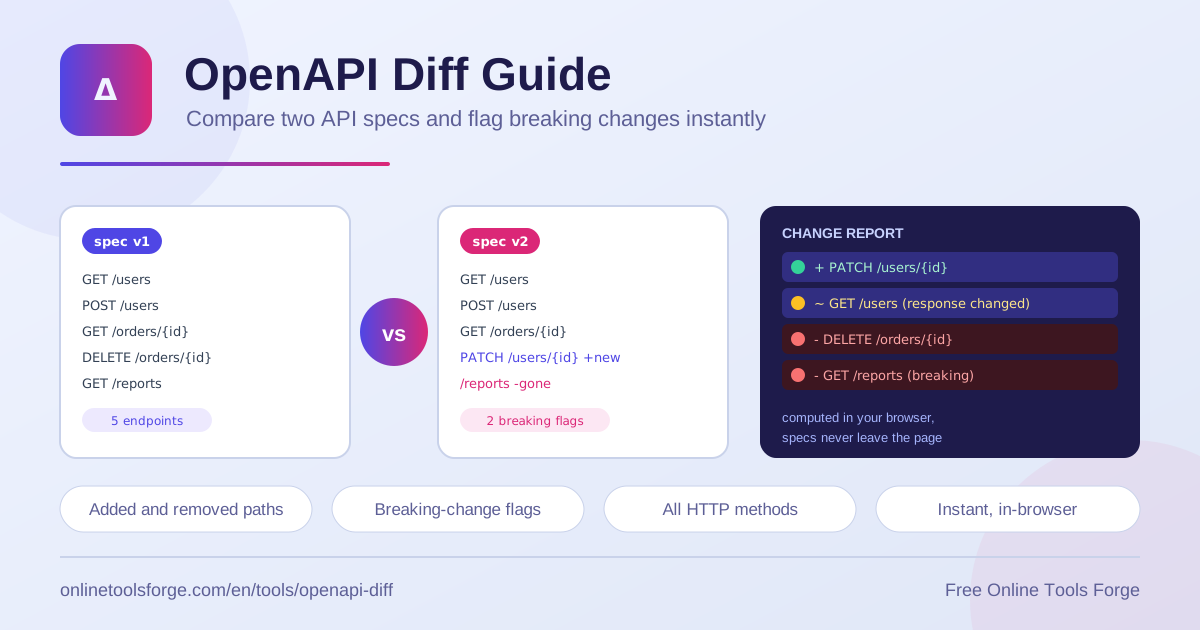
Table of Contents
APIs rarely stand still. Teams ship new endpoints, retire old ones, and reshape request and response contracts with every release. When that happens, the question consumers care about is simple: did anything break? The free openapi-diff tool answers it in seconds by comparing two OpenAPI or Swagger JSON specs and reporting exactly what changed between versions.
The tool walks the paths object across all HTTP methods — GET, POST, PUT, PATCH, DELETE, HEAD, and OPTIONS — and produces a structured change report: added endpoints, removed endpoints, and modified methods. Anything that removes functionality is flagged as a breaking change, so you can spot trouble before your consumers do.
Everything is computed client-side in your browser. Your specs never leave the page, which makes the tool safe for internal APIs, unreleased drafts, and any contract that contains proprietary details. No uploads, no accounts, no data collection.
Why Use the OpenAPI Diff Tool?
- Catch breaking changes before release. Removing an endpoint or dropping a method can silently break consumer integrations. A quick diff surfaces the hazard in code review, not in a production incident.
- Save time over manual review. Reading two large specs side by side is slow and error-prone. Automated api spec comparison walks every path and method in milliseconds.
- Keep changelogs honest. The generated report doubles as an api changelog, documenting exactly what a release added, changed, or removed.
- Work with OpenAPI and Swagger. Swagger 2.0 and OpenAPI 3.x both define endpoints under the paths object, so the tool handles either JSON format.
- Protect sensitive specs. Specs are pasted into the page and analyzed locally. Nothing is transmitted to a server.
- Support contract testing. A clear list of changes gives consumers an actionable input for updating mocks, SDKs, and test suites.
Key Features
| Feature | What it does |
|---|---|
| Side-by-side input | Paste two OpenAPI or Swagger JSON specs into the version one and version two fields. |
| Full paths walk | Examines every path across GET, POST, PUT, PATCH, DELETE, HEAD, and OPTIONS. |
| Added endpoint detection | Lists endpoints present in the new spec but missing from the old one. |
| Removed endpoint detection | Lists endpoints that disappeared and flags them as breaking changes. |
| Modified method reporting | Identifies existing endpoints whose methods differ between versions. |
| Breaking-change flags | Marks removed endpoints and removed methods so risk stands out instantly. |
A few details worth noting:
- The report is structured, readable output you can paste straight into a pull request description, release note, or changelog file.
- Results appear the moment you run the comparison — no CI pipeline, no background job, no waiting.
- The tool parses both documents before comparing, so malformed JSON is caught and reported early instead of producing a misleading diff.
How to Compare Two API Specs
- Open the openapi-diff tool in your browser.
- Paste the baseline spec — your current or previous version — into the first field.
- Paste the candidate spec, the new or proposed version, into the second field.
- Run the comparison. The tool parses both documents and walks every path and method.
- Review the change report: added endpoints, removed endpoints, modified methods, and any breaking-change flags.
What Counts as a Breaking Change
A change is breaking when it stops existing consumers from working. The tool classifies every difference it finds into three categories, and understanding them helps you act on the report correctly.
Walking the paths object. OpenAPI organizes the API surface under paths, with each path holding one entry per HTTP method. The diff iterates the paths in both specs, then the methods inside each shared path. A path present in only one spec becomes an added or removed endpoint; a method present in only one spec becomes an added or removed operation.
Removed endpoints and methods. Both are strictly breaking. If v1 exposed DELETE /orders/{id} and v2 keeps the path but drops the DELETE method, every consumer using that delete flow starts receiving 405 responses. A removed path is worse: callers get 404s with no fallback. These are the changes the report flags loudest.
Modified methods. When a method exists in both versions but its definition differs — for example the responses object or the parameters list changed — the tool reports the method as modified. Some modifications are safe; others break clients. A new required parameter or a changed response schema deserves review, so modified methods land in a review category rather than an automatic failure.
Added endpoints are safe. Additive changes expand the surface without removing anything consumers depend on. They appear in the report so you can document them, but they do not carry a breaking flag.
Using the report as a changelog. Because the output is categorized, it maps naturally onto a release note: added items become new features, modified items become changes, and breaking items become migration notes. A report might look like this:
Added:    GET /v2/webhooks
Modified: GET /v1/users
Removed:  DELETE /v1/sessions [BREAKING]
Removed:  PATCH /v1/orders    [BREAKING]
Practical Use Cases
Release Review Gates
Before tagging a release, diff the proposed spec against the previous tagged version and treat any breaking flag as a blocker that must be justified in the pull request. A platform team shipping v2.4.0, for example, can require that every breaking item come with a deprecation plan and a consumer migration note before merge.
Generating Changelogs
Paste the report into your changelog file and annotate it with version numbers and dates. Instead of asking each developer what changed, the api spec comparison produces the raw list for you, and you only add context — links to issues, migration guidance, and screenshots.
Contract Testing with Consumers
Share the report with the teams that consume your API before the release ships. Frontend and mobile developers can update mocks, regenerate clients, and adjust tests against the exact list of changed operations, turning a surprise outage into a routine upgrade.
Auditing Vendor API Updates
When a third-party provider publishes a new spec, diff it against the last one you archived. You will know about their removed endpoints and modified methods before their deprecation date, leaving time to patch your integration instead of discovering breakage in monitoring dashboards.
Best Practices
- Diff against a tagged baseline. Always compare the candidate spec to the last released version, not to an arbitrary working copy.
- Run the diff inside pull requests. Make spec comparison a step in review so contract changes get the same scrutiny as code.
- Treat modified methods as review items. Read what changed in responses and parameters before deciding whether the change is safe.
- Keep spec history in version control. Archived versions per release make every future diff fast and reproducible.
- Communicate breaking changes early. Flagged items should reach consumers with migration guidance well before the old behavior disappears.
- Pair the diff with validation. A clean, valid spec produces a trustworthy diff, so validate both documents before comparing.
Compare Your Specs Today
Breaking changes are cheapest to fix before anyone depends on them. Paste two specs into the openapi-diff tool, run the comparison, and get a categorized change report with breaking-change flags in seconds — privately, entirely in your browser, with nothing ever leaving the page.
Related Tools You Might Like:
- OpenAPI Validator — check specs for structural errors before you diff them.
- OpenAPI to cURL Converter — turn any endpoint into a runnable request.
- API Endpoint Tester — verify changed endpoints behave the way the spec promises.
Happy diffing!
Frequently Asked Questions
Q: Does the tool support both OpenAPI 3 and Swagger 2.0 specs?
A: Yes. Both formats define endpoints under the paths object, so the comparison works across either JSON format. The analysis focuses on paths and methods, which are consistent in both.
Q: Are my specs uploaded anywhere?
A: No. Parsing, walking, and comparison all happen in your browser with client-side JavaScript. Specs never leave the page, which makes the tool safe for internal and confidential contracts.
Q: What exactly gets flagged as a breaking change?
A: Removed endpoints and removed methods are flagged as breaking because consumers relying on them will start receiving errors. Added endpoints are safe additive changes, and modified methods are reported for review since some modifications, like changed responses, can break clients.
Q: Can I paste the change report into my changelog or pull request?
A: Yes. The report is structured output listing added, modified, and removed endpoints with breaking flags. Paste it directly into release notes, a changelog file, or a pull request description.
Q: What happens if one of my specs has invalid JSON?
A: The tool parses both inputs before comparing. If either document fails to parse, you get a clear error identifying the problem so you can fix the JSON and rerun the comparison.