Pug to HTML Converter: Compile Indented Templates Into Clean Markup in Your Browser
Convert Pug (Jade) to HTML directly in your browser — tags, ids, classes, attributes, block expansion, piped text, comments, and doctype, all handled client-side.
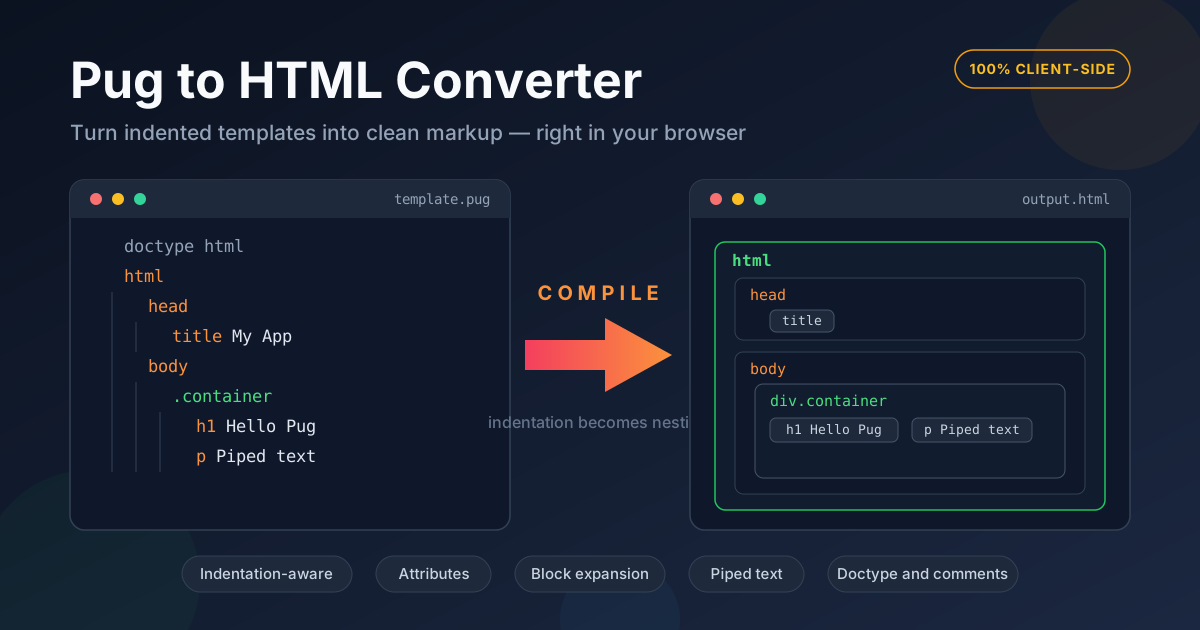
Free Interactive Tool
Pug to HTML Converter
Compile Pug (Jade) templates to clean, indented HTML right in your browser
Table of Contents
Pug — the template engine formerly known as Jade — still turns up in places you cannot simply delete: legacy Express apps whose views/ folder is wall-to-wall .pug files, Vue projects scaffolded by older vue-cli and webpack vue-loader setups, and old docs that predate the 2016 rename. Inheriting one of those codebases means reading Pug again, and the fastest route back to plain markup is the Pug to HTML Converter: paste a template, get HTML back instantly, entirely in your browser.
Pug's idea is that significant whitespace replaces angle brackets: no closing tags, one element per line, shorthand for ids and classes. That brevity is why teams loved writing it, and why it reads like a puzzle years later. The converter translates between the two worlds, showing exactly how each indented line becomes a nested tag.
Because the compiler runs 100% client-side, there is nothing to install and nothing to upload. No npm install pug, no build step, no account — open the tool next to your editor and keep working.
Why Use the Pug to HTML Converter?
- Nothing to install or configure. Compiling Pug normally means a build step or a sandbox; here you paste and read from the second the page loads.
- Real Pug syntax. Tags, #ids, .classes, parenthesized attributes, block expansion, piped text, comments, and doctype lines are parsed by an indentation-aware compiler, not approximated with find-and-replace.
- Live feedback as you type. The HTML output updates as you edit, so every change shows its effect immediately.
- Private by design. Templates often carry route names and internal copy; everything compiles locally, so none of it ever leaves your machine.
- It doubles as a tutorial. Seeing Pug beside its HTML is the fastest way to internalize the shorthand.
- Free, no quotas. One template or fifty — no signup, no limits.
Key Features
| Feature | What it does |
|---|---|
| Indentation-aware compiler | Treats every nesting level as a child element, just like the Pug engine |
| Tag, id, and class shorthand | Expands shortcuts like div#app.card into full opening tags |
| Attribute parsing | Reads (href=... src=...) lists, including quoted and boolean values |
| Block expansion | Supports one-line nesting chains written with colons |
| Piped text and comments | Emits literal text lines and keeps // comments in the output |
| Doctype handling | Converts a doctype html line into a proper document declaration |
Nesting is computed from indentation alone, and tags close in the correct order — the result matches what the real engine renders.
How to Use
- Open the converter. Head to the Pug to HTML Converter page; the input pane is ready on load.
- Paste your Pug template. Anything from a two-line fragment to a full page — doctype, nested tags, attributes, comments.
- Read the live output. The compiled HTML appears immediately; check that tag nesting matches your indentation.
- Adjust and iterate. Fix indentation or expand attributes — the output tracks every keystroke.
- Copy the result. Take the HTML to a static page, a component, or documentation.
Pug Syntax Refresher
Pug looks terse until its few rules click, and then it reads quickly. Here is the grammar the converter supports.
Indentation Is Structure
There are no closing tags. A line indented one level deeper becomes a child of the line above; return to the previous level and the parent closes. The indent width — one space, four, or tabs — does not matter as long as you stay consistent, because only relative depth counts.
Tags, Ids, and Classes in Shorthand
A bare word is a tag: main, section, span. Add #app for an id, .card for a class, or chain them — main#app.card — and both attach to one element. A line starting with only .card defaults to a div.
Attributes in Parentheses
Everything a tag carries in (parentheses) becomes attributes: a(href="/pricing" target="_blank"). Values may be quoted or bare, multiple attributes are space-separated, and boolean attributes such as disabled stand alone.
Block Expansion With a Colon
A colon after a tag nests one level on the same line: ul: li First item produces a list containing a list item. Chains can run several levels deep.
Piped Text
Lines beginning with a pipe | are emitted as literal text inside the parent — handy for mixing prose and inline elements without triggering tag parsing.
Comments: // Versus //-
// note becomes a real HTML comment in the output; //- note is a silent Pug comment that disappears entirely. Use the dashed form for notes you never want to ship.
The Doctype Line
doctype html on the first line emits the HTML5 document type declaration. Without it, the converter renders just the fragment.
A Complete Example
Input:
doctype html
html(lang="en")
  head
    title Customer Portal
  body
    main#content.container
      h2 Account Overview
      p Welcome back — your dashboard is ready.
Output:
<!DOCTYPE html>
<html lang="en">
  <head>
    <title>Customer Portal</title>
  </head>
  <body>
    <main id="content" class="container">
      <h2>Account Overview</h2>
      <p>Welcome back — your dashboard is ready.</p>
    </main>
  </body>
</html>
Eight lines of Pug expand to fifteen of HTML — a ratio that only improves as templates grow.
Common Gotchas
- Mixing tabs and spaces. Pug commits to one indentation character per file; blending them breaks the parse with an invalid-indentation error. Check this first when a pasted template misbehaves.
- Self-closing assumptions. Void elements — img, br, hr, input, meta, link — are emitted without closing tags, but every other tag gets one, so nesting content under an element you expected to stay empty shifts the whole tree below it.
Practical Use Cases
Reviving Legacy Express and Node Apps
The classic case: an Express app from 2017 still serving real users, every view written in Pug. Compiling templates to HTML gives you a readable reference for rewriting views into components — or lets you keep the .pug sources while knowing exactly what each renders today.
One-Off Template Conversions
Sometimes a .pug file just needs to become .html once: an email template a designer wants, a static export of a page, a sample for a ticket. A browser converter finishes before a build pipeline finishes installing dependencies.
Teaching and Learning Template Engines
Explaining what a template engine does? Have students paste a template, delete one indent, and watch a tag un-nest — the abstraction becomes concrete in seconds.
Best Practices
- Normalize indentation before pasting. Convert tabs to spaces (or the reverse) so one stray character cannot break the parse.
- Keep one template per paste. Small units make it obvious which line produced which tag.
- Use silent comments for internal notes. The //- form never reaches the HTML, so nothing private leaks into shipped markup.
- Prefer explicit attributes when clarity matters. Quoted, spelled-out attributes read unambiguously in a converted dump.
- Check the doctype on full pages. A missing doctype html line is the difference between a document and a fragment.
- Verify nesting visually. Indentation depth and tag depth should mirror each other exactly.
Ready to see what that old template really renders? Open the Pug to HTML Converter, paste a .pug file, and read the HTML in seconds.
Related Tools You Might Like:
- HTML to Pug Converter — go the other direction and turn existing HTML into tidy, indented Pug
- Markdown to HTML Converter — render Markdown writing into clean HTML documents
- HTML Tag Remover — strip markup away when you need plain text from HTML
Happy converting — may every indented line land exactly where its tag belongs. — Online Tools Forge Team
Frequently Asked Questions
Q: Does the tool upload my templates anywhere?
A: No. Compilation happens entirely in your browser with client-side JavaScript; templates with internal routes, ids, or copy never leave your machine.
Q: Which parts of Pug syntax are supported?
A: Tags with #id and .class shorthand, parenthesized attributes, block expansion with colons, piped text, // and //- comments, and doctype declarations — the core syntax behind most real-world templates.
Q: Why does my template fail with an indentation error?
A: Almost always mixed tabs and spaces, or an inconsistent indent width somewhere mid-file. Normalize the whitespace and paste it again.