SQL to Prisma Converter: Turn DDL into Prisma Schemas in Seconds
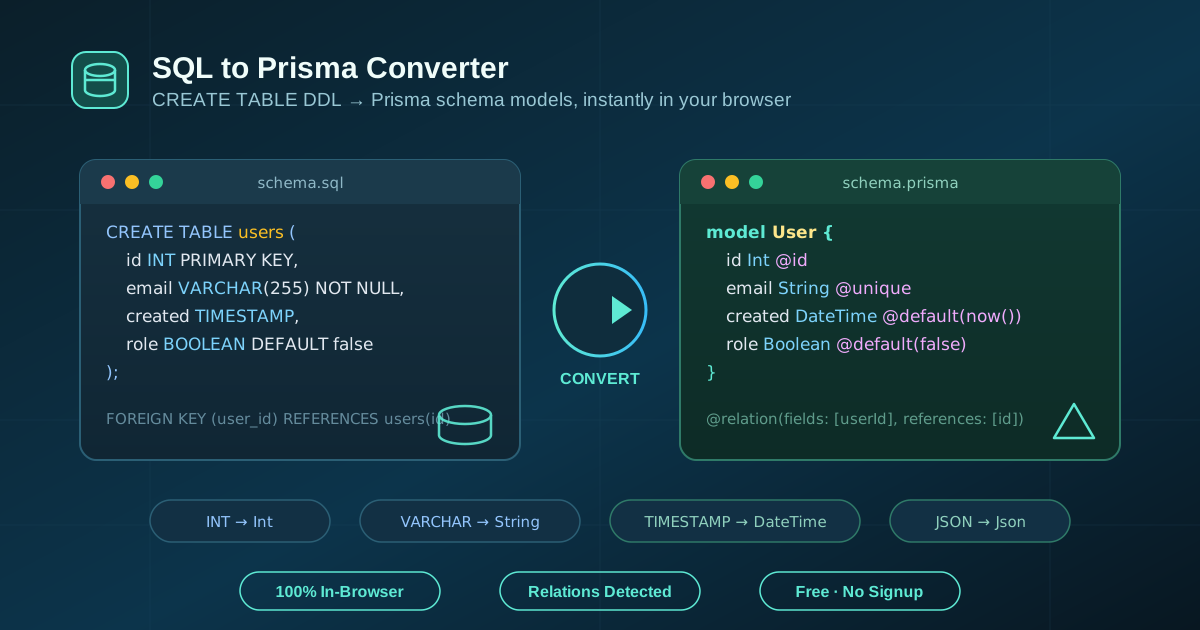
The SQL to Prisma Converter transforms CREATE TABLE DDL from MySQL, PostgreSQL, and SQLite into clean Prisma schema models, complete with type mapping, defaults, unique constraints, and relation detection. 100% free and in-browser.
Free Interactive Tool
SQL to Prisma Converter
Convert SQL CREATE TABLE statements into Prisma schema models with type mapping and relation detection.
Table of Contents
Migrating to Prisma usually means hours of transcription: SQL DDL open on one side of the screen, the Prisma docs on the other, translating every CREATE TABLE into a model block by hand. The SQL to Prisma Converter ends that busywork. Paste your DDL and get clean, idiomatic Prisma models back — types, keys, defaults, and all.
The tool understands MySQL, PostgreSQL, and SQLite dialects and handles multiple tables in a single paste. Column names become camelCase fields, table names become PascalCase models, and foreign keys turn into fully wired bidirectional @relation fields.
Because everything runs 100% in your browser, nothing is uploaded, no signup is required, and the tool keeps working offline once the page has loaded. This guide walks through what the converter does, how to use it, the type mapping it applies, and where it fits in a real workflow.
Why Use SQL to Prisma Converter?
- Instant conversion, zero transcription. A 20-table schema that takes an afternoon to hand-convert is generated in seconds, so you review instead of retype.
- Accurate cross-dialect type mapping. serial, bigserial, int8, AUTO_INCREMENT — the common integer, decimal, temporal, and JSON types of MySQL, PostgreSQL, and SQLite map to the correct Prisma scalars, including BigInt, Decimal, and Json.
- Relations wired for you. Foreign key declarations become both sides of a Prisma relation: a many-to-one field on the source model and a one-to-many list on the target model, with fields and references filled in.
- Idiomatic naming by default. snake_case tables become PascalCase models and snake_case columns become camelCase fields, so the output reads like a schema a Prisma developer would have written.
- Constraints and defaults preserved. Primary keys, unique columns, auto-increment counters, CURRENT_TIMESTAMP defaults, literal defaults, and UUID defaults all carry over into the right Prisma attributes.
- Private by design. Conversion is 100% client-side: nothing leaves your machine, no account is needed, and it works offline after load.
Key Features
| Feature | What it does |
|---|---|
| DDL parsing | Reads CREATE TABLE statements from MySQL, PostgreSQL, and SQLite; multiple tables per input supported |
| Type mapping | SQL types map to Prisma scalars: BigInt, Int, Decimal, Float, Boolean, DateTime, Json, Bytes, String |
| Naming conversion | Tables become PascalCase models; columns become camelCase fields |
| Nullability | Columns without NOT NULL (and not primary key) become optional fields with ? |
| Keys and constraints | PRIMARY KEY becomes @id; UNIQUE becomes @unique |
| Defaults | AUTO_INCREMENT becomes @default(autoincrement()); CURRENT_TIMESTAMP and now() become @default(now()); literals and UUID defaults get matching @default(...) values |
| Relations | FOREIGN KEY declarations generate bidirectional @relation fields on both models |
| Output options | Copy to clipboard, download as schema.prisma, sample SQL loader, reset button |
Two details are worth calling out. First, the relation handling goes beyond copying columns: the converter emits both sides of every relationship and wires them with fields: [...] and references: [...], which is exactly the part most people get wrong by hand. Second, default handling distinguishes autoincrement, now, uuid, and literal values, so the generated schema behaves like the original database rather than merely resembling it.
How to Use
- Open the SQL to Prisma Converter.
- Paste your CREATE TABLE DDL into the SQL panel — one table or many, or click the sample button to load example SQL first.
- The conversion runs instantly; generated Prisma models appear in the output panel.
- Review optional fields, defaults, and the relation fields inferred from your foreign keys.
- Click Copy to clipboard or Download to save the result as schema.prisma; use the reset button to start over.
Understanding the SQL-to-Prisma Type Mapping
The converter normalizes dialect differences into one consistent mapping. PostgreSQL says serial, MySQL says AUTO_INCREMENT, and SQLite says AUTOINCREMENT — all three end up as Int with @default(autoincrement()):
| SQL type | Prisma scalar |
|---|---|
| bigint, bigserial, int8, serial8 | BigInt |
| int, integer, smallint, tinyint, mediumint, serial | Int |
| decimal, numeric, money | Decimal |
| real, float, double | Float |
| bool, boolean | Boolean |
| date, datetime, timestamp, timestamptz, time | DateTime |
| json, jsonb | Json |
| blob, binary, varbinary, bytea, image | Bytes |
| Everything else (varchar, text, char, and so on) | String |
The fallback rule is deliberate: anything not recognized as numeric, temporal, boolean, JSON, or binary becomes String, which matches how Prisma treats all SQL character types uniformly. Exotic or custom column types won't break the conversion — just double-check them in the output.
Nullability follows one simple rule: a column becomes optional (?) unless it is declared NOT NULL or is part of the primary key. That mirrors Prisma semantics, where @id fields must always be present, and it prevents the classic mistake of marking every field required and watching inserts fail on optional columns.
Practical Use Cases
Migrating a Legacy Database to Prisma
You're adopting Prisma on a project with an existing MySQL or PostgreSQL database. Export the schema — pg_dump --schema-only in PostgreSQL or SHOW CREATE TABLE in MySQL — paste it in, and you have a starting schema.prisma in seconds. Review it, then run prisma validate against your project to confirm it matches the live database.
Bootstrapping a New Project from a SQL Design
Many teams still design schemas in SQL first: it's the language of ERD tools, wikis, and review threads. With the converter, that SQL draft doubles as the source for your Prisma schema — design in DDL, convert, and keep both artifacts in sync without maintaining two mental models by hand.
Switching Databases Without Rewriting Models
Because MySQL, PostgreSQL, and SQLite dialects normalize to the same Prisma scalars, dumps of the same logical schema produce equivalent models regardless of source. That's what you want when moving an app between databases: convert the old dialect's DDL, then point Prisma's datasource at the new provider.
Learning Prisma with Fast Feedback
If you're new to Prisma, write a CREATE TABLE the way you already know, convert it, and study the equivalent model — how @id, @default, optional fields, and @relation map back to the SQL you wrote. It's the quickest way to internalize Prisma's schema language using knowledge you already have.
Best Practices
- Convert from real DDL, not memory. Export the schema from the live database so defaults, nullability, and foreign keys are facts, not recollections.
- Review optional fields before validating. A missing ? on a nullable column surfaces as runtime insert errors; a stray one fails just as loudly.
- Name ambiguous relations. If two models have multiple relations between them, Prisma needs explicit relation names — raw DDL can't always convey that, so add them by hand.
- Run prisma format and prisma validate after converting. The output is valid schema syntax; these commands enforce house style and catch dialect-specific tweaks you may want.
- Test with the sample first. Load the built-in example before pasting a 40-table production dump to confirm the output style meets your expectations.
- Re-convert when the schema evolves. If the database is still changing, re-export and re-convert rather than hand-editing drift back into the schema.
Ready to Convert Your Schema?
If you have SQL DDL in a migration file, a dump, or a design doc, the fastest path to a Prisma schema is the SQL to Prisma Converter. Paste your tables, get models with correct types, defaults, and relations, then copy or download the result — all in your browser, with nothing uploaded and no signup required. Give it a try and reclaim the afternoon you'd otherwise spend transcribing columns.
Related Tools You Might Like:
Happy converting!
Frequently Asked Questions
Q: Which SQL dialects does the SQL to Prisma Converter support?
A: It parses CREATE TABLE DDL from MySQL, PostgreSQL, and SQLite. Type spellings differ between them — AUTO_INCREMENT versus AUTOINCREMENT versus GENERATED ALWAYS AS IDENTITY — but the converter recognizes each dialect and normalizes everything into the same Prisma attributes.
Q: Does the tool upload my SQL anywhere?
A: No. The entire conversion runs in your browser. Your DDL is never sent to a server, no account is required, and once the page has loaded the tool works even if you go offline.
Q: How are foreign keys handled?
A: A FOREIGN KEY (col) REFERENCES table(pk) declaration generates both sides of the relation: a many-to-one field on the source model and a one-to-many list on the referenced model, wired with fields and references so Prisma resolves them without further edits.
Q: Can I convert multiple tables at once?
A: Yes. Paste as many CREATE TABLE statements as you like; each becomes its own model, and foreign keys between tables are detected across the whole input, so cross-model relations come out correctly wired.