Square Footage Calculator: Measure Any Room and Budget It Right
The Square Footage Calculator computes floor area for rectangles, circles, and triangles with unit conversion and cost-per-area totals for real estate and DIY projects.
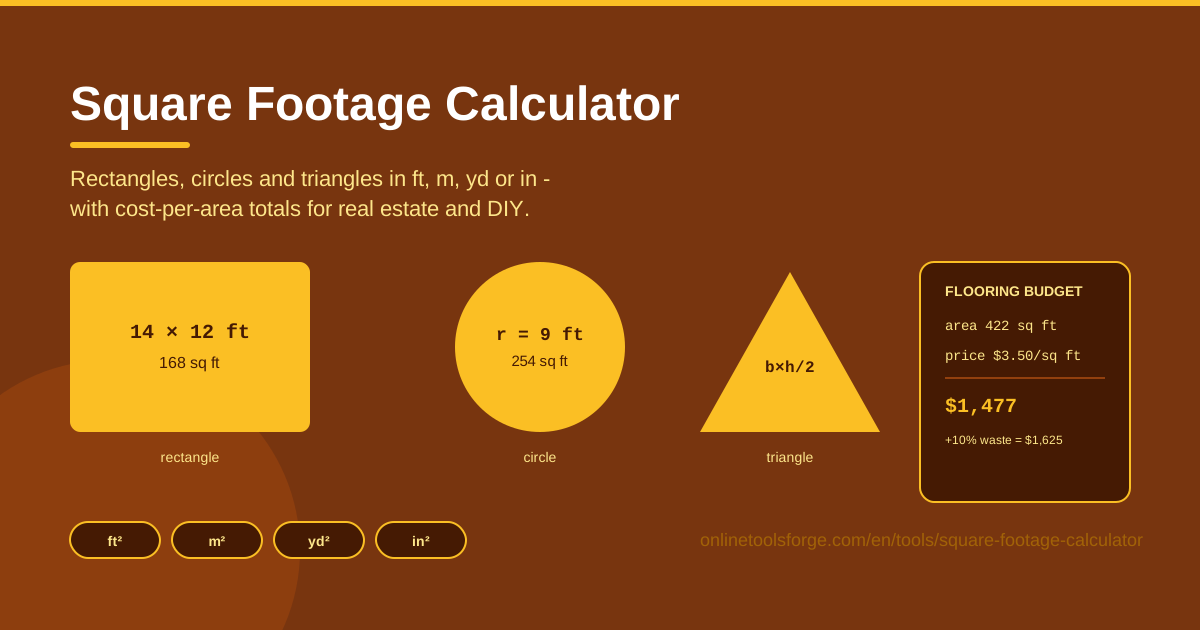
Table of Contents
Every project that touches a floor — new hardwood, fresh paint, a rug that actually fits — starts with one number: the area. The Square Footage Calculator at Online Tools Forge computes it in seconds. Pick a rectangle, circle, or triangle, enter your measurements in the units you actually used, and read the result as square feet, square meters, square yards, or square inches.
Units are where estimates go wrong. Your tape measure speaks inches, the floor plan speaks meters, the listing speaks square feet, and the carpet supplier quotes per square yard. Mixing them silently inflates or deflates a number by factors of nine or more. The tool handles every conversion internally, so the figure you act on is the correct one.
Cost is the other half. Enter your material's price per square foot or per square meter and the calculator multiplies it by the computed area to produce a budget total — the number you take to the store. This guide covers how to use the tool, the formulas behind it, and the habits that keep estimates honest.
Why Use Square Footage Calculator?
- Instant area for three shapes. Nearly every room, patio, or plot breaks down into rectangles, circles, and triangles. Cover those three and you can measure almost anything.
- Units handled for you. Enter dimensions in feet, meters, yards, or inches; conversions happen inside the tool, not in your head.
- Budget math built in. Type a price per sq ft or per sq m and get a cost total immediately — geometry becomes a purchasing decision.
- Fair property comparisons. Listings mix square feet and square meters, especially across countries. One common unit makes price-per-area comparisons meaningful.
- Fewer expensive mistakes. Under-ordering stalls a project; over-ordering wastes money. A correct area plus a waste allowance avoids both.
Key Features
| Feature | What it does |
|---|---|
| Shape-based calculation | Computes floor area for rectangles, circles, and triangles from your dimensions |
| Flexible input units | Accepts measurements in feet, meters, yards, or inches |
| Result unit switching | Instantly re-expresses area as sq ft, sq m, sq yd, or sq in |
| Cost per area totals | Multiplies area by a price per sq ft or sq m for an instant budget |
| Runs in the browser | All math happens client-side — fast, private, and free |
A few details worth knowing:
- Conversion applies to inputs as well as outputs: measure a closet in inches and a living room in meters, and everything is normalized before the area is computed.
- Cost totals respond live — change the price or the dimensions and the budget updates with them.
How to Use Square Footage Calculator
- Pick your shape. Rectangle for most rooms, circle for round patios and rugs, triangle for gable ends, attic floors, or angled corners.
- Enter dimensions with units. Length and width for a rectangle, radius or diameter for a circle, base and perpendicular height for a triangle — and set the unit for each measurement.
- Read the area. The result appears immediately; a 12 ft by 15 ft room returns 180 sq ft.
- Convert units. Switch the output between sq ft, sq m, sq yd, and sq in to match a listing or a supplier quote without redoing anything.
- Add cost per area. Enter the material's price per sq ft or per sq m and the tool shows your budget total. Repeat per room and add the results for a whole-project figure.
Area Formulas and Cost Math
The tool uses the standard formulas behind the scenes, and knowing them helps you sanity-check any result.
- Rectangle: area = length × width. A 12 ft × 15 ft room is 180 sq ft.
- Circle: area = π × r². A patio with a 10 ft radius is about 314 sq ft. If you measured across, halve the diameter first.
- Triangle: area = ½ × base × height, where height is the perpendicular distance to the base, not the length of the sloped side.
The conversion trap. One foot equals 0.3048 meters, but one square meter equals 10.76 square feet — not 3.28. The 3.28 figure is the linear conversion; area conversions square it. Convert a 100 sq m apartment with 3.28 and you will report 328 sq ft when the truth is about 1,076 sq ft. Yards behave the same way: one square yard is nine square feet, not three.
Odd-shaped rooms. Real floors have alcoves and cutouts. Split the plan into rectangles, triangles, and circles, compute each piece with the matching shape, then add the parts or subtract a cutout. That is exactly why the tool offers three shapes rather than one.
Cost per area. Total cost = area × price per unit. A 180 sq ft room with laminate at $3.50 per sq ft is $630. Then apply the waste rule: add about 10% for straight layouts to cover cuts and defects — roughly $693 here. Diagonal or herringbone patterns push waste to 15-20%, so budget $725-760 for the same room laid diagonally.
Practical Use Cases
Flooring and paint budgets
A 20 ft × 18 ft living room is 360 sq ft. Run your options: engineered wood at $5.50 per sq ft is $1,980 before waste; vinyl plank at $2.80 is $1,008. Add 10% and you know the real numbers before a salesperson offers to "help." Paint works the same way once you divide area by the coverage per gallon listed on the can.
Comparing apartment listings in different units
One condo lists 85 sq m; a comparable one abroad lists 950 sq ft. Convert both: 85 sq m is about 915 sq ft, so the units are nearly the same size — and dividing each price by its converted area shows which is genuinely cheaper per square foot.
Garden lawns and outdoor projects
An L-shaped yard becomes a rectangle plus a triangle: 30 ft × 20 ft (600 sq ft) plus a 15 ft base, 10 ft height triangle (75 sq ft) — 675 sq ft total. Sod is sold by the square yard, so switch the output to sq yd (75 sq yd) and buy accordingly.
Office space planning
Planners allocate roughly 150-200 sq ft per workstation including circulation, so a 40-person office needs 6,000-8,000 sq ft. Compute candidate floors, convert to sq m for lease documents, and multiply by rent per unit to compare buildings on equal footing.
Best Practices
- Measure twice at the longest points. Measure wall to wall across the widest span, twice. A half-inch error on one wall compounds across the whole room.
- Convert to one unit before computing. The calculator handles mixed units, but one consistent unit per room is the safest habit.
- Always add a waste percentage. Ten percent for straight layouts, fifteen to twenty for diagonal patterns or rooms with many cuts.
- Round up to purchasable units. Materials come in whole boxes and gallons. Leftover material beats a second trip and a dye-lot mismatch.
- Note the unit used for each room. A simple "bedroom: meters" saves a re-measurement scramble later.
- Sanity-check with furniture. A queen bed covers about 33 sq ft. If the computed bedroom cannot fit one with walking room, re-measure before ordering.
Ready to measure? Open the Square Footage Calculator, enter your first room, and turn a vague "about 200 square feet, I think" into an exact number and a real budget. The two minutes you spend will pay for themselves the first time you buy exactly the right amount of material.
Related Tools You Might Like:
- Surface Area Calculator — extend from floor area to the total surface of 3D shapes.
- Unit Converter — length, mass, volume, and temperature conversions beyond area.
- Thai Area Converter — work with Thai land units like rai, ngan, and square wa.
Happy measuring!
Frequently Asked Questions
Q: How do I calculate the square footage of a room? A: Measure length and width at their longest points, enter both with their units, and read the area. For L-shaped rooms, split the space into rectangles or triangles, calculate each, and add the results.
Q: How many square feet are in a square meter? A: About 10.76. Do not use 3.28 — that is the linear conversion. Using it for area underestimates a space by nearly 70%.
Q: How much extra flooring should I buy? A: Add roughly 10% on top of the computed area for straight layouts, and 15-20% for diagonal or herringbone patterns, then round up to whole boxes.
Q: Can it handle round rooms or angled corners? A: Yes. Use the circle shape for round spaces and the triangle shape for angled corners and gable ends, then combine the results.