Viewing Distance Calculator: Pick the Perfect TV or Monitor Size for Your Room
Use the Viewing Distance Calculator to match any TV or monitor to your seating distance with THX and SMPTE guidelines, 1080p/4K/8K pixel-visibility limits, and instant two-way math — all offline.
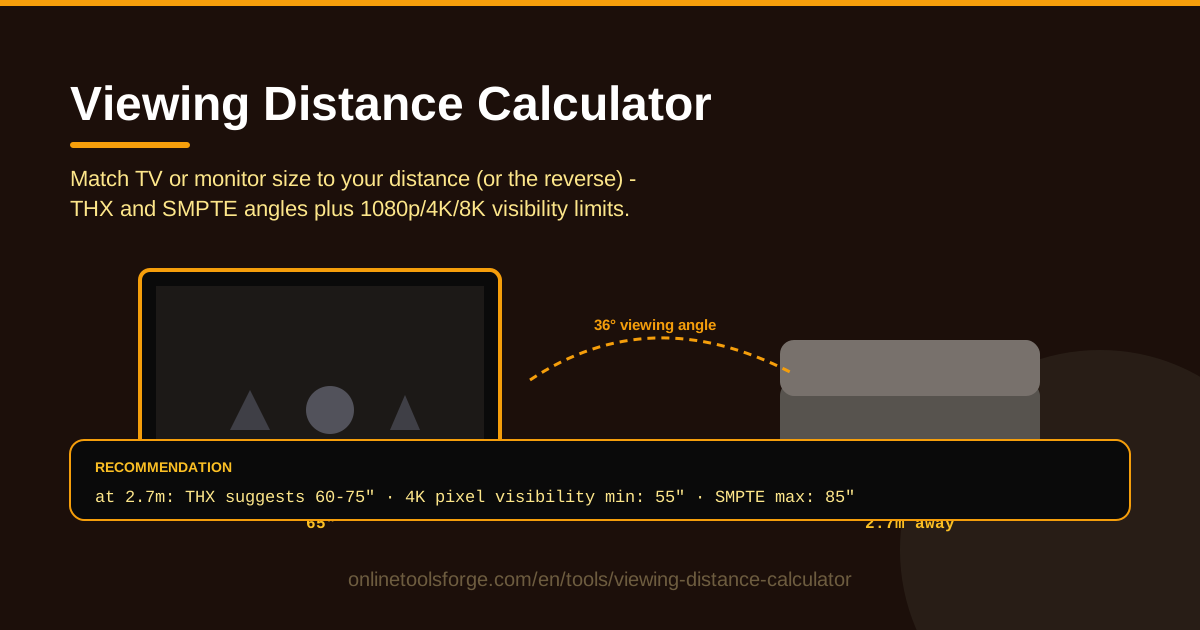
Table of Contents
Walk into any electronics store and every screen looks about right — showrooms are designed that way. The only measurement that predicts how a TV will feel in your home is the distance between your eyes and the screen, and almost nobody measures it first. The Viewing Distance Calculator fixes that in seconds: enter your viewing distance for a recommended TV or monitor size, or flip it around to find the ideal seating distance for a screen you have your eye on.
It is built on the guidelines professionals use — the THX viewing-angle recommendation for cinematic immersion and the SMPTE recommendation for comfortable everyday viewing — plus pixel-visibility limits for 1080p, 4K, and 8K, so the answer adapts to the panel you are buying, not just the room.
Everything runs in your browser and works offline — no accounts, no uploads.
Why Use Viewing Distance Calculator?
- Stop guessing at the showroom. A 75-inch TV looks modest against a warehouse wall and enormous in a small living room; distance math sizes the screen to your actual seat.
- Avoid the "too big" regret. Upsize past what your resolution supports and pixels and compression artifacts become visible; the calculator shows exactly where that line sits.
- Get both directions of the math. It converts distance to size and size to distance, for buying a screen or rearranging a room alike.
- Use real industry guidelines, not marketing. THX and SMPTE numbers come from cinema and broadcast engineering, battle-tested for decades.
- Match the screen to the resolution you watch. Same-size 1080p and 4K panels have very different ideal distances — see that trade-off before you spend.
- Work offline, instantly. No loading spinners, no data leaving your device.
Key Features
| Feature | What it does |
|---|---|
| Two-way calculation | Enter viewing distance for a recommended screen size, or enter a size for the ideal viewing distance |
| THX viewing-angle guideline | Sizes filling roughly 36-40 degrees of your field of view for cinema-style immersion |
| SMPTE guideline | The more conservative ~30-degree angle favored for comfortable, everyday content |
| Resolution-aware limits | Pixel-visibility thresholds for 1080p, 4K, and 8K — how close is too close |
| Offline operation | Runs entirely in the browser — no connection, account, or upload required |
Pixel-visibility limits are computed per resolution, so the same 65-inch screen gets three different "closest safe distance" answers for 1080p, 4K, and 8K. Being offline also makes it dependable when you need it most — comparing two panels in a store.
How to Use Viewing Distance Calculator
- Measure your viewing distance. Sit where you normally sit and measure from your eyes to the screen surface — not the wall — in meters or feet.
- Or start from a size you fancy. If a 65-inch panel is already in your head, enter that instead and let the tool tell you how far back to sit.
- Choose a guideline. THX for a big, immersive, movie-first setup; SMPTE if the room doubles as casual space for news, sports, and gaming.
- Compare resolutions. Toggle 1080p, 4K, and 8K to watch the closest comfortable distance move — the fastest way to see whether extra resolution matters.
- Decide. Check the size range against your budget and TV stand, then buy with numbers instead of vibes.
THX, SMPTE and Pixel Visibility
The tool's three inputs optimize for three different things, and knowing the difference turns numbers into good advice.
The THX guideline comes from commercial cinema: sit close enough that the screen spans roughly 36-40 degrees of your horizontal field of view, where movies feel enveloping rather than framed. It optimizes for immersion — bigger and closer, within reason. Dedicated theaters should lean toward this number.
The SMPTE recommendation is more conservative, targeting about 30 degrees, and optimizes for comfort across mixed content — broadcasts, fast-panning sports, news tickers, work sessions. At 30 degrees your eyes scan less, small text stays readable, and viewers feel less motion fatigue. For a shared living room, it is the wiser default.
Pixel visibility is the constraint most people have never heard of. Normal visual acuity bottoms out at roughly one arcminute, so there is a distance where a panel's pixels resolve into dots instead of a smooth image. For 1080p that threshold sits around 1.6 times the screen diagonal; for 4K — four times the pixels in the same area — it drops to roughly 0.8; 8K halves it again to about 0.4. That is why 4K lets you sit closer: the same size carries half the angular pixel size.
These limits matter whenever your room forces you closer than the pixel-visibility distance — a 65-inch 1080p panel viewed from 2 meters will show pixel structure reviewers never mention. They also settle upgrades: at 3 meters from a 55-inch screen, an 8K panel wastes its resolution, while a 70-centimeter desk distance is where high pixel density pays off.
Two caveats: guidelines assume one seated position, and real rooms have sofas at different depths, so treat the result as a center point. Ergonomics matter too — a TV above a fireplace forces an upward gaze no angle fixes, and desk neck strain depends on height as much as distance.
Practical Use Cases
Living Room TV Purchase
Your couch sits 2.7 meters (about 9 feet) from the wall. Enter that distance and the answer lands squarely in 65-inch territory: THX would go larger for movie nights, SMPTE would settle one size smaller, and 4K keeps the pixel-visibility limit far enough away that big is safe.
Desk Monitor Sizing
Desktop distances run 60-80 centimeters. At 70 centimeters the tool supports a 27-inch 1440p panel or a 32-inch 4K display without visible pixels — and tells you a 43-inch TV on a desk crosses the line. The closer you sit, the more high pixel density earns its price.
Projector Planning
Projector purchases are really throw-distance purchases, and they run in reverse. If your room is 3.5 meters deep and you want a 120-inch image, enter the size and check the recommended distance — if the room cannot deliver it at 1080p, budget for a 4K projector.
Meeting Room Screens
In offices, size the screen for the farthest viewer, not the nearest. A huddle room might push people to 3 meters, supporting a 65- to 75-inch display; a 6-meter boardroom needs something larger or a 4K panel so people at the back can read shared documents.
Best Practices
- Measure seated eye distance, not wall distance. Sofa depth, console width, and mount offsets all eat into the wall-to-wall number.
- Mount at eye level. Keep the screen's center near seated eye height (roughly 100-110 cm for sofas); tilted or raised screens cause more fatigue than a wrong size.
- Buy for the content you watch. Movie-heavy homes can lean toward THX; mixed viewing favors SMPTE. Gamers should check latency and refresh rate separately.
- At 4K, bigger within budget usually wins. Because 4K tolerates close viewing, undersizing is the common regret — if the larger size fits your SMPTE number, take it.
- Check the resolution ceiling before upsizing. Going from 55 to 65 inches is only "free" if your resolution keeps the pixel-visibility limit beyond your seating distance.
- Re-run the numbers for every room. The living room answer is not the bedroom or office answer.
Ready to size your screen properly? Open the Viewing Distance Calculator, measure once, and let THX, SMPTE, and pixel-visibility math turn a single number into the right purchase — free, instant, and offline.
Related Tools You Might Like:
- PPI Calculator — work out any screen's pixel density to judge sharpness at your distance.
- Screen Resolution Checker — verify a display's actual resolution before trusting any size recommendation.
- Unit Converter — flip between inches, centimeters, and feet while measuring and comparing screens.
Happy viewing!
Frequently Asked Questions
Q: Does sitting closer than the recommended distance hurt my eyes? A: No. The THX and SMPTE guidelines are about comfort and immersion, not eye safety. Sitting too close mainly risks visible pixels and motion fatigue on lower-resolution panels — exactly what the pixel-visibility limits flag.
Q: Is a 65-inch TV too big for a small living room? A: It depends on distance, not room size. At 4K you can sit as close as roughly 0.8 times the diagonal, so a 65-inch panel works from about 1.3 meters and up. Trust your real measurement over the room's square footage.
Q: Should I follow the THX or the SMPTE recommendation? A: THX for dedicated, movie-first viewing; SMPTE for shared rooms where comfort across content types matters more. When in doubt, SMPTE is the safer default.
Q: Does the calculator really work offline? A: Yes. All the THX, SMPTE, and pixel-visibility math runs locally in your browser, and nothing you enter is ever sent anywhere.