Vite Config Generator: Build a Perfect vite.config.ts in Your Browser
Generate a clean, production-ready vite.config.ts in seconds with the free Vite Config Generator — framework presets, dev proxy, aliases, sourcemaps and minify options included.
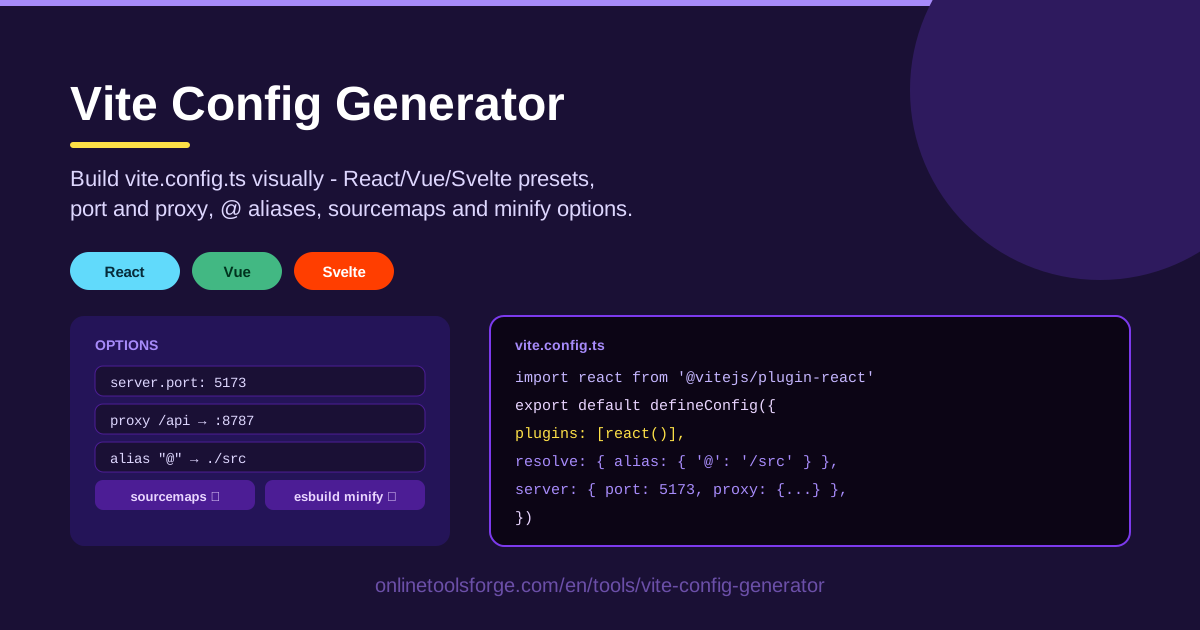
Table of Contents
Every Vite project begins with the same ritual: create a vite.config.ts, remember which plugin React needs, hunt down the proxy settings from an old repository, and hope the alias syntax is still correct. Multiply that by Vue and Svelte, and configuration becomes a small tax you pay before writing any real code.
The Vite Config Generator removes that ritual entirely. It is a free, browser-based builder that turns a handful of friendly controls into a complete, copy-paste-ready vite.config.ts. Choose a React, Vue, or Svelte preset, set your dev-server port and proxy, add a path alias, toggle sourcemaps and minification, and watch the TypeScript update in real time. Nothing is installed, nothing is uploaded, and nothing leaves your machine.
In this guide you will learn what the tool generates, how each Vite option actually behaves, and how to put it to work in real projects.
Why Use Vite Config Generator?
- Skip the boilerplate ceremony. Hand-writing a config from scratch invites typos in plugin imports and option names. The generator emits known-good TypeScript you can paste and run immediately.
- Framework presets that get plugins right. React, Vue, and Svelte each need different plugins. One click adds the correct set, so you never mix up @vitejs/plugin-react with the Vue or Svelte equivalents.
- No more CORS pain during development. The built-in proxy configuration forwards API calls to your backend, a setup that trips up almost every developer on their first SPA.
- Clean imports with path aliases. Map @ to ./src visually instead of debugging relative paths like ../../../components for the tenth time.
- Sensible build options without memorizing docs. Sourcemaps and minify choices are exposed as simple toggles, with their trade-offs explained below.
- Free and 100% client-side. The tool runs entirely in your browser, so it works offline, on any OS, with no account required.
Key Features
| Feature | What it does |
|---|---|
| Visual builder | Configure vite.config.ts with toggles and inputs while the TypeScript output updates live. |
| Framework presets | React, Vue, and Svelte presets that add the right plugins for each framework automatically. |
| Dev-server port | Set a custom port instead of fighting whatever else runs on the default. |
| Dev proxy | Forward API paths to your backend host so local requests stay same-origin. |
| Path aliases | Map @ to ./src or define any custom alias with a couple of fields. |
| Sourcemap option | Enable build.sourcemap for easier debugging of production bundles. |
| Minify option | Choose esbuild or terser for your production output. |
| Copy-paste output | Everything is emitted as valid, formatted TypeScript ready to commit. |
A few of these deserve extra context. The presets exist because plugin setup is the single most common source of "why is JSX not compiling" errors — letting the tool own it removes that class of bug entirely. The proxy control mirrors Vite's server.proxy syntax, so what you configure visually is exactly what lands in the file. And because the output is TypeScript, you keep editor autocomplete and type-checking on the generated config itself.
How to Use Vite Config Generator
- Pick your framework preset. Click React, Vue, or Svelte and the tool adds the matching plugins and imports for you.
- Set the dev-server port and proxy. Enter a port (for example 5173 or 3000), then add a proxy rule pointing paths like /api at your backend URL.
- Add the @ alias. Map @ to ./src (or define your own aliases) so imports stay short and refactor-friendly.
- Toggle sourcemaps and minify. Decide whether production builds should include sourcemaps and which minifier to use.
- Copy the generated TypeScript. Paste the output into vite.config.ts at your project root, install the listed plugins, and start your dev server.
What Each Vite Option Does
Plugins Per Framework
The React preset wires up @vitejs/plugin-react, which handles JSX transforms and fast refresh. Vue needs @vitejs/plugin-vue to compile single-file components, and Svelte relies on its own plugin for .svelte files. Choosing the wrong one is a classic beginner error; the generator makes it impossible by only exposing plugins that match your preset.
Why the Dev Proxy Saves CORS Pain
During development your frontend runs on one port and your API on another. Browsers block those cross-origin requests unless the backend sends permissive CORS headers, which you usually do not want in production. The server.proxy option sidesteps the problem: requests to /api are forwarded server-side by the dev server, so the browser sees them as same-origin. Configure it once and the issue disappears.
Path Aliases for Clean Imports
Aliases rewrite import specifiers before the bundler resolves them. Mapping @ to ./src turns @/components/Button into a real path, which keeps files movable and imports readable. The generator writes the resolve.alias block for you, including the path import needed to make it work.
build.sourcemap Trade-offs
Sourcemaps map minified production code back to your original source. Enable them for staging builds or error monitoring, because stack traces become readable. The trade-off is larger deploy artifacts and, with publicly hosted maps, exposing your source to anyone who looks. Many teams enable maps for internal builds and leave them off for public bundles.
Minify: esbuild vs terser
Vite defaults to esbuild, which is extremely fast but produces slightly larger output than terser. Terser squeezes out a few extra kilobytes, yet it is slower and adds a dependency. For most projects esbuild is the right call; pick terser only when every byte matters and build time does not.
Practical Use Cases
Spinning Up a React SPA with an API Proxy
Starting a dashboard backed by a REST API? Generate a React preset config, point /api at your local backend on port 8080, map @ to ./src, and you have a complete development setup in about a minute — frontend, backend communication, and clean imports all handled.
Svelte Micro-frontends
Micro-frontend teams often run several small Svelte apps that must not collide on ports. Generate a config per app with its own dev-server port and proxy rules for its slice of the API, and every service stays independently runnable under consistent conventions.
Consistent Configs Across Team Repos
When five repositories each hand-roll their config, they drift: different ports, half of them missing sourcemaps. Generating the same configuration for every repo — and committing the result — keeps developer experience identical as people move between projects.
Teaching Vite to Juniors
For onboarding, the generator doubles as a teaching aid. Juniors flip each option, watch the config change, and read what it does — a much faster path to understanding than the full plugin documentation.
Best Practices
- Commit the generated file. Treat vite.config.ts as code: paste it in, commit it, and let code review catch anything unusual.
- Keep aliases aligned with tsconfig paths. If you use @/... in imports, mirror the same mapping in your tsconfig.json paths option so the type checker agrees with the bundler.
- Proxy only in development. server.proxy has no effect on production builds; keep reverse-proxy or CORS rules on your real infrastructure instead.
- Do not pair public sourcemaps with minified prod bundles carelessly. Decide deliberately: hidden maps for error monitoring, or no maps for public assets.
- Prefer esbuild unless you measure a win from terser. Faster builds usually beat a few saved kilobytes.
- Regenerate for new projects instead of copying old files. Stale configs carry deprecated options; a fresh generation starts clean.
Ready to stop hand-writing boilerplate? Open the Vite Config Generator, pick your preset, and copy a clean vite.config.ts in under a minute — free, no sign-up, and it all runs right in your browser.
Related Tools You Might Like:
- Package JSON Generator — build a valid package.json with scripts and dependencies.
- GitHub Actions Workflow Generator — scaffold CI workflows without memorizing YAML.
- YAML Formatter — validate and format any YAML file in the browser.
Happy building!
Frequently Asked Questions
Q: Is the Vite Config Generator free to use? A: Yes, it is completely free, requires no account, and runs entirely in your browser. Your configuration never leaves your device.
Q: Does the generated config work with JavaScript projects? A: The output is valid TypeScript, but every option it sets is plain-JavaScript compatible. Save it as vite.config.js, adjust the path import if your setup needs it, and it will run fine.
Q: Which framework presets are available? A: React, Vue, and Svelte. Each preset adds the correct plugins for that framework, and you can adjust ports, proxy rules, aliases, sourcemaps, and minify options on top of any preset.
Q: Do I still need to install the plugins after copying the config? A: Yes. The generator writes the config, but packages like @vitejs/plugin-react must be added to your project with your package manager before the dev server will start.