Word Search Generator: Make Printable Puzzles From Any Word List
Create custom word search puzzles online with grid sizes up to 15 cells, horizontal, vertical, and diagonal placement, and a printable answer key. Free in your browser.
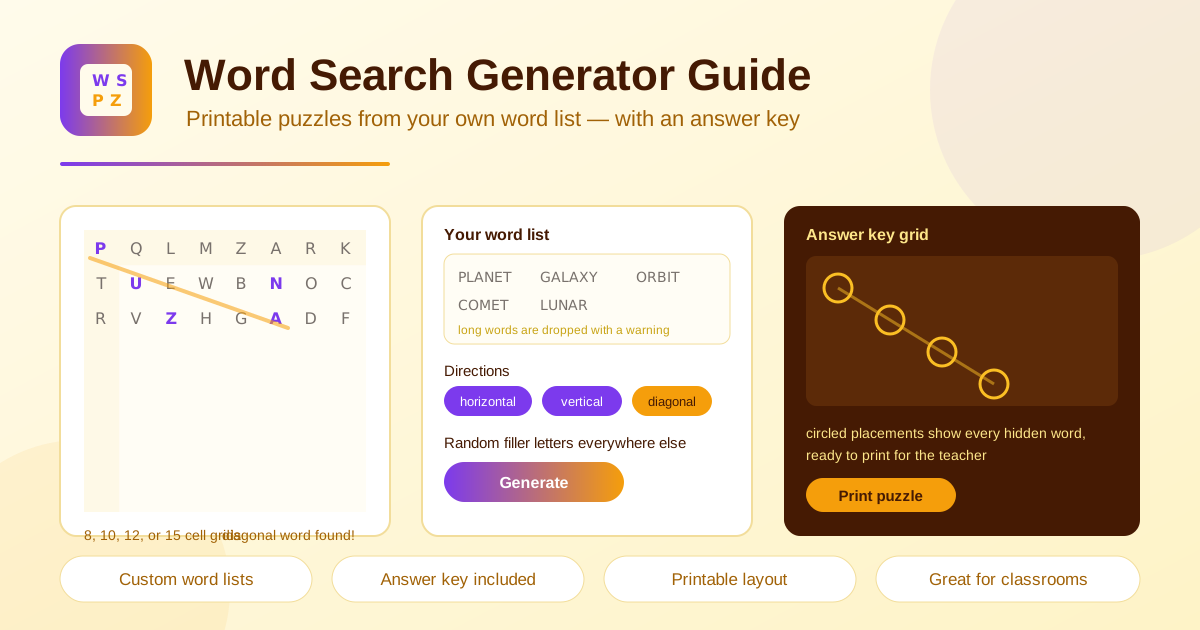
Table of Contents
Few classroom activities have the staying power of a good word search. Students love the hunt, teachers love the quiet focus it creates, and the humble letter grid somehow makes vocabulary practice feel like a game instead of a chore. The word search generator at Online Tools Forge brings that classic format online: paste any word list, pick a grid size, and get a printable puzzle with a matching answer key in seconds. It is completely free, needs no signup, and runs 100 percent in your browser.
The workflow stays simple. Drop in your words, choose from four grid sizes, toggle horizontal, vertical, and diagonal placement, then generate. Every empty cell fills with random letters, words that cannot fit are flagged clearly, and a separate answer-key grid circles each hidden word so checking takes seconds.
Whether you are a teacher, a parent planning a party, or an ESL tutor building review materials, this guide shows you how the generator works and how to get the most from it.
Why Use the Word Search Generator?
- Free and browser-based. No account to create and nothing to install. Everything happens locally in your browser, so your word lists never leave your device.
- Print-ready output. The puzzle sheet and answer key are laid out for clean printing, so you can run off a class set straight from the print dialog.
- Adjustable difficulty. Grid sizes of 8, 10, 12, and 15 cells plus direction toggles let you tune each puzzle for kindergartners or high schoolers.
- Instant generation. Puzzles appear the moment you click generate, and regenerating scrambles the same list into a brand new layout.
- Honest feedback. Words too long for the grid are dropped with a clear warning, so you always know which words made it into the puzzle.
- Any subject, any age. Spelling lists, science units, party games, and ESL review all work with the same simple workflow.
Key Features
| Feature | What it does |
|---|---|
| Custom word list | Paste your own words and the generator places each one in the grid |
| Four grid sizes | Pick 8, 10, 12, or 15 cells per side to match your audience |
| Direction toggles | Switch horizontal, vertical, and diagonal placement on or off |
| Random filler letters | Unused cells get random letters so the grid looks complete |
| Dropped-word warning | Words longer than the grid are skipped with a clear notice |
| Answer-key grid | A separate grid circles every hidden word for fast checking |
| Printable output | Print the puzzle directly for classroom or party use |
| Instant generation | New puzzles build immediately with unlimited regenerations |
A few details worth knowing:
- The answer key is generated alongside the puzzle, so there is no manual marking up on your end.
- Filler letters are randomized on every generation, so one word list can produce fresh puzzles for morning work, homework, and a quiz-day warmup.
- Smaller grids pair nicely with horizontal and vertical placement only, while the 15-cell grid with diagonals creates a real challenge for older students.
How to Make a Word Search
- Paste your word list. Open the word search generator and enter your words, one per line or separated by commas.
- Choose a grid size. Pick 8, 10, 12, or 15 cells, and confirm your longest word fits before committing.
- Set the placement directions. Enable horizontal, vertical, and diagonal placement based on the difficulty you want.
- Generate and review. Click generate to build the puzzle. If any words were dropped for being too long, enlarge the grid or swap the words and generate again.
- Print the puzzle and answer key. Print one copy per solver and keep the answer-key grid for yourself.
How Grids and Placements Work
A little knowledge of the mechanics helps you design better puzzles.
Word fitting. A word search grid is square, and every word must fit inside its dimensions. A 10-cell grid fits words up to ten letters in any enabled direction; a 15-cell grid accommodates words up to fifteen letters. If a word is longer than the grid, the generator drops it and shows a clear warning rather than skipping it silently. The fix is simple: move to a larger grid or replace the word with a shorter synonym.
Direction toggles. Horizontal words read left to right, vertical words read top to bottom, and diagonal words run corner to corner. More directions mean more hiding spots, so words pack densely and the puzzle gets harder. Fewer directions leave more open space, which is ideal for early readers.
Filler letters. After every word is placed, all remaining cells fill with random letters. The result is a solid block of characters with no obvious gaps to give anything away.
The dropped-words warning. Transparency matters when you print for a class. The warning names exactly which words did not fit, so you never hand out a puzzle missing half its vocabulary.
Answer-key generation. The key duplicates the puzzle grid with circles around every letter of every hidden word. Hand it to a classroom aide, project it for self-checking, or file it with your lesson plans.
Example word list for a space unit:
PLANET
ORBIT
GALAXY
COMET
Practical Use Cases
Weekly Spelling Lists
Enter Friday spelling words each week and print the puzzle as morning work or a take-home review sheet. Because regeneration is instant, you can print two versions of the same list so desk neighbors cannot copy answers. File the answer key in your planning binder so students can self-check when the timer runs out.
Science Vocabulary Units
Unit vocabulary works beautifully in puzzle form. A solar system unit might use PLANET, ORBIT, GALAXY, COMET, METEOR, and STAR in a 12-cell grid, while a weather unit could fill a 15-cell grid with longer terms. Hunting for each word letter by letter quietly reinforces the spelling of technical vocabulary.
Birthday Party Activities
Print a birthday-themed puzzle with words like BALLOONS, CAKE, PRESENTS, and GAMES as a calm arrival activity while guests trickle in. Turn it into a team race afterward, with the first table to find every word winning a prize. The answer key lets a parent helper judge without searching the grid.
ESL Vocabulary Review
Word searches give language learners low-pressure exposure to new vocabulary. Keep horizontal and vertical placement only for beginners, then add diagonals once learners are confident. Follow up with a speaking task: each student picks a found word and uses it in a sentence.
Best Practices
- Check your longest word first. Word length sets the minimum grid size, so measure before choosing 8 cells for a fourteen-letter term.
- Limit directions for young solvers. Horizontal and vertical only keeps puzzles fair for early readers; save diagonals for upper grades.
- Keep lists between 8 and 20 words. Too few makes the puzzle trivial; too many and the grid becomes a tangled mess.
- Proofread before generating. The tool places exactly what you paste, typos included, so a quick review saves a reprint.
- Regenerate freely. Generations are unlimited, so shuffle until the layout looks balanced and words are not bunched in one corner.
- Print the key separately. Hand out the answer key only after solving, or file it away so it never reaches students early.
Make Your First Puzzle Today
Ready to turn a word list into a classroom favorite? Open the word search generator, paste your words, and print a finished puzzle with its answer key before your coffee cools. It is free, instant, and runs entirely in your browser — no signup, no downloads, no limits.
Related Tools You Might Like:
- Crossword Generator — turn the same vocabulary list into clue-based crossword puzzles.
- Random Word Generator — brainstorm fresh word lists when inspiration runs dry.
- Word Counter — check word and character counts before you paste a list into any puzzle tool.
Happy puzzling!
Frequently Asked Questions
Q: Is the word search generator really free to use? A: Yes. It runs entirely in your browser with no signup and no usage limits, so you can generate and print as many puzzles as you need.
Q: How many words can one puzzle hold? A: There is no hard cap, but 8 to 20 words produces the best result. Every word must fit inside the grid, and oversized words are dropped with a clear warning.
Q: What should I do if a word is too long for the grid? A: Switch to a larger grid size, or replace the word with a shorter form. The warning names exactly which words did not fit.
Q: Can I use the puzzle on a screen instead of paper? A: The tool is optimized for printable output, but you can project the grid on a shared screen and let the whole class hunt together.