XSLT Transformer: Transform XML with Stylesheets in Your Browser
Free online XSLT transformer. Apply an XSLT stylesheet to any XML document and get instant HTML, XML, or text output using the browser built-in XSLTProcessor, with parse error highlighting. 100% client-side and private.
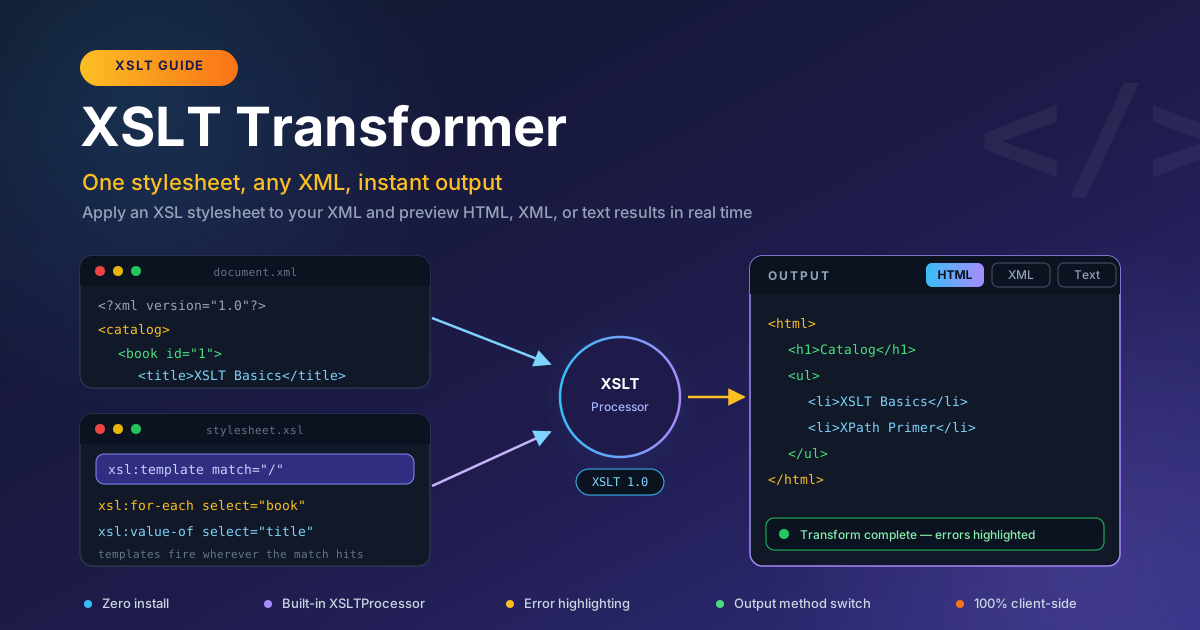
Free Interactive Tool
XSLT Transformer
Apply XSLT stylesheets to XML documents and transform them to HTML, XML, or text entirely in your browser
Table of Contents
XSLT (Extensible Stylesheet Language Transformations) is more than twenty-five years old, and it still does real work across the web. RSS and Atom feeds are rendered with it, publishing pipelines use it to turn DocBook sources into HTML, and enterprise integrations rely on it to reshape XML messages between systems. It never trends, and it never leaves.
The catch has always been convenience. Testing a stylesheet traditionally meant installing a command-line processor such as xsltproc or Saxon, or writing a small program. The XSLT Transformer removes that step entirely: paste your XML, paste your stylesheet, and see the result immediately. Everything runs on the XSLTProcessor already built into your browser — nothing to download, configure, or pay for.
Because the transform happens locally, the tool is a safe scratchpad for confidential documents — internal feeds, partner XML contracts, draft documentation — and nothing is uploaded anywhere.
Why Use XSLT Transformer?
- Zero install. No command-line tools, no packages, no runtime to configure. Paste two documents and the transform runs.
- Uses the browser's native XSLTProcessor. The tool runs on the same engine browsers use to render XML with attached stylesheets, so results match real browser behavior.
- Private for confidential XML. Every parse and transformation happens client-side, so partner contracts and unpublished feeds never leave your machine.
- Parse error highlighting. A malformed document or stylesheet is flagged immediately with a clear message, not a blank output pane.
- Switchable output method. HTML, XML, and Text views show exactly what the stylesheet serializes.
- Fast iteration loop. Edit either document and the output refreshes instantly.
Key Features
| Feature | Description |
|---|---|
| Dual input editors | Edit the XML document and the stylesheet side by side |
| Instant transform | Output regenerates as you edit, no submit step |
| Browser XSLTProcessor | The engine built into every modern browser |
| Output method tabs | Preview the same transform as HTML, XML, or text |
| Parse error highlighting | Broken input is reported clearly and immediately |
| 100% client-side | No uploads, no accounts, no server touching your data |
- Anything you build must stay within XSLT 1.0, the version browsers implement — more below.
- The output tabs are live: flip between HTML, XML, and Text without re-running anything.
- Pair it with the XML Formatter to tidy documents before or after a transform.
How to Use the XSLT Transformer
- Paste your XML. Open the XSLT Transformer and put the source document into the XML editor. Any well-formed XML works: a feed, a config file, an export.
- Paste your stylesheet. Drop the XSLT stylesheet into the second editor. It must declare the XSLT namespace and a version, or the processor rejects it.
- Run the transform. The output appears instantly. The XSLTProcessor parses both documents, applies your templates, and serializes the result.
- Switch the output method. Toggle HTML, XML, and Text to see how the same result tree serializes under each method.
- Fix reported errors. If either document fails to parse, error details point at the exact spot — a missing tag, an unescaped ampersand — so the next pass succeeds.
Templates, Matching, and Output Methods
How Template Matching Works
The XSLTProcessor walks the source tree and, for every node, applies the xsl:template whose match pattern fits best. The template xsl:template match="/" fires once for the document root and is the usual entry point. From there, xsl:apply-templates pushes processing into child nodes. If nothing matches, built-in fallback rules copy text through — which is why one unmatched XPath often produces output that is almost, but not quite, empty.
xsl:value-of and xsl:for-each: A Tiny Worked Example
Two instructions cover surprising ground: xsl:for-each loops over nodes selected by XPath, and xsl:value-of copies a node's string value into the result. Start with this RSS-style source:
<channel>
  <title>Dev Notes</title>
  <item><title>Caching basics</title></item>
  <item><title>Regex recipes</title></item>
</channel>
A stylesheet that turns the items into an HTML list:
<xsl:stylesheet version="1.0" xmlns:xsl="http://www.w3.org/1999/XSL/Transform">
  <xsl:template match="/">
    <ul>
      <xsl:for-each select="channel/item">
        <li><xsl:value-of select="title"/></li>
      </xsl:for-each>
    </ul>
  </xsl:template>
</xsl:stylesheet>
With the HTML output method, the result is:
<ul>
  <li>Caching basics</li>
  <li>Regex recipes</li>
</ul>
Paste these snippets into the tool for a working XSLT lesson in under a minute.
Why the Output Method Matters
The output method controls serialization, and the final bytes differ noticeably. The HTML method writes markup the way browsers expect: void elements such as br are not self-closed. The XML method produces strictly well-formed output with every tag closed and special characters escaped — what you want when another parser consumes the result. The Text method strips markup and writes only text nodes, handy for CSV fragments or config values. Flipping all three tabs is the quickest way to internalize the difference.
Common Stylesheet Mistakes
- Wrong or missing namespace. Forgetting xmlns:xsl="http://www.w3.org/1999/XSL/Transform" — or misspelling it — turns your elements into unknown tags rather than XSLT instructions.
- Unmatched XPath. XPath is case-sensitive. select="Channel/Item" matches nothing when the source uses lowercase channel/item — the only symptom is missing output.
- Version mismatch. Declaring version="2.0" while writing 1.0 syntax can trigger errors.
A Note on XSLT 1.0 Support
Browsers implement XSLT 1.0 in the built-in XSLTProcessor, which is what this tool runs. XSLT 2.0 and 3.0 features — grouping with xsl:for-each-group, regular expression functions, richer date handling — will not work here or in any browser. Most everyday transforms are comfortably within 1.0. If a stylesheet refuses to run, check whether it quietly relies on 2.0 features.
Practical Use Cases
RSS and Atom Feed Rendering
Feeds are XML, and XSLT was born to render them. Paste a feed with its stylesheet to preview the item list as HTML, and tune titles and summaries before shipping to production.
Legacy Enterprise XML Pipelines
B2B integrations, government portals, and insurance systems still exchange XML that gets transformed mid-flight. When an upstream change breaks a transform, reproduce the step locally and test the fixed stylesheet against a real sample.
DocBook and Publishing Checks
DocBook and DITA documentation is converted to HTML and PDF through XSLT stylesheets. If a chapter renders oddly, isolate the offending block and run it through the relevant template instead of rebuilding the whole book.
Teaching XPath and XSLT
With zero setup, the tool is a convenient classroom. Students paste a three-line XML document, write their first match="/" template, and see output immediately. The output tabs make the difference between result tree and serialized bytes concrete.
Best Practices
- Validate your XML first. Most failed transforms are failed parses; confirm the source is well-formed before blaming the stylesheet.
- Start templates narrow. Begin with match="/" and grow one pattern at a time — far easier to debug than one giant template.
- Test with the smallest possible input. Two item elements expose the same bugs as two hundred, in a fraction of the output.
- Keep the namespace exact. Copy the XSLT namespace declaration rather than retyping it — one wrong character silently disables instructions.
- Check every output method. If another program consumes the result, confirm the XML output is well-formed, not just the HTML preview.
- Iterate here, then productionize. Converge on a working stylesheet in the tool, then wire the same file into your build pipeline.
Start Transforming XML Today
XSLT rewards a tight feedback loop, and that is exactly what the XSLT Transformer delivers. Paste a document, paste a stylesheet, flip the output method, fix what the error highlighting points to — without installing anything or sending your XML anywhere. Try it with a feed from your own site.
Related Tools You Might Like:
Happy transforming!
Frequently Asked Questions
Q: Do I need to install anything to use the XSLT Transformer? A: No. The tool runs entirely in your browser using the built-in XSLTProcessor — nothing to download or configure.
Q: Which XSLT version does the tool support? A: XSLT 1.0, the version browsers implement natively. Stylesheets relying on 2.0 or 3.0 features will not work.
Q: Why does my stylesheet produce empty output? A: Usually its templates never match the source. Check the namespace declaration, confirm your XPath matches element names and casing, and start from a match="/" template.