URI Template Expander Guide: Master RFC 6570 URL Building
Learn RFC 6570 URI template expansion with our free online expander. Master query, path, fragment, and explode operators with a live variable table and instant, copy-paste output.
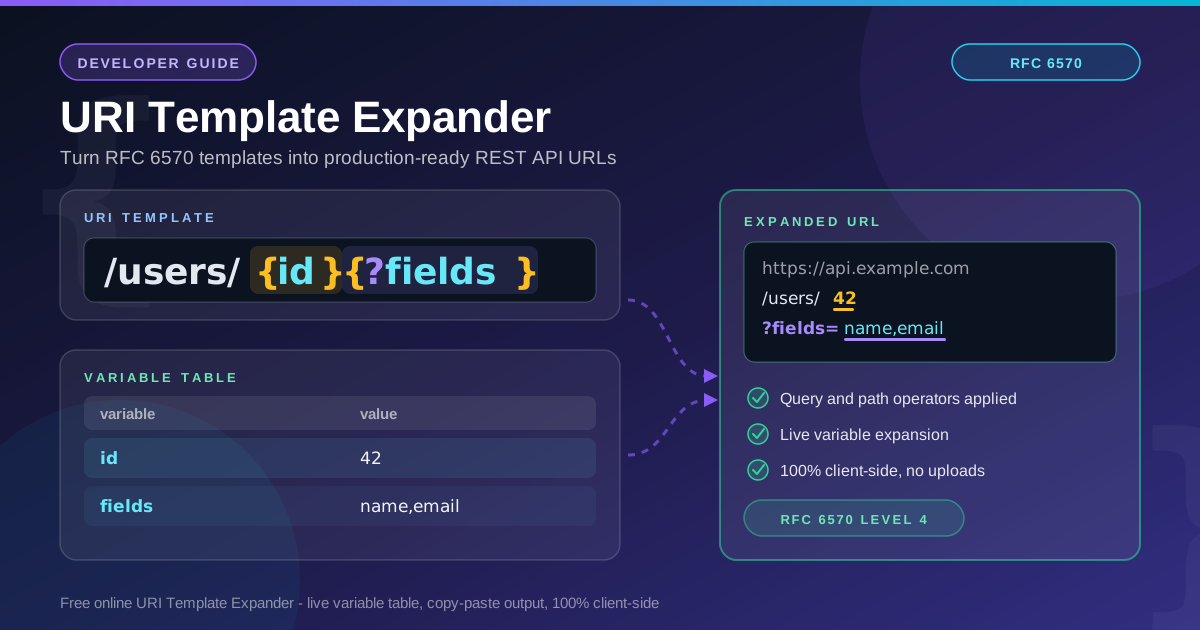
Free Interactive Tool
URI Template Expander
Expand RFC 6570 URI Templates into final URLs with a live variable table — query strings, path segments, fragments, lists, and explode modifiers, all in your browser.
Table of Contents
Every REST API has a URL grammar, yet most teams keep it scattered across docs, code comments, and tribal knowledge. In reality it fits in one line — /users/{id}{?fields}{&sort} — and RFC 6570 is the standard that makes that line executable. A URI template declares where variables belong and which operator controls how each is injected, so a client can turn data into a correct URL deterministically instead of relying on fragile string concatenation. The URI Template Expander is a free, browser-based playground for that grammar. Paste any RFC 6570 template, fill in the live variable table, and watch the expanded URL update as you type. Flip between query, path, fragment, and explode operators to see how each reshapes the output, then copy the finished URL with one click — everything runs 100% client-side, so nothing you paste ever leaves your machine.
This guide covers when the tool earns its place, the basics in five steps, and a deep dive into the seven operators of RFC 6570 — including explode and prefix modifiers, undefined-variable omission, and percent-encoding behavior.
Why Use URI Template Expander?
- Learn the operator grammar live. Reading RFC 6570 is one thing; seeing {?fields} become ?fields=name,email while you type is another. Instant feedback builds intuition no specification provides.
- Debug links your client generates. When an SDK produces a broken URL, re-expand the same template with the same variables and compare.
- No guessing about encoding. The tool applies RFC 6570 percent-encoding rules faithfully, so you can confirm which characters stay literal and which get escaped.
- Verify undefined-variable behavior. Leave a variable blank and watch the whole expression vanish — a subtle rule made obvious.
- Document APIs with executable examples. A template plus a variable table is a compact, testable way to show consumers which URLs your API accepts.
- Zero setup and zero risk. Nothing to install, no account required — the entire expansion runs in your browser.
Key Features
| Feature | What it does |
|---|---|
| RFC 6570 parser | Expands templates from every level, Level 1 through Level 4 |
| Live variable table | Detects variables automatically and re-expands on every keystroke |
| Query operator {?var} | Builds ?key=value strings; {&var} appends to existing queries |
| Path, fragment, and label operators | {/var}, {#var}, {.var} place values where they belong |
| Explode modifier {list*} | Splits lists into repeated keys or path segments |
| Copy-paste output | One click copies the URL into curl, tests, or docs |
| 100% client-side | All expansion happens in your browser, safe for internal URLs |
How to Use
- Paste your template. Enter something like /users/{id}{?fields} — grab it from API docs, an OpenAPI links section, or your own code.
- Fill the live variable table. The tool detects every variable and gives it an input row. Type 42 for id and name,email for fields; the output updates on every keystroke.
- Read the expanded URL. The result panel shows the fully expanded URL with substituted segments and query parameters highlighted.
- Tweak the operators. Change {?fields} to {&fields}, or add an explode modifier to a list variable, and compare the output.
- Copy the result. When the URL looks right, paste it into curl, your HTTP client, an integration test, or your documentation.
The Seven Operators of RFC 6570
RFC 6570 defines simple string expansion plus seven operators, each written as a symbol inside the braces. Every operator changes two things: the separator or prefix inserted before the value, and which characters are percent-encoded. Assume id=42 and path=/a/b below.
| Expression | Operator | Example template | Expansion |
|---|---|---|---|
| {id} | simple (none) | /users/{id} | /users/42 |
| {+path} | reserved | /map{+path} | /map/a/b |
| {#id} | fragment | /users{#id} | /users#42 |
| {.id} | label | /files{.id} | /files.42 |
| {/id} | path segments | /users{/id} | /users/42 |
| {;id} | path-style parameters | /users{;id} | /users;id=42 |
| {?id} | query | /users{?id} | /users?id=42 |
| {&id} | query continuation | /users{?x}{&id} | /users?x=1&id=42 |
The simple form percent-encodes reserved characters: {+path} keeps slashes intact while {path} produces %2Fa%2Fb. The continuation operator {&var} appends to an existing query without a second question mark — the reason the intro template reads {?fields}{&sort}.
Modifiers: Explode and Prefix
Modifiers refine how a value is injected. The explode modifier (*) spreads lists and objects. With tags=red,green,blue:
- {/tags*} expands to /red/green/blue instead of a single comma-joined segment.
- {?tags*} expands to ?tags=red&tags=green&tags=blue, the repeated-key style many search APIs expect.
The prefix modifier (:n) takes the first n characters: with code=ABCDEFG, {code:3} expands to ABC.
Undefined Variables Disappear
An undefined variable removes its entire expression rather than leaving an empty husk. With sort undefined, /users{?sort} expands to plain /users — no trailing ?. Undefined and empty differ deliberately: sort="" yields ?sort=, while omitting the variable yields nothing.
Percent-Encoding Behavior
Encoding differs by operator. With q=hello world, {q} produces hello%20world because spaces are always escaped in simple expansion. {+q} also produces hello%20world — a space is neither unreserved nor reserved — but {+path} keeps slashes and colons literal. When in doubt, expand both forms and compare.
Worked Example
Expand the template /users{/id}{?fields,sort} with this variable table:
| Variable | Value | Effect |
|---|---|---|
| id | 42 | {/id} contributes /42 |
| fields | name,email | query starts as ?fields=name,email |
| sort | undefined | sort is omitted entirely |
The result is /users/42?fields=name,email. The path operator appends the identifier as a segment, the query operator opens the string with fields, and because sort is undefined its assignment disappears without a dangling ampersand. Paste the template and table into the URI Template Expander to reproduce it yourself.
Practical Use Cases
REST API Documentation and SDK Testing
Template plus table is the clearest way to document endpoints: one line defines every accepted input, and the expanded URL is a runnable example. SDK authors reuse the pair as test fixtures, catching URL-building regressions before release.
OpenAPI-Style Link Design
OpenAPI documents express navigation between operations with RFC 6570 templates in their links objects. Before shipping a spec, expand each link template with sample values to confirm the wiring produces the URLs you intend.
Debugging Generated URLs
When a generated URL returns 404 or 400, the fault is usually an operator choice: a parameter that should have been exploded, a value that needed reserved expansion, or a variable that was undefined when the client assumed otherwise. Re-expanding the same inputs pinpoints the fault in seconds.
Teaching URL Grammar
Because every operator has visible, deterministic output, URI templates are an excellent way to show students how URLs are assembled — where encoding happens, why ? appears once but & repeats, and what a fragment is for.
Best Practices
- Encode once, at expansion time. Let the template engine handle escaping; pre-encoding values produces double-encoded output like hello%2520world.
- Prefer the query operator for optional filters. {?fields,sort} degrades gracefully: undefined variables drop out, so clients only send parameters they actually have.
- Test the undefined cases deliberately. Expand every template with all variables, some variables, and no variables — the empty-input result is what real users will eventually hit.
- Use explode for repeated keys. When an API expects ?tag=a&tag=b, model the input as a list with {?tags*} instead of pre-joining values.
- Keep templates in one canonical place. Store them as constants or in your OpenAPI document rather than scattering concatenations through the codebase.
- Validate the output, not just the template. Paste an expanded URL into a parser to confirm the scheme, path, and query came out as intended.
Ready to make URL building boring — in the best possible way? Open the free URI Template Expander, paste /users{/id}{?fields,sort}, and watch a live variable table turn your template into a correct URL. It runs entirely in your browser, with no signup.
Related Tools You Might Like:
- URL Parser - Break any expanded URL into scheme, host, path, and query parts to verify the result
- JSON to Query String Converter - Turn JSON objects into query strings and compare with exploded expansions
- Regex Tester - Write patterns that match or extract values from the URLs your templates produce
Updated: September 2026 | Reading time: 7 minutes
Frequently Asked Questions
Q: What is a URI template? A: A compact string that describes a family of URLs using variables in braces, standardized in RFC 6570. For example, /users/{id}{?fields} becomes /users/42?fields=name,email once the variables are given values.
Q: Which RFC 6570 levels does the expander support? A: All four. Level 1 covers simple string expansion, Level 2 adds reserved and fragment operators, Level 3 adds label, path, path-style, query, and query-continuation operators, and Level 4 adds explode and prefix modifiers.
Q: What is the difference between {?var} and {&var}? A: {?var} starts a query string and inserts the ? separator, while {&var} appends to an existing query using &. Use {?first} for the first parameter and {&second} for every one after it.
Q: Does the tool send my templates or variables anywhere? A: No. Expansion runs entirely in your browser with 100% client-side code, so internal URLs and sample data never leave your machine.
Q: How does the explode modifier change list output? A: Without explode, a list expands to one comma-joined value; with explode, each element becomes its own path segment or repeated query key. For tags=red,green,blue, {?tags*} yields ?tags=red&tags=green&tags=blue.