Biome Config Generator: Build biome.json Without Reading Docs
Generate a Biome v2 biome.json with formatter, linter rules, assist actions, and VCS integration through a visual form. Copy-paste output, free in your browser.
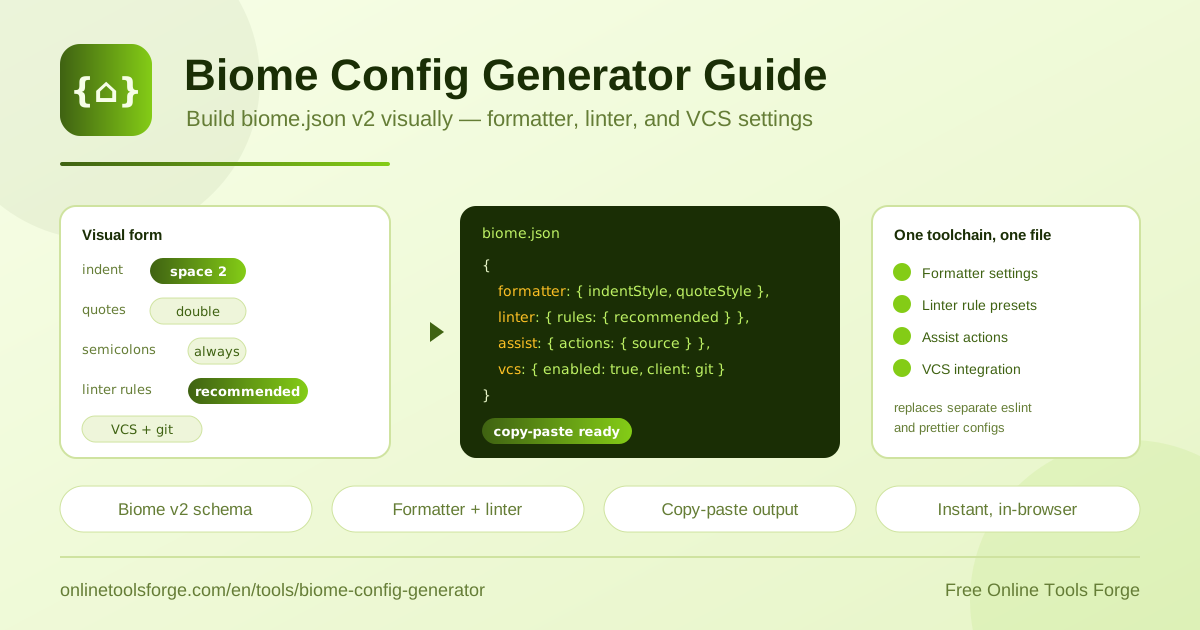
Table of Contents
Setting up a modern JavaScript or TypeScript project often means installing ESLint, Prettier, a handful of plugins, and then reconciling two or three configuration files that occasionally disagree with each other. Biome replaces that entire stack with one fast, all-in-one toolchain, and a single file drives everything: biome.json. The catch is that Biome v2 reworked the config schema, so writing the file by hand usually means jumping between documentation pages and hoping your JSON matches the current shape.
The Biome Config Generator removes that friction. Open it in your browser and you get a visual form covering the formatter, linter rules, assist actions, and VCS integration. As you adjust the controls, the tool produces a valid Biome v2 biome.json that you can copy straight into your repository. Everything runs 100 percent locally: no signup, no account, and nothing leaves your machine.
This guide explains what the generator offers, how to produce a config in five steps, and what each section of the output actually controls.
Why Use the Biome Config Generator?
Hand-writing configuration is slow and error-prone, especially right after a major version bump. Here is what the generator buys you:
- No documentation required. Every important v2 option is exposed as a labeled form control, so you configure by clicking rather than by cross-referencing the Biome docs.
- Valid v2 schema, guaranteed. The output follows the Biome v2 structure, including the newer assist and vcs sections, so you avoid pasting a v1-shaped file that modern Biome rejects.
- Instant generation. The config is built in your browser the moment you change a control, so you can iterate on options in seconds.
- Private by design. Since all processing is local, your tooling preferences and project details are never uploaded anywhere.
- Copy-paste ready. One click copies the finished biome.json, ready to drop into your project root.
- Free with no signup. No accounts, no paywalls, and no limits on how many configs you generate.
Key Features
| Feature | What it does |
|---|---|
| Formatter options | Pick indent style (space or tab), indent width, line width, quote style, and semicolon preference |
| Linter rules | Toggle the recommended rules preset as the baseline for your lint setup |
| Assist actions | Enable v2 assist actions, such as import organization, for editors to apply |
| VCS integration | Connect the config to git so Biome can honor your ignore file and stay scoped to tracked files |
| Live output | The generated biome.json updates instantly as you change each form control |
| One-click copy | Copy the complete, valid JSON to your clipboard with a single click |
Two details make the workflow especially smooth:
- Each form control maps one-to-one to a v2 schema field, so the relationship between what you select and what lands in the file is fully transparent.
- Because generation is instant and local, you can experiment freely: try tab indentation, then spaces, then compare the outputs before committing to one.
How to Generate a biome.json
- Open the Biome Config Generator in your browser.
- Set your formatter preferences: indent style (space or tab), indent width, line width, quote style, and whether to prefer semicolons.
- Configure the linter, starting with the recommended rules toggle, which enables a curated baseline set of checks.
- Choose assist actions and VCS settings, including git integration and whether Biome should respect your ignore file.
- Review the generated biome.json, copy it with one click, save it as biome.json in your project root, and run Biome to verify.
The whole process takes about a minute, even if you have never used Biome before.
What Goes Into a Biome v2 Config
Formatter. The formatter section controls how code looks. indentStyle accepts space or tab, indentWidth sets how many columns each level consumes, and lineWidth caps the length of a formatted line. quoteStyle chooses single or double quotes, while the semicolon option selects between always adding semicolons and using them only where the syntax requires them. These few settings resolve most formatting debates permanently.
Linter. Under linter.rules, the recommended preset turns on a curated set of sensible, correct-by-default checks. Start there, then add or downgrade individual rules where your project genuinely needs it. Keeping the preset as the base means Biome upgrades automatically bring new reasonable checks.
Assist actions. Biome v2 introduced the assist section for actions that are neither formatting nor linting, such as organizeImports. Declaring them in the config lets editors apply them on save or on demand.
VCS integration. The vcs section tells Biome that you use git, whether to read .gitignore, and whether to limit processing to files git tracks. This keeps build output and vendor code out of your runs without duplicating ignore lists.
Migrating from v1. If you are upgrading, expect renames: files.ignore became files.includes, and the old top-level organizeImports block moved under assist. Generating a fresh v2 file is often faster than patching an old one.
A representative output looks like this:
{
  "formatter": { "indentStyle": "space", "lineWidth": 100, "quoteStyle": "single" },
  "linter": { "enabled": true, "rules": { "recommended": true } },
  "vcs": { "enabled": true, "clientKind": "git", "useIgnoreFile": true }
}
Practical Use Cases
Bootstrapping a New Project
When you scaffold a fresh app, formatting and linting are usually left as an afterthought. Generating a biome.json in the first hour gives the project a consistent baseline from commit one, backed by a single dependency instead of an ESLint-plus-Prettier pile of packages and plugins.
Migrating from ESLint and Prettier
Teams consolidating on Biome can generate a matching formatter config first, confirm the output mirrors their old Prettier settings for indent, width, quotes, and semicolons, and then layer on linter rules. Working in that order keeps the initial formatting diff small and reviewable before lint rules change any behavior.
Standardizing Team Style
Instead of debating tabs versus spaces inside pull requests, agree on the settings once, generate the file, and commit it. Every contributor and every editor then reads the same source of truth, and CI enforces it identically across machines and platforms.
Setting Up CI-Friendly Linting
Because the generated config enables the recommended ruleset and VCS awareness, it works well as the input for a pipeline check step: fast, deterministic, and scoped to the files git actually tracks, which keeps runs quick even on large monorepos.
Best Practices
- Commit biome.json to the repository root so the whole team and CI share one configuration.
- Keep the $schema field so your editor validates and autocompletes the file as you refine it.
- Start with the recommended linter preset and customize only rules that genuinely conflict with your codebase.
- Enable VCS integration with useIgnoreFile so build output and dependencies never reach the linter.
- Re-run the generator when adopting a new Biome release to pick up schema changes safely.
- Pair the file with an editor extension or pre-commit hook so formatting happens automatically on save.
Ready to skip the docs? Open the Biome Config Generator, set your preferences through the visual form, and walk away with a production-ready biome.json in under a minute — free, private, and generated entirely in your browser.
Related Tools You Might Like:
- ESLint Config Generator — build a linting config for projects still running on ESLint.
- Gitignore Generator — create the ignore file your VCS integration depends on.
- Markdown Linter — keep your documentation as tidy as your code.
Happy formatting!
Frequently Asked Questions
Q: Is the generated biome.json valid for Biome v2?
A: Yes. The generator emits the v2 schema shape, including the assist and vcs sections that replaced or relocated fields from v1, so the file works with current Biome releases without manual fixes.
Q: Do I need to create an account or install anything?
A: No. The tool is free and runs entirely in your browser. There is no signup, and no plugin or CLI is required to generate the configuration.
Q: Can I edit the generated config afterwards?
A: Absolutely. Treat the output as a starting point: add per-rule overrides, ignores, or per-language settings directly in the JSON while keeping the schema field for editor support.
Q: Does the generator send my settings to a server?
A: No. All generation happens locally in your browser tab. Nothing you select is uploaded, logged, or stored anywhere.