BlurHash Generator: Turn Any Image Into a 30-Character Placeholder
Free online BlurHash generator. Encode images into compact placeholder strings, decode BlurHash codes into a live canvas preview, and tune component counts. 100% client-side.
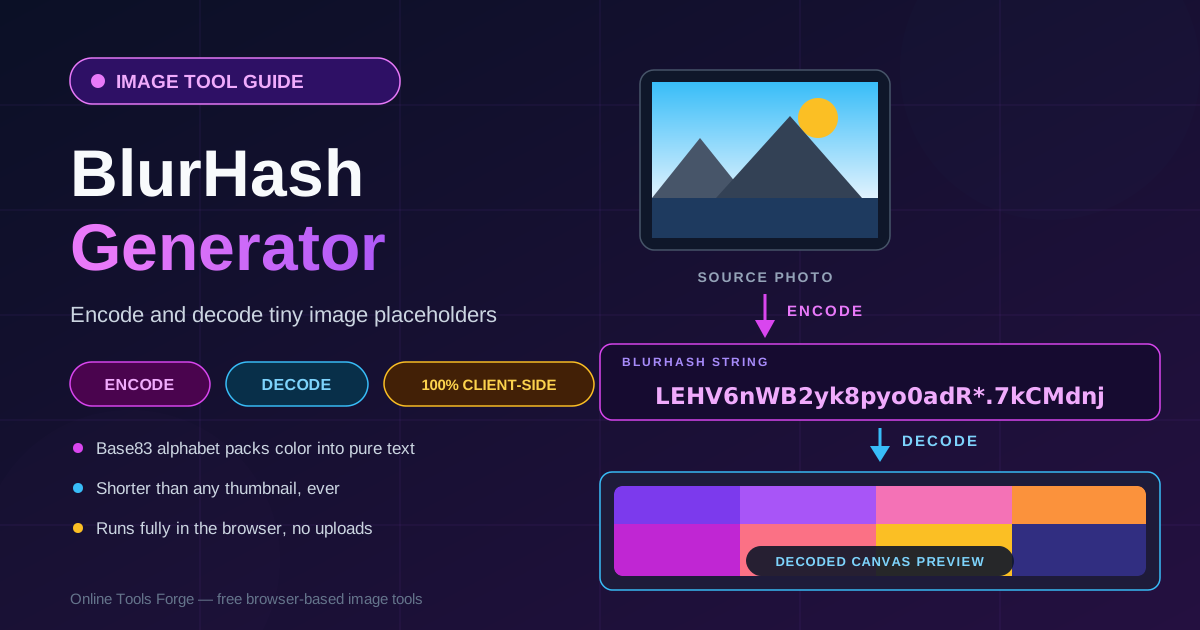
Free Interactive Tool
BlurHash Generator
Encode images into compact BlurHash placeholder strings and decode BlurHash codes back into a live canvas preview.
Table of Contents
Open almost any modern app and watch a photo feed load. Before the real pictures arrive, you see soft, blurry color blocks that already sketch out each photo — sky above, subject below, a warm highlight on one side. A blurry color-block placeholder appears instantly while the real image loads, and that block is a 30-character BlurHash string riding along in the API response.
The free BlurHash Generator handles the technique in both directions. The encode side turns any image you drop in into a compact placeholder string you can copy straight into your database. The decode side works backwards: paste any BlurHash code and watch it resolve into a live canvas preview, so you can sanity-check a string before you ship it. Everything runs 100% client-side — no signup, no uploads, no server ever sees your files.
Why Use BlurHash Generator?
- Placeholders that appear instantly. Your API can return the 30-character string alongside the record metadata, long before the image bytes are ready. Users see the layout and mood of every photo instead of a gray box or a spinner.
- Tiny by design. Even a compressed thumbnail weighs kilobytes and needs its own storage path. A BlurHash is roughly 30 bytes of plain text — small enough to live in a database column next to the record it describes.
- Better perceived performance. Decoded placeholders carry the dominant color and light direction of the real image, so the interface feels prepared, not empty.
- Both directions in one tool. Most demos only encode. This tool also decodes, so you can confirm exactly what users will see before the real pixels arrive.
- Tunable fidelity. You choose how many horizontal and vertical components the hash stores, trading a few characters for visibly more detail.
- Private and instant. Everything happens in your browser with canvas-based math. Confidential designs and unreleased product shots never leave your machine.
Key Features
| Feature | What It Does |
|---|---|
| Encode mode | Turns any dropped image into a compact BlurHash placeholder string |
| Decode mode | Renders any pasted BlurHash code into a live canvas preview |
| Component tuning | Balances horizontal and vertical components against string length |
| Copy-ready output | One click copies the string in the exact format your code expects |
| Client-side operation | All math runs in the browser; nothing is sent to a server |
- Drag and drop works for the common web formats, so you can hash JPG, PNG, and WebP files straight from your design exports.
How to Use
- Open the tool. Go to the BlurHash Generator page — no account or installation required.
- Encode an image. Drop a photo into the encode panel. The tool downsamples it internally and produces a BlurHash string within moments.
- Tune the components. Adjust the horizontal and vertical component counts and watch the preview update. More components mean a longer string with sharper structure; fewer mean a smoother wash of color.
- Decode a string. Switch to the decode panel and paste any BlurHash code — including the one you just generated — to see a live canvas preview of how it will render.
- Validate and copy. Compare the decoded placeholder against the original, confirm the palette feels right, then copy the string into your data model.
How 30 Characters Hold a Picture
BlurHash is a scaled-down version of the mathematics that makes JPEG compression work: a discrete cosine transform, or DCT. Instead of describing every pixel, the encoder asks a simpler question — what does the image look like as a small stack of smooth light gradients? The average color is captured first, then a handful of low-frequency components describe how brightness shifts horizontally and vertically. Sharp edges are discarded on purpose; a placeholder needs the mood, not the details.
The string is a tightly packed encoding of those components using an 83-character alphabet called Base83. The anatomy is fixed: the first character records how many horizontal and vertical components the hash stores, the next is a scaling hint for the decoder, four characters encode the average color, and every gradient costs exactly two more. With the common four-by-three grid that totals twenty-eight characters, and richer grids land near thirty-five.
BlurHash was invented at the food delivery company Wolt in 2018, because restaurant photos loaded slowly while hungry customers scrolled. The idea spread fast: lazy-loaded social feeds, map applications drawing thousands of pins, and chat clients showing attachments before the upload even finishes all use the technique. In each case the placeholder text arrives with the first API payload and paints in microseconds.
Decoding is the mirror image: for every pixel of the target area, the decoder evaluates a weighted sum of cosine waves — one term per component — and reassembles a smooth approximation of the scene. The math is cheap enough for real time, so the tool renders a live canvas preview the moment you paste or tune a string, and your app can paint placeholders onto a canvas with no binary thumbnails at all. Tuning is the trade-off: four-by-three communicates sky, ground, and subject placement, while higher grids hint at shapes at the cost of length.
Practical Use Cases
Image Feed Placeholders
Encode a placeholder at upload time and store the string with the post record. When the feed hydrates, every card paints its blurred preview from the JSON payload, then cross-fades to the real image as it streams in. Users perceive a page that is instantly alive instead of a grid of skeletons.
Chat Attachments and Upload Previews
Messaging clients can send the BlurHash in the message metadata before the attachment finishes uploading — the sender computes it locally. Recipients see the color and composition of a photo seconds before the bytes arrive.
Map Pins and Location Cards
Maps render hundreds of small location thumbnails at once, and loading that many real images is expensive. A short hash per location gives every pin a real color identity at negligible payload cost — restaurant and travel listings benefit most. Design teams can also standardize placeholder behavior by storing a BlurHash in a component API, so every image renders the same fade-in across web, iOS, and Android.
Best Practices
- Keep placeholders subtle. The hash should suggest the image, not compete with it. If the preview draws more attention than the real photo would, reduce the component count.
- Precompute at upload time. Generate the hash once in your upload pipeline and persist it, rather than recomputing per request or on the client.
- Validate decoded contrast. Paste the shipped string back into the decode panel and check it against light and dark themes — a placeholder that vanishes into a white background is worse than none.
- Match the display aspect ratio. BlurHash stretches into whatever rectangle it is painted into, so encode from a similarly shaped image.
- Store the hash beside the record. Treat it as metadata — a database column or JSON field — so any API consumer can render the placeholder without a second request.
- Keep the originals optimized. A placeholder sets expectations the full image must meet; compress real files before they ship with the Image Format Converter.
Start Encoding and Decoding BlurHashes Today
Thirty characters can carry the color, light, and layout of any photo you ship. Open the BlurHash Generator, drop in an image, tune the components until the preview feels right, and paste the string into your next API response. Your users will see the difference before the images even load.
Related Tools You Might Like:
- File Type Detector — confirm dropped files are real images before you hash them
- Image Comparison Slider — show clients the gap between placeholder and final image
- Image Format Converter — convert and compress originals so the real reveal is as fast as the placeholder
Happy hashing!
Frequently Asked Questions
Q: What exactly is a BlurHash?
A: An open-source compact representation of an image placeholder, invented at Wolt in 2018 — the average color plus a few low-frequency gradients packed into a short Base83 string any client can decode into a blurred preview.
Q: How long is a BlurHash string?
A: It depends on the component counts. A one-by-one hash is 6 characters, the popular four-by-three grid is 28 characters, and each extra component adds two more — most teams stay under 40.
Q: Is a BlurHash just a tiny image file?
A: No. There is no binary data — it is plain text describing smooth color gradients. The client decodes that text onto a canvas at display time, so it ships inside JSON responses and renders in microseconds.
Q: Does the tool upload my images anywhere?
A: No. Encoding and decoding run entirely in your browser with standard canvas APIs. Your files never leave your machine.
Q: Can I use the generated string in my own app?
A: Yes. BlurHash is an open standard with MIT-licensed decoders for JavaScript, Swift, Kotlin, Python, and more. The string is plain text, so it drops into any API response without transformation.