CODEOWNERS Generator: Route Code Reviews to the Right Teams
Build GitHub CODEOWNERS files from team usernames, paths, and glob patterns with syntax validation and ownership coverage. Free generator in your browser.
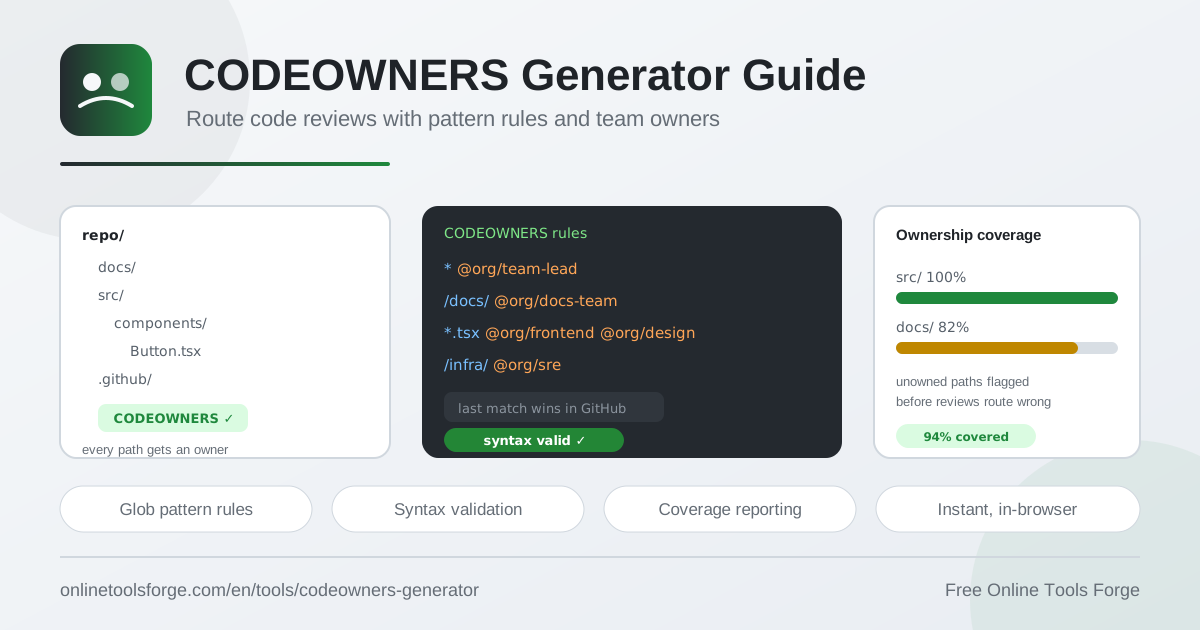
Table of Contents
Every pull request needs a reviewer, and in large organizations, deciding who should review what is a constant source of friction. GitHub CODEOWNERS solves this by mapping paths in your repository to the teams and individuals who own them, automatically requesting the right reviewers the moment a pull request opens. The CODEOWNERS Generator lets you build a correct, validated CODEOWNERS file in minutes — entirely in your browser, free, with no signup and no data ever leaving your machine.
A CODEOWNERS file is a plain text file, but its syntax has sharp edges. Patterns follow glob semantics, the last matching rule wins, and a typo in a team handle silently breaks review routing until someone notices missing approvals. The generator addresses these pitfalls head on: you add rules interactively, validate syntax as you type, inspect ownership coverage across your repository, and download a file that is ready to drop straight into .github/.
Why Use the CODEOWNERS Generator?
- Automatic reviewer routing. Once committed, the file makes GitHub request reviews from the right owners on every pull request, so changes reach the people who actually maintain the code.
- Syntax validation with hints. The tool checks each rule as you build it and surfaces practical hints — for example, that directory patterns should end with / so /docs/ matches the whole folder rather than a file named docs.
- Ownership coverage view. Shows which paths in your repository are owned and which fall through the cracks, so you spot unowned directories before an incident does.
- Glob patterns without the guesswork. Build rules like * for everything, /docs/ for a directory, or *.tsx for React components, and see exactly how each pattern will behave before it ships.
- Multiple owners per rule. Assign several teams to one pattern — for instance, *.tsx to both the frontend and design teams — so component changes always get the right eyes.
- 100% in-browser and private. Everything runs locally in your browser. Your repository structure, team names, and org handles are never uploaded to a server.
Key Features
| Feature | What it does |
|---|---|
| Rule builder | Add rules as a pattern plus owners, such as * to @org/team-lead or /docs/ to @org/docs-team. |
| Syntax validation | Validates every rule live and shows hints, like directory patterns ending with /. |
| Ownership coverage view | Visualizes which paths are owned and highlights gaps that no rule currently matches. |
| Multi-owner support | Attaches several users or teams to a single pattern in one step. |
| GitHub-ready output | Produces a file formatted for placement under .github/ with no manual cleanup. |
| Last-match ordering | Keeps your rules ordered so the final matching rule wins, mirroring GitHub behavior. |
A few details worth calling out:
- The coverage view is the fastest way to sanity-check a large ownership map: sort your paths by owner and confirm each critical directory resolves to the team you expect.
- Because validation happens in the browser, you can iterate on rules freely — experiment, break things, fix them — without any CI run or commit cycle.
How to Generate a CODEOWNERS File
- Open the CODEOWNERS Generator. There is nothing to install and no account to create; the tool loads instantly in your browser.
- Add your first rule. Enter a glob pattern and its owners. A common starting point is * assigned to @org/team-lead, which gives your repository a sensible default owner for every path.
- Layer on specific rules. Add narrower patterns — /docs/ to @org/docs-team, *.tsx to the frontend and design teams, /infra/ to the platform team. Mind the ordering, because later rules override earlier ones.
- Validate and review coverage. Check the syntax hints for each rule, then scan the ownership coverage view to confirm every important path is claimed and no stray pattern is doing something unexpected.
- Download and commit the file. Save the generated file as CODEOWNERS under the .github/ directory, commit it, and GitHub starts applying it to new pull requests immediately.
How CODEOWNERS Pattern Matching Works
Each line in a CODEOWNERS file has two parts separated by whitespace: a file pattern and one or more owners. Owners can be GitHub usernames (@octocat), organization teams (@org/team), or email addresses. If a pattern contains no slash, GitHub treats it as matching that filename anywhere in the tree; if it contains a slash, it is matched relative to the repository root.
The glob semantics are worth internalizing:
- A trailing slash marks a directory — /docs/ matches every file under docs/.
- * matches any characters within a single path segment, so *.tsx matches component files at any depth where the pattern applies.
- Prefixing with / anchors the pattern to the repository root, giving you precise control over where a rule applies.
Critically, the last matching rule wins. When two patterns both match a changed file, GitHub applies the one that appears later. This lets you define broad defaults first and specific overrides after — powerful, but also a common source of bugs when rules get appended out of order. The generator keeps rules ordered so behavior matches what GitHub will actually do.
A minimal, well-ordered file looks like this:
*                   @org/team-lead
/docs/              @org/docs-team
*.tsx               @org/frontend @org/design
/infra/terraform/   @org/platform
Placement matters too. GitHub looks for the file at .github/CODEOWNERS, docs/CODEOWNERS, or the repository root, using only the first one it finds — most teams standardize on .github/. Finally, CODEOWNERS only requests reviews; to block merges, enable Require review from Code Owners in your branch protection rules.
Practical Use Cases
Routing Frontend and Backend Reviews
Monorepos constantly mix concerns: one pull request might touch a React component, an API handler, and a shared library. With *.tsx owned by the frontend and design teams and /api/ owned by the backend team, GitHub splits reviewer requests automatically, so nobody reviews code outside their domain and domain experts never miss changes that concern them.
Protecting Infrastructure Paths
Your .github/workflows/, /infra/terraform/, and deployment configurations deserve stricter oversight than a README. Assigning those paths to the platform or security team ensures that any pipeline or infrastructure change requires an explicit sign-off from the people responsible for keeping production stable.
Compliance and Audit Requirements
Frameworks like SOC 2 and ISO 27001 expect demonstrable control over who can change critical code. A CODEOWNERS file with required owner reviews is exactly that evidence: a versioned, auditable mapping of responsibility.
Onboarding New Teams
When a team joins the organization, add their directory with their team handle, and every future pull request in that area routes to them automatically. New teams stop relying on being @-mentioned manually, and the ownership coverage view makes it obvious which parts of the codebase still lack a home.
Best Practices
- Order rules deliberately. Put broad patterns like * first and specific overrides last, because the last matching rule wins.
- End directory patterns with a slash. /docs/ covers the whole directory; a missing slash changes what the pattern matches.
- Prefer teams over individuals. Team handles survive vacations, offboarding, and reorgs far better than personal usernames.
- Keep one source of truth. Commit the file to .github/ and avoid duplicating rules across docs/ and the root.
- Review coverage regularly. Revisit the ownership map each quarter, or whenever teams restructure, to close gaps and remove stale owners.
- Turn on required reviews. CODEOWNERS without branch protection just suggests reviewers — enable required review from code owners to make it binding.
Try the CODEOWNERS Generator Today
A well-maintained CODEOWNERS file is one of the highest-leverage, lowest-effort improvements you can make to a repository: reviews land with the right people and no single person becomes the bottleneck. Head to the free CODEOWNERS Generator, add your patterns and teams, validate the syntax, and download a GitHub-ready file — all in your browser, in minutes.
Related Tools You Might Like:
- Gitignore Generator — build clean .gitignore files for any stack without memorizing patterns.
- Git Command Generator — compose the exact Git commands you need, from rebase to stash workflows.
- License Generator — pick and generate the right open source license for your project in seconds.
Happy reviewing!
Frequently Asked Questions
Q: Where should I put the CODEOWNERS file in my repository?
A: GitHub checks .github/CODEOWNERS, then docs/CODEOWNERS, then the repository root, and uses the first one it finds. The standard choice is .github/CODEOWNERS, which is exactly where the generator is designed to place its output.
Q: What happens when two CODEOWNERS rules match the same file?
A: The last matching rule in the file wins. GitHub scans from top to bottom and applies the final pattern that matches the changed path, which is why broad defaults belong at the top and specific overrides at the bottom.
Q: Do I need branch protection rules for CODEOWNERS to work?
A: CODEOWNERS alone only requests reviews from owners. To make their approval mandatory before merging, enable the Require review from Code Owners option in your branch protection rules for the relevant branches.
Q: Who can own paths in a CODEOWNERS file?
A: You can assign individual GitHub users, organization teams in @org/team format, or email addresses. Teams are generally recommended because membership can be updated in the organization without editing the file.
Q: Does the CODEOWNERS Generator upload my data anywhere?
A: No. The tool runs entirely in your browser, so your patterns, team names, and generated file never leave your machine.