Countertop Calculator: Estimate Slabs, Edges, and Kitchen Remodel Cost
The Countertop Calculator estimates slab count, edge-finishing length, and installed cost from your kitchen dimensions, with cutout deductions, waste allowance, and price presets built in.
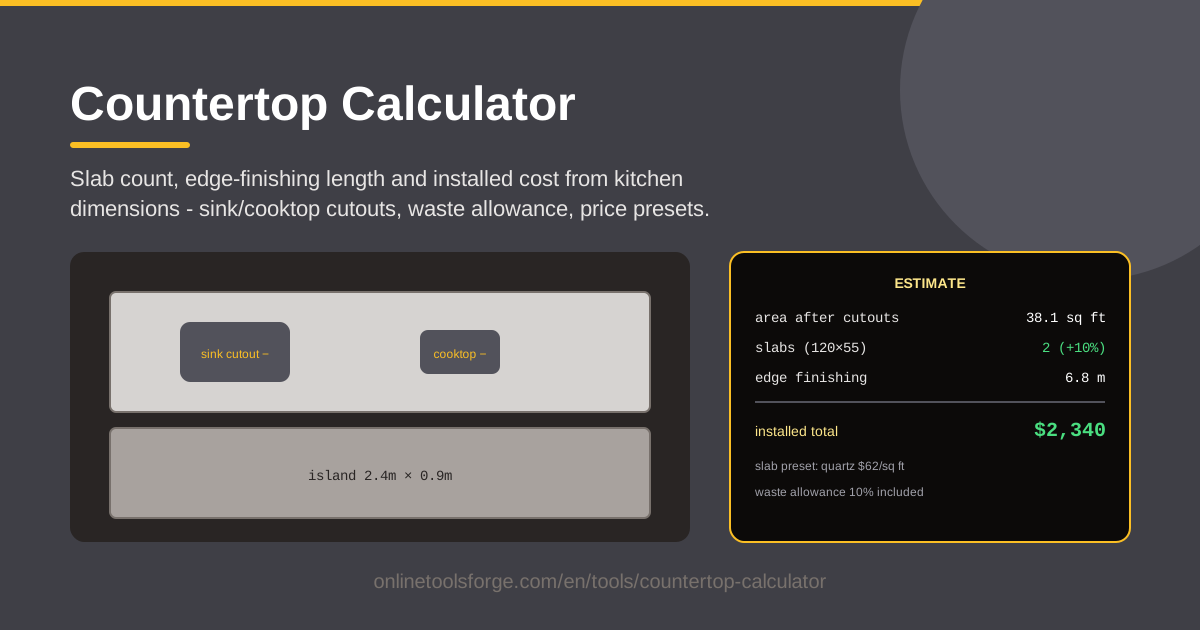
Table of Contents
A countertop is the largest visible surface in most kitchens and one of the biggest line items in a remodel budget. Before you fall in love with a quartz or granite pattern, it helps to know how many slabs your layout actually needs and what the installed total might look like. Our free Countertop Calculator gives you those numbers in seconds, straight from your kitchen dimensions.
Fabricators can quote the same kitchen very differently when you cannot follow their math. A quote that looks cheap might assume two slabs where your layout needs three, or quietly exclude the premium edge profile you asked for. Running your own estimate first gives you a fair baseline to compare every quote against.
This guide walks through how the calculator works, how to measure your kitchen, and how slab size, cutouts, edges, and waste allowance all shape the final installed cost.
Why Use Countertop Calculator?
- Instant slab count: enter your counter runs and the tool estimates how many slabs the layout requires, before a fabricator tells you.
- Cutout-aware math: sink and cooktop cutouts are deducted where sensible, instead of you guessing how much area a cutout returns.
- Edge-finishing length: polished edges are billed by the linear foot, so the tool totals your finished edge length for accurate profile pricing.
- Price presets: presets for slabs, edges, and installation let you model budget, mid-range, and premium scenarios without homework.
- Waste allowance built in: a configurable percentage covers seams, veining alignment, and breakage, which raw square footage math ignores.
- Private by design: every calculation runs client-side in your browser — no dimensions, emails, or signups leave your device.
Key Features
| Feature | What it does |
|---|---|
| Kitchen run inputs | Enter length and depth for each counter run along your walls. |
| Island dimensions | Add an island or peninsula as its own priced section. |
| Cutout deductions | Subtract sink and cooktop openings from usable area. |
| Slab count estimate | Compares your total area against standard slab dimensions. |
| Edge-finishing length | Totals the linear length needing polished edge work. |
| Waste allowance | Applies a buffer percentage for seams, veining, and offcuts. |
| Price presets | One-click rates for slabs, edges, and installation. |
| Installed cost total | Combines material, edges, and labor into one figure. |
Two details worth knowing:
- The slab count logic mirrors how fabricators actually plan: it checks whether your longest run fits inside a single slab's length before dividing areas, because a run that crosses a seam can force an extra slab even when total square footage says otherwise.
- Presets are starting points, not gospel — override any rate with your local numbers and the total recalculates instantly. Since everything runs in your browser, you can tweak figures mid-conversation in a showroom.
How to Use Countertop Calculator
- Measure your main runs. Measure wall to wall along the back of each counter run at countertop height, and use the standard 25.5-inch depth (25 inches of counter plus a slight overhang). Enter each run separately.
- Add the island. If you have or plan an island or peninsula, enter its length and depth as its own section so the calculator prices it with everything else.
- Enter your cutouts. Add the sink and cooktop openings. A drop-in sink typically occupies 3-4 square feet; a cooktop around 2-3.
- Pick a slab preset. Choose a material preset that matches your plan — an entry-level quartz or a premium granite — or enter your own slab price and size.
- Read the installed cost. The calculator returns slab count, edge-finishing length, and an installed total combining material, edges, and labor. Adjust the waste percentage to stress-test the number.
Slab Math and the Cutout Effect
Countertops are not sold by the square foot the way paint is; they are sold as slabs. A typical quartz or granite slab measures roughly 120 by 55 inches — about 46 square feet — though sizes vary by color and manufacturer. Your layout has to fit inside those rectangles: a run longer than the slab needs a seam, and sometimes a single seam forces an entire extra slab.
It is tempting to assume a sink cutout should knock money off the price. Often it does not. Cutout pieces are rarely reusable — the opening is too small or too awkwardly placed to become anything else — and the cutting itself is labor. Many fabricators charge for the full slab footprint no matter what gets removed. The calculator's cutout deductions shrink usable area for planning, but treat any savings from cutouts as a bonus, not an expectation.
Every exposed edge that gets polished is billed by the linear foot, and profile complexity changes the rate. A simple eased edge is cheapest; bullnose and bevel cost a little more; ogee and decorative profiles cost meaningfully more; a waterfall edge on an island is priced almost like extra countertop. Total your edge length honestly: run fronts, exposed sides, both long sides of an island, and any returns.
Material is also wasted wherever two pieces must come from one slab, wherever veining must align across a seam, and whenever a piece cracks during cutting or handling. Ten percent is a common planning allowance, and busy veined patterns can run higher. The waste field exists so you can model this instead of pretending offcuts are free.
Finally, separate material-only pricing from installed pricing. A slab rate covers raw stone at the yard; installation adds templating, fabrication, cutouts, edges, seams, delivery, and setting the tops. For budgeting, installed cost is the number that matters — and it is what the calculator totals.
Practical Use Cases
Budgeting a Quartz Kitchen Remodel
Picture a kitchen with a 12-foot run and an 8-foot run at standard depth, no island: about 40 square feet before waste. With waste applied, the estimate points to roughly two slabs. At a mid-range quartz preset, the installed total lands near $4,000-$5,500 — the figure to hold in your head when quotes start arriving.
Comparing Granite and Quartz Quotes
Run the same dimensions twice, once with a granite preset and once with quartz. The delta shows whether the quartz premium is hundreds or thousands of dollars, and whether a shop's "expensive" quote is actually in line with its material choice.
Planning an Island Addition
A 7-by-3.5-foot island adds roughly 25 square feet — often exactly the amount that pushes a two-slab kitchen to three. Model it before you commit, waterfall edge included, so the surprise lands in the calculator rather than on the invoice.
Refreshing a Rental Unit
For a rental, use a budget preset with a plain eased edge to see a realistic floor. Many landlords find that swapping laminate for entry-level quartz in a small galley kitchen comes in under $2,500 installed.
Best Practices
- Measure wall to wall, twice. Measure at countertop height, not floor level, since walls are rarely plumb, and record the larger number.
- Confirm seam locations with the fabricator. Seams are placement decisions that affect both appearance and slab count; ask where they will fall before signing.
- Price edges separately. Ask for edge finishing as a line item so you can see exactly what a decorative profile costs.
- Keep a 10% buffer. Whether it is the tool's waste allowance or spare cash in your budget, assume reality adds about a tenth.
- Verify slab sizes for your specific color. Dimensions vary by color and production batch; a favorite color may come in a size that forces an extra slab.
- Re-run the estimate after design changes. A wider sink, a farmhouse apron, or a deeper island all move the numbers — recheck before ordering.
Ready to put real numbers on your kitchen remodel? Open the Countertop Calculator, enter your runs, island, and cutouts, and you will have a slab count and installed cost estimate before your coffee cools.
Related Tools You Might Like:
- Square Footage Calculator — double-check the usable area of any room or surface.
- Paint Calculator — estimate paint for the walls while the counters are out.
- Unit Converter — convert inches, feet, centimeters, and square meters in one place.
Happy renovating!
Frequently Asked Questions
Q: How many square feet is a standard countertop slab? A: Most quartz and granite slabs measure roughly 120 by 55 inches, about 45-55 square feet, but dimensions vary by manufacturer and even by color. Confirm the size of the specific slab your fabricator will use before committing to a layout.
Q: Do sink and cooktop cutouts reduce the price? A: Sometimes, but do not count on it. Cutout pieces are usually too small or oddly shaped to reuse, and the cutting costs labor. Many fabricators price the full slab footprint regardless, so treat any savings as a bonus.
Q: How much waste allowance should I plan for? A: Ten percent is a common planning figure for straightforward layouts with calm patterns. Heavy veining, matched seams across an island, or awkward L-shaped runs push the number higher — try 15% and watch how the total moves.
Q: Does the calculator send my kitchen dimensions anywhere? A: No. Every calculation runs client-side in your browser. Nothing is uploaded, stored, or shared, and no account is required.