Crossword Generator: Make Your Own Printable Crossword Puzzles from Any Word List
Use the free Crossword Generator to build a printable crossword puzzle from your own word list, with automatic grid layout, numbered clues, and SVG export - all in your browser.
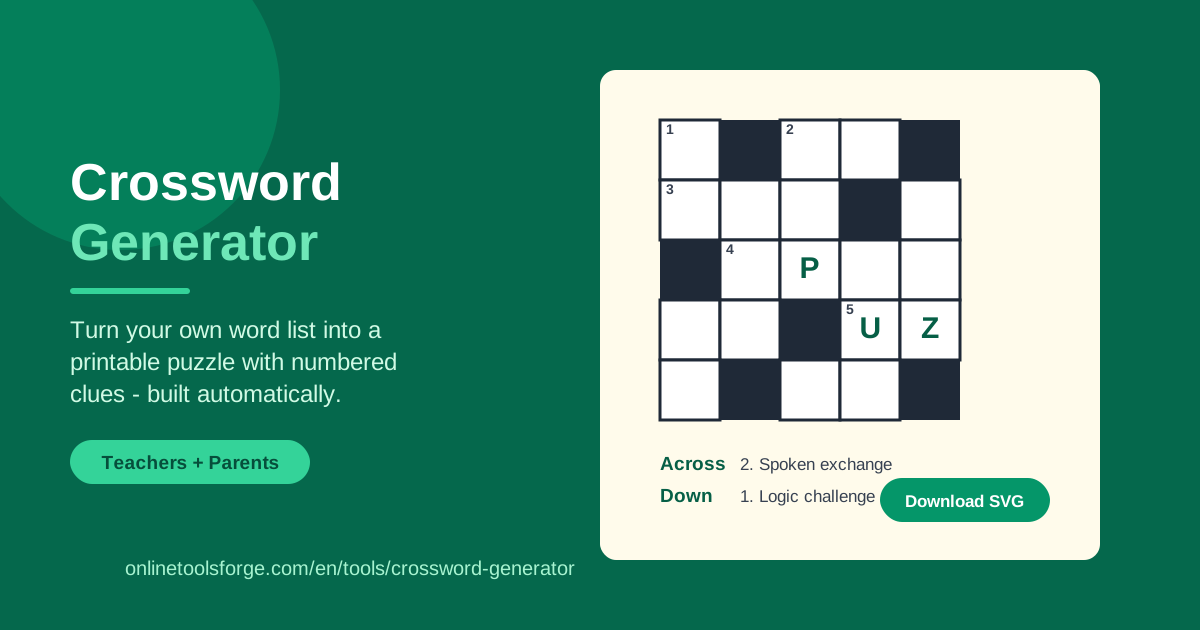
Table of Contents
Crossword puzzles have challenged and delighted solvers for over a century, yet building one by hand is surprisingly fiddly. You must weave words together letter by letter, keep every intersection consistent, and number each entry without mistakes. The free Crossword Generator handles all of that: type your own words and clues, press one button, and get a finished puzzle with an automatically arranged grid and cleanly numbered Across and Down clue lists.
Because the tool runs entirely in your browser, there is nothing to install and no account to create. Your word list never leaves your computer, so you can safely build puzzles from classroom material, training terms, or family inside jokes. When the grid looks right, download it as an SVG file or print it straight from the page for a crisp, paper-ready worksheet.
This guide covers everything you need: a step-by-step walkthrough, a look at how the automatic layout engine places and numbers your words, real-world use cases, and proven tips for building puzzles people actually want to solve.
Why Use Crossword Generator?
Plenty of websites promise custom crosswords, but most bury you behind sign-ups, watermarks, or subscription paywalls. This crossword puzzle maker stays fast, private, and free:
- Your words, your theme. Enter any vocabulary you like — science terms, spelling words, trivia answers, wedding trivia — and the puzzle reflects exactly that list.
- Automatic layout and numbering. The generator arranges words into an intersecting grid and assigns Across and Down numbers on its own, so you never count squares by hand.
- Printable, shareable output. Download the finished puzzle as SVG or print it directly; the result is clean enough to photocopy for an entire class.
- Private by design. Everything happens locally in your browser, so student data, internal training material, or personal content never leaves your device.
- Fast enough for the classroom. From typed list to printed puzzle takes minutes, which fits neatly into lesson planning the night before class.
- No barriers to entry. No registration, no watermark, no paid tier hiding the useful features — open the page, build the puzzle, download it.
Key Features
Here is what the tool offers and what each capability does in practice:
| Feature | What it does |
|---|---|
| Custom word list | Enter your own words, each paired with a clue; every word must be 2 to 15 letters |
| Automatic grid layout | Words are positioned so they intersect at shared letters, forming a genuine crossword pattern |
| Across and Down numbering | Clue numbers are generated automatically from where each word starts in the grid |
| Generate crossword button | Builds the puzzle in one click, including grid, numbers, and clue lists |
| Download SVG export | Saves the completed puzzle as a scalable vector file you can embed or archive |
| Printable output | Produces a clean, print-ready layout straight from your browser |
| In-browser processing | All layout work runs locally, so your data stays on your device |
A few details worth knowing:
- The 2–15 letter range is deliberate. Single letters cannot intersect meaningfully, and very long words unbalance a grid; this range keeps every puzzle solvable and tidy.
- Validation catches empty lists. If you generate with fewer than one valid word, a clear validation message appears instead of a blank grid.
- SVG stays sharp at any size. The same file works for a handout, a poster, or a slide without ever turning blurry.
How to Use Crossword Generator
From blank page to printable puzzle takes less than five minutes:
- Enter your words and clues. Type each word with the clue that will guide solvers. Keep every word between 2 and 15 letters, and pitch clue difficulty at your audience — plain definitions for children, sly wordplay for adults.
- Click Generate crossword. The tool validates the list and builds the grid automatically. If fewer than one valid word is found, a validation message tells you to fix the list and try again.
- Review the grid. Check the intersections, the numbering, and the Across and Down clue lists; confirm the words overlap in a balanced pattern and no clue is missing.
- Adjust and regenerate. Not happy with the layout? Edit words or clues and generate again — everything recalculates instantly, so experimenting costs nothing.
- Download or print. Use the SVG export to save a vector copy, or print directly from the browser for an instant handout; bring spares, because someone always wants a second attempt.
How Automatic Crossword Layout Works
The hardest part of making a crossword by hand is placement, and this is where intersection placement does the heavy lifting. The generator anchors your first word on the grid, then examines each following word for shared letters with what is already placed. When a word contains a letter found in an existing entry, the tool positions it so those letters overlap, running in the opposite direction. One word flows Across, the next Down, and the puzzle grows outward from a spine of crossing letters.
Numbering comes after placement. The tool scans the finished grid left to right and top to bottom, assigning a number to every cell where a new word begins, exactly as published crosswords do. A cell that starts both an Across word and a Down word receives a single number shared by both clues. That is why the clue lists always match the numbers printed in the grid — they are derived from the geometry itself, not from the order you typed.
Word length limits matter for solvability and density. Words under two letters leave no room to intersect, while words over fifteen letters dominate the grid and make balancing difficult; the 2–15 rule gives the layout engine flexibility to find crossings for almost any sensible list. Vowel-rich, common-letter words intersect easily, so lists of natural vocabulary produce denser, more satisfying grids than lists of rare terms. If a layout looks sparse, adding a few connective words usually weaves everything together.
Practical Use Cases
Classroom Vocabulary Review
Teachers are the most enthusiastic users of any printable crossword maker. Take the week's spelling or science vocabulary, write a short definition as each clue, and generate a puzzle for Friday review. Students recall meanings as they deduce letters, and the answer key is simply the list you already hold. Because the tool needs no accounts, it also doubles as a ready activity for a substitute teacher.
Family Game Night
A personalized crossword beats a boxed game for laughter per minute. Build a puzzle from family memories — the dog's name, last summer's road trip, grandma's famous dessert — and let generations argue over clues at the kitchen table. For birthdays, make a puzzle about the guest of honor and solve it together before the cake arrives.
ESL and Language Learning
Crosswords are a classic ESL exercise because they force learners to retrieve vocabulary from memory rather than recognize it on a page. Build puzzles from a unit's target words with simple English definitions as clues, or flip the exercise by using the learner's native word as the clue and the English term as the answer. The grid self-checks: if letters refuse to fit the crossings, students correct themselves.
Event Icebreakers and Team Building
Wedding showers, onboarding sessions, and conference booths all benefit from a themed puzzle. A bride-to-be crossword with names and milestones breaks the ice; a company-culture crossword gets new hires talking on day one; a booth puzzle of industry terms draws people to your table. Generation takes minutes, so you can try several themes and pick the best, and the SVG export drops neatly into slides or printed programs.
Best Practices
A few habits separate forgettable puzzles from great ones:
- Mix word lengths. Combine short and long entries so the grid interlocks; a list of only five-letter words leaves awkward gaps.
- Write clue-first. Draft the clue before you finalize the word; vague clues are the number one complaint from solvers.
- Favor shared letters. Words containing vowels, R, S, T, or N intersect easily and produce denser grids.
- Keep clues age-appropriate. A classroom puzzle for eight-year-olds should read differently from a trivia night for adults.
- Generate twice. Layouts differ between runs, so compare two versions and keep the tighter one before printing.
Ready to turn your word list into a puzzle? Open the Crossword Generator, enter a handful of words with clues, and click Generate crossword. Within a minute you will have a numbered grid ready to download as SVG or print for your class, your family, or your next event — no sign-up, no cost, and nothing leaves your browser.
Related Tools You Might Like:
- Word Search Generator — hide your words in a letter grid for a different kind of puzzle challenge.
- Word Cloud Generator — turn the same word list into a striking visual for posters and slides.
- Wordle Solver — stuck on the daily word game? Filter the possibilities and find the answer fast.
Happy puzzling!
Frequently Asked Questions
Q: Is the Crossword Generator really free? A: Yes. There is no registration, no watermark, and no paid tier; every feature, including the SVG download, is free to use.
Q: How many words can I include in one puzzle? A: There is no fixed cap — add as many words as you like, as long as each one is between 2 and 15 letters and has a clue. Longer lists produce larger, denser grids.
Q: Can I edit the puzzle after generating it? A: You can change your words and clues and generate again as often as you like. For deeper edits, download the SVG file and adjust it in any vector editor that supports SVG.
Q: Does the tool store my word list? A: No. All processing runs in your browser, so nothing is uploaded to a server; your words and clues stay on your device.