Discord Embed Builder: Design Webhook Embeds With Live Preview
Design Discord webhook embeds with title, description, fields, author, accent color, and footer. Live preview and copy-paste JSON payload, free in your browser.
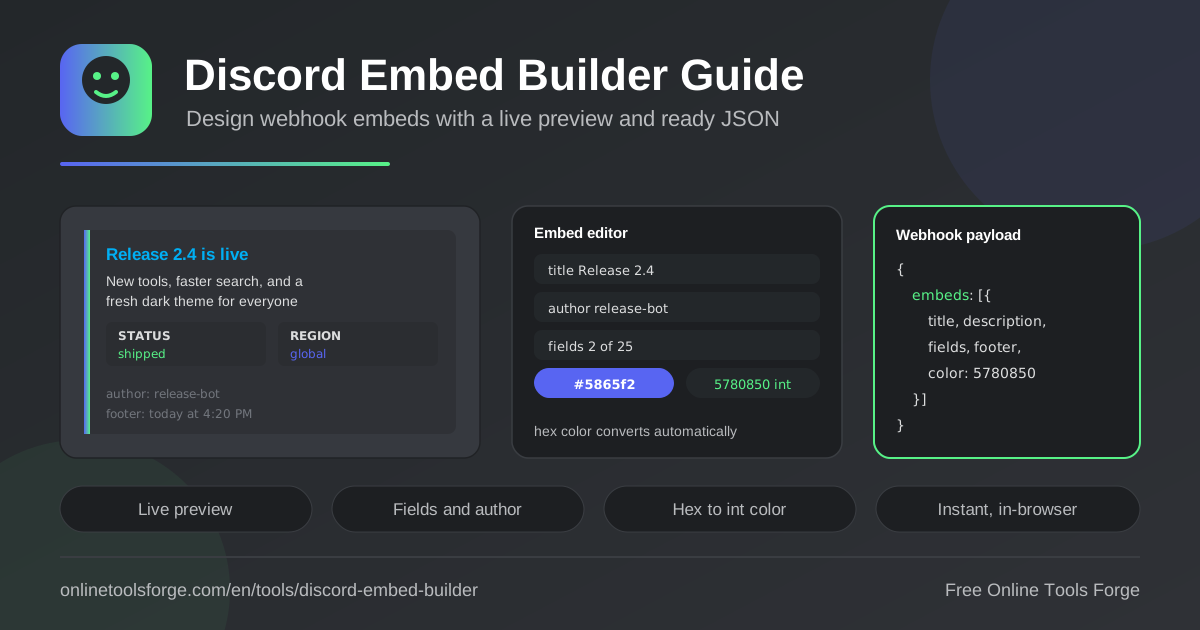
Table of Contents
Discord webhooks are the easiest way to post rich updates into a server: a finished deploy, a triggered alert, a fresh release. What separates a message people read from one they scroll past is structure. A well-built embed — with its colored side bar, tidy field rows, and clear author line — looks like it belongs in a professional channel instead of a wall of plain text.
The free Discord Embed Builder makes that structure effortless. Type a title, description, author, footer, and optional name/value fields, pick an accent color with a hex picker, and watch a live Discord-style preview update as you type. When the card looks right, copy the complete webhook embeds JSON payload and paste it into a curl command, a bot, or a CI job. Because the output is plain JSON, the same payload works anywhere Discord accepts embeds — and everything runs instantly in your browser, with no signup.
Why Use the Discord Embed Builder?
- Visual confidence before you post. The live preview renders your webhook embed the way Discord will, so there is no trial-and-error against a real channel.
- Correct color values by default. Discord expects an integer, not a hex string; the built-in picker handles the conversion for you.
- Structured fields without JSON wrestling. Add up to 25 name/value rows through the editor instead of hand-writing nested arrays and counting braces.
- One-click payload. Copy the full embeds JSON, ready to paste into any webhook call or bot code.
- Zero setup. The embed generator runs entirely in your browser, needs no account, and sends nothing anywhere.
- Consistent branding. Author and footer lines keep every announcement visually on-brand across all your channels.
Key Features
| Feature | What it does |
|---|---|
| Title and description | Set the embed headline and body text, rendered in the preview exactly as Discord displays them |
| Name/value fields | Add up to 25 structured rows, pre-seeded with a default Status OK field you can edit or remove |
| Author and footer | Attach an author line at the top and a footer line at the bottom for context and branding |
| Accent color picker | Choose any hex value; it converts to the integer color Discord requires |
| Live preview | See a Discord-style embed card update in real time as you type |
| JSON payload output | Generates the complete webhook embeds JSON, ready to paste into any webhook call or script |
- The default Status OK field demonstrates the name/value pattern immediately, which is ideal for health checks, build results, and quick facts.
- The preview panel mirrors Discord spacing and the colored side bar, so what you see is what your channel gets.
- The output wraps your card inside an embeds array — the exact shape webhooks and most bot libraries accept.
How to Build a Discord Embed
- Open the tool and set the title. Keep it short and specific; this is the headline people scan first.
- Write the description. This is the main message body, and it supports basic Markdown, including links and inline code.
- Add fields. Create name/value pairs for structured facts such as Version, Status, or Region; edit the default Status OK row or remove it.
- Pick the accent color. Use the hex picker to match your brand; it converts to the integer Discord expects.
- Copy the JSON payload. Paste the generated embeds JSON into your webhook call, bot code, or CI step and send.
Anatomy of a Discord Embed
Title and description. The title is a single line capped at 256 characters and may carry a link. The description forms the main body, supports a Markdown subset such as bold, italics, inline code, and links, and allows up to 4,096 characters.
Name/value fields. Fields render as labeled rows and are the backbone of structured embeds. Each field has a name (256 characters) and a value (1,024 characters), and short fields can share a row when marked inline, up to 25 fields per embed. The builder seeds one example field so you can see the pattern, then you add or delete rows freely.
Author and footer. The author line sits at the top of the card, useful for naming the bot, service, or person behind the message. The footer sits at the bottom, capped at 2,048 characters, and is a natural home for timestamps or attribution.
The color integer requirement. Discord does not accept a hex string in the JSON. The accent color must be a decimal integer, so blurple #5865F2 becomes 5793266 and green #57F287 becomes 5763719. The hex picker in the builder performs this conversion automatically.
Limits to respect. A single embed allows at most 25 fields, and the combined text of title, description, fields, footer, and author is capped at 6,000 characters. A webhook message can carry up to 10 embeds.
Posting via webhook URL. Send an HTTP POST with a JSON body and Content-Type: application/json to your webhook URL. A minimal payload looks like this:
{
  "embeds": [
    {
      "title": "Deploy succeeded",
      "color": 3066993
    }
  ]
}
Most teams wrap this in curl, a GitHub Actions step, or a small helper script.
Practical Use Cases
Release Announcement Posts
Announce v2.4.0 with a green side bar, the title "v2.4.0 is live", and a one-line description of what changed. Fields cover Highlights, the upgrade guide link, and Downloads, while the author line credits the release manager and the footer links the repository.
Monitoring and Uptime Alerts
Point monitoring scripts at your webhook and post a red embed when a check fails, with fields for Service, Region, Error rate, and Duration. When the service recovers, send a green Status OK card so the channel shows the complete incident timeline at a glance.
Community Event Cards
Community managers can build an event card with fields for Date, Time, and Location, plus an RSVP link in the description. A purple accent color stands out in busy channels, and a footer noting "Times shown in UTC" prevents timezone confusion among members.
Changelog Digests
Post a weekly digest that groups merged pull requests into fields per category — Features, Fixes, Dependencies — so subscribers scan the highlights without leaving Discord. Reusing the same accent color every week builds quiet recognition.
Best Practices
- Lead with the title. A specific headline such as "API latency back to normal" beats a generic "Alert".
- Use color semantically. Green for success, amber for warnings, red for failures — and keep the scheme consistent across every webhook you run.
- Prefer fields over paragraphs. Scannable name/value rows communicate facts faster than dense text; mark short fields inline.
- Check character caps. Stay inside the 6,000-character total so Discord does not truncate or reject the embed.
- Timestamp in the footer. Note when the event happened, or use Discord timestamp syntax so it renders in each member local time.
- Keep a template. Store a known-good payload in your repository so every future alert stays consistent.
Design Your Next Webhook Embed Today
Open the Discord Embed Builder, draft your card against the live preview, and copy the payload into your webhook in under a minute. It is free, instant, and runs entirely in your browser — no account, no limits.
Related Tools You Might Like:
- Discord Timestamp Generator — build relative timestamps that render in every member local time.
- Webhook Signature Verifier — validate HMAC signatures on incoming webhook requests.
- Slack Block Kit Builder — design rich Slack messages with the same live-preview workflow.
Happy building!
Frequently Asked Questions
Q: Does the Discord Embed Builder send anything to Discord?
A: No. The tool runs entirely in your browser. You copy the generated JSON payload and post it to your own webhook URL, so tokens and channel details never leave your control.
Q: Why does the embed color need to be an integer?
A: Discord stores embed colors as a single decimal number. The picker converts a hex value such as #57F287 into 5763719, which is what the color field in the payload requires.
Q: How many fields can one embed contain?
A: Discord allows up to 25 name/value fields per embed, with 256 characters for each name and 1,024 for each value. The builder keeps you within those caps as you edit.
Q: Can I use the payload with a bot library instead of a webhook?
A: Yes. The embeds array follows the official embed structure, so discord.js, discord.py, and most libraries accept it directly as the embed object.
Q: How long can the description be?
A: Up to 4,096 characters per embed. If you need more room, split the content across multiple embeds in the same webhook message.