ESLint Config Generator: Build a Modern ESLint 9 Flat Config in Seconds
Generate a clean ESLint 9 flat config for React, Next.js, Vue, and Node with TypeScript, Prettier, react-hooks, and Vitest toggles — copy or download eslint.config.js instantly, 100% in your browser.
Free Interactive Tool
ESLint Config Generator
Free online ESLint 9 flat config generator. Build eslint.config.js for React, Next.js, Vue, and Node with TypeScript, Prettier, react-hooks, Vitest, and JSDoc toggles. Copy or download instantly — runs 100% in your browser.
Table of Contents
ESLint 9 changed the ground rules. Flat config — a single eslint.config.js — is now the default, and the .eslintrc files thousands of repositories still rely on are no longer loaded unless you opt into a compatibility flag. What used to be a routine dependency bump became a configuration rewrite.
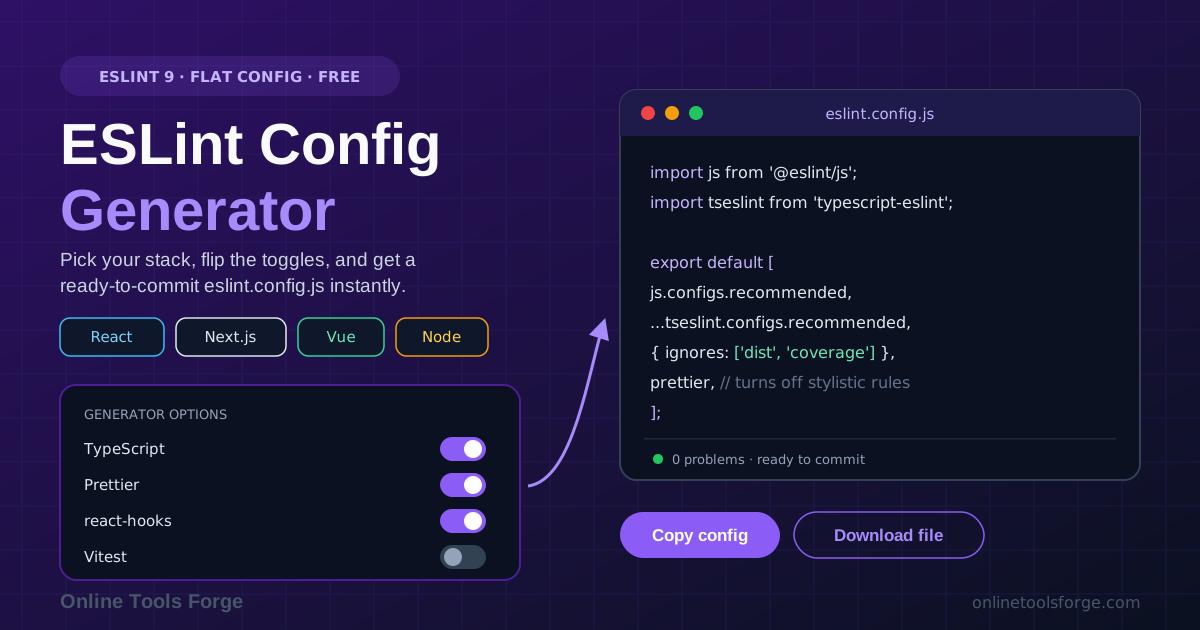
The ESLint Config Generator takes the shorter path. Pick your stack — React, Next.js, Vue, or Node — flip toggles for TypeScript, Prettier, react-hooks, and Vitest, and the tool emits a clean, modern eslint.config.js. Copy it, install the packages it lists, and you are linting.
Everything runs 100% in your browser. No account, no upload — your selections never leave your machine.
Why Use the ESLint Config Generator?
- Skip the migration, start fresh. Translating an old .eslintrc piecemeal often takes longer than starting from a correct flat config — and leaves no legacy cruft behind.
- Framework-aware presets. React, Next.js, Vue, and Node need different plugins and file globs; the generator wires sensible defaults for your stack.
- Every integration is a toggle. TypeScript, Prettier, react-hooks, and Vitest are the additions most projects reach for first, and the config grows one visible block per toggle.
- Readable output you own. The file is plain JavaScript — imports at the top, one exported array — so you already know where a custom rule goes.
- Copy or download in one click. Paste the config into your editor or save it into your repo; the tool also lists the npm packages it expects.
- Private by design. The generator is client-side JavaScript, so it works for proprietary code that policy says never gets pasted into a web service.
Key Features
| Feature | What it gives you |
|---|---|
| Framework picker | React, Next.js, Vue, or Node presets with sensible file matching |
| TypeScript toggle | typescript-eslint recommended setup with parser wiring done for you |
| Prettier toggle | eslint-config-prettier appended to switch off conflicting stylistic rules |
| react-hooks toggle | eslint-plugin-react-hooks with rules-of-hooks and exhaustive-deps enabled |
| Vitest toggle | Test-file globals so describe, it, and expect lint cleanly in your specs |
| Copy and download | Grab the config as text or save an eslint.config.js file instantly |
The output is a single eslint.config.js for your repository root, with ignore patterns for build output and coverage included.
How to Use
- Open the ESLint Config Generator and pick your framework — React, Next.js, Vue, or Node.
- Flip the toggles for what your project uses: TypeScript, Prettier integration, react-hooks, and Vitest. The preview updates as you go.
- Review the generated eslint.config.js, then copy it or download it into your repository root.
- Install the dependencies the tool lists — always ESLint itself, plus the packages matching your toggles.
- Run npx eslint . and fix whatever it flags. If you also use Prettier, run your format step as usual — the two no longer fight.
Flat Config in Plain Words
A config is now just an array. The legacy .eslintrc model spread settings across JSON or YAML files, cascaded them down the directory tree, and stitched plugins together with string names and extends chains. Flat config replaces that with one JavaScript module exporting an array of config objects, each declaring files (the globs it applies to), ignores, plugins (real objects you import at the top), languageOptions, and rules. ESLint merges the array in order — later objects override earlier ones — and matching is flat: every file is checked against each object's files pattern directly. Two consequences: ordering matters, and plugins are imported objects, not runtime-resolved strings.
Which toggle pulls which plugin, and why:
- TypeScript pulls in typescript-eslint: a parser that understands TypeScript syntax plus the recommended rule set, so linting sees your types instead of choking on them.
- Prettier appends eslint-config-prettier. Despite the name, it formats nothing — it turns off rules that would fight Prettier over quotes, semicolons, and spacing. Formatting stays with Prettier, correctness stays with ESLint, and the prettier entry must come last.
- react-hooks adds eslint-plugin-react-hooks: rules-of-hooks errors on hook calls inside conditions or loops, and exhaustive-deps warns when a dependency list omits values a hook reads — the classic stale-closure bug.
- Vitest injects globals for your test files, where describe, it, and expect exist only at runtime — without this block no-undef fires in every spec.
Peer dependency gotchas. The config imports packages by name, so if one is missing from node_modules, ESLint fails to start — install everything the tool lists, and use plugin majors built for flat config. eslint-config-prettier is appended as a config object, not registered as a plugin.
A dozen readable lines replace several interlocking files:
// eslint.config.js — generated for React with TypeScript and Prettier
import js from '@eslint/js';
import tseslint from 'typescript-eslint';
import reactHooks from 'eslint-plugin-react-hooks';
import prettier from 'eslint-config-prettier';

export default [
  { ignores: ['dist/', 'coverage/', 'node_modules/'] },
  js.configs.recommended,
  ...tseslint.configs.recommended,
  reactHooks.configs['recommended-latest'],
  prettier, // last: disable stylistic rules that clash with Prettier
];
Practical Use Cases
Greenfield projects
Scaffold linting in under a minute and commit the config with the first feature branch. A project that starts with hooks rules, TypeScript checking, and clean ignores never accumulates the lint debt older codebases pay down for weeks.
Migrating from .eslintrc
Generate a fresh flat config, run it beside your old setup, and reconcile differences rule by rule. For configs tangled in years of overrides chains, a generated baseline is usually faster.
Per-package configs in a monorepo
Generate one config for a React app with react-hooks and Vitest, another for a Node CLI with TypeScript only. Each package gets exactly the plugins it needs.
Teaching linting basics
The toggles make cause and effect visible: flip the TypeScript toggle and watch the import appear; flip react-hooks and see two rules materialize — a handy live-demo companion for workshops.
Best Practices
- Commit the generated config. eslint.config.js belongs in version control; review changes in pull requests, since a rule change affects every file in the repo.
- Keep Prettier for formatting, ESLint for correctness. Do not re-enable stylistic rules after installing eslint-config-prettier, and keep it last in the array.
- Add lint to CI before the first big PR. A job that runs ESLint on every push takes minutes to set up with the GitHub Actions Workflow Generator. Linting that only runs on laptops drifts.
- Pin plugin versions. Generate against known-good majors and upgrade deliberately; a major plugin release can enable new rules overnight.
- Revisit ignores as the project grows. Build output and coverage folders do not need linting — excluding them saves CI minutes.
- Treat new warnings as work, not noise. exhaustive-deps warns for a reason: a stale dependency list is a latent bug, not a style preference.
Start Generating Your ESLint Config
Legacy config formats had a good run, but ESLint 9 has moved on. Open the ESLint Config Generator, pick your framework, flip your toggles, and copy a flat config that works on the first try. No account, no upload, nothing to install.
Related Tools You Might Like:
- TSConfig Generator — build a strict, modern tsconfig.json for TypeScript projects
- EditorConfig Generator — keep indentation and line endings consistent everywhere
- GitHub Actions Workflow Generator — wire lint and test jobs into CI in minutes
Happy linting!
Frequently Asked Questions
Q: Does the generated config work with ESLint 8?
A: It targets ESLint 9, where flat config is the default. Older versions can consume it behind a flag, but the simplest path is upgrading and using the file as-is.
Q: Why does Prettier show up inside my ESLint config?
A: The Prettier toggle does not make ESLint format code. It appends eslint-config-prettier, which switches off rules that would contradict Prettier, so formatting and correctness checks run side by side.
Q: ESLint cannot find a package after I paste the config. What is wrong?
A: The config imports plugins by name, so every listed package must be installed. Run the install command the generator provides.
Q: Can I customize the config after generating it?
A: Yes. It is ordinary JavaScript: add rule overrides as new objects, scope settings to file globs, or register more plugins. Keep narrow overrides after broad ones, and Prettier last.