Fence Calculator: Plan Posts, Pickets and Costs Before You Dig
The free Fence Calculator turns your perimeter length, gates and picket dimensions into exact fence posts, rails, pickets, concrete bag estimates and full cost totals — instantly, right in your browser.
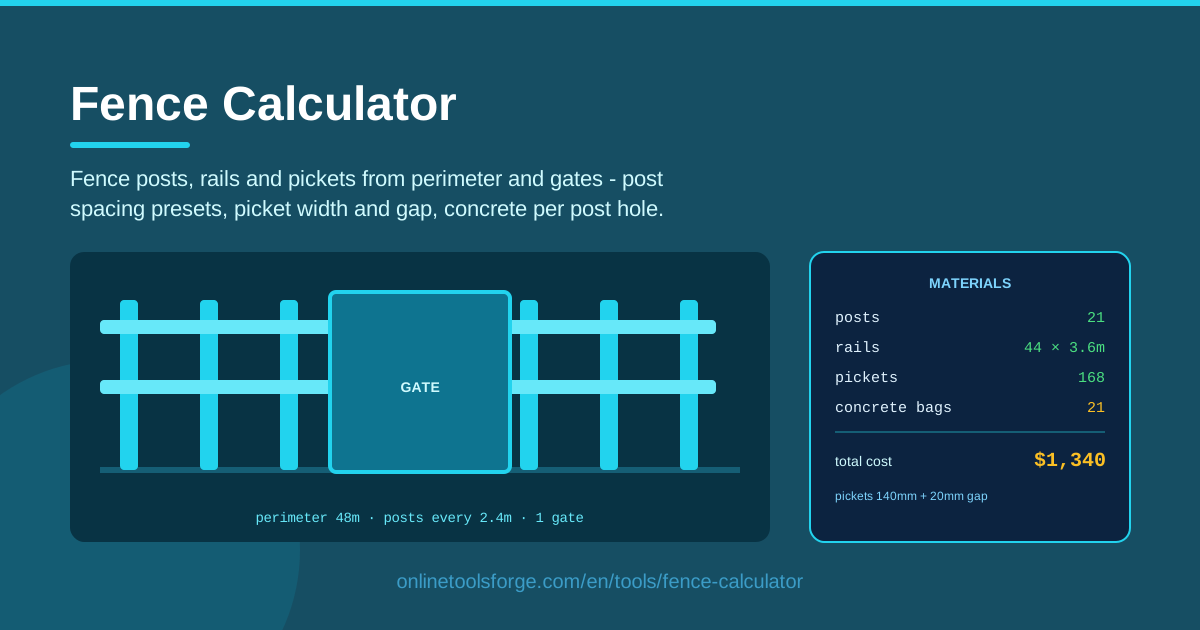
Table of Contents
A fence project is won or lost at the hardware store. Order too few fence posts and the run dies halfway down the property line; over-order pickets and the budget quietly doubles. The Fence Calculator removes the guesswork: type in your perimeter length, the number of gates, your picket width and gap, and it immediately returns post counts, rails, pickets, concrete bag estimates and a complete cost total.
Everything runs client-side in your browser. There is nothing to install, no account to create and no waiting. Post-spacing presets let you flip between standard spacings in one click and watch the whole material list update live, so comparing a tight, sturdy layout against an economical one takes seconds instead of an evening with a notepad.
Why Use Fence Calculator?
Here is why DIY builders and contractors alike keep a fence calculator open in a browser tab:
- Real perimeter, real numbers. Eyeballed estimates ignore corners and gates; the calculator converts your actual measured perimeter into exact post, rail and picket counts.
- Spacing presets save time. Pick a standard post-spacing preset instead of redoing arithmetic every time you wonder whether tighter or wider bays are cheaper.
- Picket math done right. Width plus gap per picket sounds trivial until a long run exposes an off-by-one error; the picket calculator logic handles it consistently across the whole fence.
- Concrete estimates built in. The tool estimates concrete bags per post hole, so your cement order is planned up front rather than discovered mid-installation.
- Full cost totals. Posts, rails, pickets and concrete roll up into one number you can take straight to a supplier or a client.
- Private and instant. All math happens on your device — no accounts, no uploads, no waiting.
Key Features
| Feature | What it does |
|---|---|
| Perimeter length input | Turns your measured fence line into the basis for every material count |
| Gate count field | Adjusts the material list for the sections a gate replaces |
| Post-spacing presets | One-click spacing standards so layouts can be compared instantly |
| Picket width and gap inputs | Drive the picket count across every run of the fence |
| Concrete bag estimator | Estimates bags needed per post hole for footing planning |
| Full cost totals | Sums posts, rails, pickets and concrete into a single project budget |
Three details are worth calling out:
- The tool computes posts, rails and pickets together, so changing any input updates the entire list rather than a single line.
- Concrete estimates scale with post count, which is where footing costs usually surprise first-time fence builders.
- Because everything is client-side, the calculator keeps working on a phone with a weak signal at the lumber yard.
How to Use Fence Calculator
Getting a complete fence materials estimate takes under a minute:
- Measure the perimeter. Walk the fence line with a tape or measuring wheel and enter the total length the fence will cover, including every side you plan to enclose.
- Choose a post-spacing preset. Select one of the built-in spacing standards; the calculator divides the perimeter into bays and returns the number of fence posts, corner positions included.
- Enter picket width and gap. Type the actual width of your pickets and the gap you want between them — these values set picket density for the entire run.
- Add your gates. Enter how many gates the fence will include so the tool can account for the sections they replace and the heavier posts they demand.
- Read the materials and cost. The results show posts, rails, pickets, concrete bags per post hole and the full cost total — screenshot it and take it to the supplier.
Posts, Rails and the Picket Spacing Rule
The numbers behind a good fence follow a few simple rules, and the calculator encodes every one of them.
Post spacing and corner posts. Standard wood fences space posts 6 to 8 feet apart. Eight-foot bays are the common economical default, while 6-foot spacing adds rigidity in windy areas or with heavier pickets. The presets cover these standards, and because the perimeter is divided into bays, corner posts are accounted for at each turn of the line — every direction change needs its own post, not a shared one.
Rail count follows fence height. A short decorative fence carries two rails; a six-foot privacy fence needs three so pickets do not cup and sag between posts. Taller designs may add a mid-rail as well. Multiply rails per bay by the number of bays and the rail count falls out of the post spacing automatically.
The picket spacing rule. Each picket consumes its own width plus the gap: a 5.5-inch picket with a 1-inch gap covers 6.5 inches of run. Divide the run by that coverage figure and you have the picket count. The calculator applies this rule consistently, so the last bay is never hand-waved.
Concrete per post hole. A typical line post wants a hole about one third of the post's length deep and roughly three times its width — usually one to two 50-pound bags of concrete per hole in ordinary soil. The tool converts your post count into bag estimates so the cement order can be made with confidence.
Gate posts need bigger footings. A swinging gate loads its posts sideways every time it moves, so gate posts deserve deeper, wider holes and noticeably more concrete than line posts. It is a detail that is cheap to plan and expensive to skip.
Practical Use Cases
Backyard privacy fence
A six-foot cedar privacy fence around a typical suburban lot means several hundred feet of run. Enter the perimeter, choose an 8-foot preset, set 5.5-inch pickets with a 1-inch gap and add one double gate. The calculator returns the shopping list plus the concrete bag count — the difference between one supply trip and three.
Garden picket fence
A low decorative picket fence around a vegetable garden uses narrower pickets with a wider gap. Plugging in 3.5-inch pickets and a 2-inch gap shows exactly how much material the airier look saves, and whether closer post spacing is worth it for a fence barely four feet tall.
Temporary event fencing quote
Event planners fencing off a festival footprint need numbers fast and per project. Measure the site perimeter, enter gate counts at the entry points and read the cost total to produce a defensible quote in minutes — with client-side math that keeps working even when venue Wi-Fi does not.
Farm boundary planning
A farmer splitting a pasture into paddocks can compare wider versus tighter post spacing across a half-mile boundary and see both the post count and the concrete bill before committing, then reuse the same inputs as fencing phases are budgeted season by season.
Best Practices
- Call utility locating first. Contact your local utility locating service (811 in the US) before digging so post holes avoid buried gas, water and electrical lines.
- Set corner posts before line posts. Establish the corners, pull string lines between them, and only then place line posts — straight fences are built from the ends inward.
- Let concrete cure. Give footings at least 24 to 48 hours before stressing posts, and several days before hanging a gate on them.
- Seal every cut end. Fresh cuts on pressure-treated lumber and any trimmed picket should be sealed so moisture cannot reach the core.
- Buy a small overrun. Add roughly 10 percent to picket and concrete counts for waste, breakage and the one post that splits on installation day.
- Check codes and property lines. Many municipalities cap fence height and require permits, and a survey is cheaper than rebuilding a fence that crossed onto a neighbor's land.
Ready to price your fence before the first hole is dug? Open the Fence Calculator, enter your perimeter, gates and picket dimensions, and walk into the lumber yard with a complete materials and cost list today. It is free, instant and entirely browser-based.
Related Tools You Might Like:
Planning more building projects? These free calculators pair well with fence planning:
- Decking Calculator — estimate deck boards, joists and fasteners
- Paver Calculator — work out pavers and base material for patios and paths
- Drywall Calculator — plan sheets, screws and joint compound for interior walls
Happy building!
Frequently Asked Questions
Q: How many concrete bags do I need per fence post? A: Most line posts need one to two 50-pound bags per hole, depending on hole depth and soil. The Fence Calculator estimates concrete bags per post hole from your post count, and you should budget extra for gate posts because their footings are larger.
Q: What post spacing should I use? A: Six to eight feet is standard for most wood fences. Use the calculator's post-spacing presets to compare options: tighter spacing adds posts and concrete but stiffens the fence in high wind or with heavy pickets.
Q: Does the calculator account for gates? A: Yes. Enter the number of gates along with your perimeter and the tool adjusts the material list for the sections the gates replace, so you buy rails and pickets for the fence you are actually building.
Q: Is my data sent anywhere? A: No. Every calculation is pure client-side math in your browser — nothing is uploaded, stored or shared.