Gitattributes Generator: Create the .gitattributes File Every Repo Deserves
Generate .gitattributes files for line-ending normalization, Git LFS tracking, language statistics overrides, and diff settings — free, instant, and 100% client-side.
Free Interactive Tool
.gitattributes Generator
Generate .gitattributes files that control line endings, mark files as binary, and hide generated code from diffs and language stats.
Table of Contents
Every developer eventually meets the same monster: a pull request where hundreds of lines show as changed even though nothing meaningful changed. Someone opened a file in an editor that rewrote the line endings, and suddenly Git thinks the whole codebase was rewritten. The root cause is almost always line endings, and the durable fix lives in a tiny file that most teams simply never write: .gitattributes.
Here is the uncomfortable truth: the whole-team-causes-white-diff-noise problem lives in one small untracked file nobody writes. Everyone assumes someone else will add it, everyone's local core.autocrlf setting is different, and the churn continues. The free Gitattributes Generator ends that standoff. It builds a complete, well-commented .gitattributes file from curated templates — line-ending normalization, Git LFS tracking patterns, linguist language-statistics overrides, and diff settings — and copy or download the result in seconds.
Line endings are only the beginning, though. The same file controls how GitHub counts your languages, what appears in source downloads, and whether a 200 MB video makes every clone crawl. One small file fixes all of it.
Why Use Gitattributes Generator?
- Stop cross-platform diff churn. Rules like * text=auto with eol=lf and eol=crlf make Windows, macOS, and Linux checkouts agree on line endings, so "phantom" whole-file diffs disappear.
- Keep big files out of Git history. Generated filter=lfs patterns hand PSDs, videos, and model files to Git LFS, keeping clones fast and push sizes sane.
- Fix inaccurate GitHub language bars. linguist-generated and linguist-vendored rules stop minified bundles, lockfiles, and vendored code from drowning out what you wrote.
- Get readable diffs. -diff silences noisy lockfiles, while diff=python or diff=java gives Git the right hunk-locating heuristics for each language.
- No memorizing the syntax. Attribute syntax is unfriendly; the generator assembles correct, commented rules from checkboxes instead.
- Free, instant, and private. The tool runs 100% client-side; your patterns never leave your machine.
Key Features
| Feature | What it does |
|---|---|
| Line-ending templates | Emits * text=auto plus eol=lf for shell scripts and eol=crlf for Windows scripts such as .bat, .cmd, and .ps1. |
| Git LFS tracking | Produces filter=lfs diff=lfs merge=lfs -text patterns for large binary types like images, video, and archives. |
| Language statistics | Adds linguist-generated=true and linguist-vendored overrides so GitHub's language graph reflects real source code. |
| Diff settings | Marks lockfiles as -diff and attaches language diff drivers such as diff=python, diff=go, and diff=rust. |
| Binary handling | Flags wrapper JARs, compiled output, and assets as binary so Git never attempts a text diff on them. |
| Custom rules | A free-form field appends your own patterns and comments to the generated file. |
A few details worth knowing:
- Per-stack presets. Templates cover JavaScript, Python, Go, Rust, Java, C#, and more, each tuned to that ecosystem's lockfiles and wrappers.
- Deduplication built in. If two templates emit the same rule, or your custom pattern repeats one, only a single copy survives.
- Live preview. The output pane updates as you toggle checkboxes, so you always see what will land in the file.
How to Use
- Open the Gitattributes Generator. Nothing to install, no account required.
- Select templates with the checkboxes. Start with Line Endings, then add the stack that matches your repository, plus Git LFS, Language Stats, or Export Ignore as needed; use the search box to filter quickly.
- Add custom patterns. In the custom rules field, type extra patterns — for example *.onnx filter=lfs -text for model weights.
- Review the live preview. The pane shows the final .gitattributes content with section comments, already deduplicated.
- Copy or download. Click Copy for the clipboard or Download to save a file named .gitattributes, place it at the repository root, commit it, and run git add --renormalize . once to apply the new rules to existing files.
Line Endings, LFS, and Language Stats
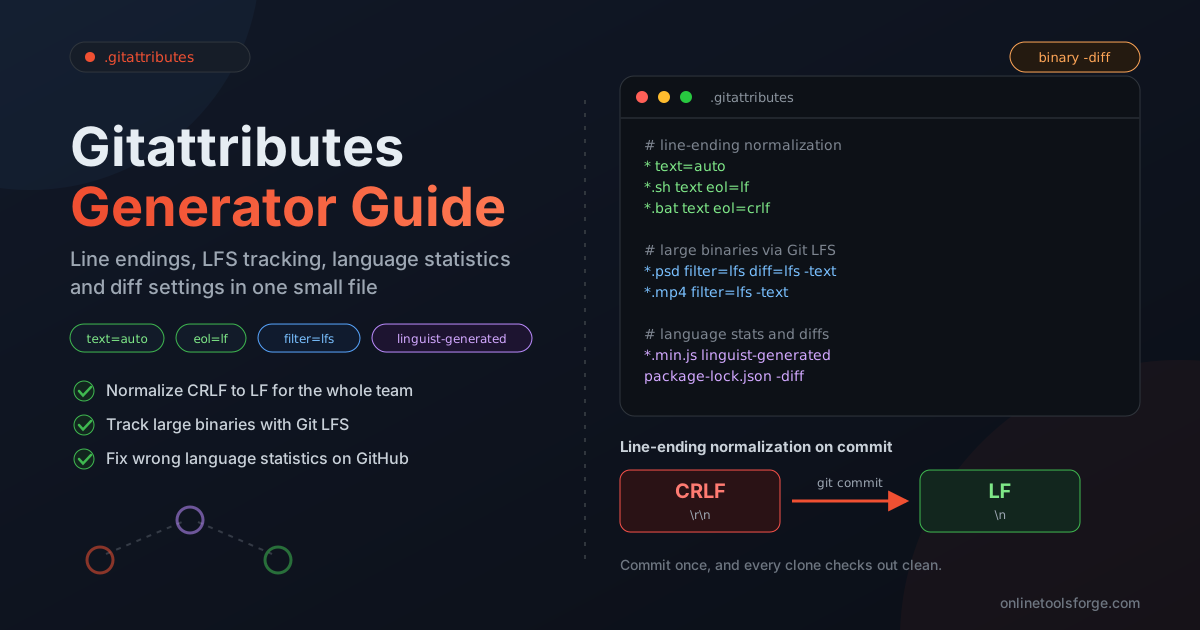
The format looks cryptic, but each line answers one question about a set of files. Here is an annotated excerpt of the generator's output:
# Normalize all text files to LF in the repository
* text=auto
*.sh text eol=lf
*.bat text eol=crlf

# Store heavy binaries in Git LFS
*.psd filter=lfs diff=lfs merge=lfs -text
*.mp4 filter=lfs -text

# Keep language statistics and diffs honest
*.min.js linguist-generated
docs/** linguist-vendored
package-lock.json -diff
How text=auto and eol interact. * text=auto tells Git to normalize every file it detects as text to LF in the repository on commit, while the eol attribute controls what is written to the working tree on checkout: eol=lf for shell and config files, eol=crlf for Windows batch and PowerShell scripts that need CRLF. Unlike core.autocrlf — a per-machine setting each developer configures differently — attributes are committed with the repository, so every clone behaves identically. That is why the file beats local configuration.
LFS tracking for binaries. A pattern like *.psd filter=lfs diff=lfs merge=lfs -text routes Photoshop files through Git LFS: the filter hands the content to LFS storage, the -text flag prevents end-of-line rewriting, and the diff and merge attributes stop Git from comparing binary blobs. The same recipe applies to MP4 video, ZIP archives, and model weights.
Language statistics overrides. GitHub's language bar is computed by Linguist, which naively counts whatever it finds. Marking *.min.js as linguist-generated and docs/** as linguist-vendored removes that noise, and lockfiles vanish from the graph once flagged generated.
Binary diff settings. The -diff attribute tells Git to skip text diffs, so review shows "Binary file changed" instead of thousands of gibberish lines.
Practical Use Cases
Cross-Platform Teams
A team split between Windows laptops and Mac or Linux workstations is the classic victim of line-ending drift. Committing a generated file with * text=auto, eol=lf for shell scripts, and eol=crlf for Windows scripts makes every checkout consistent: git status stays clean and reviews contain only real changes.
Repositories with Large Assets
Design systems ship PSDs and Figma exports; game and ML projects carry textures, recordings, and model weights. Generating LFS tracking patterns from the tool converts those paths to pointer files, so cloning takes seconds instead of coffee breaks.
Fixing Wrong Language Stats on GitHub
Few things are more deflating than a repository listed as 90% "CSS" because of a bundled stylesheet or 60% "JSON" because of lockfiles. A handful of linguist-generated and linguist-vendored lines from the generator restores the language bar to reflect the code you actually maintain — which matters to anyone who judges a repo at a glance.
Cleaning Up a Windows CRLF Legacy
Inheriting a repository where half the files carry CRLF and half carry LF? Add the generated rules, run git add --renormalize . in a dedicated commit, and Git rewrites every affected file to LF in one pass. Once that commit merges, the noise never returns.
Best Practices
- Commit .gitattributes before any bulk renormalization. The rules must exist in the repository before git add --renormalize runs, or the command has nothing to enforce.
- Run git add --renormalize . once, in its own commit. Keeping the renormalization isolated makes the (large) diff easy to review and revert.
- Communicate the one-time diff noise. Open pull requests should merge first, and everyone should rebase after the renormalization commit lands.
- Prefer attributes over core.autocrlf folklore. Local config varies per machine; committed rules do not. Teammates should leave core.autocrlf at its default and let the file decide.
- Pair it with .editorconfig. The attributes file controls what Git stores; Editorconfig Generator keeps the editors themselves writing consistent files in the first place.
- Review attribute changes like code. Patterns are greedy — a careless * rule can affect more files than intended, so route changes through pull requests.
Generate Your .gitattributes File Today
The whole fix costs one small file and one renormalization commit. Open the free Gitattributes Generator, tick the templates that match your stack, add custom patterns, and copy the result into your repository. Your future diffs — and your teammates on every operating system — will thank you.
Related Tools You Might Like:
- Editorconfig Generator — keep editor formatting rules consistent alongside your Git attributes.
- Git Branch Name Generator — produce clean, convention-friendly branch names for every ticket.
- Markdown Link Checker — validate every link in your README and docs before your users find the broken ones.
Happy committing!
Frequently Asked Questions
Q: Does .gitattributes affect GitHub itself, or only local clones?
A: Both. Line-ending and diff attributes apply on every clone, linguist attributes change how GitHub renders the language bar, and export-ignore controls what appears in source archives.
Q: Do I still need to configure core.autocrlf after committing .gitattributes?
A: No. Attributes take precedence over core.autocrlf, and because they are committed with the repository they give every teammate identical behavior. Leaving core.autocrlf at its default is the recommended setup.
Q: How do I apply new rules to files that are already committed?
A: Commit the .gitattributes file first, then run git add --renormalize . once and commit the result. Git reapplies the new line-ending rules to all tracked files in one reviewable change.
Q: Is the generator safe to use for private or proprietary repositories?
A: Yes. The tool runs 100% client-side; the patterns you select and type are never uploaded to any server, so nothing leaves your machine.