Guitar Tuner Guide: Tune Any Guitar in Your Browser
Use the free online guitar tuner with reference tones for five tunings and live microphone pitch detection. Learn how autocorrelation works, what cents deviation means, and how to keep every string in tune.
Free Interactive Tool
Online Guitar Tuner
Tune your guitar in the browser with reference tones for 5 tunings or live microphone pitch detection - no install, fully offline.
Table of Contents
An out-of-tune guitar undermines everything played on it. Chords sound muddy, single-note lines drift against backing tracks, and your ear slowly learns the wrong pitches. The problem is rarely skill—it is reference, and that is exactly what the free Guitar Tuner provides.
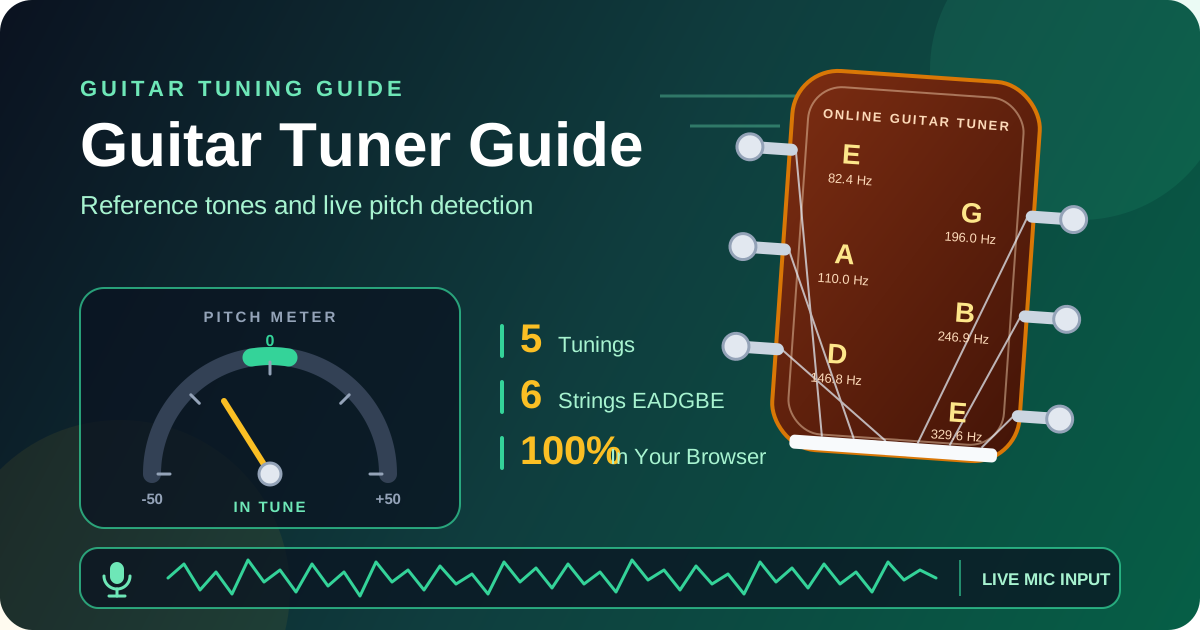
The tool runs entirely in your browser with two ways to tune. Reference tone mode plays the exact pitch of any string in five popular tunings, so you can match by ear. Microphone mode listens through your device mic, detects the note with time-domain autocorrelation, and shows a needle plus an in-tune indicator that turns green within five cents of target. Nothing to install, no account, and no audio leaves your device. This guide covers both modes, the frequencies behind each tuning, and how pitch detection interprets your strings.
Why Use Guitar Tuner?
- Zero setup: No clip-on tuner, pedal, or download. Open the page on any laptop, tablet, or phone and tune immediately.
- Two complementary modes: Reference tones train your ear while the microphone gives visual confirmation—using both speeds up improvement.
- Five tunings in one place: Standard, Drop D, Half Step Down, Open G, and DADGAD are built in, so alternate-tuning songs need no mental math.
- Precise feedback: A cents readout and needle show whether a string is sharp or flat, and by how much.
- Private and free: Audio is analyzed locally and never uploaded, and every feature works without registration or usage limits.
Key Features
| Feature | What it does | Why it helps |
|---|---|---|
| Reference tone mode | Plays the target pitch of any string | Tune by ear, train pitch recognition |
| Microphone mode | Detects the played note via autocorrelation | Confirms tuning objectively |
| Five tunings | Standard EADGBE, Drop D, Half Step Down, Open G, DADGAD | Covers rock, blues, and folk repertoire |
| Cents deviation readout | Distance from target in hundredths of a semitone | Makes fine adjustments measurable |
| In-tune indicator | Green within five cents of target | Know exactly when to stop turning the peg |
| 100% browser-based | Runs fully client-side, no install or upload | Works on any device |
- Clear string targeting: Microphone mode identifies which string of the active tuning you are closest to, so a slightly off A is not mistaken for a very flat B.
- Fast switching: One click changes the tuning, and the reference tones update to the new targets automatically.
How to Use
- Choose your tuning. Open the Guitar Tuner and select Standard, Drop D, Half Step Down, Open G, or DADGAD. The six string targets update to match.
- Tune with reference tones if you have no microphone. Tap a string button to hear its target pitch, pluck the same string, and turn its peg until the wobble between the two notes disappears.
- Switch to microphone mode for guided tuning. Click the microphone option and allow mic permission when the browser asks. The stream is processed on your device and never sent anywhere.
- Play one string and read the meter. Pluck a single open string and let it ring. The tuner shows the detected note, its frequency, and a needle: left of center is flat, right of center is sharp.
- Adjust until the indicator turns green, then move on. Make small peg turns approaching the target from flat, confirm with one more pluck, and continue. After all six strings, cycle through again—adjusting later strings shifts earlier ones slightly.
Tunings and Pitch Detection
Standard tuning arranges the six strings as EADGBE from lowest to highest, and these are the reference frequencies the tool uses:
| String | Note | Frequency |
|---|---|---|
| 6 (lowest) | E2 | 82.4 Hz |
| 5 | A2 | 110.0 Hz |
| 4 | D3 | 146.8 Hz |
| 3 | G3 | 196.0 Hz |
| 2 | B3 | 246.9 Hz |
| 1 (highest) | E4 | 329.6 Hz |
Each neighboring pair is a perfect fourth except G to B, a major third. That irregular interval is why chord shapes repeat across the neck, and why the B string often needs the most careful checking.
The four additional tunings cover the most common alternatives. Drop D lowers the sixth string from E2 to D2 (73.4 Hz) and keeps the rest standard, enabling one-finger power chords and a deeper low end. Half Step Down lowers every string by a semitone—E flat standard spans 77.8 Hz to 311.1 Hz—reducing tension for easier bending. Open G retunes to D-G-D-G-B-D so an open strum produces a full major chord, the classic slide-guitar setting. DADGAD suspends the third for a modal, drone-friendly sound favored in folk and Celtic music.
Microphone mode applies time-domain autocorrelation: the tool compares the incoming signal with delayed copies of itself and finds the delay where the waveform best repeats. That distance is the string's vibrational period, and its reciprocal is the fundamental frequency on screen. Because autocorrelation locks onto the fundamental rather than overtones, it stays reliable even though a guitar note is a rich mix of harmonics. A signal that is too quiet is rejected rather than misread—if the display freezes, pluck closer to the microphone.
The deviation is expressed in cents: one hundred per semitone, twelve hundred per octave. The needle spans fifty cents flat to fifty cents sharp, and the in-tune window is a strict plus-or-minus five cents. To hit it, pluck softly, because hard attacks bend the pitch sharp and clutter detection; tune one string at a time, muffling the others; and always tune up to pitch, approaching from flat so slack in the gear is taken up rather than left to release later.
Practical Use Cases
Daily Acoustic and Electric Practice
Start every session with a thirty-second tuning pass. Acoustics drift with humidity, and tremolo bridges drift faster. Microphone mode makes the check effortless: pluck, glance, adjust. Players who tune before every practice build a reliable mental model of correct pitch and notice problems mid-song sooner.
Adapting the Tuner for Ukulele
A standard ukulele is tuned G4-C4-E4-A4, and E4 is already one of the guitar targets. Reference tone mode can sound any pitch you need while microphone mode detects whatever you pluck. Reentrant tuning may confuse the string-matching logic on the G string, but the frequency readout still shows exactly where you stand.
Bass Guitar and Extended Range
The low E of a bass (41.2 Hz) sits below comfortable detection on many laptop microphones, so lean on reference tones and octave matching—play the twelfth-fret harmonic and compare. Presets such as Drop D and Half Step Down apply directly to basses set up that way.
Quick Checks Before a Performance
Between soundcheck and showtime there is rarely time for a full routine. Open microphone mode, strum each open string once, and scan the indicators. The visual needle works even on a noisy stage, and the tuner is one browser tab away on your backing-track laptop.
Best Practices
- Tune in a quiet room: Fans and conversation compete with your strings and pull the detection off target.
- Use fresh strings: New strings hold pitch dramatically better; old strings slip constantly and never settle.
- Stretch and re-check: After restringing, pull each string gently from the fretboard, retune, and repeat so the winding seats.
- Tune up to pitch: Finish with a slight upward turn—downward turns leave slack that releases when you play hard.
- Run a second pass: Tuning the sixth string changes neck tension and can pull the first string flat, so re-check all six.
- Mind the temperature: A guitar brought from the cold into a warm room drifts for several minutes. Acclimate first, then tune.
Start Tuning in Seconds
A well-tuned guitar is the cheapest upgrade in music. No strings, pedals, or lessons improve your sound this immediately. Open the free online Guitar Tuner, pick your tuning, and put every string within five cents of perfect before your next chord.
Related Tools You Might Like:
- Tone Generator — play any reference frequency for ear training.
- Metronome — build steady timing once your instrument is in tune.
- Decibel Meter — monitor rehearsal volume to protect your hearing.
Happy playing—and may every open chord ring true!
Frequently Asked Questions
Q: Do I need to install anything or create an account? A: No. The tuner runs entirely in your browser. Reference tones work immediately, and microphone mode only asks for permission when enabled.
Q: Why does the tuner show a different note than the string I am playing? A: Usually another string was ringing or there is background noise. Mute the other strings and pluck one at a time.
Q: What does cents deviation mean? A: A cent is one hundredth of a semitone. The in-tune window is plus or minus five cents—tight enough for clean chords, yet reachable with normal pegs.
Q: Can I tune a ukulele, bass, or other stringed instrument? A: Yes. Microphone mode detects any pitch, and reference tones can sound any target. For very low bass notes, tune by octave matching.
Q: Is my microphone audio uploaded anywhere? A: No. Pitch detection happens locally in your browser using autocorrelation. Nothing is recorded, stored, or transmitted.