Complete Guide to JMESPath Tester: Master Filters, Projections, and Functions
Learn to write and debug JMESPath queries against real JSON payloads. Master filters, projections, multiselect, and built-in functions with instant results, clear syntax errors, and matched paths.
Free Interactive Tool
JMESPath Tester
Test JMESPath queries against JSON with instant results, matched values, and clear error messages
Table of Contents
If you have ever piped an AWS CLI command through --query or pulled a nested field out of a boto3 response, you have already used JMESPath — whether you knew its name or not. JMESPath is the declarative query language built into the AWS CLI, boto3, the AWS SDKs, Ansible, and dozens of other tools. It walks a JSON document and selects the values you need with one compact expression instead of a loop.
The catch is that JMESPath is a real language with its own grammar. A misplaced bracket in a filter or a forgotten wildcard can return null, an empty list, or a cryptic syntax error. Guessing rarely works; testing against a realistic payload does.
That is exactly what the free JMESPath Tester is for. Paste your JSON, type a query, and see results, matched values, and syntax errors with positions — instantly, entirely in your browser. This guide moves from dot notation to filters, projections, multiselects, and functions on one realistic payload.
Why Use JMESPath Tester?
- Instant feedback loop: results update as you type, so you can experiment with filter and projection syntax in seconds.
- Clear syntax errors with positions: invalid queries report the error and where it occurs, turning cryptic failures into a ten-second fix.
- Matched values and paths: beyond the final result you see which paths matched, making complex projections understandable.
- One hundred percent client-side: JSON never leaves your machine, so payloads with real identifiers or sensitive fields are safe to test.
- Works offline: once loaded, no network connection is needed — handy over a VPN or on an air-gapped workstation.
- A safe rehearsal for production queries: validate an expression before it lands in a script, a CI job, or a runbook.
Key Features
| Feature | What It Does | Why It Matters |
|---|---|---|
| Instant evaluation | Runs your query against the pasted JSON as you type | No save-reload cycle while you experiment |
| Filter expressions | Supports conditions such as [?state == 'running'] | Select only the items you actually care about |
| Projections | Flattens lists and objects with [], [*], and * | Apply one expression to every element at once |
| Multiselect | Builds lists and hashes such as {id: id, name: name} | Reshape documents into exactly the output you need |
| Built-in functions | sort(), length(), keys(), not_null(), and friends | Count, order, and transform without extra tooling |
| Error reporting | Syntax errors reported with positions | Fix queries fast instead of staring at null |
Two details go beyond the table:
- Everything runs in the browser — nothing to install, no account to create.
- The result panel distinguishes between "no match" and "syntax error", a difference that matters more than it sounds.
How to Use
- Open the tester at the JMESPath Tester page. It loads instantly and keeps working offline afterwards.
- Paste your JSON document into the input panel. Any valid JSON works: an API response, a CLI output, a config file, a log record.
- Write your JMESPath query in the query box. Start small with a plain identifier such as instances[0].name, then grow it one step at a time.
- Read the result. Matched values appear immediately; if the query has a syntax problem, the error and its position appear instead.
- Iterate and copy. Compare a few variants, then copy the winning query into your CLI command, SDK call, or script.
From Dot Notation to Projections
To keep things concrete, this section uses one trimmed, EC2-style payload throughout.
{
  "instances": [
    { "id": "i-0a1b", "name": "web-01", "state": "running", "score": 61 },
    { "id": "i-2c3d", "name": "db-01",  "state": "running", "score": 42 },
    { "id": "i-4e5f", "name": "web-02", "state": "stopped", "score": 78 }
  ]
}
Start with Identifiers and Pipes
The simplest query just walks keys: instances[0].name returns "web-01". Dotted identifiers drill into nested documents, and the pipe operator | feeds the current result into the next expression — how you combine steps that would otherwise conflict.
Filter with Conditions in Brackets
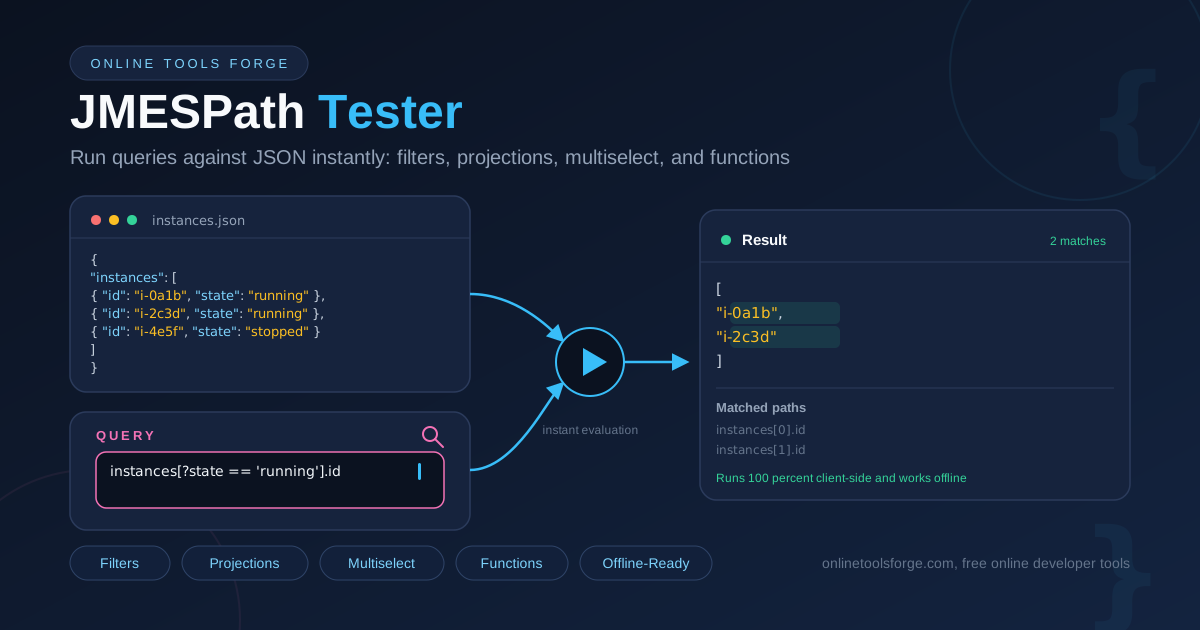
Filters select only elements satisfying a condition: instances[?state == 'running'].id returns ["i-0a1b", "i-2c3d"]. String literals use single quotes; numeric literals traditionally use backticks, as in [?score > `50`] — many engines also accept bare numbers, and the tester tells you immediately which form yours supports.
Projections: Every Element at Once
instances[*].id (the same as instances[].id) projects the right-hand expression over every element, returning ["i-0a1b", "i-2c3d", "i-4e5f"]. Wildcards also work over objects, reaching every value of a map without knowing its keys.
Multiselect: Reshape the Document
A multiselect builds a new structure from each match. A hash multiselect such as instances[*].{id: id, name: name} returns one small object per instance instead of the whole document — the workhorse for slimming fat API responses down to the fields your code actually reads.
Functions: sort, length, and Friends
Built-in functions add computation to selection. length(instances) returns 3; sort(instances[*].score) returns [42, 61, 78]. You can pipe into them too: instances[*].score | sort(@) sorts the projected list, where @ means "the current result".
Why Results Flatten After Projections
Here is the most common surprise in the whole language. When you project over a projection — say every instance has a tags list and you write instances[*].tags[*] — JMESPath does not nest the arrays; the inner projection flattens into a single list of all tags. If you expected [[...], [...]] and got one flat array, that is projection flattening at work, not a bug. If you want the structure preserved, use a multiselect instead of a second projection.
Three Progressive Queries on the Same Payload
1) instances[?state == 'running'].name
   -> ["web-01", "db-01"]

2) instances[?score > `50`].{name: name, score: score}
   -> [{"name": "web-01", "score": 61}, {"name": "web-02", "score": 78}]

3) instances[*].score | sort(@) | [-1]
   -> 78   (the highest score)
Query 1 filters, query 2 filters and reshapes, and query 3 projects, sorts, and indexes, all from the same little document.
Practical Use Cases
Writing AWS CLI --query Expressions
The --query flag accepts exactly this language, so the tester is a rehearsal stage for CLI commands. Expressions such as Reservations[].Instances[].InstanceId behave surprisingly because of projection flattening; verifying them against a saved sample prevents painful re-parsing.
Extracting Fields from Large API Responses
When a response is thousands of lines deep, a projection plus multiselect reduces it to the fields you need for a report or test fixture. Pair the tester with the JSON Formatter to explore structure first, then query what you found.
Log and Message Filtering
Structured logs, CloudWatch-style events, and queue messages are all JSON. A small library of tested queries — errors only, slow requests above a threshold, records missing a field — turns triage into a repeatable routine.
Data Pipeline Spot Checks
Before a transformation ships, run its input and expected output shapes through the tester. If the expression returns what you expect on a representative sample, you have removed a whole class of silent failures.
Best Practices
- Test against production-shaped samples, not two-element toy arrays. Edge cases such as empty lists and missing keys only appear in realistic payloads.
- Watch flattened results after projections. If a query returns more or fewer items than expected, flattening is usually the reason.
- Quote identifiers with special characters using double quotes — "order-id", "user.name" — whenever a key contains dashes, dots, or spaces.
- Remember null semantics: JMESPath returns null for missing keys rather than raising an error, so a silent null usually means a typo in an identifier.
- Keep winning queries in team docs next to the commands that use them.
- Prefer hash multiselects for anything you hand to another system — a stable output shape beats "whatever the source returned".
Ready to stop guessing? Open the JMESPath Tester, paste a real payload, and iterate until the expression is exactly right.
Related Tools You Might Like:
- jq Playground — practice jq, JMESPath's close cousin, with the same instant feedback.
- JSON Formatter — prettify and inspect the payloads you are about to query.
- GraphQL Formatter — format and review GraphQL queries with the same care.
Happy querying — may your projections always flatten the way you expect.
Frequently Asked Questions
Q: Is my JSON sent to a server?
A: No. Parsing and evaluation happen entirely in your browser. The tool is one hundred percent client-side, so sensitive payloads never leave your machine, and it keeps working offline once loaded.
Q: How is JMESPath different from jq?
A: Both query JSON documents. JMESPath is a standardized spec embedded in AWS tooling, boto3, and many SDKs. jq has its own larger language with more features, at the cost of a steeper learning curve.
Q: Why does my query return null instead of an error?
A: JMESPath returns null when a key does not exist rather than raising an error. A silent null almost always means a misspelled identifier or a wrong nesting level. Filters return an empty list when nothing matches.
Q: Do numeric comparisons need backticks in filters?
A: In strict JMESPath, comparison literals are raw literals in backticks, like [?score > `50`]. Many implementations also accept bare numbers; the tester shows you immediately which form your engine accepts.
Q: Can I use it without an internet connection?
A: Yes. After the page loads, everything — parsing, evaluation, and error reporting — runs locally in your browser with no server round-trips.