JSON to Dart Converter: Generate Null-Safe Flutter Model Classes in Seconds
The JSON to Dart Converter turns raw JSON samples into production-ready Dart model classes with null safety, nested types, and serialization annotations — directly in your browser.
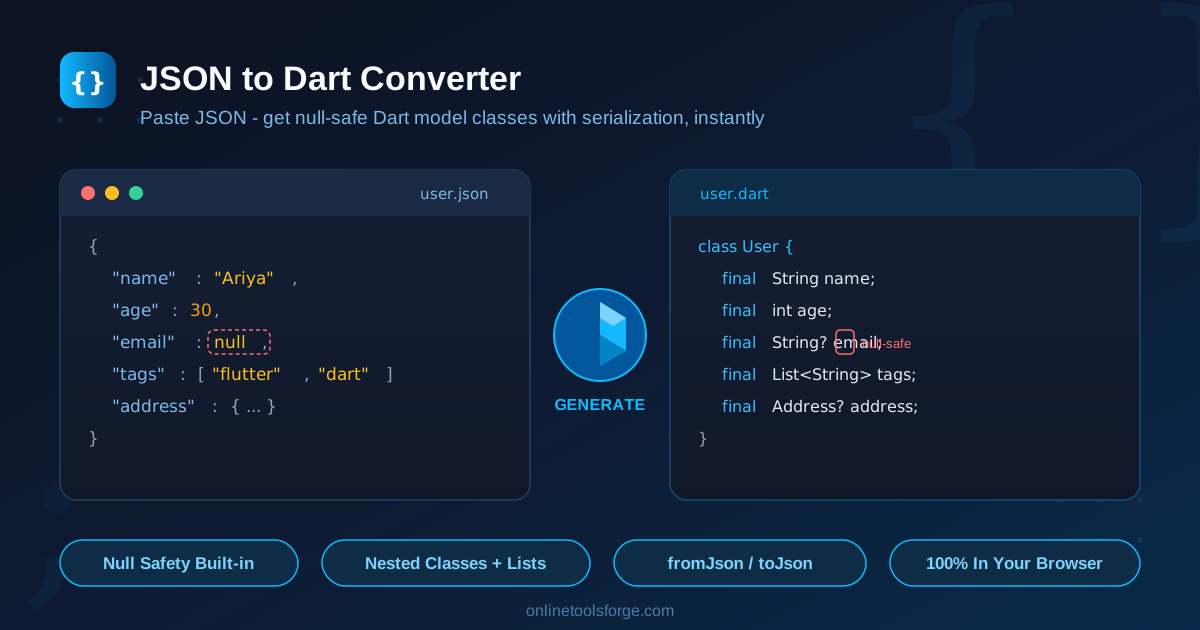
Free Interactive Tool
JSON to Dart Converter
Generate Dart model classes from JSON with null safety, nested types and fromJson/toJson methods.
Table of Contents
Every Flutter developer knows the drill: the backend delivers a JSON payload, and the next hour vanishes into hand-writing model classes, fromJson factories, and null checks. The JSON to Dart Converter at Online Tools Forge ends that busywork — paste a JSON sample, pick your options, and copy out clean, null-safe Dart model classes ready to drop into your project.
The tool runs entirely in your browser, so your API payloads and fixtures never leave your machine. It also handles the details hand-written models usually get wrong: nested object classes, List<Class> mapping loops, camelCase field naming, reserved-keyword escaping, and constructor design. Whether you prefer manual fromJson/toJson methods or the @JsonSerializable style used by the json_serializable package, the converter generates exactly the flavor of Dart your codebase expects.
Why Use JSON to Dart Converter?
- Escape the boilerplate treadmill. Hand-writing models is pure mechanical labor — a 15-field API response can take half an hour to map correctly. The converter produces the same output in two seconds, and you keep the time for actual feature work.
- Null safety done right. The tool inspects your JSON and marks optional values with Dart's Type? syntax, so the compiler — not a runtime crash — catches missing data. Fields with concrete values stay non-nullable and required.
- Nested structures, fully unwound. Nested objects become their own generated classes (a user's address object becomes a complete Address class), and arrays of objects become List<Address> with the mapping loops already written.
- Choose your serialization style. Switch between hand-written fromJson/toJson implementations and @JsonSerializable-annotated classes in the json_serializable package style — whichever matches your project's conventions.
- Zero setup, zero privacy risk. There is nothing to install and no account to create. Conversion happens locally in your browser, which matters when you paste real API responses or proprietary payloads.
- Consistent naming and escaping. snake_case JSON keys become idiomatic camelCase Dart fields, and keys that collide with reserved Dart words like class, default, or import are safely escaped so the output always compiles.
Key Features
Here is the full feature set at a glance:
| Feature | What it does |
|---|---|
| Null-safety option | Nullable JSON values generate Type? fields; always-present values stay non-nullable |
| Nested class generation | Objects inside objects expand into complete, separate Dart classes |
| List mapping | Arrays of objects produce List<Class> with fromJson/toJson conversion loops |
| Annotation styles | Manual fromJson/toJson methods or @JsonSerializable (json_serializable style) |
| Keyword escaping | Reserved Dart words in keys are escaped so output always compiles |
| Naming conventions | camelCase fields, constructor with required params, private fields with getters or public final fields |
| Clipboard copy | One click copies the complete generated code |
A few of these deserve a closer look:
- The nested class generation saves the most time. Instead of emitting Map<String, dynamic> for nested objects — a choice you pay for later with cast errors — the tool derives a proper class for every nested object it encounters, at any depth.
- The two annotation styles fit both project flavors: teams avoiding code-generation dependencies keep manual mapping, while teams already running build_runner get classes that match official json_serializable conventions.
- The field style options cover both common idioms: public final fields for simple value objects, or private fields with getters when you want immutable models that hide their internals.
How to Use
- Open the tool. Head to the JSON to Dart Converter in any modern browser — no installation or sign-up required.
- Paste your JSON sample. Drop in an API response, a fixture file, or any valid JSON object. Use a representative sample that includes every field and nested object you want modeled.
- Configure the options. Toggle null safety on or off, pick your annotation style (manual or @JsonSerializable), and choose between public final fields or the private-field-with-getter style.
- Review the generated Dart. Check the output pane — class names, field names, and nullability in the constructors tell you exactly what the tool assumed.
- Copy and integrate. Click the copy button, paste the classes into your Flutter or Dart project, and wire them into your network layer — done.
Understanding the Generated Dart Code
Null safety syntax. When null safety is enabled, the tool distinguishes values that may be absent from values present in your sample. A field like "nickname": null produces String? nickname as an optional constructor parameter, while a concrete value like "id": 42 becomes final int id marked required. Missing-data errors move from runtime crashes to compile time — the entire point of Dart's null-safety system.
Nested classes. Given this JSON:
{
  "name": "Ada Lovelace",
  "address": { "street": "12 Analytical Way", "city": "London" }
}
the tool generates both a User class and an Address class, with User holding an Address address field. In the manual style, User.fromJson builds the nested object via Address.fromJson(json['address']), and toJson reverses the process — the serialization contract works recursively at any depth.
The fromJson/toJson contract. Manual-style output follows the idiomatic Dart pattern: a factory User.fromJson(Map<String, dynamic> json) that reads each key, and a Map<String, dynamic> toJson() that writes each key back. For lists, the generated code maps both directions — json['items'].map((e) => Item.fromJson(e)).toList() — so arrays of nested objects serialize correctly instead of crashing on a List<dynamic> cast.
@JsonSerializable vs. manual. The annotation style emits exactly what the json_serializable package expects: @JsonSerializable() on the class, a part 'user.g.dart'; directive, and fromJson/toJson members that dart run build_runner build fills in. Choose manual style for zero dependencies; choose annotations when your project already uses code generation and wants its compile-time guarantees.
Practical Use Cases
Modeling REST API responses for Flutter apps
The classic scenario: your Flutter client consumes a JSON API, and every endpoint returns a distinct payload shape. Paste each response sample into the converter, generate the models, and your http or dio layer can immediately call User.fromJson(response.data) with type-safe access to every field. For an app touching twenty endpoints, hours of modeling compress into minutes.
Firebase and local JSON fixtures
Firestore documents and offline fixture files are common sources of nested, loosely validated JSON. Convert real snapshots into typed models your tests can construct and assert against — catching shape drift between fixtures and UI code before it ships.
Configuration schemas
Apps that load remote configuration or feature flags receive deeply nested JSON. Converting that schema with the private-field style yields immutable, read-only config objects, and null-safe optionals make it explicit which settings may legitimately be absent from the server's response.
Quick prototyping
When sketching a feature, pasting a hypothetical JSON shape into the converter is the fastest path from idea to compiling classes. It is also a handy teaching tool — comparing generated null-safe code against your hand-written version is a quick way to internalize Dart's type system.
Best Practices
- Paste representative samples. Include every field — and at least one null where a field is genuinely optional — so nullability decisions reflect reality, not your sample's luck.
- Name your root concept. Rename classes to domain terms like Order and LineItem rather than Data and ItemsItem, so the model tree reads like your business logic.
- Match your project's serialization style. Generate the annotation style if your codebase already uses json_serializable; stay manual if it is dependency-light.
- Regenerate, don't hand-edit. When the API changes, re-run the conversion instead of patching generated code — regeneration keeps nested mappings consistent across the whole tree.
- Review edge cases. A quick read of the constructor's required parameters shows exactly what the tool assumed about optional fields, empty arrays, and mixed-type values.
- Keep models in dedicated files. One model per file keeps diffs small and makes regeneration painless.
You have seen what the converter does — the next step takes ten seconds. Open the JSON to Dart Converter, paste your first JSON sample, and watch a full null-safe model layer appear in your browser. No setup, no account, no data leaving your machine. Your future self — the one who used to spend afternoons writing fromJson methods — will thank you.
Related Tools You Might Like:
Happy coding!
Frequently Asked Questions
Q: Does the converter generate null-safe Dart code?
A: Yes. With null safety enabled, fields that can be null are typed as Type?, while fields present in your sample become non-nullable and required — missing-data bugs surface at compile time instead of runtime.
Q: How does it handle nested objects and arrays?
A: Every nested object becomes its own generated class (an address object yields an Address class), and arrays of objects become List<Class> with the fromJson and toJson mapping loops already written.
Q: What is the difference between the manual and @JsonSerializable styles?
A: Manual style generates fully implemented fromJson/toJson methods with no dependencies. The @JsonSerializable style follows the json_serializable package conventions — add the package, run build_runner, and the implementations are generated for you.
Q: Is my JSON sent to a server?
A: No. Conversion runs entirely in your browser, so pasted payloads — including real API responses or proprietary data — never leave your machine.
Q: Can I use the generated code outside Flutter?
A: Yes. The output is standard null-safe Dart, so it works in Flutter apps, command-line tools, and Dart backends. For the @JsonSerializable style, just add the json_annotation and json_serializable packages and run build_runner once.