JSON to Kotlin Converter: Generate Data Classes from Any JSON Sample
Learn how to turn JSON samples into idiomatic Kotlin data classes with nested types, nullability, and kotlinx serialization annotations — entirely in your browser.
Free Interactive Tool
JSON to Kotlin Converter
Generate Kotlin data classes from JSON samples with nested types, nullability, and serialization annotations.
Table of Contents
If you build Android apps, maintain a Kotlin backend, or share code with Kotlin Multiplatform, you meet JSON daily. REST responses, webhooks, push bodies — they all arrive as raw JSON, and the idiomatic home for that data in Kotlin is a data class. Writing those classes by hand is tedious and error-prone: you must match every key, decide which properties are nullable, wrap nested objects in their own types, and remember which fields need a @SerialName annotation because the wire uses snake_case while your code uses camelCase.
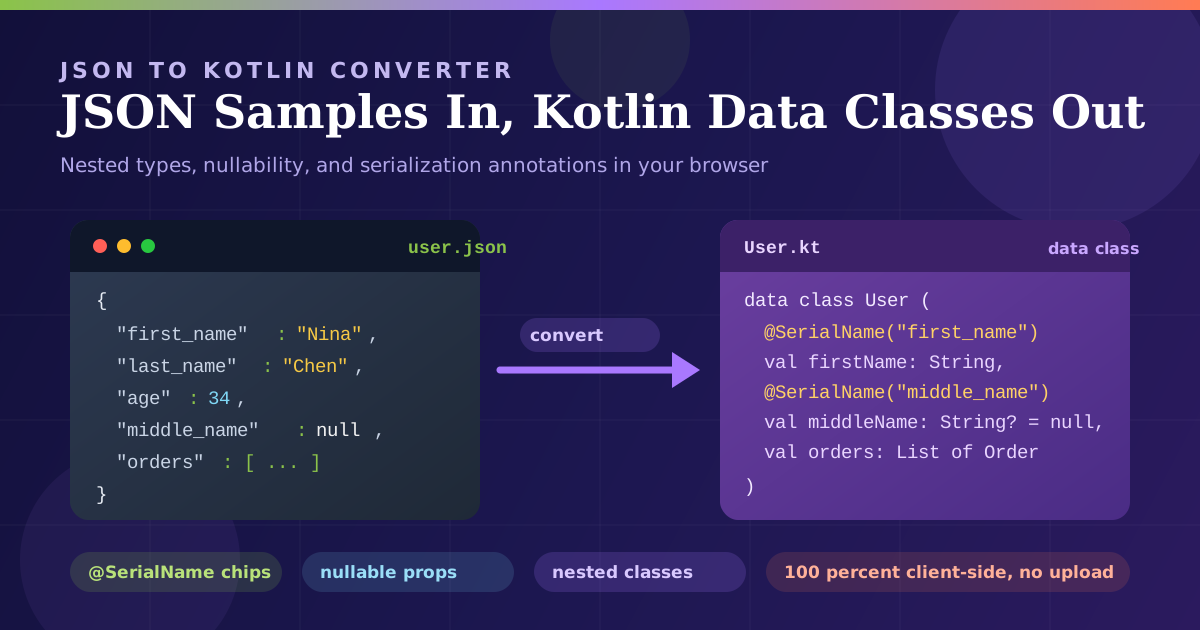
The JSON to Kotlin Converter removes that busywork. Paste a JSON sample into the left panel, and the tool generates ready-to-use Kotlin data classes on the right — with nested types, correct nullability, and optional serialization annotations. Everything runs 100% client-side, so sensitive payloads never leave your machine.
This guide covers the tool's workflow and how nullability and serial names work, so generated code drops straight into your project.
Why Use the JSON to Kotlin Converter?
Eliminate hand-written boilerplate. A response with 15 fields and a nested object easily produces 60 lines of Kotlin, and manual typing invites typos that surface only at runtime. The converter produces the whole structure as fast as you can paste.
Get nullability right the first time. Kotlin forces you to decide up front whether a property is String or String?. The tool marks properties nullable where values are absent or null — the decision a deserializer will hold you to.
Bridge naming conventions automatically. Many APIs return first_name, while idiomatic Kotlin wants firstName. The converter can emit @SerialName annotations (with a selectable annotation style) so wire names stay correct and property names stay clean.
Keep sensitive payloads private. Because the tool is fully client-side, the sample you paste is never transmitted or stored — vital when you handle user data, tokens, or unreleased API shapes.
Iterate as fast as the API changes. When a field is added or renamed, paste the new sample and regenerate. Maintenance becomes a two-second copy-paste instead of a careful editing session.
Key Features
| Feature | What It Does | Why It Matters |
|---|---|---|
| Data class generation | Converts a JSON sample into Kotlin data classes | Removes manual typing mistakes |
| Nested type support | Wraps nested objects and arrays in their own classes | Mirrors real payloads faithfully |
| Nullability inference | Marks properties nullable when values are missing or null | Prevents crashes on incomplete data |
| Serialization annotations | Emits @SerialName for keys needing renaming, with style options | Separates wire names from property names |
| Client-side processing | Parsing and generation happen entirely in the browser | Safe for private payloads |
| Copy-ready output | Produces formatted, convention-following Kotlin | Paste straight into your IDE |
A few practical notes:
- The output follows Kotlin conventions — val properties, PascalCase classes, camelCase properties — so it reads like hand-written code.
- Arrays of objects produce an additional data class for the element, and the annotation style option matches your codebase's serialization convention.
How to Use
- Paste your JSON sample. Copy a representative response from your API or a fixture into the input panel. A sample containing all the fields you care about works best.
- Check the parsing result. The tool validates the JSON as you type, so a trailing comma or unquoted key surfaces immediately.
- Choose your annotation options. If your keys differ from the property names you want, enable serialization annotations and pick the style your project uses, such as kotlinx @SerialName.
- Review the generated Kotlin. Check class names, confirm nullable properties, and verify that nested objects became their own types.
- Copy into your project. Drop the classes into the right package, add your serialization dependency if needed, and parse real responses.
The whole cycle takes under a minute, making regeneration after every endpoint change realistic.
Nullability and Serial Names
This is where JSON-to-Kotlin generation gets interesting, because Kotlin's type system treats nullability explicitly — and deserialization is where that rigor pays off.
String versus String?
In Kotlin there is no implicit null. A String property cannot hold null; a String? property can. When the converter sees a key that is explicitly null, or absent in one object but present in a sibling, it generates the property as nullable. That mirrors the wire: if the API can omit middle_name, your data class needs val middleName: String? = null, or the deserializer throws. The decision is baked into declarations, not discovered from a production crash.
Serial Names for Wire Keys
Kotlin convention is camelCase, but plenty of APIs speak snake_case. @SerialName is the standard kotlinx.serialization answer: it tells the serializer "this property is firstName in Kotlin, but look for first_name in the JSON." The converter emits these annotations for any key that needs renaming, so idiomatic property names in code and exact wire names in annotations stay correct together.
Collections and Nested Data Classes
Arrays map to List of the element type, and arrays of objects get a separate data class for the element shape, so a deeply nested payload yields a small family of readable classes rather than one giant class of loose maps.
A Sample Side by Side
Given this input:
{
  "user_id": 4821,
  "display_name": "Nina Chen",
  "middle_name": null,
  "email_verified": true,
  "orders": [{ "order_id": "A-104", "total": 59.9 }]
}
The converter generates:
@Serializable
data class User(
    @SerialName("user_id")
    val userId: Long,
    @SerialName("display_name")
    val displayName: String,
    @SerialName("middle_name")
    val middleName: String? = null,
    @SerialName("email_verified")
    val emailVerified: Boolean,
    @SerialName("orders")
    val orders: List<Order>
)

@Serializable
data class Order(
    @SerialName("order_id")
    val orderId: String,
    @SerialName("total")
    val total: Double
)
Every wire-level concern — renamed keys, the nullable middle name, the nested order type — is captured in declarations, not runtime logic.
Practical Use Cases
Android App Models
Android developers live closest to this problem. An app consuming several endpoints accumulates dozens of model classes that must match the backend's naming and optionality exactly. Generating them from live samples keeps the model layer in lockstep with the server — smooth decodeFromString calls instead of MissingFieldException in crash reports.
Kotlin Backend DTOs
Server-side Kotlin services frequently receive third-party JSON: payment webhooks, partner APIs, legacy exports. DTOs for those payloads must reflect the external contract, and generating them from captured samples gives you an accurate boundary layer to map into domain types.
Multiplatform Shared Code
With Kotlin Multiplatform, one set of data classes serves Android, iOS, desktop, and web targets, so a model fix benefits every platform at once. Regenerating shared models from the canonical sample keeps the whole product family aligned.
API Migration References
When migrating between API versions, generated classes for the old and new payloads side by side make renamed fields and changed types obvious. Pair the converter with the JSON formatter to compare large samples and the checklist practically writes itself.
Best Practices
- Decide deliberately between defaults and nullability. A nullable property says "this may be absent"; a default value says "when absent, behave this way." Combining them gives you both safety and ergonomic construction.
- Keep wire names in annotations. Let @SerialName own the mapping so property names can follow Kotlin style even if the API changes.
- Regenerate whenever the API changes. Treat the generated file as an artifact of the sample: paste the new response and diff the output instead of hand-editing.
- Test with real payloads. Feed the converter a response containing nulls, missing fields, and empty arrays. Models from happy-path JSON tend to be too optimistic about nullability.
- Trim samples to one representative object. For an array of items, a single element is enough; smaller samples keep class names clean.
- Format messy input first. If a sample arrives minified or oddly escaped, run it through the JSON formatter so the converter sees a clean structure.
Ready to Generate Your Kotlin Models?
Stop hand-writing data classes. Open the JSON to Kotlin Converter, paste a sample, and copy idiomatic Kotlin — annotations and nullability included — in seconds. It is free, requires no sign-up, and never sends your data anywhere.
Related Tools You Might Like:
- JSON Formatter — beautify, validate, and minify JSON before or after generating models.
- JSON to Swift Converter — produce equivalent Swift structs when the same API also feeds an iOS app.
- OpenAPI to TypeScript Converter — generate typed interfaces from an OpenAPI spec for your web clients.
A converter that saves you this much time is only useful if you can find it again — bookmark the JSON to Kotlin Converter and make generated data classes your default starting point.
Frequently Asked Questions
Q: Does my JSON sample get uploaded to a server?
A: No. The converter parses your input and generates Kotlin entirely in your browser. Nothing is transmitted, logged, or stored, so authenticated and confidential payloads stay safe.
Q: Which serialization library does the generated code target?
A: The output is plain Kotlin data classes, with optional annotations in the kotlinx.serialization style, including @SerialName for keys that need renaming.
Q: How does the tool decide which properties are nullable?
A: A property becomes nullable when its value is null, or when the field is absent from an object where sibling objects include it. Adjust any generated type if your API's optionality differs from the sample.
Q: Is the converter free to use?
A: Yes — free, no registration, no usage limits. Since everything runs locally, you can even use it offline after loading the page.