JSONata Tester: Query and Transform JSON in Your Browser
Test JSONata expressions online for free. Paste JSON, run queries with the official JSONata engine, and get formatted results with clear parse and runtime error separation.
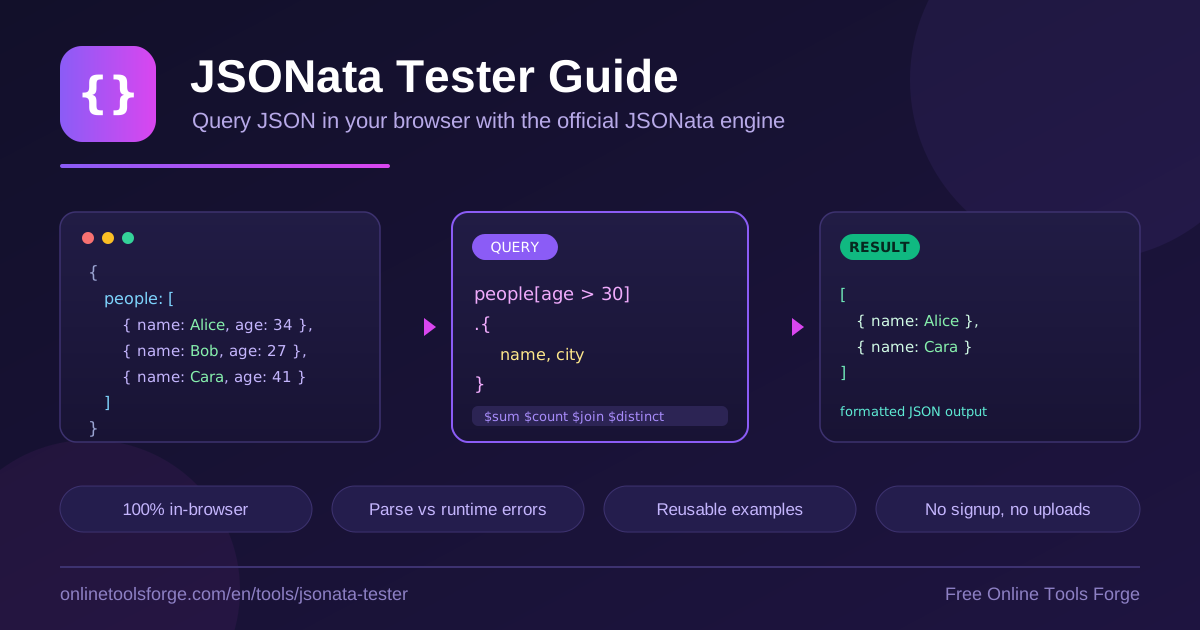
Table of Contents
JSONata is a lightweight query and transformation language built for JSON, with syntax heavily inspired by XPath. Instead of writing loops and conditionals in JavaScript, you describe what you want — a filtered list, a reshaped object, an aggregated total — and the engine evaluates your expression against the data. That declarative style is why JSONata has become a staple in integration platforms, serverless workflows, and API mapping layers.
The catch is that JSONata has its own syntax, and getting an expression right usually takes a few iterations. The free JSONata Tester removes that friction: paste your JSON, type a query, and see the result instantly. The tool runs the official JSONata engine entirely in your browser, so nothing ever leaves your machine — no uploads, no accounts, no limits.
In this guide you will learn how to use the tester step by step, understand the core JSONata syntax with practical examples, and see where a browser-based JSONata playground fits into a real developer workflow.
Why Use the JSONata Tester?
- Zero installation. There is nothing to download or configure — open the page and you have a working JSONata environment in seconds.
- The official engine, running locally. Queries are evaluated by the official JSONata library, so results match what production integrations produce.
- Clear error separation. The tool distinguishes parse errors, which mean broken expression syntax, from runtime errors, which mean the expression failed against your data. That distinction dramatically speeds up debugging.
- Reusable built-in examples. Five ready-made queries — nested paths, filters with projection, aggregation, string joins, and distinct counts — cover the most common patterns.
- Formatted, readable output. Results render as pretty-printed JSON in a dedicated panel, keeping nested structures legible and easy to copy.
- Private by design. Everything executes client-side, so sensitive payloads never touch a server — important when you work with customer data or internal APIs.
Key Features
| Feature | What it does |
|---|---|
| Official JSONata engine | Executes every query client-side with the same engine used in production integrations |
| JSON input panel | Paste or edit the JSON document you want to query |
| Query input | Enter any JSONata expression, from a simple path to a full transformation |
| Formatted output panel | Results render as pretty-printed JSON that is easy to read and copy |
| Error separation | Reports parse errors and runtime errors separately, so you know whether to fix syntax or rethink the query |
| Five reusable examples | Cover nested path access, filter and project, aggregation, string join, and distinct count |
Two details deserve emphasis. First, the error separation tells you at a glance whether you mistyped the expression or whether it simply does not fit the shape of your data — a distinction that generic consoles blur. Second, the built-in examples double as a miniature tutorial: load one, tweak a value, and you immediately see how the change ripples through the output.
How to Use the JSONata Tester
- Paste your JSON. Place the document you want to query — an API response, a config file, a log export — into the input panel.
- Enter your query. Type a JSONata expression in the query field. Start simple, such as the path to the field you care about.
- Run the query. The official engine evaluates the expression against your JSON entirely in the browser.
- Read the result. Valid queries render formatted JSON in the output panel; failures are reported as either a parse error or a runtime error, pointing you to the right fix.
- Iterate or start from an example. Refine the expression until the output matches your needs, or load one of the five built-in examples and adapt it to your payload.
Understanding JSONata Syntax
JSONata expressions read like a chain of questions you ask of your data — navigate, filter, reshape, aggregate. The examples below assume this small document:
{
  "people": [
    { "name": "Alice", "age": 34, "city": "Berlin" },
    { "name": "Bob", "age": 28, "city": "Oslo" },
    { "name": "Carol", "age": 41, "city": "Berlin" }
  ],
  "items": [{ "price": 12.5 }, { "price": 7.25 }, { "price": 20 }]
}
Path navigation
A path descends into the document and collects matching values. Because people is an array, the expression fans out across every element:
people.name
This returns ["Alice", "Bob", "Carol"]. Missing fields are silently skipped rather than raising errors, which keeps paths forgiving on messy data.
Filters
Predicates in square brackets narrow an array to the elements that match. This selects everyone older than thirty:
people[age > 30]
Filters can be chained or indexed, for example people[age > 30][0] to take the first match.
Projections and object construction
Append a map operator to reshape each selected element. Curly braces construct a new object whose keys are fixed and whose values come from the current context:
people[age > 30].{"name": name, "city": city}
The result is an array containing only the two fields you asked for — ideal for trimming oversized API responses into exactly the shape your application needs.
Built-in functions
JSONata ships a rich function library. Aggregations collapse arrays into single values, and a constructed object can hold several at once:
{"total": $sum(items.price), "average": $average(items.price)}
String and set utilities compose just as naturally:
$join(people.name, ', ')
$count($distinct(people.city))
Beyond these, $string and $number convert types and $now returns the current timestamp — all available in the tester. For context, JSONPath is mainly a selector and jq offers terse stream processing, while JSONata combines XPath-like navigation with readable object construction.
Practical Use Cases
Reshaping API responses
Public APIs often return more fields than your UI needs. A projection trims the payload to exactly those fields and can rename them along the way. Prove the expression against a real response in the JSONata Tester, then drop it into your mapping layer with confidence.
Aggregating data for reports
When a payload contains line items, orders, or measurements, $sum and $average turn it into report-ready numbers in one step. Combining several aggregations in a single constructed object gives stakeholders a compact summary without exporting anything to a spreadsheet.
Filtering and cleaning log exports
Structured logs pasted as JSON can be sliced with a filter such as events[level = "error"], projected down to timestamp and message, and joined into a readable string. It is a fast way to answer what actually happened without standing up a log pipeline.
Prototyping before you code
The biggest payoff is rehearsal. Integration tools evaluate your mapping once, and a mistake only surfaces at runtime. Prototyping in a JSONata playground first — with parse and runtime errors clearly separated — means you arrive at your editor with an expression you have already proven against realistic data.
Best Practices
- Start from a built-in example that resembles your goal, then edit incrementally so each change is easy to attribute.
- Validate your JSON first. Most confusing results come from malformed input rather than a bad expression; a quick pass through a formatter removes that variable.
- Build expressions in small steps. Get the path right, add the filter, then add the projection, checking the formatted output at each stage.
- Read the error type before the message. A parse error means fix the query text; a runtime error means reconsider how the query applies to this data.
- Test with realistic payloads. Empty arrays, missing fields, and mixed types behave differently than tidy samples, and JSONata's forgiving path semantics only help if you have verified them.
- Save expressions you reuse. Once a query produces the output you need, keep it in version control next to the code that consumes it.
Try the JSONata Tester Today
If you work with JSON APIs, integration mappings, or data pipelines, keep the JSONata Tester in your toolkit. It is free, requires no signup, and runs the official engine entirely in your browser — so the next time an expression fights you, paste the payload in and iterate until it does exactly what you want.
Related Tools You Might Like:
- JSON Formatter — pretty-print, validate, and minify JSON before you query it.
- JSON Path Finder — explore a document's structure and grab the exact path to any node.
- JSON to YAML Converter — turn JSON configurations into readable YAML in one click.
Happy querying!
Frequently Asked Questions
Q: Is the JSONata Tester free to use?
A: Yes. The tool is completely free, requires no signup, and has no usage caps. Every query runs in your browser with the official JSONata engine.
Q: Does my data leave my computer?
A: No. Parsing and evaluation happen entirely client-side. Your JSON and queries are never uploaded to a server, which makes the tester safe for sensitive payloads.
Q: What is the difference between a parse error and a runtime error?
A: A parse error means the expression itself is syntactically invalid, such as an unbalanced brace. A runtime error means the syntax was fine but evaluation failed against your data, for example applying $sum to a value that is not an array of numbers.
Q: Which JSONata features are supported?
A: Everything the official engine supports, including path navigation, filters, projections, object construction, and built-in functions such as $sum, $average, $count, $join, $distinct, $string, $number, and $now.