Math Notepad: The Calculator That Lives Inside Your Notes
Math Notepad turns typed notes into live calculations that compute line by line, with variables, unitful arithmetic, sums, and a running results column — entirely in your browser.
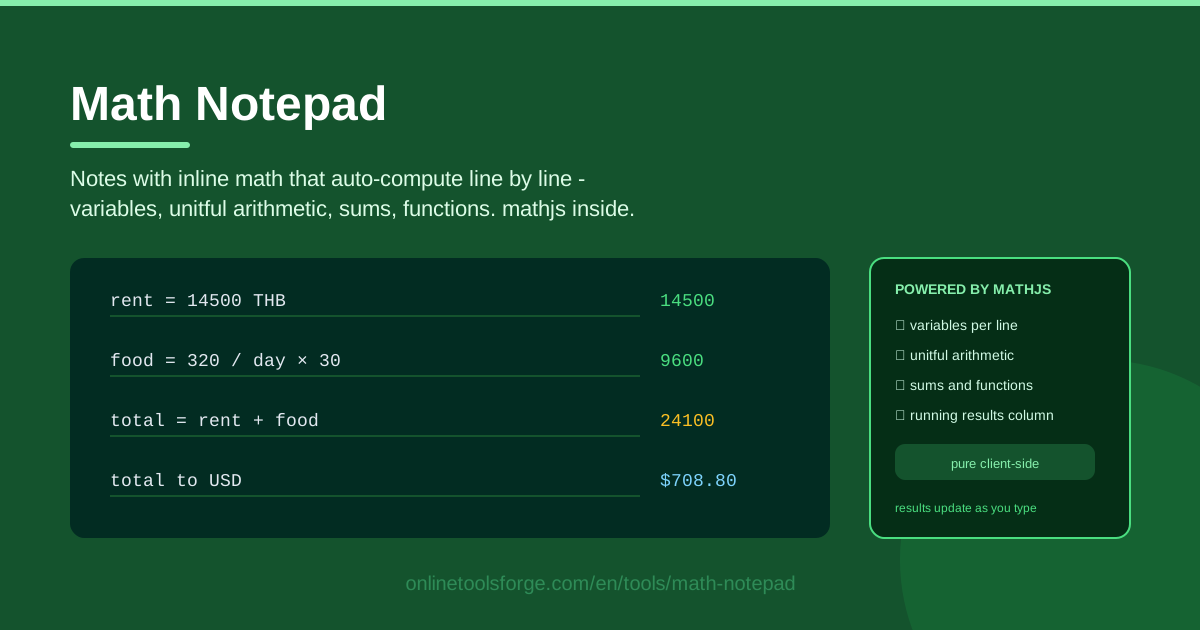
Table of Contents
Most quick calculations follow the same ritual: open a calculator app, tap in a long chain of numbers, lose track of which step produced what, and start over the moment a result looks wrong. Math Notepad flips that around. You type notes, and every line containing math computes itself automatically, right where you wrote it — so what you get back is not just an answer but a calculation you can read, check, and reuse.
The mechanics are simple. Each line is evaluated as you type, and its result appears in a running results column beside your notes. Assign a value to a variable on one line, then reuse that variable on every line below it. Arithmetic with units — lengths, weights, even currency — works too, because the tool is powered by mathjs, a full math engine that runs entirely client-side in your browser. Nothing is uploaded anywhere.
This guide covers what Math Notepad does well, why visible line-by-line math beats a silent calculator, how to use it in five steps, and the everyday situations where it quietly replaces the phone-calculator routine.
Why Use Math Notepad?
- Self-documenting calculations. A normal calculator hands you a final number and forgets everything else. Here, every intermediate line stays on screen, so the math explains itself — come back next week and you will still know where the total came from.
- Variables you assign and reuse. Name a number once — rent = 9500 — and every line below can use it. Change the assignment and the rest of the note recalculates instantly.
- Units are built in. Write 2 m + 50 cm or add up currency amounts, and mathjs keeps the units straight instead of you fumbling with conversion factors.
- A results column you can scan. Every computed line gets its own result lined up beside it, so a whole calculation reads top to bottom like a story.
- Nothing to install. The tool is pure client-side: open the page, start typing, done. No accounts, no uploads, no setup.
- Notes and numbers together. Plain text lines sit happily next to math lines, so you can label each calculation in your own words as you go.
Key Features
| Feature | What it does |
|---|---|
| Line-by-line auto-compute | Any line containing math evaluates the moment you type it — no equals button needed. |
| Variable assignment | Give values their own lines, then reuse the variables anywhere further down the note. |
| Unitful arithmetic | Combine and convert units such as meters, centimeters, and currency values via mathjs. |
| Sums and functions | Total up lists of numbers and call mathjs functions like sqrt, round, or sin. |
| Running results column | Each line's result appears in a column next to the notes, in place and in order. |
| Pure client-side | Every calculation runs in your browser; your notes never leave your device. |
A few details worth calling out:
- Because evaluation is live, editing any line updates its result immediately — including later lines that depend on it.
- Lines that are plain sentences are left untouched; only text that parses as math gets a result, so the note stays readable as a note.
- Sums shine for receipts and budgets: put each amount on its own line, then close with a single totaling line.
How to Use Math Notepad
- Type a line that contains math. Open Math Notepad and write something like 24 * 1.5. The answer appears at once in the results column beside that line. A line of only words is treated as ordinary note text.
- Assign a variable. On its own line, give a number a name: hours = 7.5. From that line onward, the variable is defined and ready to use.
- Reference earlier lines. Build the calculation in readable steps using your variables — for example hours * 450. Change hours at the top and every line that uses it updates automatically.
- Add units where they matter. Write 2 m + 50 cm or a currency expression and let the tool keep the units straight — the fastest cure for the classic meters-versus-centimeters mix-up.
- Read the results column. Scan down the column next to your notes to check each intermediate value and the final one. Your note is now both the calculation and its documentation.
Calculations You Can Read Later
The deepest advantage of a math notepad is visibility. A handheld calculator is a black box: it shows the current number, and the moment you clear it, the entire chain of reasoning is gone. Everyone has had the experience of doubting a result and re-entering the whole sequence slowly, just to see where it came from. With a notepad, the reasoning is the artifact. Every line stays visible with its result next to it, so checking your work means reading downward, not replaying keystrokes from memory.
Variable assignment and reuse turns a scratchpad into a small model of your problem. Instead of pasting the same number into six places, you define it once — price = 249, qty = 12 — and compute with names: price * qty. When the price changes next month, you edit one line and watch the dependent lines update. That single property removes the most common source of copy-paste arithmetic errors.
Unitful arithmetic quietly prevents another whole class of mistakes. Write 3 m + 40 cm and the engine knows both values are lengths, producing one correct length rather than a meaningless 43. Keeping currency amounts in currency form means a total stays an amount of money instead of a bare number you might later compare against something in the wrong unit. When units are explicit, wrong-unit results become visible instead of silent.
Sums and functions round out the toolkit: total amounts line by line, take a square root, round a value, or apply a trig function when a quick check calls for it. And it is deliberately not a spreadsheet — for one-off math you want zero structure, no columns to define, no formulas to drag. A notepad beats a spreadsheet when the calculation is small, exploratory, or meant for human eyes; when it must repeat across many rows every month, the spreadsheet earns its keep.
Practical Use Cases
Household budget scratchpad
Set up the month in a few lines: income = 35000, then fixed costs as named variables — rent = 9500, utilities = 2300, internet = 599 — and a line that subtracts the total from income. Add discretionary spending below as it happens and re-total at the end. Because every line is labeled, the note doubles as the explanation you can show a partner or revisit next month.
Unit conversions in a recipe build
Recipes rarely arrive in your units. Write the flour amount as 1.5 kg, convert it to grams on the next line, scale the batch with a multiplier like * 1.5, and adjust the rest of the ingredients to match. Each conversion keeps its own result in the column, so doubling a recipe never dissolves into a fog of mental math.
Engineering quick checks
Before committing to a design value, sanity-check it: apply a safety factor to a load, estimate a voltage drop, or compute material weight from density and volume. Units matter most here, and unitful expressions keep SI values honest — while the visible intermediate lines let a colleague review the check without asking how you arrived at the number.
Invoice line math
List each item as qty * unitPrice, apply a discount line, add tax as a percentage of the subtotal, and finish with a grand total. Keep the note alongside the invoice; it is exactly the breakdown a client would have asked for anyway, and it makes disputing a line item a two-minute job.
Best Practices
- Name variables meaningfully. vat = 0.07 beats x = 0.07 every time — six weeks later the note should still read like sentences.
- One idea per line. Split complex expressions into steps so each result in the column means exactly one thing.
- Add units to avoid mistakes. Attach units whenever they exist; the engine catches mismatches your eyes will miss.
- Use plain text lines as labels. A short heading line above each block keeps a long note navigable.
- Keep the note as documentation. Do not delete intermediate lines once you have the answer — they are your audit trail.
- Rebuild recurring math as templates. If you calculate the same thing monthly, keep last month's note and just update the inputs.
Ready to stop re-typing numbers into a calculator that forgets everything? Open Math Notepad, start a note, and let every line compute itself — your future self will thank you the next time the math still makes sense months later.
Related Tools You Might Like:
- Scientific Calculator — for trigonometry, powers, and logs when a quick check needs more than plain arithmetic.
- Unit Converter — for full conversion tables when a single notepad line is not enough.
- Percentage Calculator — for discounts, increases, and percent-of totals at a glance.
Happy calculating!
Frequently Asked Questions
Q: Do I need to install anything to use Math Notepad? A: No. The tool runs entirely in your browser and your notes are never uploaded anywhere. Open the page and start typing; everything computes on the spot.
Q: How do variables work from one line to the next? A: Assign a value on its own line, such as hours = 7.5. Every line below can then use hours in its math. If you edit the assignment, all dependent lines update instantly.
Q: Can I mix units like meters and centimeters in one line? A: Yes. The mathjs engine understands units, so an expression like 2 m + 50 cm produces one correct combined length instead of a bare, unit-less number.
Q: When should I choose the notepad over a spreadsheet? A: Use the notepad for small, one-off, or exploratory math where readability matters — budgets, quotes, recipe scaling, quick checks. Reach for a spreadsheet when the same calculation must repeat across many rows every month.