Mojibake Fixer: Repair Garbled Text Across UTF-8, Latin-1, Shift-JIS and TIS-620
Repair mojibake text by re-decoding between UTF-8, Latin-1, Windows-1252, Shift-JIS and TIS-620. Auto-detects the likely encoding pair entirely in your browser.
Free Interactive Tool
Mojibake Fixer
Repair garbled text by detecting the wrong encoding and re-decoding between UTF-8, Latin-1, Windows-1252, Shift-JIS, and TIS-620. Auto-detects likely repairs in your browser.
Table of Contents
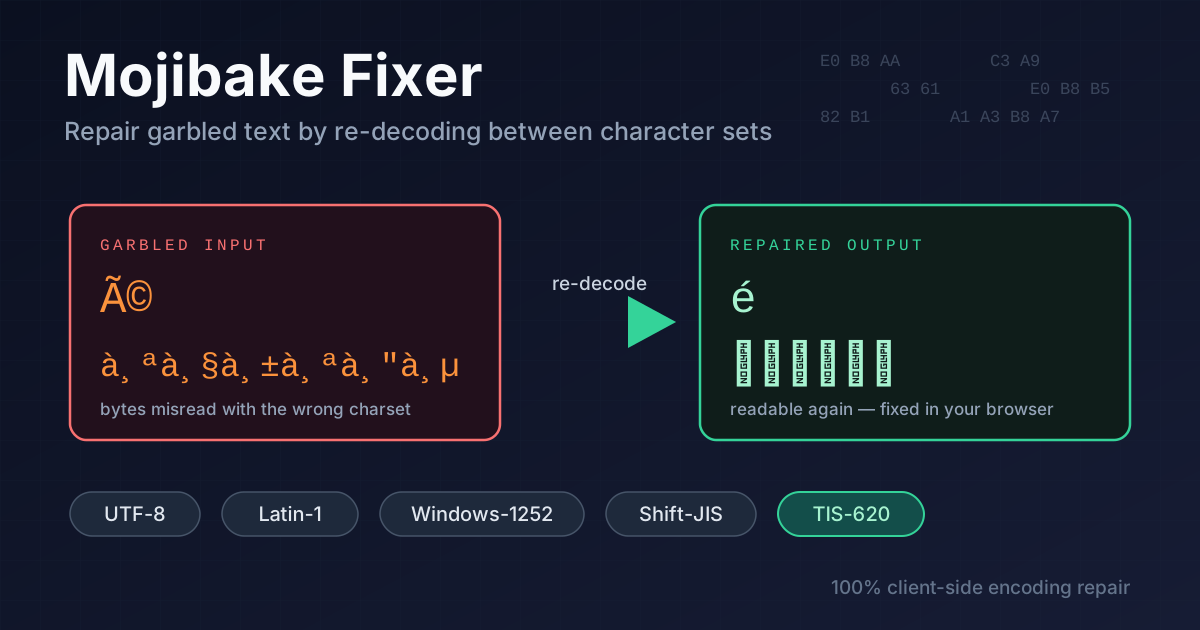
Sooner or later every developer meets the disease: a customer name that reads ¡Ã¸§À·¾, an accented word arriving as é, or a Thai greeting showing up as สวัสà¸"ี instead of สวัสดี. This is mojibake — text stored with one encoding and read back with another. It spreads through old databases, CSV exports, email archives, and legacy Thai systems. The original text is usually still hiding inside the garbage, and the Mojibake Fixer pulls it back out in seconds.
Mojibake is rarely true corruption. The bytes underneath are almost always intact — they were simply interpreted with the wrong decoder. Since the mistake is deterministic, it can be reversed: re-encode the garbled string with the charset that misread it, then decode correctly. That is what this tool automates, including Thai TIS-620 and Japanese Shift-JIS — the two legacy encodings causing the most pain in real archives.
This guide explains why text turns to garbage and how to repair it in five steps.
Why Use the Mojibake Fixer?
- It reverses the damage instead of masking it. Substitution "cleaners" delete strange symbols and destroy names. This tool re-decodes the original byte sequence, so สวัสà¸"ี becomes สวัสดี and é becomes é.
- Auto-detect finds the likely pair. Paste the garbage and the tool scores every supported combination, highlighting the likeliest culprit.
- Thai TIS-620 support. Thousands of Thai government, banking, and ERP systems still emit TIS-620, a legacy 8-bit charset. Garbles from those systems are a specialty here.
- Japanese Shift-JIS support. Shift-JIS mojibake like ‚±‚ñ‚É‚¿‚Í recovers equally well, covering older Japanese suppliers and archives.
- 100% client-side. Every conversion runs in your browser. Customer records and internal documents never touch a server.
- Free and instant. No signup, no queue — paste, click, copy.
Key Features
| Feature | What it does |
|---|---|
| Encoding pairs | Re-decode between UTF-8, Latin-1, Windows-1252, Shift-JIS and TIS-620 |
| Auto-detect | Suggests the most likely wrong-encoding pair for your text |
| Live preview | Output refreshes immediately as you switch decoders |
| Copy button | Sends the repaired text straight to your clipboard |
| Client-side only | All processing happens in your browser, nothing is uploaded |
Auto-detect turns the tool from a puzzle into a solution — no need to know what Latin-1 or TIS-620 are to get a readable answer. And Shift-JIS and TIS-620 coverage matters: general converters usually stop at the Western European pairs.
How to Use
- Paste the garbled text. Copy the mojibake exactly as it appears — every strange symbol is a clue.
- Try auto-detect. The tool analyzes byte patterns and proposes the likeliest pair; the first guess is usually right.
- Cycle encoding pairs if needed. Step through UTF-8, Latin-1, Windows-1252, Shift-JIS and TIS-620 while the live preview updates.
- Verify the output. Thai vowels and tone marks should sit correctly, kana should look natural, and accented letters like é, ü, and ñ must be intact.
- Copy the fixed text. One click puts the repaired string on your clipboard.
Why Text Turns to Garbage
Mojibake is a decoding mistake, not destroyed data. Computers never store characters, only bytes. An encoding is the lookup table mapping bytes to glyphs; when text written with one table is read with another, you get mojibake. Since the bytes are usually untouched, the damage is reversible.
The classic double-encoding chain. The most common Western garble starts when UTF-8 é (bytes C3 A9) is read as Latin-1, turning two bytes into two characters, é. If the misread text is saved as UTF-8 again, the damage compounds. The fix walks the chain backwards: encode the garbled text as Latin-1 to recover the original bytes, then decode them as UTF-8.
Original text:      café
UTF-8 bytes:        63 61 C3 A9
Misread as Latin-1: café          <- mojibake you see
Re-encode Latin-1:  63 61 C3 A9    <- original bytes
Re-decode as UTF-8: café           <- damage reversed
Thai legacy systems and TIS-620. Thai computing ran on TIS-620 (and its Windows-874 cousin) long before UTF-8. When UTF-8 Thai is read as Latin-1 or Windows-1252, สวัสดี becomes สวัสà¸"ี — the same double-encoding chain wearing Thai clothes: each Thai character is three UTF-8 bytes shown as three European characters. The reverse happens too: genuine TIS-620 bytes opened as Latin-1 turn กรุงเทพ into ¡Ã¸§À·¾. Both directions occur in the wild, so try pairs both ways.
Japanese and Shift-JIS. Older Japanese data often lives in Shift-JIS. Read with the wrong decoder, こんにちは becomes ‚±‚ñ‚É‚¿‚Í. Same disease, same cure.
How auto-detection guesses. The detector hunts for telltale signatures: sequences like Ã, à¸, or †fingerprint UTF-8 text read as a single-byte charset, while bytes that only make sense in TIS-620 or Shift-JIS point the other way. It scores every pair and surfaces the strongest candidate — a guess you can always override.
Practical Use Cases
Old Database Exports
Systems from the 1990s and 2000s often hold decades of records in Latin-1 or TIS-620. When a migration dumps that data with the wrong declared encoding, every name arrives garbled. Re-decode a sample, confirm the pair, then batch-fix the export.
CSV Files from Legacy Thai ERP Systems
Thai government portals and manufacturing ERP packages still export TIS-620 CSVs. Open one in a UTF-8 spreadsheet and the Thai columns dissolve into nonsense. Fix a garbled cell, recover สวัสดี, and you learn which encoding the file really uses.
Email Archives
Mail from the 2000s frequently lost its charset headers in transit, leaving clients to guess. Recovering a readable old thread is often one re-decode away — useful for compliance, legal discovery, or finding a forgotten order confirmation.
Scraped Legacy Websites
Pages without a charset declaration force browsers and scrapers to guess, and they often guess wrong. If your crawl captured mojibake, re-decoding restores the original content without re-crawling anything.
Best Practices
- Fix the source, not just the symptom. Migrate systems to UTF-8 everywhere so mojibake cannot recur.
- Keep the original garbled text. Hold a copy until the fix is verified — a wrong re-decode destroys information as thoroughly as the original mistake.
- Verify Thai and Japanese renders correctly. Stacked vowels and tone marks (ี, ั) plus kana are the most sensitive indicators that a repair truly succeeded.
- Convert once, then standardize. Every extra conversion round compounds damage — repair once into UTF-8 and be done.
- Declare encodings explicitly. Set charset in HTTP headers and database columns instead of relying on software to guess.
- Test with a known string. Round-trip สวัสดี café こんにちは through any pipeline before trusting it with real data.
Ready to un-garble your own data? Open the Mojibake Fixer, paste the mess, and get readable text back in seconds — entirely in your browser.
Related Tools You Might Like:
- Text Case Converter — normalize the casing of your repaired text in one pass.
- Find and Replace — sweep corrected text through bulk substitutions across files.
- ASCII to Binary Converter — inspect exactly which bytes each character produces.
Repairing mojibake is really just translation between encodings — once you can see the bytes, the garbage stops being scary.
Frequently Asked Questions
Q: Can every mojibake be fixed?
A: Most of it, as long as the original bytes were never lost. Damage becomes permanent when an intermediary tool replaced strange characters with question marks, erasing the information needed to reverse the decode. The earlier you repair, the better the odds.
Q: Why does my Thai text show up as สวัสà¸"ี?
A: That signature means UTF-8 Thai was read as Latin-1 or Windows-1252. Each Thai character is three UTF-8 bytes, each displayed as a separate European character. Re-decoding with the correct pair restores the original Thai.
Q: Is my text uploaded to a server?
A: No. The Mojibake Fixer runs entirely in your browser using its built-in text decoding APIs. Nothing you paste ever leaves your machine.
Q: What is the difference between Latin-1 and Windows-1252?
A: They overlap almost completely, but Windows-1252 assigns visible characters like curly quotes and the euro sign to the 0x80–0x9F range that Latin-1 reserves for control codes. Mojibake containing “ usually means Windows-1252 was involved, hence the tool supports both.