pyproject.toml Generator: Build PEP 621 Python Project Config in Your Browser
The pyproject.toml Generator creates standards-compliant PEP 621 project files for uv, Poetry, setuptools, or Hatch — right in your browser, ready to commit.
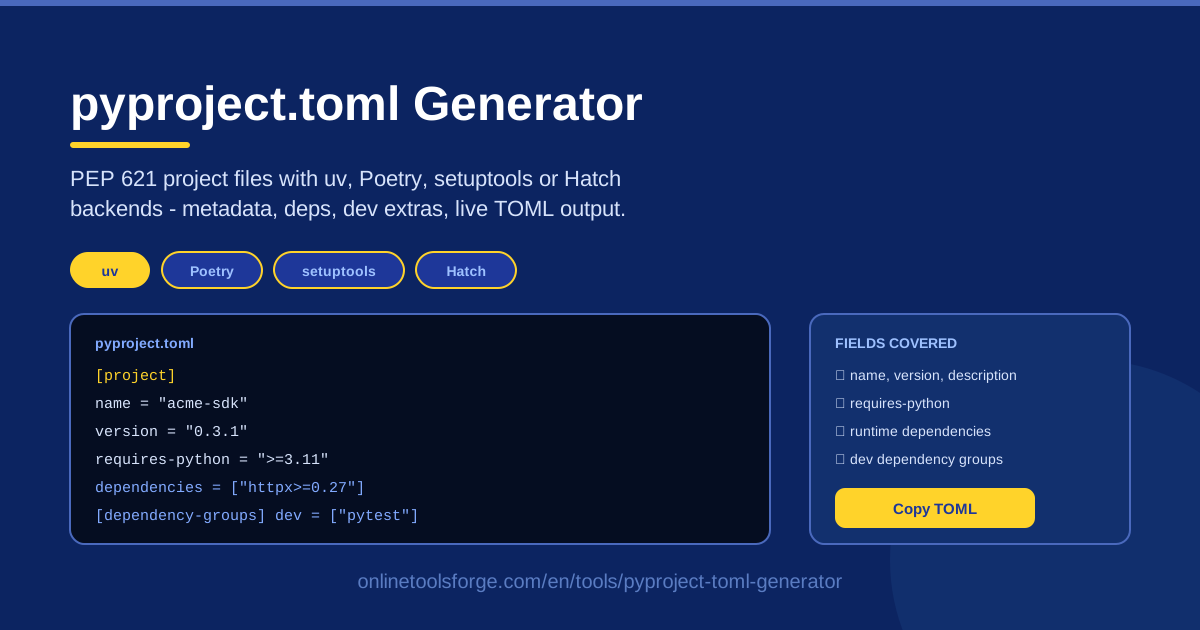
Table of Contents
Every modern Python project starts with the same file: pyproject.toml. It declares your package name and version, the Python versions you support, your dependencies, and how packaging tools should build your project. Yet writing one by hand still trips people up — PEP 621 field names are exacting, TOML is unforgiving, and every backend adds its own conventions. The pyproject.toml Generator removes that friction entirely.
This free browser tool turns a short form into a clean, standards-compliant pyproject.toml. Pick a backend — uv, Poetry, setuptools, or Hatch — fill in your project metadata, add runtime dependencies and a dev dependency group, and watch valid TOML appear live. When it looks right, copy it and commit it. No account, no install, no trial and error.
This guide covers how to use the tool step by step, how PEP 621 and build backends fit together, and the practices that keep your project config healthy.
Why Use pyproject.toml Generator?
- Skip the syntax memorization. PEP 621 demands exact field names and structures. Fill in labeled fields and let the tool emit correct TOML.
- Backend-aware output. Each backend expects different surrounding configuration; the generator shapes the file to the one you select, so incompatible sections never get mixed.
- Live feedback as you type. Every edit updates the TOML instantly, showing exactly how each field maps into the file.
- Clean dependency separation. User-facing packages and contributor-only tools land in separate groups, not one undifferentiated list.
- Zero setup, zero risk. Runs entirely in your browser — nothing uploaded, nothing installed, regenerate as often as you like.
- Copy-paste ready to commit. The output is formatted for a repository root, so the file drops straight into your project and your next commit.
Key Features
| Feature | What it does |
|---|---|
| Form-driven PEP 621 generation | Converts form input into a valid [project] table with the fields that matter |
| Backend selection | Targets uv, Poetry, setuptools, or Hatch so tool-specific sections match your workflow |
| Project metadata fields | Captures name, version, description, and requires-python in one place |
| Runtime dependencies | Records the packages your project needs in order to run |
| Dev dependency groups | Puts development-only packages in a separate group, away from runtime deps |
| Live TOML output | Regenerates the full file instantly as you edit any field |
| Copy-paste ready | Produces a file you can commit to the repository root as-is |
Three details worth noting:
- Backend selection drives the whole output. Choosing uv over Poetry changes which build-system declarations and tool sections are written alongside your [project] table.
- Dev groups stay separate, keeping installs lean for people who only want to use your package.
- The live panel doubles as a teaching tool — watching TOML appear is a fast way to learn the PEP 621 structure.
How to Use pyproject.toml Generator
- Pick your build backend. Choose uv, Poetry, setuptools, or Hatch at the top of the form. Unsure? setuptools is the classic default and uv the fast modern option.
- Fill in the project metadata. Enter the package name, version, short description, and minimum Python version. Keep the name lowercase with hyphens, matching your PyPI identity.
- Add your runtime dependencies. List the packages your project actually imports, using the same requirement strings you would pass to a package installer.
- Add a dev dependency group. Put pytest, ruff, and similar contributor tools in the development group so they are installable on demand without burdening end users.
- Copy the TOML into your repo root. Save it as pyproject.toml at your repository root and commit. Run your backend's install command once to confirm everything resolves.
Empty form to committed file in under two minutes, even with a dozen dependencies.
PEP 621 and the Backend Choice
PEP 621 standardized how Python projects describe themselves. Before it, metadata lived in several places at once: setup.py executed arbitrary code, setup.cfg carried INI-style declarations, and requirements.txt duplicated dependency lists that drifted out of sync. PEP 621 defined a single declarative [project] table — name, version, description, requires-python, dependencies, and optional groups — readable by any packaging frontend without executing your code.
PEP 621 deliberately left one question open: who builds the distribution? That job belongs to the build backend, declared in the [build-system] table, which reads your metadata and turns your source tree into a wheel or source distribution. Choosing one is choosing the machinery around that contract:
- uv is the speed-first choice — extremely fast installs and one modern tool for environments and packaging.
- Poetry brings its own lockfile and resolver — pick it when your team already works in Poetry terms.
- setuptools is the conservative default: longest track record, broadest compatibility, safe for libraries that must build anywhere.
- Hatch offers a clean, extensible experience with built-in environment and version management, a good middle ground for applications.
Mental model: the [project] table is the standard, portable part of the file; tool-specific sections — like Poetry's [tool.poetry] block — are additions layered on top for a particular backend. The generator writes the portable part and adds only what your backend needs.
Dependency groups complete the picture: runtime dependencies ship with your package, while dev-oriented groups such as pytest or ruff are declared separately so contributors can install them without polluting end-user installs. The form and the generated TOML keep the two worlds cleanly divided.
Practical Use Cases
Starting a New SDK Package
Wrapping an internal API as a reusable client library? Fill the form with the SDK name, a 0.1.0 version, runtime dependencies such as an HTTP client, and a dev group with pytest. Commit the TOML and your CI can immediately build and install the package — the same file is what you later publish.
Migrating Away from setup.py
Older projects often carry a setup.py with dozens of keyword arguments plus a drifted requirements.txt. Generate a declarative pyproject.toml and port the fields across: name and version from setup(), install_requires into dependencies, test extras into a dev group. After a successful build, delete setup.py and keep everything in the one standards-based file.
Monorepo Tool Packages
Shared internal tools deserve the same packaging discipline as public libraries. Generate a small pyproject.toml per tool package — one backend for the repository, consistent metadata, a dev group for shared linter tooling. Uniform files make cross-package installs and CI matrices far easier to maintain.
Teaching Standard Python Packaging
Instructors can demo the form live: type a project name, add a dependency, and show the class exactly which TOML lines appeared. Students learn the mapping between metadata and file syntax before fighting a broken build.
Best Practices
- Pin requires-python honestly. Declare the oldest Python you actually test against. Understating it strands users on older interpreters; overstating it causes install failures.
- Keep runtime dependencies minimal. Every one is a supply-chain and version-conflict risk. Test- or docs-only packages belong in the dev group.
- Commit the file; do not generate it in CI. pyproject.toml is source code — review it in pull requests so dependency changes get a second pair of eyes.
- Run a build after every change. Your backend's build command is the only real verification that the TOML parses and the metadata is complete.
- Use consistent names and versions. Match your published identity and follow semantic versioning so downstream tools can reason about upgrades.
- Regenerate for structural changes. Switching backends or adding groups is cleaner than accumulating hand edits.
Whether you are starting a library tonight or retiring a legacy setup.py at last, the pyproject.toml Generator takes you from blank form to committed, standards-compliant project file in minutes. Pick a backend, fill in the metadata, and let the live TOML output handle the formatting.
Related Tools You Might Like:
- package.json Generator — build package.json files for JavaScript projects the same form-driven way.
- YAML Formatter — clean up and validate YAML config files alongside your TOML work.
- GitHub Actions Workflow Generator — generate CI workflows that build and publish your Python package.
Happy packaging!
Frequently Asked Questions
Q: Is the pyproject.toml Generator free to use? A: Yes. It runs entirely in your browser with no account, no limits, and no data leaving your machine.
Q: Which backend should I choose — uv, Poetry, setuptools, or Hatch? A: setuptools is the safest universal default, uv is best for the fastest modern workflow, Poetry fits teams using its lockfiles, and Hatch is a clean middle ground for applications. The generator adjusts its output to whichever you pick.
Q: What is the difference between runtime dependencies and a dev dependency group? A: Runtime dependencies are needed for your package to work when installed by end users. Dev groups hold contributor tools such as pytest or ruff, installed separately and never required by your package.
Q: Where should I put the generated file? A: At the root of your repository, named exactly pyproject.toml. Build tools look for it there; a copy in a subdirectory will not be picked up.