Regex Explainer: Decode Any Regular Expression in Plain English
Paste any regex and get a token-by-token plain-English breakdown with group nesting and syntax validation. Understand and debug regular expressions free in your browser.
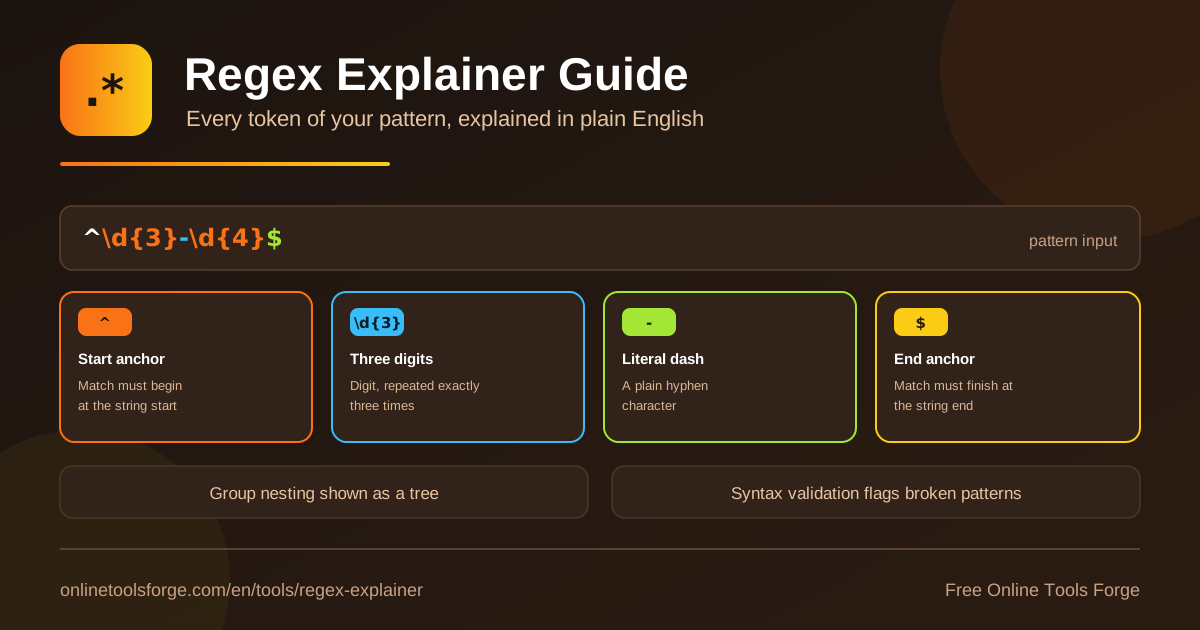
Table of Contents
Regular expressions are among the most powerful tools in a developer's toolkit — and among the least readable. A pattern like ^(?:\d{3})-(\d{4})$ may make perfect sense to whoever wrote it, but to everyone else it looks like keyboard noise. When you inherit code, review a pull request, or revisit your own work after six months, the question is always the same: what does this regex actually do?
That is exactly what the free regex explainer answers. Paste any pattern and get a token-by-token, plain-English breakdown, a tree view of the group nesting structure, and built-in syntax validation that flags broken patterns before they reach production. Everything runs 100% in your browser — no signup, no uploads, no regex engine knowledge required.
This guide explains how the tool works, walks through the building blocks of regex syntax, and shows practical ways to use a regex decoder in your daily work.
Why Use the Regex Explainer?
- Understand regex at a glance. Each token is translated into plain English, so a dense pattern becomes a readable sentence instead of symbol soup.
- Debug inherited code faster. Found a mysterious pattern in a config file or legacy script? Drop it in and know in seconds what it matches — and what it doesn't.
- Review pull requests with confidence. Regex changes are notoriously hard to review. A token-level breakdown verifies a colleague's pattern does exactly what the commit claims.
- Catch broken patterns early. Syntax validation flags unbalanced groups and dangling escapes, acting as a lightweight regex syntax checker before you ship.
- See the structure, not just the text. The nesting tree shows how groups relate — the place where most misreadings happen in complex patterns.
- Learn regex as you go. Every explanation doubles as a micro-lesson in anchors, quantifiers, classes, and groups, so you gradually understand regex rather than copying it blindly.
Key Features
| Feature | What it does |
|---|---|
| Token-by-token explanations | Splits the pattern into tokens and explains each in plain English, in order |
| Group nesting tree | Visualizes how groups are nested so complex structures become obvious |
| Syntax validation | Flags invalid or broken patterns and highlights the problem area |
| Full syntax coverage | Handles anchors, character classes, quantifiers, escapes, groups, and alternation |
| 100% in-browser | Free, private, and instant — nothing is uploaded and no signup is needed |
A few details worth noting:
- Explanations are contextual: a + after a class means "one or more of these," while a literal + elsewhere is explained as the plus character itself — the regex decoder understands position and scope.
- The nesting tree is invaluable where a single misplaced parenthesis can silently change what the whole expression captures.
- Because nothing leaves your machine, it is safe to paste patterns from proprietary codebases or internal validators.
How to Explain a Regex
- Open the tool. The regex explainer loads instantly in any modern browser — nothing to install.
- Paste your pattern. Enter the raw regular expression, with or without surrounding delimiters.
- Read the token breakdown. Each token appears with a plain-English explanation, in the order it occurs.
- Study the nesting tree. See which groups are capturing, which are optional, and how deeply they nest.
- Fix any validation warnings. Correct the flagged section, re-paste, and repeat until the expression validates cleanly.
The loop takes seconds, so it is easy to iterate: adjust a token, re-explain, and confirm the meaning changed the way you expected.
Reading a Regex Token by Token
Even with a tool, knowing the vocabulary helps. Here are the six families of tokens the explainer translates.
Anchors pin a match to a position: ^ is the start of the string, $ is the end. An unanchored pattern matches anywhere, a common source of false positives.
Character classes define sets of characters: \d is any digit, \w any word character, [A-Za-z] any letter, and [^0-9] anything except a digit.
Quantifiers control repetition: * (zero or more), + (one or more), ? (zero or one), and {3,5} (three to five). An unquantified token matches exactly once.
Groups and nesting combine tokens into units. Parentheses create a capturing group; (?:...) creates a non-capturing one. Nesting is where patterns get hard — the tree view makes the hierarchy explicit.
Escapes use a backslash to strip special meaning (\. matches a literal dot) or introduce shorthand like \d and \s. A missing backslash is one of the most frequent regex bugs.
Alternation is the pipe: cat|dog matches "cat" or "dog." Scope matters — without grouping, alternation binds more loosely than most people expect.
Together, here is a compact annotated example:
^\d{3}-\d{4}$
Matches exactly three digits, a literal hyphen,
then four digits — a phone number like 555-0142.
Each piece is simple; the skill is seeing how the pieces compose.
Practical Use Cases
Decoding Inherited Code
You join a project and find ^(?=.*[A-Z])(?=.*\d).{8,}$ guarding password validation. Paste it into the explainer and you see three parts: two lookaheads (one requiring an uppercase letter, one requiring a digit) plus a minimum length of eight characters. An hour of head-scratching becomes a two-minute read you can document immediately.
Reviewing Patterns in Pull Requests
A teammate changes a URL-routing regex from [a-z]+ to [a-z0-9-]+. Explaining both versions side by side shows the new one allows digits and hyphens in slugs — exactly the stated intent. Token-level explanations turn regex review from guesswork into verification, and give you concrete language for review comments.
Learning Regex Faster
Reading explanations is one of the fastest ways to build intuition. Each pattern you explain reinforces the meaning of anchors, classes, quantifiers, and groups. Start with simple patterns found online, then graduate to reading — and finally writing — complex ones with confidence.
Documenting Patterns for Your Team
Validation rules, log parsers, and routing patterns deserve documentation, but writing it by hand is tedious and error-prone. Generate the token breakdown and paste it beside the pattern in your wiki or code comments — future maintainers get an accurate plain-English description for free.
Best Practices
- Explain before you edit. Never modify a regex you cannot fully explain; break it into tokens first so each change is predictable.
- Anchor deliberately. If a pattern validates a whole string, confirm it starts with ^ and ends with $.
- Prefer non-capturing groups like (?:...) when you don't need the captured value — it keeps the tree clean and avoids renumbering surprises.
- Validate before shipping. Run new or edited patterns through the syntax checker; broken regexes often fail silently at runtime.
- Test with real data. After understanding a pattern, verify it against sample inputs using the regex tester.
- Document what you learn. Store the token explanations next to the pattern so the knowledge survives team turnover.
Try the Regex Explainer Now
You do not need to memorize regex syntax or reverse-engineer dense patterns by hand. Open the free regex explainer, paste any regular expression, and read it in plain English within seconds — token breakdown, nesting tree, and syntax validation included. It runs entirely in your browser, needs no signup, and works with patterns from any language or tool. The next time you meet an unreadable regex, you are seconds away from understanding it.
Related Tools You Might Like:
- Regex Tester — run a pattern against sample text and see live matches
- Regex Generator — build patterns from plain-language descriptions
- Regex Railroad Diagram Generator — visualize pattern structure as a flow diagram
Happy decoding!
Frequently Asked Questions
Q: What is a regex explainer?
A: A regex explainer takes a regular expression and produces a plain-English explanation for each token — anchors, classes, quantifiers, groups, and more — so you can understand what the pattern matches without decoding the syntax manually.
Q: Is my data safe when I paste a regex?
A: Yes. The tool runs entirely in your browser; your patterns are never uploaded, stored, or logged, so it is safe for patterns from proprietary or internal codebases.
Q: Can it detect broken or invalid patterns?
A: Yes. Alongside the explanations, the tool validates syntax and flags broken patterns such as unbalanced parentheses or invalid escapes, acting as a quick regex syntax checker.
Q: Does it work with any regex flavor?
A: The explanations cover the common regex vocabulary shared by virtually all flavors — anchors, character classes, quantifiers, escapes, groups, and alternation — which accounts for the vast majority of patterns you will encounter in JavaScript, Python, PCRE, and beyond.