Siding Calculator Guide: Estimate Squares, Trim and Cost Before You Buy
Use the free online Siding Calculator to estimate vinyl or lap siding squares, trim linear meters and total cost from your wall measurements before an exterior remodel.
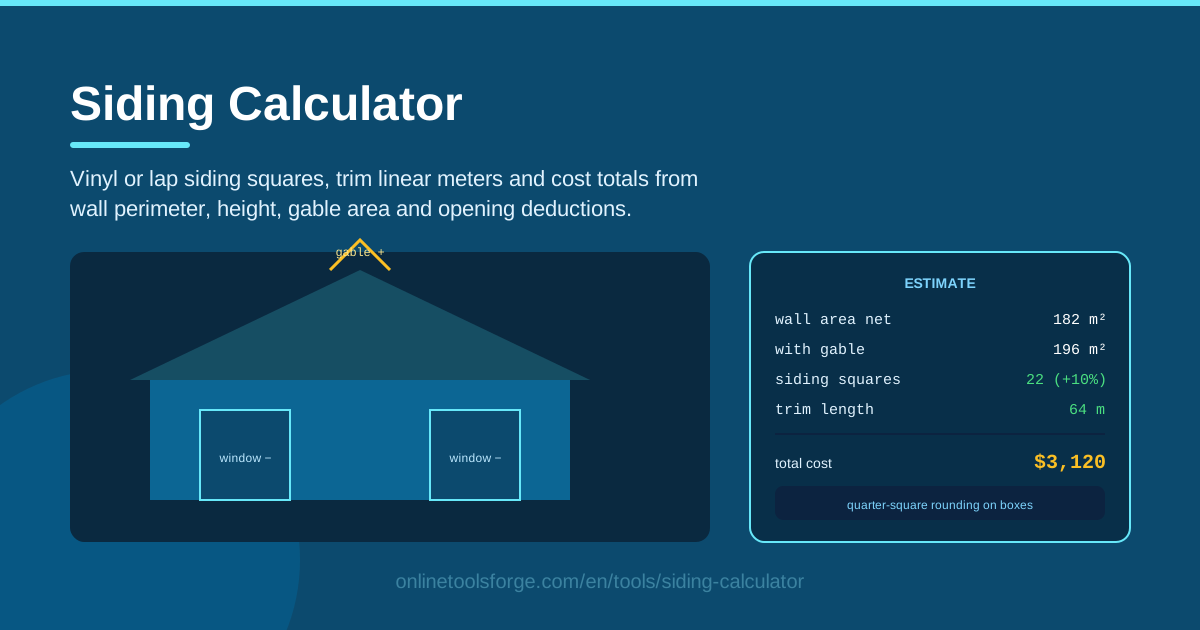
Table of Contents
Re-siding a house is one of the biggest exterior projects most homeowners ever take on, and it is easy to misjudge at the estimating stage. Order too little and the job stalls mid-wall; order too much and unused boxes pile up in the garage. The Siding Calculator removes the guesswork: enter your wall perimeter, wall height, gable area and opening deductions, and it returns siding squares, trim linear meters and a cost total with waste allowance built in.
The tool supports both vinyl siding and traditional lap siding, and it rounds the result to the nearest quarter square so your order matches how siding is actually sold. All math runs client-side in your browser — no account, no uploads, no waiting.
This guide walks through the calculator step by step, explains the unit conventions behind the numbers, and shows what a realistic estimate looks like in four common scenarios.
Why Use Siding Calculator?
- It speaks the trade's units. Suppliers count siding in squares of 100 square feet, not raw wall area, so the calculator converts your measurements into the numbers you will actually order.
- It handles gables for you. Triangular gable ends are invisible to perimeter-times-height math. Enter the gable area once and it joins the total automatically.
- It builds in waste. Offcuts around openings, mis-cuts and cracked boards are inevitable. A configurable waste allowance turns a theoretical figure into a real order quantity.
- It estimates trim, not just panels. J-channel, starter strip and corner trim are bought by the linear meter and are easy to forget. The tool lists trim linear meters alongside the squares.
- It prices the job. Enter per-square and per-meter prices and you get a cost total to hold against contractor quotes.
- It is private and instant. Everything runs client-side in your browser, so your dimensions and budget never leave your device.
Key Features
| Feature | What it does |
|---|---|
| Wall perimeter and height | Converts the building footprint and wall height into gross wall area |
| Gable area input | Adds triangular wall surfaces under the roofline that basic math misses |
| Opening deductions | Subtracts windows and doors so you never buy siding that covers nothing |
| Waste allowance | Applies a percentage buffer for offcuts and damage before rounding |
| Vinyl or lap siding | Matches the estimate to the panel style and coverage you plan to buy |
| Quarter-square rounding | Rounds to the nearest quarter square to mirror box quantities |
| Trim linear meters | Estimates J-channel, starter strip and edge trim by length |
| Cost totals | Multiplies squares and trim by your prices for a clear budget figure |
Three details deserve extra attention:
- Quarter-square rounding exists because vinyl ships in boxes covering roughly two squares. Rounding in 0.25-square steps keeps your order aligned with real cartons instead of an unbuyable 12.7 squares.
- Trim estimates are deliberately generous, because returning an extra length of J-channel beats stopping work for a missing stick.
- Client-side math means results update instantly — tweak the waste percentage and watch the totals move.
How to Use Siding Calculator
- Measure the wall perimeter. Walk the house and add the lengths of every sided wall. A 40-by-30-foot rectangle, for instance, has a perimeter of 140 feet (about 43 meters).
- Enter the wall height. Measure from the bottom of the siding to the eaves, and average two-story sections if the heights differ.
- Add the gable area. Measure each gable's base width and vertical rise, then enter the combined triangular area (formula in the deep dive below).
- Deduct openings and set waste. Enter the total area of large windows and doors you plan to exclude, and choose a waste percentage — 10 percent for simple walls, 15 percent for busy elevations.
- Read the results. The calculator shows squares rounded to the quarter, trim linear meters and your cost total. Order with those numbers.
Squares, Gables and the Opening Deduction Debate
Siding estimation carries its own folklore, and a few conventions are worth knowing before you trust any number — including this tool's.
A square is 100 square feet. The unit survives because it fits the trade: most vinyl boxes cover about two squares, and a two-person crew hangs two to four squares an hour. When the calculator reports 15.25 squares, that is 1,525 square feet of coverage — in practice, about eight boxes.
Quarter-square rounding mirrors the shelf. Panels ship in fixed boxes, so precision beyond a quarter square is false comfort. Rounding to 0.25 keeps estimates honest without implying a supplier will sell you 12.83 squares.
Gables are triangles. Multiply a gable's base width by its vertical height and divide by two. A 30-foot-wide gable rising 10 feet adds 150 square feet. Enter each gable's area and the tool folds it into the total — forgetting gables is one of the two classic under-ordering mistakes, the other being zero waste.
The opening deduction debate. Should windows and doors be subtracted? Traditional wisdom says no: offcuts around every opening absorb most of the savings. The modern camp deducts openings larger than roughly 50 square feet combined. The pragmatic middle — which this calculator supports — is to deduct only large openings such as picture windows and patio doors, then let the waste allowance absorb the small ones. Whatever you choose, stay consistent across quotes so you compare like with like.
Trim is linear, not square. Corner posts, J-channel and starter strip are measured along edges. Trim length runs close to the wall perimeter plus the extra edges created by openings and gable rakes — exactly what the tool estimates for you.
Waste allowance is not padding. Ten percent covers straight runs; fifteen percent covers dormers, bays and many openings; complex houses can justify twenty. Skipping waste is how jobs end one box short.
Practical Use Cases
Budgeting a Vinyl Re-side
Take a 140-foot perimeter with 9-foot walls (1,260 square feet) plus two gables at 150 square feet each, a gross of 1,560. Deduct 180 square feet of doors and picture windows, leaving 1,380, then add 10 percent waste — about 15.25 squares. At $180 per square plus trim, the calculator's cost total lands near $2,900 in materials, a defensible budget before you ever call a supplier.
Comparing Fiber Cement Quotes
Two contractors quote the same house: one for 16 squares of fiber cement, one for 19. Run your own takeoff through the tool — say it lands at 14 squares with waste — and the 16-square quote reads as fair while the 19-square quote looks padded. Numbers turn a hunch into a negotiation.
Ordering Materials for New Construction
Builders know their wall takeoffs, but converting them into box counts and trim lengths still invites errors. Enter the plans' perimeter, height and gable figures, check the quarter-square rounding against box coverage, and order everything from a single dye lot so every panel matches.
Estimating Storm Damage Repairs
After hail or wind damage, insurers often settle per square. Measure only the damaged elevation, enter its dimensions with a modest waste allowance, and you have an independent figure to check the adjuster's number against — whether the repair covers one wall or the whole house.
Best Practices
- Measure each wall individually. Perimeter math is a shortcut; wall-by-wall measuring catches bays and bump-outs that the shortcut flattens away.
- Order all boxes from one dye lot. Color varies slightly between production runs; mixed lots show up as visible stripes after installation.
- Confirm starter strip and J-channel. Squares are useless without accessories — verify trim linear meters against your wall edges before checkout.
- Add waste for offcuts. Even careful installers lose material around windows; the waste allowance exists for exactly that, so do not set it to zero.
- Re-run the estimate after design changes. A new dormer or bigger window changes squares and trim; the tool recalculates in seconds.
- Round up when in doubt. One spare box beats a stopped job and a second delivery fee.
Ready to turn measurements into a budget? Open the Siding Calculator, enter five numbers, and you will know your squares, trim and cost in under a minute — then explore the related tools below to plan the rest of the project.
Related Tools You Might Like:
- Drywall Calculator — estimate drywall sheets and joint compound for interior work
- Paver Calculator — plan patios and walkways down to the last paver
- Countertop Calculator — price kitchen and bath surfaces with cutout deductions
Happy building!
Frequently Asked Questions
Q: How many square feet are in a square of siding? A: One square equals 100 square feet of coverage. Suppliers and contractors quote material in squares, so a 1,400-square-foot wall works out to 14 squares before waste is added.
Q: Should I deduct windows and doors from my siding estimate? A: It depends on size. Many installers skip small openings because offcuts fill the gaps, but large ones such as picture windows and patio doors are worth subtracting. The calculator lets you enter opening deductions, so you can follow whichever policy your supplier prefers.
Q: How much waste allowance should I add for vinyl siding? A: Ten percent suits simple rectangular walls with few openings; fifteen percent covers busy elevations with many windows, bays or dormers. Complex rooflines can justify twenty percent.
Q: Does the Siding Calculator send my measurements to a server? A: No. The tool runs entirely client-side in your browser, so your dimensions, prices and budget never leave your device.