TSConfig Generator: Build a Production-Ready tsconfig.json in Seconds
Generate a production-ready tsconfig.json from Next.js, Vite, Node.js, and library presets, with strict flags, JSX handling, path aliases, module resolution, and include/exclude globs — copy or download instantly, 100% in your browser.
Free Interactive Tool
TypeScript tsconfig.json Generator
Free online tsconfig.json generator. Build TypeScript compiler configs from Next.js, Vite, Node.js, and library presets with strict flags, JSX options, path aliases, and module resolution. Copy or download instantly — runs 100% in your browser.
Table of Contents
The tsconfig.json is the most copy-pasted-yet-least-understood file in web development. Almost every TypeScript project has one, almost nobody writes theirs from scratch, and most repositories carry options inherited from blog posts, forum answers, or scaffolds that predate the current TypeScript release. The result is config drift: strict half-enabled, module and moduleResolution disagreeing, JSX settings copied from a Vue project into a Next.js app.
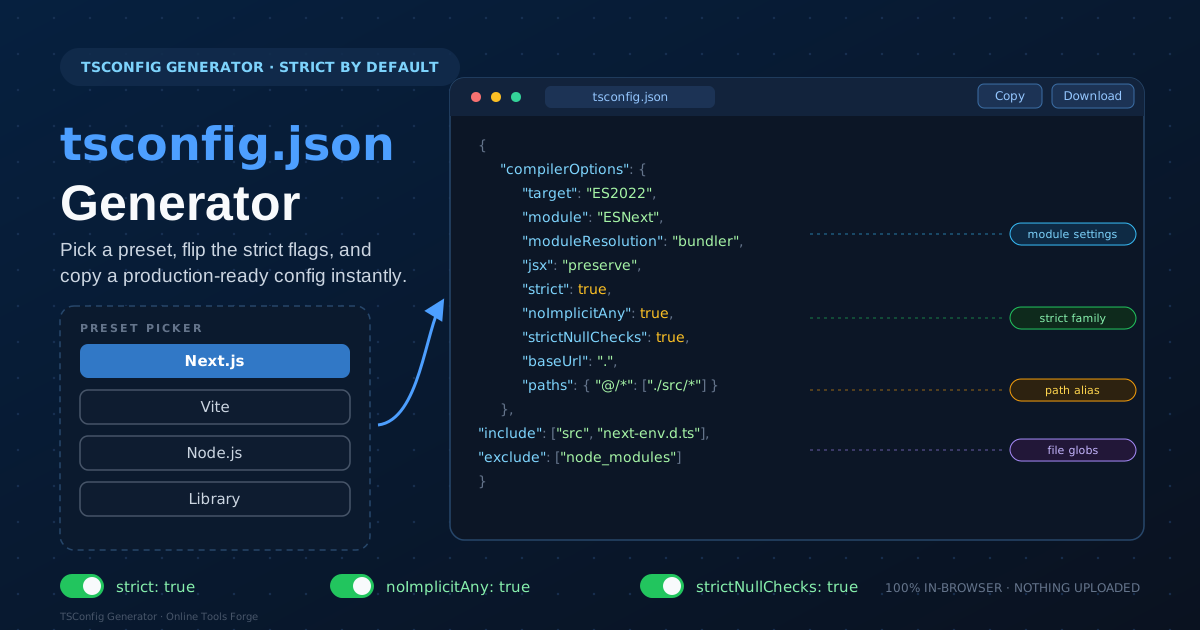
The TSConfig Generator replaces that archaeology with a short form. Pick a preset — Next.js, Vite, Node.js, or library — then flip toggles for strict flags, JSX handling, path aliases, module resolution style, and include/exclude globs. The tool emits a coherent, production-ready tsconfig.json that reflects your actual stack, ready to copy or download.
Everything runs 100% in your browser. No account, no upload — your configuration never leaves your machine.
Why Use the TSConfig Generator?
- Correct defaults per environment. A Next.js app, a Vite bundle, a Node.js service, and a published library need different compiler options; presets encode those differences instead of guessing.
- Strict flags as first-class toggles. strict, noImplicitAny, and strictNullChecks catch real bugs, and the generator makes them visible choices rather than inherited accidents.
- Module settings that match your bundler. The module and moduleResolution pair is where hand-written configs go wrong; the generator keeps it consistent.
- Path aliases done right. Aliases only work when baseUrl and paths agree with your bundler's resolver; the generator emits the matching pair.
- Readable include and exclude globs. Build output and dependencies should never enter type checking; the generator covers your sources and nothing else.
- Private by design. Client-side JavaScript only, safe for proprietary codebases that policy says never touch a web service.
Key Features
| Feature | What it gives you |
|---|---|
| Preset picker | Next.js, Vite, Node.js, and library bases with environment-correct defaults |
| Strict flags | Toggles for strict, noImplicitAny, and strictNullChecks |
| JSX handling | preserve, react-jsx, or react-jsxdev matched to your framework |
| Module resolution | Consistent module and moduleResolution pairs for bundler or node styles |
| Path aliases | baseUrl and paths entries that mirror your bundler's alias configuration |
| Include and exclude | Glob patterns covering sources while skipping build output and dependencies |
| Copy and download | Grab the tsconfig.json as text or save the file into your repo instantly |
The output stays trustworthy because options appear only when they matter — a pure Node.js project gets no jsx setting — and related options move together, so the library preset brings declaration while app presets keep noEmit true.
How to Use
- Open the TSConfig Generator and select the preset matching your project: Next.js, Vite, Node.js, or library.
- Flip the strict toggles you want. Start with all of them on and relax one only with a concrete reason.
- Choose JSX handling and module resolution style to match your framework and bundler.
- Add path aliases if you use them, and adjust include/exclude globs to cover your sources.
- Review the generated tsconfig.json, copy or download it into your repository root, and run your usual type check.
The Flags That Change Everything
A tsconfig.json is not one setting — it is a handful of clusters, each with a wrong answer that silently breaks something else. Knowing them turns the generated file into a decision record.
The strict family. strict: true is an umbrella that enables a group of checks at once, including noImplicitAny and strictNullChecks. noImplicitAny refuses to let values fall into the permissive any type when the compiler cannot infer them, so forgotten annotations stop being holes in type safety. strictNullChecks makes null and undefined their own types instead of assignable to everything, the single biggest reducer of runtime crashes in TypeScript codebases. Enabling strict turns both on; listing them explicitly documents intent.
Module versus moduleResolution. module controls the emitted syntax; moduleResolution controls how the compiler finds the files your imports point to. Bundlers such as Vite and Next.js want moduleResolution: "bundler", which supports package exports maps and extensionless imports. Classic Node.js CommonJS wants "node" (node10) or "node16"/"nodenext" with a matching module value. Mismatching the pair produces the famous cannot-find-module errors no reinstall will fix.
JSX settings per framework. jsx: "preserve" leaves JSX untouched so Next.js can transform it later. React projects built with Vite typically want "react-jsx", which injects the automatic runtime import so import React lines disappear. Getting this wrong double-transforms your code or leaves raw JSX where JavaScript was expected.
Path aliases and the bundler. A paths entry like "@/*": ["./src/*"] teaches the compiler what @/components/Button means — but your bundler has its own resolver and ignores tsconfig paths unless told. Vite needs a matching resolve.alias entry; Next.js reads paths from tsconfig automatically. The generator emits the TypeScript side correctly, so only the bundler needs a one-line mirror.
Include and exclude. include declares which files join the program; exclude carves out node_modules and build output. Including too much checks dead files and slows the compiler; including too little hides errors.
A generated excerpt, annotated:
{
  "compilerOptions": {
    "target": "ES2022", // syntax level the output supports
    "module": "ESNext", // emit modern module syntax
    "moduleResolution": "bundler", // lookup rules matching a bundler
    "jsx": "preserve", // leave JSX for the framework
    "strict": true, // enable the whole check family
    "noImplicitAny": true, // no silent any holes
    "strictNullChecks": true, // null is its own type
    "paths": { "@/*": ["./src/*"] } // alias mirrored in the bundler
  },
  "include": ["src", "next-env.d.ts"], // sources in the program
  "exclude": ["node_modules"] // dependencies stay out
}
Preset differences. The Next.js preset optimizes for the framework: jsx: "preserve", bundler-style resolution, globs covering app routes and type definitions. The Vite preset assumes the bundler transforms and minifies, so type checking stays separate from emit. The Node.js preset targets the runtime directly, matched to a server environment. The library preset is the outlier: it enables declaration so consumers get types — app presets lean on noEmit because the bundler owns output, while a library must emit itself.
Practical Use Cases
Starting new projects
Greenfield work is where bad configs ossify. Picking the preset that matches your stack gives a defensible starting point in five minutes, instead of discovering months later that strict was never really on.
Unifying monorepo configs
Monorepos accumulate one tsconfig per package, each drifting its own way. Generate one canonical config per environment — app, service, library — and use it as the shared base every package extends, keeping module and strict settings consistent.
Migrating old JavaScript codebases incrementally
Renaming files to .ts and flipping every flag at once yields thousands of errors and an abandoned migration. Start with strict flags off, get the program compiling, then emit a target config with the generator and enable one strict flag at a time.
Library authoring
Published packages carry their types to every consumer, so declaration and accurate globs are not optional. The library preset emits exactly that shape, keeping internal files out of the program and giving your entry points clean, complete type definitions.
Best Practices
- Start strict, stay strict. Enable the full family on day one; removing a check later is trivial, while adding one to a mature codebase is a project.
- Keep paths in sync with the bundler. Every paths alias needs a matching entry in Vite's resolve.alias or your bundler's equivalent — treat the pair as one change.
- Commit tsconfig.json. It is part of your build contract, not a local preference; teammates and CI should type check against the same rules.
- Upgrade target deliberately. Bump target and module when your supported runtimes change, then run the full test suite.
- Extend, do not fork. Add unusual compiler options deliberately on top of the generated base rather than rewriting it wholesale.
Generate Your tsconfig.json Today
Configuration debt is invisible until the day it costs you an afternoon. Open the TSConfig Generator, pick your preset, flip your strict flags, and copy a tsconfig.json that is correct for your stack on the first try. No account, no upload, nothing to install.
Related Tools You Might Like:
- ESLint Config Generator — pair your tsconfig with a modern ESLint 9 flat config
- EditorConfig Generator — keep indentation and line endings consistent across editors
- OpenAPI to TypeScript Converter — turn API schemas into the types your strict tsconfig enforces
Happy compiling!
Frequently Asked Questions
Q: Does enabling strict: true also enable noImplicitAny and strictNullChecks?
A: Yes. The strict umbrella turns on a family of checks that includes both. The generator lists them explicitly so you can relax a single flag without disabling the family.
Q: My path alias works in the editor but fails at build time. What is wrong?
A: The TypeScript side is correct, but your bundler has its own resolver that ignores tsconfig paths. Add a matching alias in Vite's resolve.alias or your bundler's equivalent. Next.js is the exception — it reads paths from tsconfig directly.
Q: Should a library tsconfig emit files while app tsconfigs do not?
A: Generally yes. Apps let the bundler own output, which is why app presets keep noEmit true. A published library must emit declaration files itself, so the library preset enables declaration and emit-safe settings.