Wall Mount Height Calculator: Get the Perfect TV Height Before You Drill
The Wall Mount Height Calculator turns your seated eye level, viewing distance, and TV size into an ideal mounting center height and tilt angle, so your TV lands right the first time.
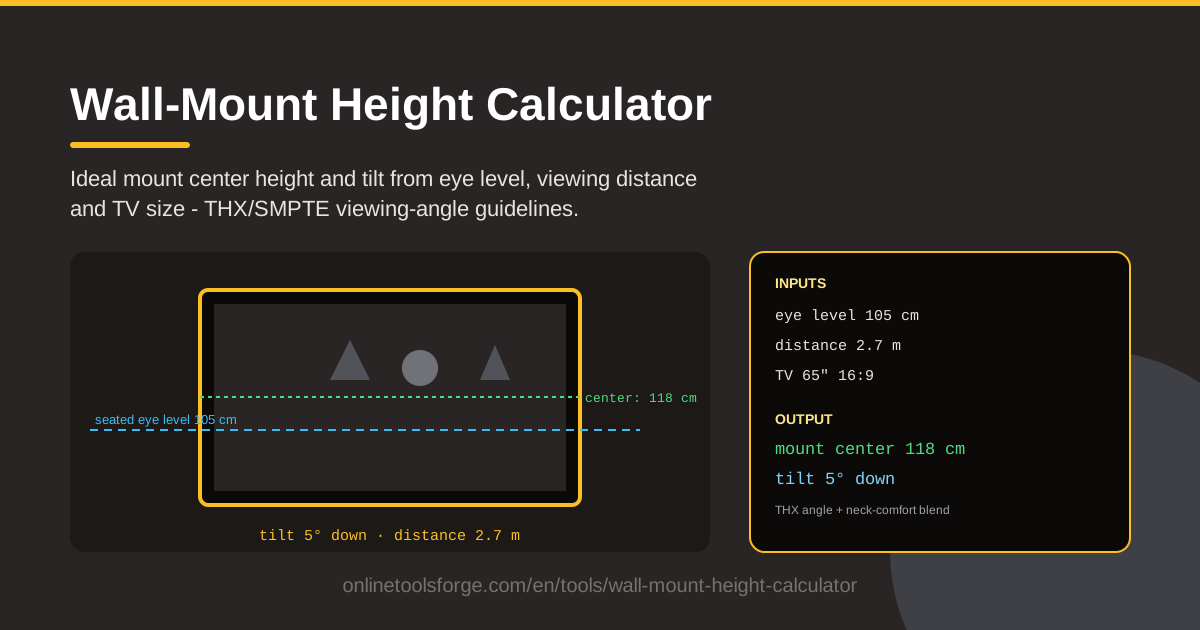
Table of Contents
There is a special sinking feeling in hanging a TV, settling into the couch, and realizing the screen floats well above your line of sight. Every movie becomes a quiet neck workout, and fixing it means patching drywall and redrilling. The mistake is entirely avoidable with three measurements and the right tool.
That tool is the Wall-Mount Height Calculator. Enter your seated eye level, the distance from your couch to the wall, and your TV size, and it computes the ideal center height for the mount plus a suggested downward tilt angle. The math follows THX and SMPTE viewing-angle guidelines, the standards home theater designers use to keep a screen inside your natural field of view.
This guide explains how the calculator works, why eye level matters more than you might expect, and how to turn the numbers into a clean, drill-once installation.
Why Use Wall-Mount Height Calculator?
A few minutes of calculation protects both your neck and your wall:
- Neck comfort comes first. A screen mounted too high has you tilting your head up all evening, while one mounted too low makes you slouch. Keeping the center near seated eye level keeps your neck neutral through a long movie.
- You only drill once. Anchor holes in drywall, brick, or tile are not things you want to redo. Solving for the correct height before touching the wall saves you from patching, filling, and drilling twice.
- It is tailored to your room. A 55-inch TV watched from two meters needs a different height than the same TV watched from four. The calculator uses your actual viewing distance, not a generic rule of thumb.
- The numbers follow recognized standards. Results are grounded in THX and SMPTE viewing-angle guidance, the same targets professional installers aim for.
- Tilt is part of the answer. When the ideal position sits above your eye level, such as over a mantel, the tool suggests a downward tilt that restores a comfortable line of sight.
- It is fast and private. Everything runs in your browser: three inputs in, one instant answer out, no sign-up, nothing sent anywhere.
Key Features
| Feature | What it does |
|---|---|
| Seated eye level input | Sets the height of your eyes while seated, the anchor for every angle. |
| Viewing distance input | Captures how far you sit from the wall, which controls the height tolerance. |
| TV size input | Scales the geometry to your screen's diagonal for an accurate center height. |
| Center height result | Outputs the ideal height of the screen's midpoint, ready to mark on the wall. |
| Tilt suggestion | Recommends a downward tilt when the ideal position rises above eye level. |
| THX/SMPTE basis | Keeps the recommendation within recognized viewing-angle limits. |
| Browser-based | Runs instantly with no installation, account, or data upload. |
- The center height refers to the midpoint of the screen, not its top or bottom edge, which is the most common installation mix-up. Mark from the panel's center.
- Because tilt is suggested alongside height, you can decide between a fixed and a tilting mount before buying any hardware.
- Test alternate scenarios freely: lower the eye level or stretch the distance and watch how far the ideal height moves.
How to Use Wall-Mount Height Calculator
- Measure your seated eye level. Sit where you normally watch and measure from the floor to your eye height. On a typical sofa this lands between 100 and 120 cm, roughly 40 to 47 inches.
- Measure the viewing distance. Run a tape from your usual seating position to the wall, keeping it at eye height rather than along the floor.
- Enter your TV size. Type in the diagonal size from the product name, such as 55 or 65 inches.
- Read the center height and tilt. The tool returns the ideal height for the screen's center plus a suggested downward tilt if the position sits above eye level. Write both down.
- Mark before drilling. Transfer the center height to the wall, confirm the bracket holes line up, verify stud locations, and only then drill. Measure twice, drill once.
Eye Level, Angles and the Neck Test
Anyone who has watched a movie above a fireplace knows the neck test by feel: ten minutes in, the head is tipped back and the neck starts to object. Ergonomics guidance puts the comfort limit for a sustained upward gaze at roughly 15 degrees, and a mantel-mounted TV routinely demands 20 to 30 degrees or more. THX-style viewing-angle guidance keeps the vertical angle within about 15 degrees of your line of sight to the screen's center, and SMPTE draws similar boundaries. When the screen center sits at or just below seated eye level, your gaze stays essentially flat, which is exactly why the calculator anchors everything to your measured eye height.
Viewing distance changes how forgiving the height tolerance is. From four meters away, a few centimeters of error barely registers; from two meters, the same error becomes a visible angle change. TV size shifts the ideal center height too, because a larger panel stands taller, so the calculator works from the screen's midpoint to keep the geometry consistent across sizes.
When the mount must sit higher than ideal, tilt becomes the correction. Angling the panel down toward your eyes reduces the effective viewing angle, though aggressive tilts can add glare and distortion, so treat tilt as a rescue rather than a default. And when you finally mark the wall, measure to the center of the screen, not the bottom edge, because bracket templates rarely align with the panel's midpoint.
Practical Use Cases
The living room couch
The classic setup: a 55 to 65-inch TV, a sofa around three meters away, and a household that mostly watches seated. Measure eye level on your actual sofa, enter the three numbers, and you will usually land on a center height of roughly 100 to 120 cm, low enough for a flat gaze yet high enough to clear a console.
The bedroom TV watched lying down
Lying in bed drops your effective eye level sharply and shortens the viewing distance. Enter those values and the calculator recommends a much lower mount than the living room needs. Pair it with the suggested tilt so the screen angles up toward the pillows.
Office meeting rooms and digital signage
Reception screens, meeting-room displays, and shop signage are watched standing or from across a room. Run the numbers with standing eye height and the true viewing distance to find a height that works for presenter and back row alike.
Gyms, kitchens and other high mounts
Sometimes the mount must go high: above kitchen cabinets, on a gym wall where equipment blocks lower positions, or along a busy corridor. The tilt suggestion is the key output here. Enter your true eye level while standing or exercising, read the offset, and choose a tilting mount that closes the gap.
Best Practices
- Measure seated, not standing. Standing height pushes every result upward and is the top cause of neck-straining mounts in living rooms.
- Find the studs first. The ideal height means little if the bracket cannot anchor to something solid, so locate framing before finalizing the spot.
- Add tilt when mounting high. If the recommended height is unattainable, choose a tilting mount and apply the suggested downward angle.
- Check cable reach before drilling. Power and HDMI routing should be planned around the final center height, not discovered afterward.
- Account for the bracket's geometry. Some mounts hang the panel lower or higher than the template implies, so verify where the center will actually rest.
- Re-run the numbers when the room changes. A new sofa or layout changes both eye level and distance, and the ideal height moves with them.
Ready to mark your wall with confidence? Open the Wall-Mount Height Calculator, enter your eye level, viewing distance, and TV size, and get your ideal center height and tilt angle in seconds.
Related Tools You Might Like:
- Viewing Distance Calculator — find the ideal seat distance for any screen size.
- PPI Calculator — check your display's pixel density for crisp detail at your seating distance.
- Screen Resolution Checker — verify what resolution your TV is actually rendering.
Happy mounting!
Frequently Asked Questions
Q: How high should the center of a 65-inch TV be? A: With a seated eye level near 107 cm, the center usually lands between 105 and 115 cm from the floor. The exact figure depends on your viewing distance, which is why the calculator uses your own measurements.
Q: Why use seated eye level instead of standing height? A: You watch TV sitting or lying down, not standing at attention. Standing height is the classic mistake that pushes screens too high; seated eye level reflects where your neck actually sits during a movie.
Q: Is mounting a TV above the fireplace ever OK? A: Yes, if you accept the trade-offs. The screen will sit well above ideal eye level, so plan on a tilting mount with a meaningful downward angle, and check the fireplace's heat output before putting electronics above it.
Q: Can tilt replace mounting at the right height? A: No. Tilt is a correction, not a cure. A modest tilt can rescue a mount sitting 10 to 20 cm above eye level, but the higher the screen climbs, the more distortion and neck strain you accept.