BPM Tapper Guide: Measure Any Song Tempo by Tapping the Beat
Learn how the free BPM Tapper turns the tempo you can feel into a number you can use. Tap along with any song to get average BPM, interval range, and keyboard tap support, fully offline.
Free Interactive Tool
BPM Tapper
Tap along to any song to find its tempo in BPM with average, interval range, and tap count — works fully offline.
Table of Contents
You usually know a song's tempo by feel long before you know its number. Your foot finds the beat, but ask for the actual figure—a number to write down or compare with another track—and the feeling will not answer. A tapper closes that gap, turning the tempo you feel into a number in roughly four taps.
The free BPM Tapper does exactly that. Play any music, tap in rhythm with the beat, and the tool measures the gaps between taps, averages them, and reports the tempo in beats per minute (BPM). It shows the interval range so you can judge how steady the tempo is, accepts keyboard taps for more precise input, and runs entirely in your browser—fully offline.
This guide covers how to use the tool, the math behind the number, and the habits that make a measurement trustworthy.
Why Use BPM Tapper?
- No audio analysis needed: File-based detectors require uploads and supported formats; a tapper uses your sense of rhythm as the sensor instead.
- Works on any sound source: Recordings, vinyl, a phone speaker, a live band, or a colleague humming—if you can hear a pulse, you can measure it.
- Fully offline: Everything runs on your device after the page loads—practice rooms, studios, anywhere connections are unreliable.
- Keyboard tap support: Pressing a key is steadier than clicking a mouse, giving more regular input and better estimates on desktop.
- Instant feedback: The readout updates with every tap, so you can see whether you are locked in or drifting.
- Free and private: No account, no install, no data collected—your taps stay in your browser.
Key Features
| Feature | What it does | Why it helps |
|---|---|---|
| Tap pad | Records each tap and the gap since the previous one | Turns rhythm into data in one action |
| Average BPM | Converts the average interval into beats per minute | Gives one stable tempo number |
| Interval range | Shows the spread between fastest and slowest gaps | Reveals drift, rubato, or uneven tapping |
| Keyboard tap support | Accepts key presses as taps | More regular input on desktop |
| Reset control | Clears the current tap session | Keeps songs and sections from mixing |
| Offline operation | Runs entirely in the browser | Works anywhere, no connection required |
- Live averaging: Every new tap refines the estimate, so the displayed BPM settles toward the true tempo.
How to Use BPM Tapper
- Start the music and find the main pulse. Listen for the beat you would clap or nod along to—the downbeat level, not the fastest hi-hat.
- Begin tapping on a strong beat. Open the BPM Tapper and press the tap button in time. The first tap is a starting gun: it begins the measurement rather than joining it.
- Keep tapping on every beat. Continue for at least eight beats; each tap sharpens the average until the readout settles on a value.
- Read the average BPM and the interval range. A tight range of a few milliseconds means a steady tempo; a wide range means the music or your tapping is moving.
- Use the keyboard for accuracy. Tap with a key instead of the mouse, then reset and repeat to confirm the result.
From Taps to Beats Per Minute
The arithmetic behind a tap tempo is refreshingly small. Each pair of consecutive taps produces one interval in milliseconds, and steady tapping makes those intervals cluster around the length of one beat:
BPM = 60,000 / average interval in milliseconds
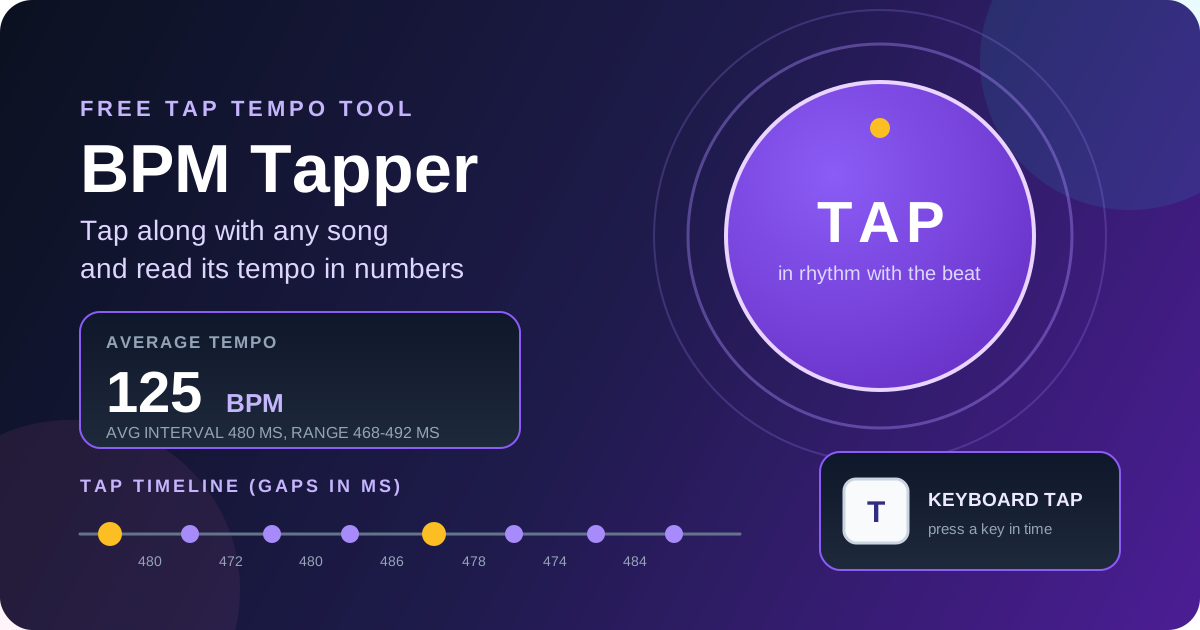
Worked example: taps averaging 480 milliseconds give 60,000 / 480 = 125 BPM—two beats every second, a common mid-tempo pop and house speed.
More taps help because human timing has jitter: even skilled listeners tap early or late, and one interval of 460 versus 500 milliseconds reads as 130 versus 120 BPM. Because those errors are roughly random, they cancel in an average, and accuracy improves with every tap—eight beats is far better than two, sixteen better still.
The interval range is the diagnostic half of the display. A range of 476 to 484 milliseconds says the tempo is rock steady. A range like 420 to 560 milliseconds says something is moving—live bands, expressive rubato, or just uneven tapping—so measure a shorter, steadier section.
Watch which pulse you tap. Tap twice per beat and every interval halves, so 240-millisecond gaps compute to 250 BPM—double the truth. Tap every other beat and it reports 62.5 BPM. These are levels of the same pulse; if the result falls outside the 40 to 200 BPM range where most music lives, halve or double it.
Practical Use Cases
DJs Matching Tracks
Beatmatching begins with knowing both tempos. Tap each candidate track and compare the BPM values to see how far the pitch fader must travel. A modern production sits in a razor-thin interval range, while an older recording without a click may drift, so beatmatch by ear.
Drummers Checking Practice Tempos
Practicing without a metronome only pays off if the tempo stays honest. Tap along with a recording of your session to log the real speed of each exercise. Rushing fills and dragging grooves appear as clusters of short and long intervals—far better feedback than a vague feeling.
Dance Choreography and Fitness Playlists
Choreographers can replace vague descriptions with one number, telling a class exactly what pace to expect and checking that a routine fits the song. Runners benefit too: a common cadence target is 170 to 180 steps per minute, so build playlists from songs in that BPM band to hold your pace.
Best Practices
- Tap at least eight beats: Two or three taps leave the estimate at the mercy of your worst interval.
- Tap on the strong beats: Choose the pulse you would clap along with; offbeat hi-hats pull the estimate to the wrong layer.
- Ignore the first tap: It starts the clock rather than joining the measurement, so begin on a confident beat.
- Reset between songs: Leftover intervals contaminate the next average and skew the readout.
- Re-measure moving music in sections: Tap the verse and chorus separately and record both numbers.
- Cross-check with a metronome: Set an online metronome to your measured BPM; if the clicks lock onto the music, the number is right.
Measure Any Tempo in Four Taps
A number beats a feeling whenever you need to write it down or compare it. Open the free BPM Tapper, tap along with the music, and let the average BPM and interval range tell you how fast—and how steady—it really is.
Related Tools You Might Like:
- Online Metronome — practice at the tempo you just measured with a precise, accent-aware click.
- Interval Timer — structure tempo drills and timed practice blocks around a fixed pulse.
- Stopwatch — time full songs and verify tempos by counting beats over a measured period.
Happy tapping—and may every beat land right where you feel it!
Frequently Asked Questions
Q: How accurate is tap tempo compared to audio analysis software?
A: With eight or more steady taps, the result typically lands within one or two BPM of the truth, because random reaction-time errors cancel out. Audio analysis wins on clean studio recordings but struggles with live performances and noisy mixes—where tapping keeps working.
Q: Why does my BPM reading jump around while I am tapping?
A: Early taps have little data behind them, so the first readings swing widely; keep tapping and the number settles. If it never settles, you have drifted onto a subdivision or your tapping is uneven—the interval range shows which.
Q: What should I do when the song speeds up and slows down?
A: Expressive performances move on purpose, so no single number fits the whole track. Tap a shorter section, note its BPM, then reset and tap the next section. A wide interval range documents the rubato instead of hiding it.
Q: Does BPM Tapper work without an internet connection?
A: Yes. The tool runs entirely in your browser, so after the page loads it needs no network. Nothing is uploaded or stored, so you can measure tempos anywhere.