Graph Paper Generator: Print Custom Grid, Dot, Isometric, and Hexagonal Paper Free
Free online graph paper generator. Create printable graph, dot grid, isometric, and hexagonal paper with custom spacing and margins, then export as PNG or PDF. Runs entirely in your browser.
Free Interactive Tool
Graph Paper Generator
Generate printable graph, dot grid, isometric, and hexagonal paper as PNG or PDF with custom spacing and margins.
Table of Contents
It is 9pm. A math assignment is due tomorrow, the stationery shop closed an hour ago, and the last sheet of graph paper disappeared into the recycling bin weeks ago. This is exactly when a graph paper generator saves the day: open the tool, pick a style, click print, and your home printer becomes a stationery counter that never runs out.
The same trick works far beyond homework. Bullet journal fans, tabletop game masters, engineers, and designers all share one problem: the exact paper they need is expensive, hard to find, or simply not in the house tonight. Instead of hunting through shop aisles, you can generate the sheet you want in seconds and print as many copies as you like.
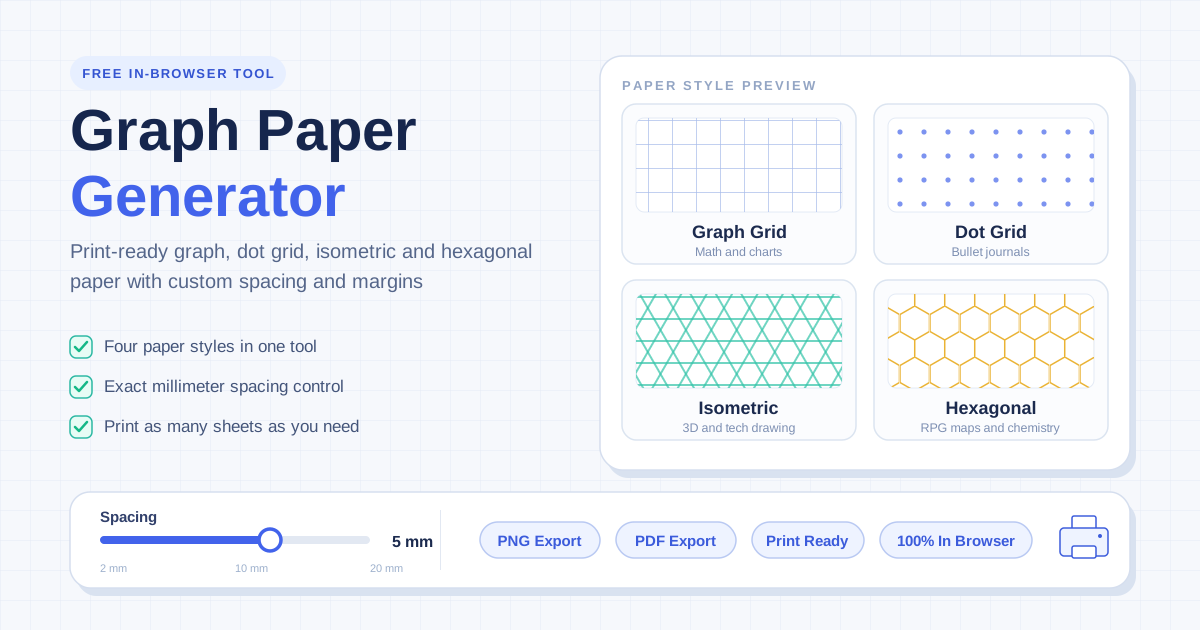
The free graph paper generator covers four paper styles with adjustable spacing and margins, outputs PNG or PDF, and runs 100% in your browser. This guide walks through every style, explains how spacing interacts with your printer, and shares the settings that make printouts genuinely useful.
Why Use Graph Paper Generator?
- Completely free. A pad of quality graph paper costs more than it should, and you often use three sheets and abandon the rest. Here a sheet costs only ink and paper you already own.
- Exact spacing, not approximations. Shop-bought paper comes in whatever spacing the manufacturer chose. Here you match the grid to your math problems, bullet journal habit, or sketching style.
- Print as many sheets as you need. Run out mid-project? Print ten more. Ruined a sheet? Print another. Unlimited copies turn paper from a scarce resource into a disposable tool.
- Four paper styles in one place. Graph, dot grid, isometric, and hexagonal patterns usually live in four different products. This one tool produces all of them with the same controls.
- PNG or PDF output. Save a digital copy, embed the grid in slides or documents, or send a print-ready PDF to any copy shop.
- Private and instant. Everything renders client-side in your browser — no signup, no watermark, no waiting.
Key Features
| Feature | What It Does |
|---|---|
| Four paper styles | Graph grid, dot grid, isometric, and hexagonal layouts |
| Custom spacing | Set the distance between lines, dots, or cells |
| Adjustable margins | Control the printable area and leave room for holes or binding |
| PNG export | Download a raster image for documents or slides |
| PDF export | Produce a print-ready file at correct paper dimensions |
| In-browser operation | All generation happens locally; nothing is uploaded |
- The live preview shows the sheet exactly as it will print, so there are no surprises when the paper comes out.
- Margin controls prepare sheets that fit binders, clipboards, and standard frames.
How to Use
- Choose a paper style. Open the graph paper generator and pick graph grid, dot grid, isometric, or hexagonal.
- Set the spacing. Adjust until the preview shows the density you want — see the printer resolution advice below before going very fine.
- Adjust the margins. Leave extra room if you plan to hole-punch, staple, or bind the sheets.
- Pick your output format. PNG for an image file, PDF for printing at exact page size.
- Print with the right settings. Set the scale to actual size rather than fit-to-page, select plain A4 or Letter, and print a single test sheet first.
Paper Styles and Their Uses
Graph grid for math and charts
The classic square grid remains the workhorse. Aligned rows and columns make plotting functions, drawing scale floor plans, and keeping long arithmetic columns legible far easier than lined paper. Match the grid spacing to your textbook: if problems expect one centimeter per unit, set the spacing to one centimeter rather than counting squares that are not there.
Dot grid for bullet journals and UI sketches
Dot grid is graph paper with the lines removed — dots mark positions without boxing in your handwriting. That is why bullet journal communities love it: alignment guides for headers and habit trackers, yet the page still reads as clean white space. The same property suits wireframes: boxes come from your pen, not the paper.
Isometric for 3D and technical drawing
Isometric paper replaces right angles with a lattice of 60-degree diagonals. Every axis shares the same foreshortening, so cubes, stairs, and exploded diagrams look consistently three-dimensional without perspective construction. Product sketches, plumbing layouts, and level concepts all benefit.
Hexagonal for RPG maps and chemistry
Hexagons tile the plane with no wasted space and six equal neighbors, which is why wargames use hex maps and chemists sketch molecular rings on hex paper. A sheet printed at game-night scale turns any kitchen table into a campaign map; the same sheet at fine spacing becomes a benzene-ring pad for organic chemistry.
Spacing, printer DPI, and margins
Spacing and print quality interact. A typical inkjet prints around 300 to 600 DPI, and at spacings below about 2 millimeters lines can blur together or drop out entirely. Keep spacing at 5 millimeters or more for crisp results; for finer grids, use lighter lines and a laser printer. For margins: hole-punched sheets need at least 12 millimeters on the binding edge so holes never bite into the grid you write on.
Practical Use Cases
Homework and study
Plotting a parabola by hand builds intuition that no calculator screen provides, and having a fresh grid sheet for every attempt removes the fear of ruining the one page you own. Teachers can print an entire class set at one spacing in a single run.
Design wireframing
Sketching screens on dot grid paper keeps proportions honest and iteration cheap before opening a design tool. Nobody polishes a drawing that took ten seconds to make, so early concepts flow freely.
Tabletop gaming
Game masters can print hex or grid sheets for wilderness travel, dungeon maps, and tactical combat. Disposable encounter maps stop being precious — draw the goblin ambush, run the fight, recycle the sheet.
Engineering sketches
Isometric and graph sheets are natural scratch space: block out a mechanism, sketch a flow diagram, or lay out a circuit floorplan before committing to CAD. Paper tolerates messy first thoughts far better than software does.
Best Practices
- Set the printer to actual size, not fit-to-page. Fit-to-page rescales the sheet and silently changes your grid spacing, defeating the point of custom settings.
- Test one sheet before printing a batch. A single page confirms spacing, margins, and darkness for a fraction of the cost of a misprinted stack.
- Use lighter lines to save ink. Fine, pale grids guide your pencil without dominating the page or emptying the cartridge; dark, heavy grids are rarely needed.
- Match spacing to the task. Five millimeters suits most schoolwork, ten suits younger students, and dot grids around five mirror commercial bullet journals.
- Print on decent paper. Standard 80 gsm copier paper works, but a slightly heavier sheet handles fountain pens without bleeding.
- Keep a printed reserve. Ten spare sheets per style in a folder means the 9pm emergency never happens twice.
Print Your Next Sheet in Under a Minute
Stationery should never be the thing that stalls an idea. Open the graph paper generator, dial in the style and spacing, and print exactly what the task needs — tonight, free, and in any quantity.
Related Tools You Might Like:
- Printable Calendar Generator — print a custom month or year planner to keep beside your grid sheets.
- Signature Maker — draw a signature and add it to printed or scanned documents.
- CSS Mesh Gradient Generator — create soft background gradients for the digital versions of your sketches.
Happy printing!
Frequently Asked Questions
Q: Is the graph paper generator really free?
A: Yes. There is no account, no watermark, and no limit on how many sheets you generate or print. The tool runs entirely in your browser, so there are no server costs to pass on.
Q: What is the difference between graph, dot grid, isometric, and hexagonal paper?
A: Graph paper uses continuous square lines for plotting and scale drawing. Dot grid marks the same positions with dots, keeping the page visually clean for writing and sketching. Isometric paper uses 60-degree diagonals for 3D drawings, and hexagonal paper tiles the page with hexagons for maps and chemistry.
Q: Why does my printed grid not match the preview?
A: Almost always the print scale. If your print dialog is set to fit-to-page, the printer rescales the sheet and changes the spacing. Set the scale to 100 percent or actual size, and confirm the paper size matches the tray.
Q: What spacing works best on a home printer?
A: Most home printers render five millimeter spacing cleanly. Below about two millimeters, lines can blur or disappear, especially on inkjets. If you need fine grids, use lighter lines and test a single sheet first.