Skeleton Loader Generator: Shimmer Placeholders That Make Loading Feel Instant
Create skeleton loading placeholders for cards, lists, profiles, and articles with shimmer CSS. Customize colors and copy HTML and CSS in your browser. 100% client-side.
Free Interactive Tool
Skeleton Loader Generator
Create skeleton loading placeholders for cards, lists, profiles, and articles with shimmer CSS. Copy HTML and CSS in your browser.
Table of Contents
Every interface has a moment when data is not ready yet. The feed is fetching, the dashboard is querying, the profile is hydrating. What users see in that gap decides how they judge the whole product. A blank region looks broken, and a spinner says only that something is happening. Skeleton loaders take a different approach: gray blocks that preview the shape of the page before content arrives, so the interface feels prepared instead of stalled.
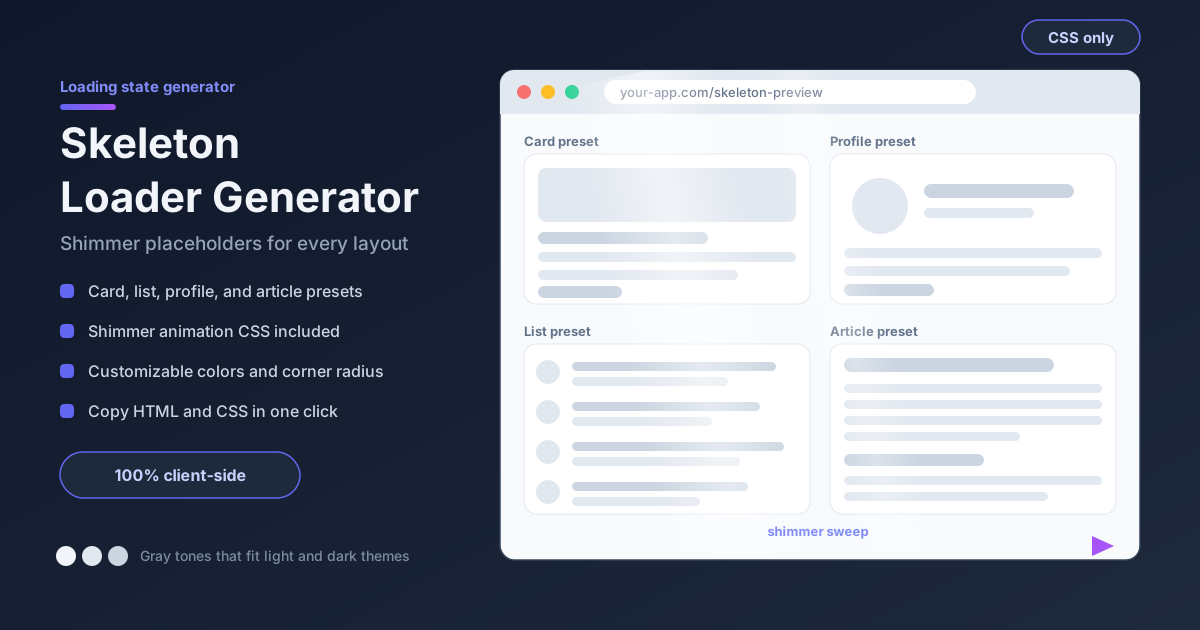
The free skeleton loader generator builds those placeholders for you. Pick a card, list, profile, or article preset, tune the block colors, and copy production-ready HTML and CSS in one click. Everything runs 100% client-side in your browser — no signup, no uploads, no build step.
There is a deeper reason to prefer skeletons: perceived performance is the feature. Usability research has repeatedly shown that skeleton screens make the same wait feel shorter than a spinner does. Users start scanning the layout immediately, and the shift from placeholder to content reads as progress rather than a fresh delay. The page does not get faster — it gets judged faster, and both count.
Why Use Skeleton Loader Generator?
- Layout-shaped placeholders, not abstract motion: each preset mirrors a real interface pattern, so users see what is coming.
- Four ready-made presets: card, list, profile, and article skeletons cover most loading states.
- Shimmer CSS included: the generator emits the gradient sweep and keyframes for you.
- Customizable colors: tune the base block tone and the shimmer highlight independently for light and dark themes.
- Copy HTML and CSS instantly: the output is plain, dependency-free markup for React, Vue, or static HTML.
- Private and instant: everything renders client-side, so the tool itself loads fast and never sees your code.
Key Features
| Feature | What It Does |
|---|---|
| Preset library | Card, list, profile, and article layouts ready to use |
| Shimmer animation | Smooth gradient sweep built on CSS keyframes |
| Custom colors | Set the base block tone and highlight shade separately |
| Block controls | Adjust widths, heights, and counts to mirror your layout |
| Copy output | One click copies the HTML and CSS together |
| Client-side only | Runs entirely in the browser; nothing is sent to a server |
- Presets are starting points — every block can be reshaped until it matches the component it stands in for.
- The generated CSS is one keyframe animation plus a few utility classes, so it adds no framework tax.
How to Use
- Open the skeleton loader generator and pick your preset: card, list, profile, or article.
- Reshape the blocks so the skeleton mirrors your real layout: match image ratios, line counts, and spacing.
- Pick your colors: a base tone a shade darker or lighter than the background, and a shimmer highlight one step brighter.
- Watch the live preview and confirm the sweep feels calm rather than frantic.
- Copy the HTML and CSS, paste them where your data loads, and swap in real content as it arrives.
Skeletons vs Spinners
Why layout-shaped placeholders win. A spinner communicates process; a skeleton communicates structure. Because the skeleton reserves the exact space the content will occupy, there is no layout shift when data lands. The placeholder also sets expectations: users see that a profile has an avatar, a name, and a bio, and orient themselves before content renders. That head start is why identical waits feel shorter.
The anatomy of shimmer. The classic skeleton is a gray block plus a lighter gradient band that slides across it. Under the hood that is one CSS keyframe translating a gradient across the block, looping every 1.2 to 2 seconds. The block stays still; only the highlight travels. Direction matters: the sweep should follow the reading direction of the locale, left to right for English and right to left for Arabic or Hebrew, so the motion feels like the page is filling in naturally.
Choosing the colors. Resist brand colors and saturated hues; colored scenery reads as an error state or decoration. The safe recipe is neutral gray tones: a base a shade darker than the surface in light themes, a shade lighter in dark themes, and a highlight one step away. Keep the two tones close — if the sweep is visible across the room, it is too strong.
When skeletons backfire. On very fast connections the skeleton appears and vanishes in a blink, producing a flash more distracting than any spinner. The fix is a small delay: show the skeleton only when loading exceeds roughly 300 milliseconds, and keep it on screen at least that long once shown. Skeletons also age poorly on very long waits, so pair them with a progress indicator for heavy requests.
Practical Use Cases
Feed and list loading
Social feeds, search results, and infinite-scroll lists benefit most. Render eight to twelve list-item skeletons with avatar circles and two text bars each, then replace them row by row as data streams in. Users see a feed that fills continuously rather than popping in all at once.
Dashboard cards
Analytics tiles and KPI cards have strong, recognizable geometry — a label bar, a big number, a delta chip. Skeletons that hold those shapes keep the grid stable while queries run — vital when a dozen widgets resolve at different moments and nothing should jump.
Profile pages
An avatar circle, a name bar, a shorter subtitle bar, and a few bio lines are the profile skeleton in its purest form. Visitors look straight at the avatar position, so resolving that block first anchors the entire page.
Article readers
Text-heavy pages substitute skeleton lines for paragraphs and a wider bar for the headline. Keep line lengths varied the way real text is; identical bars read as a barcode, not an article.
Best Practices
- Mirror the real layout geometry. The closer blocks match the final content, the less the swap-in shifts anything.
- Show skeletons only after about 300 ms. Below that threshold, the flash does more harm than the wait.
- Respect prefers-reduced-motion. Swap the shimmer for a gentle pulse or static block when users ask for less motion.
- Keep the shimmer subtle. Low contrast between base and highlight reads as calm; high contrast reads as alarm.
- Use neutral grays that fit both themes. Define light-theme and dark-theme values once, side by side.
- Replace content progressively. Swap each block as its data arrives instead of tearing the skeleton down at once.
Ship Smoother Loading States Today
Skeleton loaders are one of the cheapest perceived-performance wins available: a few gray blocks and one keyframe, generated in seconds. Open the skeleton loader generator, pick a preset, match your colors, and copy the HTML and CSS into your next loading state — users feel the difference even when the network does not change.
Related Tools You Might Like:
- CSS Spinner Generator — for short waits where a compact spinner is the better fit.
- CSS Animation Generator — build the keyframe effects, pulses, and staggering that take skeletons further.
- CSS Tooltip Generator — style the hints that explain what each skeleton block will become.
Happy shipping!
Frequently Asked Questions
Q: What exactly is a skeleton loader?
A: It is a low-fidelity preview of a page section, drawn as gray blocks shaped like the final content — circles for avatars, bars for text, rectangles for images — shown while data loads, usually with a shimmer sweeping across it.
Q: Do skeleton loaders actually make my site faster?
A: No, and that is the point. They improve perceived performance: the same wait feels shorter when users see the layout forming. Pair them with real speed work — caching, compression — for the best of both.
Q: Why does my skeleton flash on fast connections?
A: The load finishes before the skeleton registers, so it appears and disappears within a frame or two. Show it only when loading exceeds roughly 300 milliseconds, and keep it visible for a minimum moment.
Q: Is anything uploaded when I use the generator?
A: No. Everything runs client-side in your browser. Your designs never leave your machine, the plain HTML and CSS output has zero dependencies, and the tool works offline once loaded.