Payment Fee Calculator: Know Exactly What You Keep Before You Invoice
Use the Payment Fee Calculator to check Stripe, PayPal and Shopify processing fees instantly — see your net payout, or reverse-solve the gross price to charge for a desired net.
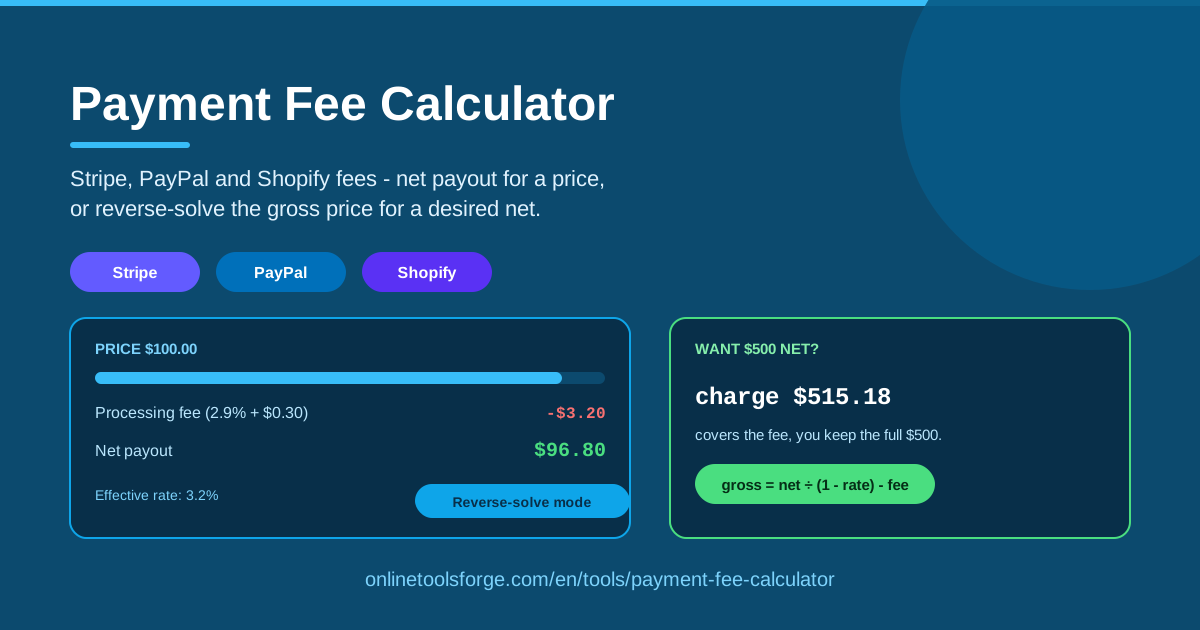
Table of Contents
Every online payment takes a small cut before the money reaches you. Stripe, PayPal and Shopify all charge a percentage of each transaction plus a fixed fee, and it adds up over a month of sales. The Payment Fee Calculator from Online Tools Forge shows you those numbers before you commit: enter an amount and instantly see the processing fee and your net payout.
The real power runs in reverse. If you need to keep exactly $1,000 from a client payment, charging $1,000 means you won't. Reverse-solve mode answers the opposite question: what gross price should you charge so that, after fees, your target lands in your account? Everything runs entirely in your browser, so nothing you type leaves your device.
Why Use Payment Fee Calculator?
- Reverse-solving the invoice price is the headline feature. Most tools only price a number you already picked; this one works backwards — enter your desired net payout and it computes the gross price to charge, so fees never erode your income.
- Instant provider comparisons. Switch between Stripe, PayPal and Shopify on the same amount to see which channel costs less for that sale size.
- It exposes the small-transaction trap. A fixed fee matters far more on a $9 sale than a $900 one; the effective rate shows your true cost percentage.
- Margin planning before you publish a price. Check the net payout before it goes live on your store or invoice.
- Private and instant. All math runs locally in your browser — no account, no waiting, no data leaving your device.
- Works for any payment scenario. Freelancers, digital product sellers, agencies — anyone paid through Stripe, PayPal or Shopify.
Key Features
| Feature | What it does |
|---|---|
| Provider presets | Pick Stripe, PayPal or Shopify; that provider's percentage-plus-fixed structure is applied. |
| Fee breakdown | Enter a price to see the processing fee and net payout instantly. |
| Reverse-solve mode | Enter your desired net and get the gross price to charge — a gross = net / (1 - rate) - fixed fee style calculation. |
| Effective rate | The true percentage cost once the fixed fee is included. |
| Fully browser-based | Everything runs locally; nothing is sent to a server. |
- The breakdown updates as you type, so several price points take seconds to test.
- Reverse mode works independently, so you can compare your current price's fee with the gross needed for a target net.
How to Use Payment Fee Calculator
- Pick your payment provider. Choose Stripe, PayPal, or Shopify so the right percentage and fixed fee apply.
- Enter a price or a desired net payout. Type a sale amount, or switch to reverse mode and enter the net you want.
- Read the fee breakdown. You get the processing fee, the net payout and the effective rate.
- Use reverse mode for invoices. Enter your target net and charge the computed gross so fees don't shave your income.
- Compare providers. The cheaper option often changes with the transaction value.
How Processing Fees Work
Nearly all mainstream processors charge a percentage of the transaction plus a small fixed fee, with exact rates varying by country, plan and card type. The math is universal: for a price P, rate r and fixed fee f, the fee is r × P + f and your net payout is P − (r × P + f).
The fixed fee is what people underestimate. On a $900 sale, $0.30 is noise and the effective rate stays near 3%. On a $9 sale, the percentage part is only $0.26, but the fixed fee more than triples the real cost — the effective rate jumps past 6%. That is why batching items into one payment helps sellers of low-priced goods so much.
Reverse-solving matters most on invoices. Charge $2,000 at 2.9% + $0.30 and you receive $1,941.70, not $2,000. If $2,000 after fees is a hard requirement, the payment must be larger, and reverse-solve mode computes exactly how much larger. Because the fixed fee must also be covered and the percentage applies to the bigger gross, a casual "just add 3%" markup almost always comes up short.
Cross-border payments add layers to double-check. International cards often carry an extra percentage, currency conversion adds a spread, and the fixed fee is defined per currency — $0.30 doesn't translate directly into euros, pounds or baht. If your client pays in a different currency than you settle in, recalculate with the international rate, and keep a currency converter handy for the conversion step.
Practical Use Cases
Freelancers Invoicing International Clients
A designer invoices a US client $2,500 through PayPal at 2.9% + $0.30. The fee is $72.80, leaving a net of $2,427.20. If $2,500 after fees is the real requirement, reverse mode puts the invoice at roughly $2,575 — about $750 across ten invoices a year.
Comparing Stripe vs PayPal on a Typical Sale
A consultant sells a $450 session. At 2.9% + $0.30 the fee is $13.35, net $436.65. Through PayPal at 3.49% + $0.49 the fee is $16.20, net $433.80. One sale is a small gap; a hundred a year approaches $285. Testing the same price under each provider takes seconds.
Pricing Digital Products to Preserve Margin
Want to net $12 from a $15 template? At 2.9% + $0.30 the fee is $0.74, leaving $14.26 — fine. At $5 the fee is $0.45, an effective rate near 9%. Reverse mode shows the gross needed to protect a target net, or bundle three templates into one checkout to dilute the fixed fee.
Marketplace Sellers on Shopify
A $60 order costs $2.04 in fees at 2.9% + $0.30 — about $408 across 200 orders a month, enough to change which product margins are viable. Run your top sellers' prices through the calculator to see which prices survive fees.
Best Practices
- Verify current rates with the provider. Rates vary by country, plan and card type, and change over time — confirm against the official pricing page.
- Batch small payments where possible. The fixed fee punishes small transactions; one combined payment cuts the effective rate dramatically.
- Pass fees transparently when allowed. Where platform rules permit a fee line or surcharge, the reverse-solved gross is your number.
- Re-check when rates change. Recalculate your standard prices whenever your processor adjusts pricing.
- Account for cross-border add-ons. Use the international rate for overseas clients, not the domestic one.
- Round gross prices sensibly. If reverse mode says $2,574.87, quoting $2,585 gives a predictable buffer instead of a cent-level figure.
Before your next invoice or price update, spend thirty seconds with the Payment Fee Calculator. Enter what you were about to charge, see what actually lands in your account, and if it falls short, let reverse mode tell you what to bill instead. It's free, instant and private.
Related Tools You Might Like:
- VAT Calculator — add or remove VAT for EU and UK clients.
- Invoice Generator — create a professional invoice around the fee-aware price you computed.
- Currency Converter — convert cross-border amounts before calculating fees.
Happy calculating!
Frequently Asked Questions
Q: How accurate are the fee calculations? A: The math is exact for the rate and fixed fee used. Presets reflect standard online pricing, but real rates vary by country, plan and card type — treat results as close estimates and verify on your provider's pricing page.
Q: Does the Payment Fee Calculator store or send my numbers anywhere? A: No. The tool runs entirely in your browser, and nothing you enter is transmitted or saved.
Q: Why is the reverse-solved gross price higher than my target net plus a rough percentage? A: The fixed fee must be covered on top of the percentage, and the percentage applies to the larger gross, not your net — so the exact answer is slightly higher than a mental "net + 3%" estimate.
Q: Do Stripe, PayPal and Shopify charge the same rates in every country? A: No. Rates differ by country and currency, and international transactions often carry extra fees. Recalculate using the rate for where the payment originates.